
A pattern observed consistently across high-performing LinkedIn accounts is that the creators obsessing over impression counts are almost never the ones generating inbound leads — and the ones quietly closing deals rarely mention their view counts at all. LinkedIn impressions vs results is not a nuanced debate: an impression is logged the moment a post loads in a feed, whether the reader pauses for three seconds or scrolls straight past. Raw numbers feel validating. They are not a business signal. The metric that predicts whether your LinkedIn content strategy is actually working is engagement-to-impression ratio — and most creators have no idea what theirs is.
- An impression is counted the moment a post appears in a feed — no reading, no click, no intent required.
- High impressions with low engagement is a red flag for the LinkedIn algorithm, not a win — it signals weak resonance and suppresses further distribution.
- The metrics that map to business outcomes are engagement rate, profile visits per post, and DM volume — not raw view counts.
- LinkedIn's algorithm uses organic post velocity — early engagement in the first 60–90 minutes — to decide whether to amplify a post or throttle it.
- Most creators with slow growth share one pattern: they optimise for broad reach instead of specific resonance with the right audience.
- Fixing the impression-to-result gap requires tracking different numbers, not posting more content.
- What LinkedIn Impressions Actually Count
- Why High Impressions With Low Engagement Is a Red Flag
- LinkedIn Metrics That Actually Matter for Leads and Growth
- Why Your LinkedIn Content Strategy Isn't Working
- Frequently Asked Questions About LinkedIn Impressions and Engagement
What LinkedIn Impressions Actually Count (And What They Don't Tell You)
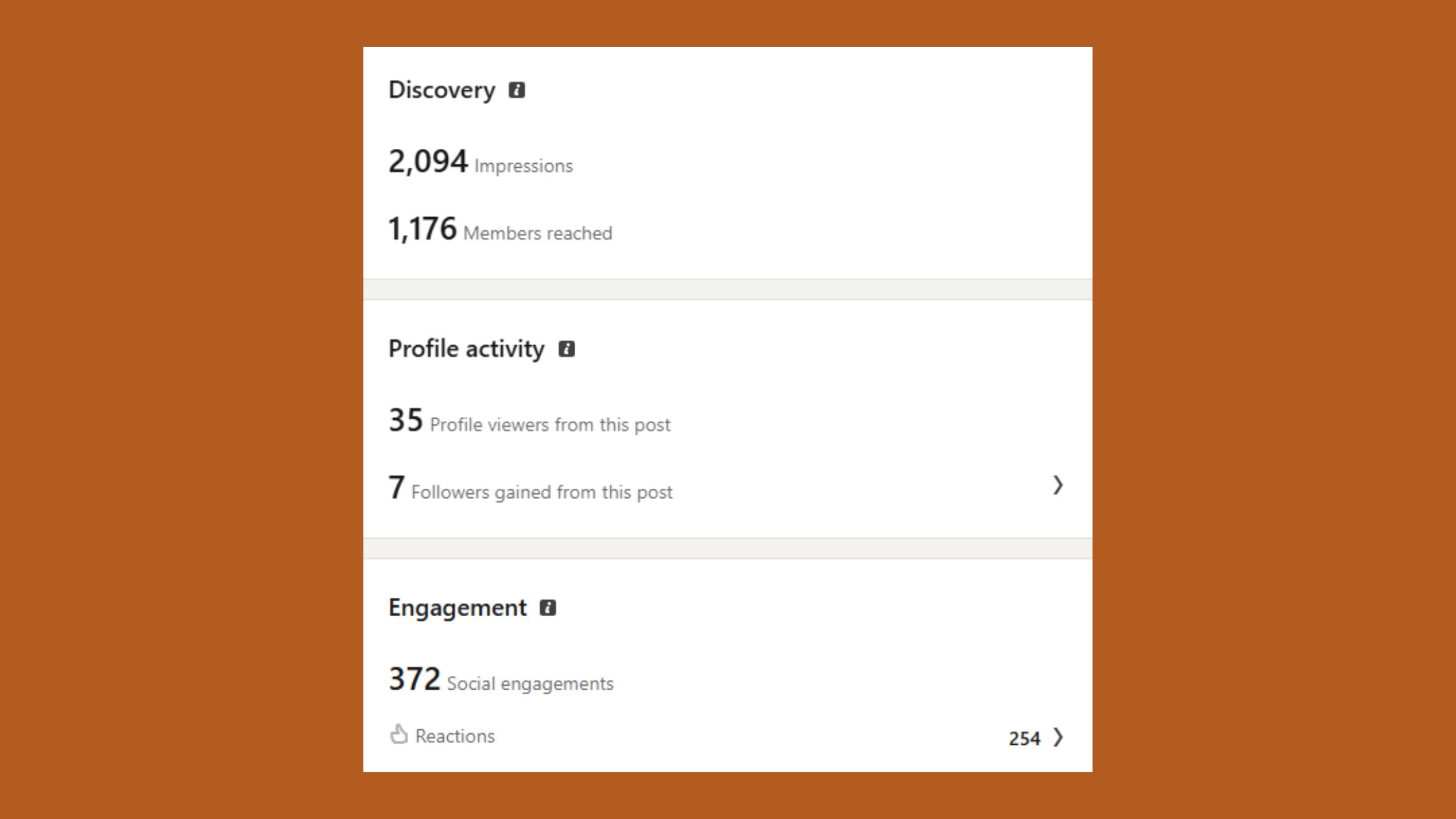
What counts as an impression on LinkedIn is simpler — and more misleading — than most creators expect. An impression is recorded the instant a post renders in someone's feed, regardless of whether they read a single word. No pause. No click. No intent. It is a delivery signal, not an attention signal.
Several factors inflate that number further:
- Passive scrolling (the post loads, the user moves on)
- Repeated feed loads (LinkedIn re-circulates posts, counting each load)
- Algorithm re-distribution to second- and third-degree connections
- Mobile feed behaviour, where posts load before they are visible on screen
Does LinkedIn Count Your Own Views as Impressions?
Yes — does LinkedIn count your own views as impressions is a question that comes up constantly, and the answer is that LinkedIn does count your own post views in certain contexts, particularly when you view your post on mobile or reload your feed. This means your impression count starts slightly inflated from the moment you publish. It is a minor distortion, but it reinforces the broader point: impression counts are a loose proxy for exposure, not a measure of impact.
The engagement-to-impression ratio — the percentage of impressions that result in a meaningful action (like, comment, share, click) — is the true health metric. A post with 50,000 impressions and 10 likes is algorithmically weaker than one with 2,000 impressions and 80 substantive comments. The algorithm reads the ratio, not the raw number. Understanding this is the first step in diagnosing why LinkedIn reach isn't converting to sales or connections — and why the problem is almost never "not enough impressions."
The engagement-to-impression ratio is what the LinkedIn algorithm actually reads. A post with 50K impressions and 10 likes is algorithmically weaker than one with 2K impressions and 80 real comments.
Why High Impressions With Low Engagement Is a Red Flag, Not a Win
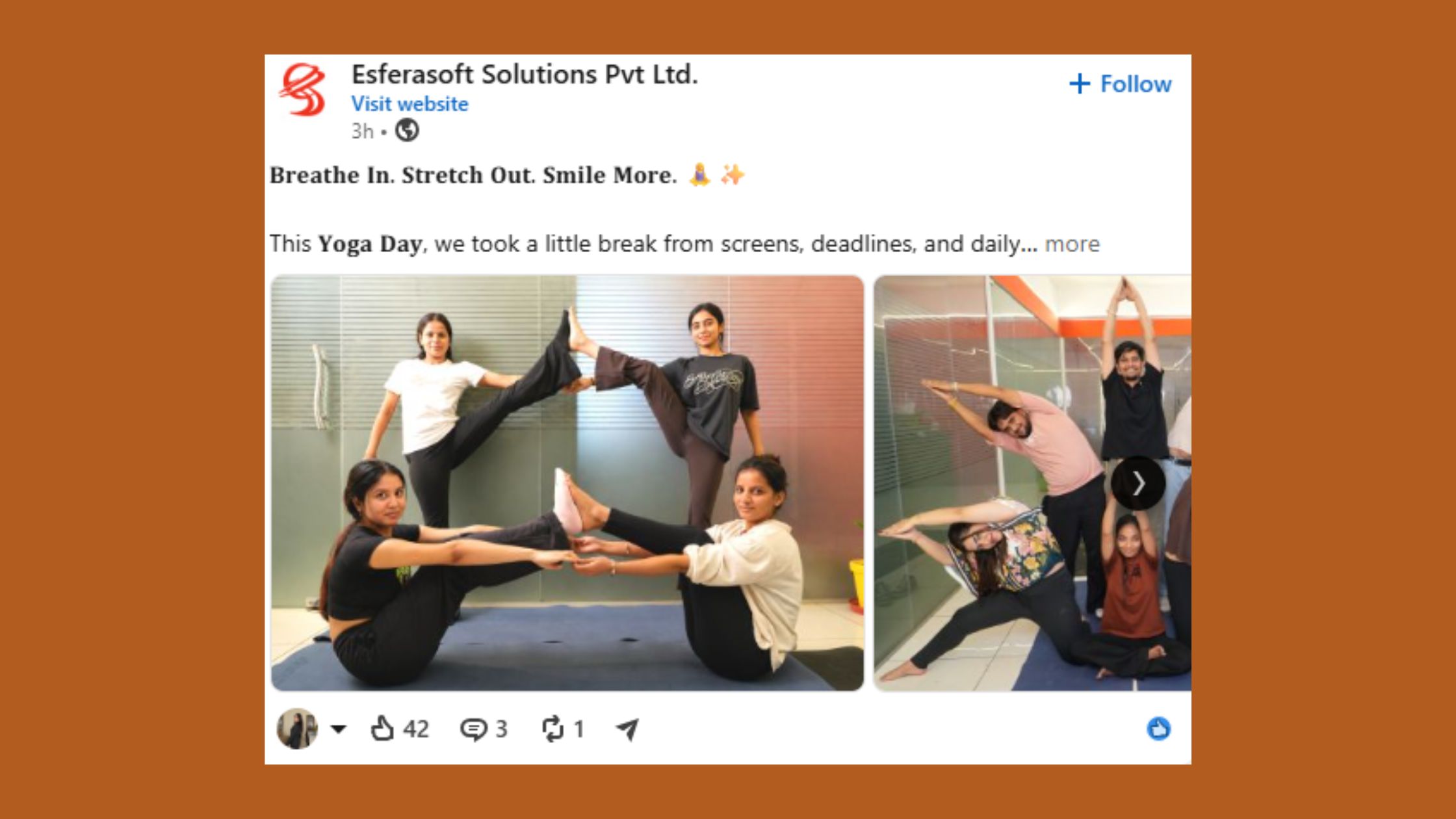
Teams that see LinkedIn engagement rate low despite views typically have the same underlying problem: the algorithm tested their post, delivered it to a slice of their audience, and got back a weak response signal — and then quietly stopped amplifying it.
Here is the mechanism. Organic post velocity is the speed and density of engagement a post receives immediately after publishing. LinkedIn's algorithm uses this early signal — specifically likes, comments, and LinkedIn dwell time (how long users linger on a post before scrolling) — to decide whether a post deserves wider distribution. A post that earns strong early engagement gets recirculated. One that doesn't gets throttled, regardless of how many initial impressions it received.
How the LinkedIn Algorithm Inflates Reach Without Real Results
LinkedIn algorithm reach without results happens because LinkedIn's distribution model serves content broadly in its initial test window, then contracts sharply if engagement signals are weak. This creates a misleading impression spike — your dashboard shows thousands of views while the algorithm has already stopped pushing the post. LinkedIn vanity metrics like raw impression count obscure this completely: you see a big number and assume the content worked, when in reality the algorithm already determined it didn't.
A recurring pattern among creators frustrated with slow growth is that they interpret high impressions as validation and double down on the same content format — when the data is actually signalling the opposite. The content reached people. It just didn't make them stop.
LinkedIn Metrics That Actually Matter for Leads and Business Growth in 2026

According to LinkedIn data shared by Katie Street (2026), accounts posting 11 or more times per week see nearly 17,000 more impressions per post and three times more engagements — and a +1.4 percentage point lift in engagement rate. In practice, that frequency advantage compounds only when each post earns real engagement signals. Volume without resonance just produces more ignored impressions.
LinkedIn metrics that actually matter for business outcomes fall into three categories:
- Attention signals: dwell time, comment depth, saves — these tell you if the content resonated
- Intent signals: profile visits per post, click-throughs to links, connection requests triggered — these show whether readers wanted to know more about you
- Conversion signals: direct message volume, inbound enquiry rate, follower conversion rate (impressions to new followers) — these map directly to pipeline
For lead generation specifically, a comment from a CFO or VP of Marketing outweighs 500 anonymous impressions. What LinkedIn metrics should I track for leads — the honest answer is: the ones that move someone closer to a conversation, not the ones that make the dashboard look impressive.
Best LinkedIn Analytics Tools to Track the Right Metrics
The best LinkedIn analytics tools worth tracking in 2026 go beyond LinkedIn's native dashboard, which surfaces impressions and reactions but buries the engagement-rate and profile-visit data that actually matters:
- LinkedIn Analytics (native) — free, good for post-level impressions and follower demographics; weak on engagement rate trending
- Shield Analytics — the most cited tool among serious LinkedIn creators for tracking engagement rate, dwell signals, and content performance over time
- Metricool — useful for cross-platform benchmarking; their 2026 LinkedIn study analysed 673,658 posts from nearly 65,000 accounts and found significant sector-level variation in what drives engagement
- HyperClapper — built-in analytics that track post-level engagement performance alongside the real engagement your posts receive from community channels, so you can see the direct correlation between early engagement and subsequent reach
Why Your LinkedIn Content Strategy Isn't Working (And the Mistakes Costing You Results)

The most common failure mode is not bad writing or wrong posting times. It is LinkedIn content strategy not working because the content is optimised for broad reach — trending formats, safe topics, generic hooks — instead of specific resonance with a defined audience. Broad content generates LinkedIn impressions that don't lead to engagement because it is relevant to no one in particular.
What separates top performers here is that they build content around a specific reader problem, not a generic professional insight. The post that earns 80 comments from the right people — founders, buyers, hiring managers — outperforms the post that gets 50,000 passive impressions from a scattered audience every single time.
How to Trigger the Content Amplification Loop Instead of Chasing Views
The content amplification loop is the self-reinforcing cycle where early engagement → algorithm distribution → more engagement → further distribution. Breaking into this loop requires engineering the first 60–90 minutes deliberately.
Creators who skip this step typically find their posts plateau at the algorithm's initial test distribution — decent impressions, thin engagement, no compounding. The fix has three parts:
- Write for a specific person — not "LinkedIn users" but a named job title with a named problem. Specificity drives comments; generality drives scrolls.
- Seed early engagement — notify relevant connections before posting, reply to every comment within the first hour, and use a tool like HyperClapper's engagement channels to ensure your post accumulates real likes and comments at the moment it matters most algorithmically.
- Extend conversation depth — LinkedIn rewards threads, not standalone posts. AI-powered replies that keep a conversation active for 48–72 hours after publishing signal sustained dwell time to the algorithm, which can restart distribution on posts that would otherwise go cold.
For creators and teams who want to move from passive impressions to active engagement without resorting to fake activity, HyperClapper connects posts with real engagement communities — channels of relevant professionals who interact genuinely, triggering the organic post velocity signal the algorithm needs to amplify further.
✓ The LinkedIn Results Audit Checklist
- ☐Calculate engagement rate for your last 10 posts (total engagements ÷ impressions × 100)
- ☐Check profile visits per post — identify which content types drive intent, not just exposure
- ☐Review who is commenting — are they your target buyer, or random profiles?
- ☐Audit your last post for hook specificity — does it name a real problem for a real job title?
- ☐Confirm you have an early-engagement plan before your next publish — not after
- ☐Track DM volume and inbound connection requests week-over-week — the real conversion signals
Turn impressions into real engagement — starting with your next post
HyperClapper connects your posts with real engagement channels that trigger early velocity, so the LinkedIn algorithm amplifies your content instead of throttling it.
See How HyperClapper WorksFrequently Asked Questions About LinkedIn Impressions and Engagement
Is 50,000 impressions on LinkedIn good?
50,000 impressions is meaningful only if paired with strong engagement. A post reaching 50K impressions with a 2–3% engagement rate (1,000–1,500 interactions) signals real resonance. The same 50K impressions with 20 likes signals the algorithm tested the post, got back a weak response, and stopped distributing it. The number alone tells you almost nothing about whether the content worked.
Why do my LinkedIn posts get thousands of impressions but no one reaches out to me?
High impressions with zero inbound typically means the content is reaching broadly but resonating with no one specifically. The algorithm delivered your post — but the content didn't give the right reader a reason to act. Shifting from broad insight posts to content that names a specific problem for a specific audience almost always closes this gap.
Is LinkedIn impression count a reliable measure of content performance?
No. LinkedIn impression count is a delivery metric, not a performance metric. It confirms a post loaded in feeds — not that anyone read it, was influenced by it, or took any action because of it. Engagement rate, profile visits, and DM volume are far more reliable measures of whether content is actually performing.
What should I focus on instead of LinkedIn impressions to grow my business?
Track engagement rate (likes and comments ÷ impressions), profile visits triggered per post, connection requests received, and inbound DM volume. These four metrics map directly to business pipeline. A deeper breakdown of LinkedIn impression meaning can help clarify where impressions fit in the full picture.
How does the LinkedIn algorithm inflate impression numbers without real reach?
LinkedIn distributes each post to a small test audience immediately after publishing. If engagement is weak in that window, the algorithm contracts distribution — but the initial impressions are already counted. This creates inflated impression numbers for posts the algorithm has effectively already buried. The distribution stops; the dashboard doesn't reflect it.
Why does LinkedIn reach not convert to sales?
Why LinkedIn reach not convert to sales is usually an audience-alignment problem, not a reach problem. Posts reaching a broad, unqualified audience generate passive impressions from people who will never buy. Sales-driven LinkedIn content needs to reach a specific audience and give them a specific reason to engage — which requires optimising for resonance, not volume.
What is the difference between LinkedIn impressions vs results in practice?
LinkedIn impressions measure exposure — how many times a post loaded in a feed. Results measure intent and action: profile visits, DMs, connection requests, clicks, and ultimately conversations. A post can achieve strong results with modest impressions — and completely fail to generate results with massive impression numbers. They are measuring different things entirely.
After seeing this pattern across thousands of posts and profiles, the consistent finding is this: accounts that shift their primary metric from impressions to engagement rate — and build an early-engagement plan around each post — start seeing inbound leads within weeks. Accounts that don't make that shift keep growing their impression count and wondering why nothing is converting. The right engagement strategy is not about chasing bigger numbers — it is about making the right numbers move.



