The LinkedIn profile mistakes to avoid before a job search are mostly invisible — a generic headline, a missing photo, a vague summary — and that invisibility is exactly what makes them dangerous. A pattern observed consistently across profiles that underperform in recruiter search is not bad writing or lack of experience; it's fixable structural gaps that quietly suppress visibility before a single application is submitted. According to Herald News research (2026), nearly 92.6% of HR professionals and recruiters consider a candidate's LinkedIn profile at least "useful" in hiring decisions. Your profile isn't a formality. It's your first interview.
- Over 92% of recruiters actively use LinkedIn profiles in hiring decisions — profile quality directly affects job search outcomes.
- The most damaging mistakes are structural: weak headlines, missing photos, vague summaries, and low profile completeness scores.
- How you present multiple job titles or overlapping roles is one of the most common — and least-discussed — profile errors.
- Profile activity (posting, engaging) feeds LinkedIn's algorithm and increases passive discoverability beyond keyword optimization alone.
- LinkedIn Premium is worth it for active, time-boxed searches — but only after your free profile is fully optimized.
- Most visibility problems are fixable without paying for Premium or starting from scratch.
- Why Your LinkedIn Profile Is Your First Interview in 2026
- The Biggest LinkedIn Profile Mistakes That Kill Your Visibility
- How to Optimize Your LinkedIn Profile Photo, Summary, and Experience
- Why Your Profile Isn't Getting Views — and How to Fix It
- Is LinkedIn Premium Worth It for Job Seekers in 2026?
- Frequently Asked Questions About LinkedIn Profile Mistakes
Why Your LinkedIn Profile Is Your First Interview in 2026
Recruiters spend an average of seconds scanning a profile before deciding whether to move forward or click away. Your headline, photo, and summary form their entire first impression — before any conversation, before any application, before any reference check. Think of your LinkedIn profile as a job interview that runs 24 hours a day: it's either working for you or working against you while you sleep.
A polished profile is no longer optional. It functions as a live, searchable resume that surfaces in recruiter searches based on keywords and profile completeness score — a metric LinkedIn uses internally to determine how prominently your profile appears in search results. An incomplete or inconsistent profile signals low effort, raising a quiet red flag before you've even applied.
What Sections of LinkedIn Do Recruiters Look at First?
Recruiters follow a consistent scanning pattern. The sections they hit first:
- Profile photo — immediate trust or hesitation signal
- Headline — determines whether they read further
- Current role and company — context for relevance
- Summary / About section — career narrative clarity
- Experience section — depth, titles, and timeline consistency
- Recommendations and skills endorsements — social proof signals
Everything else — certifications, volunteer work, interests — is secondary. Get the top five right first.
The Biggest LinkedIn Profile Mistakes That Kill Your Visibility
The most damaging LinkedIn profile mistakes to avoid aren't the obvious ones — they're the silent killers that never generate a rejection email because they prevent you from being found at all.
A recurring pattern among professionals trying to stand out is presenting multiple roles or overlapping job titles in a way that confuses rather than impresses. Either they stack every title chaotically in their headline, or they omit the context that would help a recruiter understand the career arc. The fix is intentional structure: one clear primary role in the headline, with supporting context in the summary and properly separated experience entries.
Weak or Default LinkedIn Headlines for Job Search
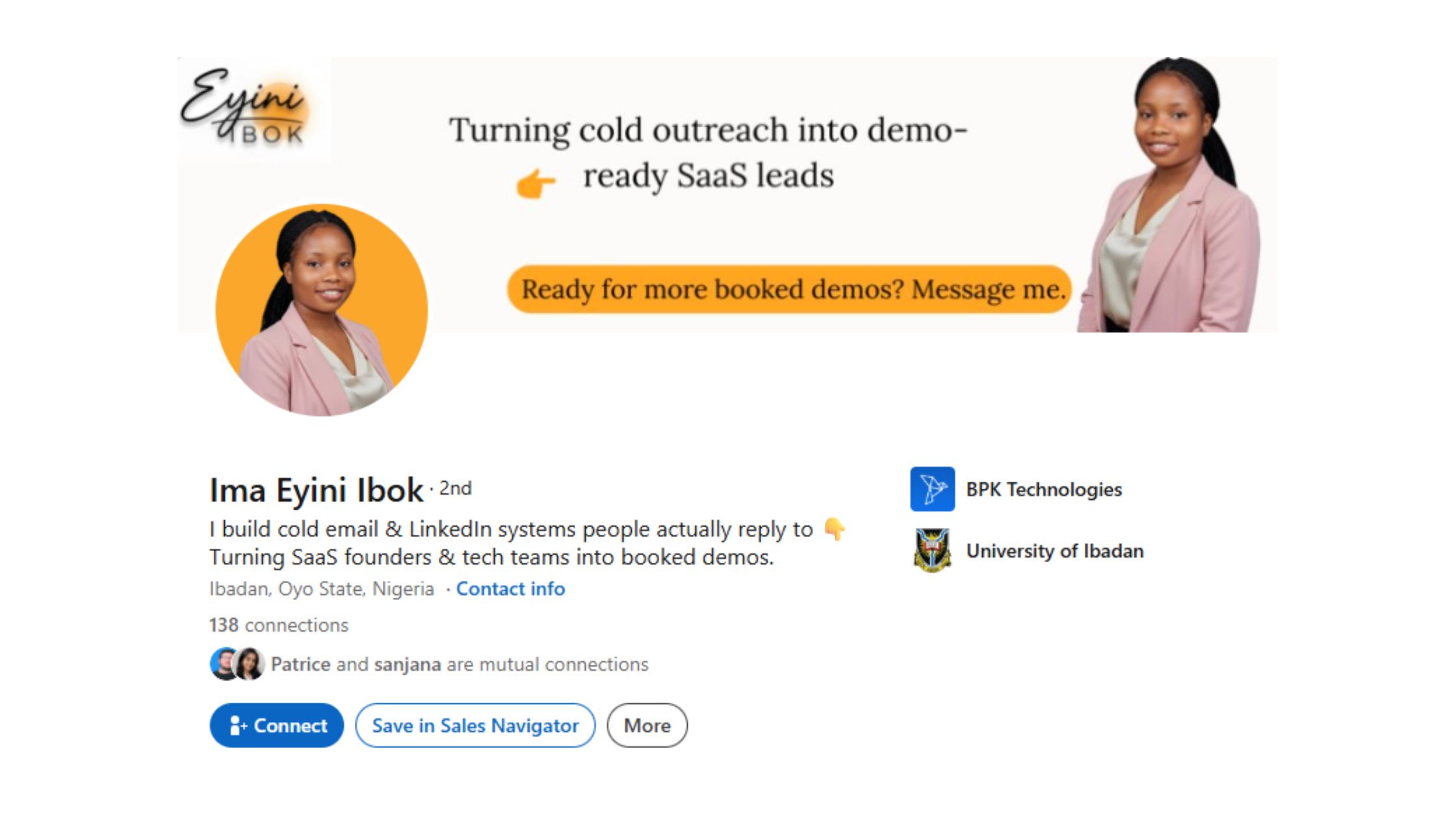
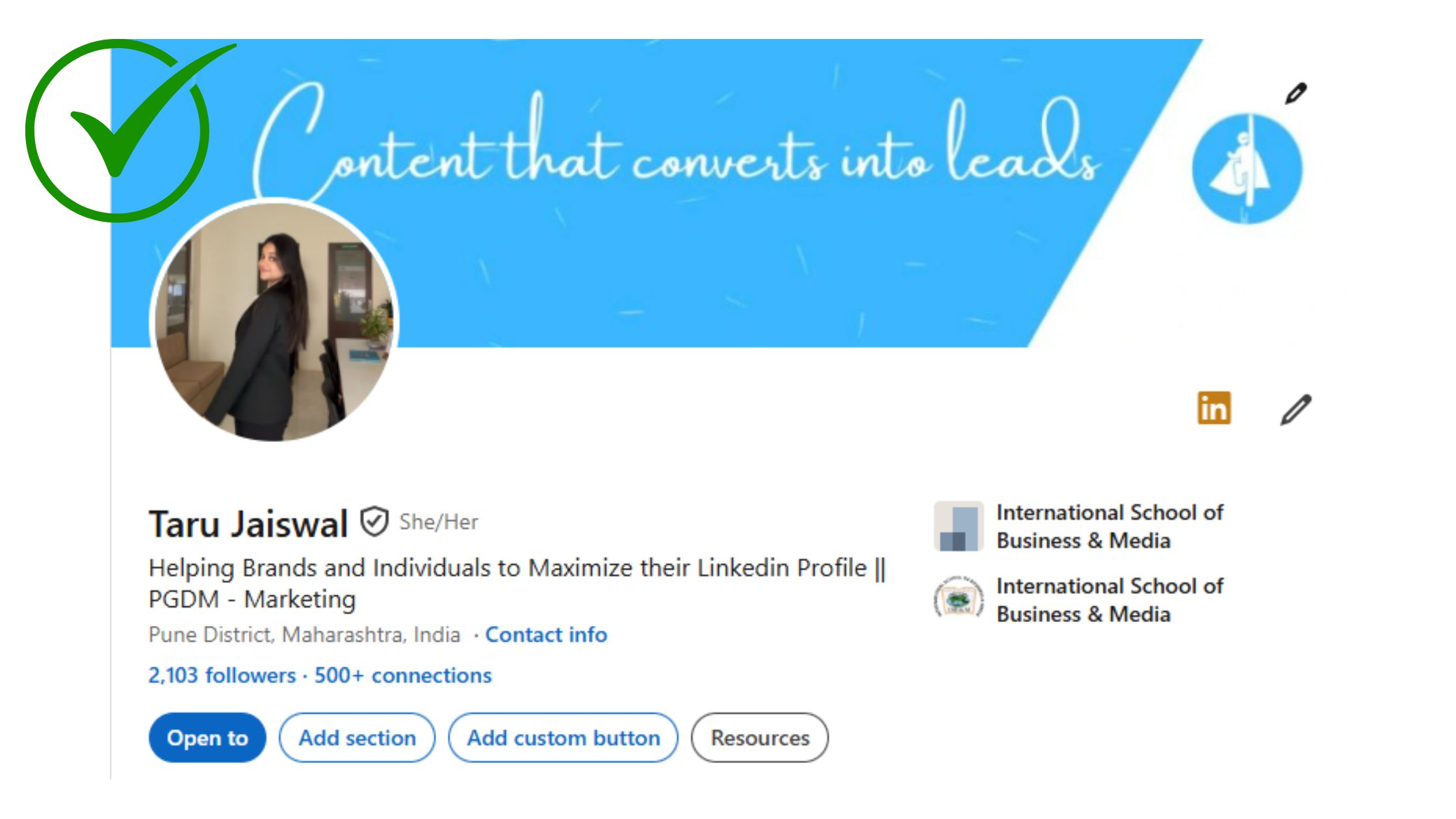
The LinkedIn headline for job search is the single highest-impact line on your profile — and the most commonly wasted. Most professionals leave it set to their current job title by default. That's a missed opportunity. A headline like "Marketing Manager at Acme Corp" tells a recruiter nothing about what you're good at or where you're going next.
Your headline isn't a job title field. It's a 220-character billboard that either earns a click or loses one — and most people leave it blank in all the ways that matter.
Stronger headlines combine your role, a specific skill or specialisation, and a value signal. For example: "B2B Content Strategist | Helping SaaS Companies Turn Traffic Into Pipeline". That's a headline a recruiter searches, reads, and remembers.
What Should You Not Put on LinkedIn?
Knowing what should you not put on LinkedIn is just as important as knowing what to include. Avoid:
- Personal opinions on politics, religion, or controversial news events
- Informal nicknames instead of your professional name
- Irrelevant jobs from more than 15 years ago (unless directly relevant)
- Overly vague job descriptions ("Responsible for various tasks")
- Endorsements or skills you don't actually have — they create professional brand inconsistency
- Unprofessional contact information or outdated links
These elements don't just waste space — they actively create friction for recruiters and reduce recruiter searchability by diluting the keyword relevance of your profile.
How to Optimize Your LinkedIn Profile Photo, Summary, and Experience
Three elements — photo, summary, and experience — form the core of any serious how to optimize LinkedIn profile effort. Getting them right removes the friction that stops recruiters from reading further.
LinkedIn Profile Photo Tips That Actually Matter
Does LinkedIn photo matter for job search? Yes — significantly. According to Bootcamp GIS, the profile photo is the first element employers notice when visiting a LinkedIn profile. Profiles with a professional photo receive dramatically more profile views than those without one.
The LinkedIn profile photo tips that actually move the needle:
- Use a recent, high-resolution headshot — not a cropped group photo
- Face the camera directly; neutral or warm expression reads as approachable
- Background should be simple — solid colour or softly blurred environment
- Dress for the role you're targeting, not the role you're leaving
- File size matters: LinkedIn recommends 400×400px minimum
LinkedIn Summary Best Practices and Experience Clarity
The About section is where career narrative clarity either clicks or collapses. A strong summary answers three questions in the first two sentences: What do you do? Who do you do it for? What makes you worth a call?
Following LinkedIn summary best practices:
- Open with a specific value statement, not a generic bio ("I'm a passionate professional...")
- Write in first person — LinkedIn is a human platform, not a résumé document
- Include 3-5 keywords naturally — these feed recruiter searchability
- End with a clear call to action: what you're open to, how to reach you
For experience entries: each role should include a 1-2 sentence description of scope plus 2-3 bullet points of specific, quantified achievements. "Managed a team" tells a recruiter nothing. "Led a team of 8 engineers to deliver a platform migration 3 weeks ahead of schedule" tells them everything. For deeper guidance on profile structure, see this LinkedIn profile examples guide with real-world samples.
✓ The LinkedIn Profile Audit Checklist
- ☐Professional headshot uploaded (400×400px minimum, clear face, relevant attire)
- ☐Headline includes role + skill + value signal (not just job title)
- ☐About section opens with a specific value statement, written in first person
- ☐Each experience entry has a scope description + at least 2 quantified achievements
- ☐Skills section includes 5-10 relevant keywords that match target job descriptions
- ☐At least 2-3 recommendations from colleagues, managers, or clients
- ☐Profile set to "Open to Work" (visible to recruiters only, if preferred)
- ☐Custom LinkedIn URL created (linkedin.com/in/yourname — not a random string of numbers)
Why Your Profile Isn't Getting Views — and How to Fix It
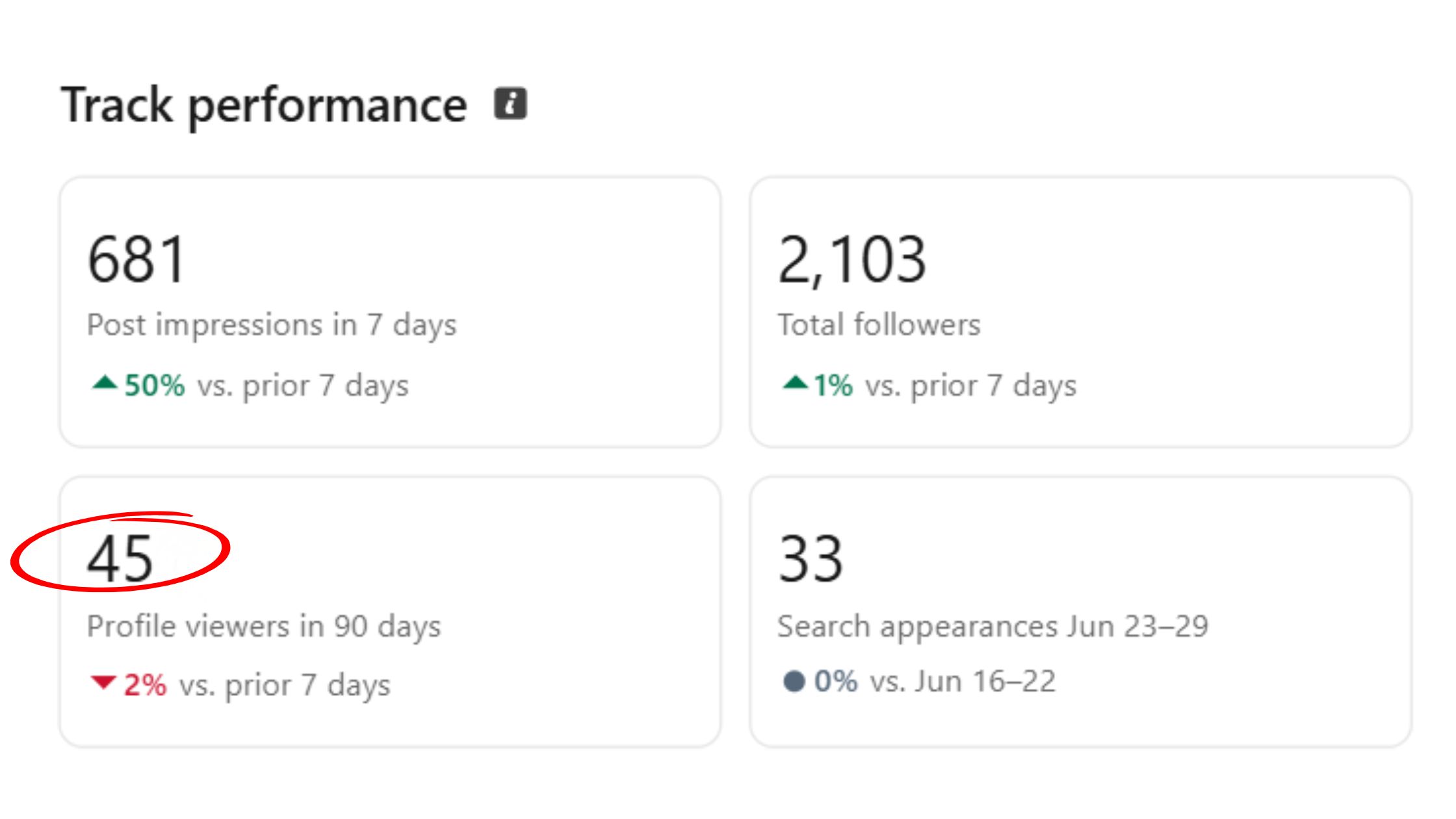
If you're asking why is my LinkedIn profile not getting views, the answer is almost always the same combination: poor keyword coverage, a low completeness score, and minimal recent activity. All three are fixable. None require starting over.
LinkedIn's algorithm rewards profiles that are complete, active, and consistent. Teams that post regularly, engage with others' content, and refresh their profile details see measurably higher search surface rates than equivalent profiles that sit dormant. This means profile optimisation and content activity are not separate strategies — they reinforce each other.
How Consistent Activity and Engagement Boost Profile Reach
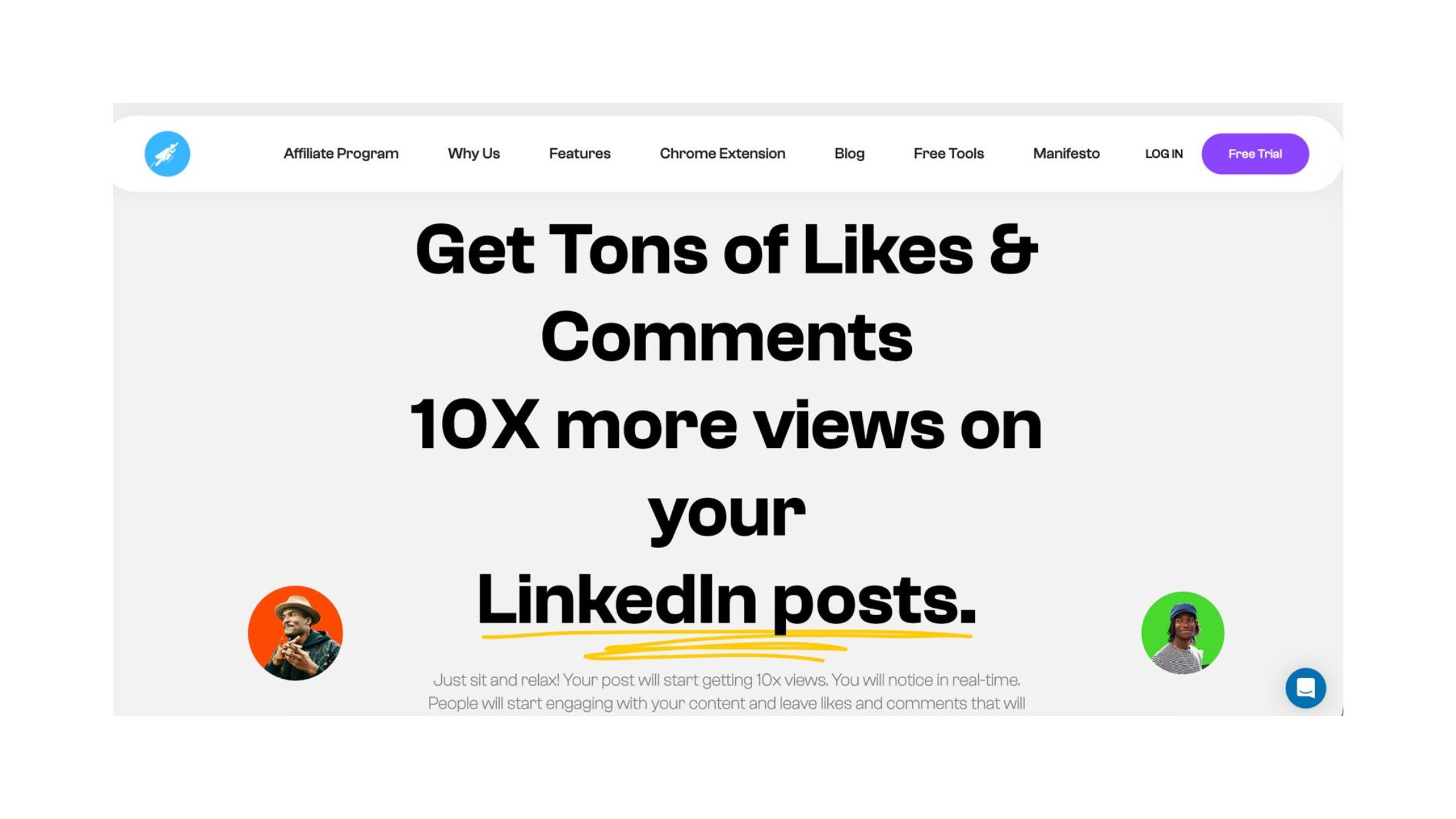
Here's what most LinkedIn profile tips for job seekers miss: engagement on your posts directly increases passive profile discoverability. When a post receives meaningful likes and comments, everyone who sees that post also sees your name, headline, and profile link — expanding your reach far beyond your direct connections without any additional effort.
This is where platforms like HyperClapper provide a structural advantage. By connecting your posts with real engagement communities (channels) and AI-powered replies, HyperClapper helps drive the kind of conversation depth that LinkedIn's algorithm treats as a higher-quality signal than basic likes alone. More meaningful engagement on each post = more profile impressions = more inbound recruiter interest over time.
For a deeper dive into this mechanism, this guide on transforming your job hunt through LinkedIn search visibility walks through the specific levers that affect how often your profile surfaces organically. How often should you update your LinkedIn profile? At minimum, revisit it quarterly — or immediately after a role change, a new achievement, or a shift in your target job type.
Get Your LinkedIn Posts Seen by More Recruiters
HyperClapper connects your posts with real engagement communities — boosting visibility through genuine likes, comments, and AI-powered replies that feed LinkedIn's algorithm.
Try HyperClapper FreeIs LinkedIn Premium Worth It for Job Seekers in 2026?
LinkedIn Premium worth it for job seekers — the answer depends almost entirely on where you are in your search. LinkedIn Premium Career gives active job seekers access to InMail credits, "Who viewed your profile" data, applicant insights showing how you compare to other candidates, and LinkedIn Learning courses. In a focused, high-volume search window, those insights are genuinely useful.
The honest risk: Premium is a recurring cost that doesn't guarantee interviews. Most of its core benefits — keyword optimisation, profile completeness, posting strategy — are achievable on a free account. What this tells you is that Premium is a multiplier, not a foundation. It amplifies an already-strong profile; it doesn't fix a broken one.
What separates professionals who get ROI from Premium is the time-box approach: use it for 1–3 focused months during an active search, then cancel and reassess. Treating it as a permanent subscription that substitutes for addressing underlying profile mistakes is the most common way to waste the money.
A polished free profile consistently outperforms a neglected Premium one — fix the foundation before upgrading the membership.
Before upgrading, run through the LinkedIn profile optimisation checklist to confirm your free profile is fully built out. If the audit reveals genuine gaps, close those first. The LinkedIn job search hacks guide also covers free-tier tactics that replicate several Premium features without the subscription.
Build Profile Visibility Without Paying for Premium
Real engagement on your posts is the fastest free path to recruiter visibility. HyperClapper's community channels make every post work harder — no Premium subscription required.
Start Boosting Posts FreeFrequently Asked Questions About LinkedIn Profile Mistakes
What not to put on your LinkedIn profile?
Avoid political opinions, religious views, irrelevant early-career jobs, vague role descriptions, and skills you don't genuinely hold. These create professional brand inconsistency and dilute keyword relevance. Stick to professional experience, measurable achievements, and skills that directly map to the roles you're targeting.
What are the most common LinkedIn profile mistakes that hurt job search chances?
The most damaging mistakes are: a default or vague headline, a missing profile photo, a generic summary with no value statement, incomplete experience entries, and a low profile completeness score. Each one independently reduces how often LinkedIn surfaces your profile in recruiter searches — together they compound the damage significantly.
How can I make my LinkedIn profile more attractive to recruiters?
Use a professional photo, rewrite your headline to include a skill and value signal (not just your title), quantify at least 2-3 achievements in each experience entry, and add 5-10 skills that match target job descriptions. Posting or engaging on LinkedIn weekly also increases your search visibility passively through the algorithm.
Does having an incomplete LinkedIn profile affect getting hired?
Yes, directly. LinkedIn's algorithm uses profile completeness score to determine search ranking — incomplete profiles appear less frequently in recruiter searches. According to NGPF data, 72% of recruiters use LinkedIn as part of their hiring process, meaning a weak profile reduces your chances before you've even applied.
How often should you update your LinkedIn profile?
Update your LinkedIn profile immediately after any role change, major project, new skill, or certification. Beyond that, a quarterly review is sufficient for most professionals — refreshing your summary, adding recent achievements, and confirming your headline still reflects your current direction keeps the algorithm treating your profile as active.
What sections of LinkedIn do recruiters look at first?
Recruiters consistently scan in this order: profile photo, headline, current role and company, About / summary section, and experience entries. Recommendations and skills endorsements — the social proof signals — come after. Optimising those top five elements has the highest return on time of any profile improvement effort.
How do recruiters view LinkedIn profiles differently from regular users?
Recruiters typically use LinkedIn Recruiter — a paid search tool that filters candidates by keyword, location, years of experience, and current role. They see your profile as a search result first, then as a full page. This means your headline and first line of your summary must be keyword-optimised, not just well-written — they appear in snippet form before a recruiter even clicks through.
The professionals who get consistent inbound from LinkedIn are rarely the ones with the most experience — they're the ones who've removed every obstacle between a recruiter's search query and a clear reason to reach out. Fix the mistakes, and the profile does the work for you.



