
A linkedin open to work post is a public announcement on LinkedIn that tells your network — and the algorithm — that you're actively looking for a new role. A pattern observed across thousands of job-seeker profiles is that the post itself does more heavy lifting than the green banner: the badge flags you passively, but a well-written post actively surfaces your name in feeds where hiring managers and recruiters are scrolling right now. According to ConnectSafely (2026), the Open to Work badge alone increases recruiter InMail by 40% — but only if your profile and post give recruiters a reason to message.
- The green badge and the written post serve different purposes — you need both working together.
- A 5-part formula (Hook → Who You Are → What You Want → What You Offer → CTA) consistently outperforms unstructured posts.
- The first 60–90 minutes after posting are critical — early engagement determines whether recruiters ever see your post.
- Employed seekers have a real privacy risk with the public badge; the written post carries even higher exposure.
- Most counterintuitive finding: posting with confidence and specificity reads as competence, not desperation — vague posts are the ones that feel needy.
- LinkedIn Premium helps with InMail access but does NOT boost your post's organic reach — engagement strategy matters more.
- What an Open to Work Post Actually Does (And Why Most Fail)
- How to Write an Open to Work LinkedIn Post That Gets Noticed
- Why Recruiters Ignore Open to Work Posts — And How to Fix It
- The Open to Work Badge: Setup, Privacy, and When to Turn It Off
- Is LinkedIn Premium Worth It for Job Seekers in 2026?
- Frequently Asked Questions About the LinkedIn Open to Work Post
What an Open to Work Post on LinkedIn Actually Does (And Why Most Fail)
The Open to Work green badge is a profile-level signal — it tells LinkedIn's recruiter search tools you're available. The open to work post on LinkedIn is a separate content piece that travels through the feed algorithm. Most job seekers conflate the two and assume the badge does all the work. It doesn't. The post has to earn its own reach, the same way any other content does: through early engagement, relevance signals, and a compelling hook.
The community's #1 fear — looking desperate — is almost always a tone problem, not a format problem. Recruiter feedback collected across placement firms consistently shows that specific, confident posts ("I'm a senior UX designer with 8 years in fintech, available from July") read as self-aware professionals making a strategic move. Vague posts ("I'm going through a tough time and looking for new opportunities") read as distress signals. The difference is specificity, not vulnerability.
Does Open to Work on LinkedIn Actually Work in 2026?
Yes — with meaningful caveats. According to LinkedIn data published by Jan Bernhart, people who signal Open to Work have a 53% recruiter response rate, compared to 35% for those who don't. That's a real lift. But according to LinkedIn's own 2026 research, US applicants per open role have doubled since spring 2022 — meaning competition is fierce, and a badge alone won't separate you from 220 million other Open to Work users.
The badge gets you into the consideration set. The post is what gets you the message.
Now that the distinction is clear, here's the formula that makes the post itself do real work.
How to Write an Open to Work LinkedIn Post That Gets Noticed (The Formula)
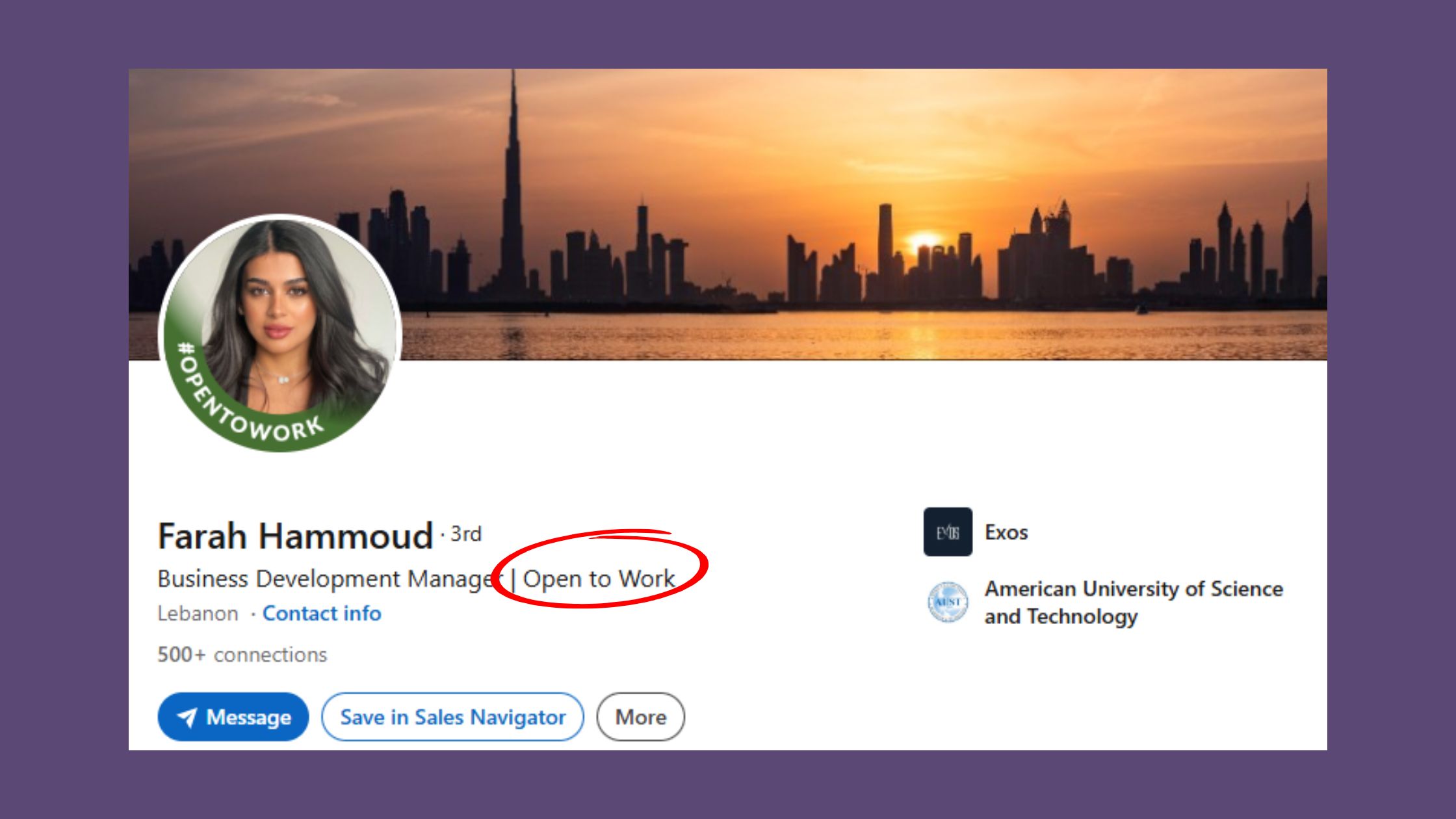
Teams that consistently land interviews from LinkedIn posts follow a repeatable 5-part structure. Think of it as a recruiter's decision checklist — each element answers a question they'd otherwise have to hunt for.
What to Say — and What NOT to Say — in Your Open to Work Post
The 5-Part Open to Work Post Formula:
- Hook (1–2 lines): Lead with the transition or the value, not the need. "After 6 years leading product at SaaS companies, I'm ready for my next chapter." — not "I've been laid off and need a job."
- Who You Are (2–3 lines): Role, years of experience, industry, and one specific achievement. Quantify if possible.
- What You're Looking For (1–2 lines): Exact job titles, preferred industries, location or remote preference. Recruiters search by title — be precise.
- What You Offer (2–3 lines): Your top 2–3 skills or outcomes you reliably produce. Skip generic phrases like "results-driven" or "passionate team player."
- CTA (1 line): One frictionless ask. "DM me or connect — happy to share my portfolio." Avoid asking for "opportunities" — ask for a specific action.
What to avoid:
- Emotional openers that signal distress rather than confidence
- Burying your target role type after paragraph two — recruiters don't scroll
- Corporate filler: "synergy," "passionate team player," "go-getter"
- Vague asks ("open to any opportunity") — these get ignored because they offer no filter
- Posts over 400 words — they lose engagement on mobile where most LinkedIn browsing happens
Open to Work LinkedIn Post Templates You Can Copy-Paste Today
Template 1 — After a Layoff (Tech):
"My role at [Company] was eliminated as part of a restructuring — and I'm using the transition to find a team where I can do my best work yet.
I'm a Senior Software Engineer with 7 years in backend systems (Python, Node.js, AWS). I've led migrations serving 2M+ users and enjoy building for scale.
Looking for: Senior or Staff Engineer roles at product-led companies, remote or hybrid in the EU/US.
If you're hiring or know someone who is, a DM or a quick connect would mean a lot. Happy to share my GitHub or chat."
Template 2 — Proactive Career Move (Marketing):
"After 4 years heading up content at [Agency], I'm stepping into something new — and I'd love your help finding it.
I'm a Content Marketing Manager who's grown organic traffic by 180% and built editorial teams from 0 to 12. I work best in B2B SaaS or tech-adjacent brands that take content seriously.
Open to: Content Director, Head of Content, or Senior Content Strategist roles. Remote-first preferred.
Send me a message or tag someone who's hiring — I'm actively interviewing and can start within a month."
Template 3 — Finance Professional:
"I'm a CFO-track finance professional with 10 years in FP&A and three successful fundraising rounds under my belt. I've just wrapped a contract role and I'm looking for my next full-time position.
Sectors: fintech, scale-ups, or PE-backed businesses. Roles: VP Finance, Head of FP&A, Finance Director.
If your company is growing fast and needs someone who can build the finance function around it — let's talk."
Industry-Specific Open to Work Post Examples (Tech, Marketing, Finance & More)
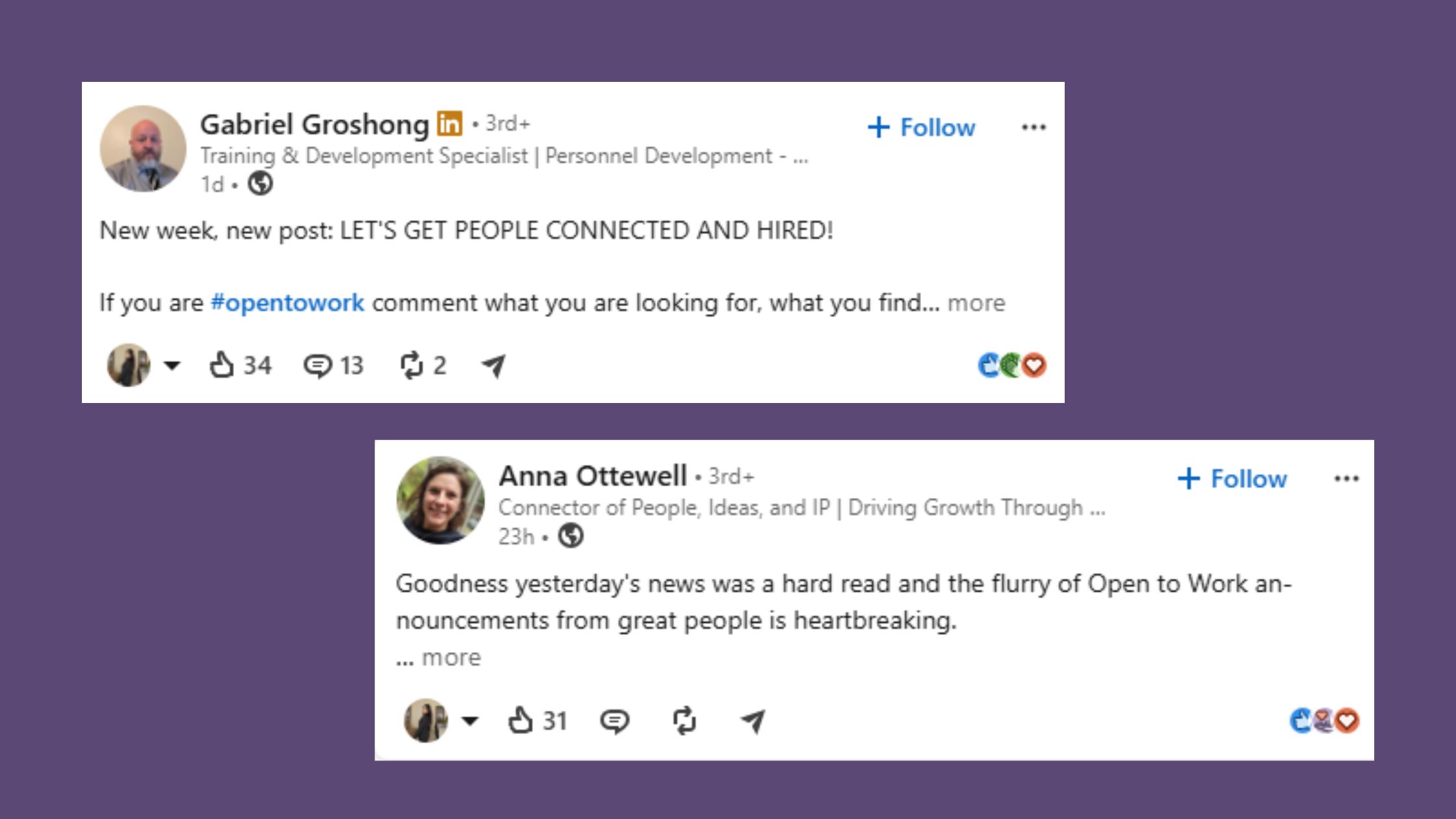
The structure above adapts across industries — but the social proof changes by field. Tech posts should reference tools and scale metrics. Marketing posts should cite traffic, leads, or campaign results. Finance posts should name deal sizes or cost savings. The formula is constant; the evidence is industry-native.
For a deeper set of open to work post examples across industries, including recruiter-rated versions, see the full breakdown in the linked guide.
Why Recruiters Ignore Open to Work Posts — And How to Fix Visibility
Most open to work posts that fail don't fail because of the writing. They fail because the LinkedIn algorithm suppressed them before recruiters ever saw them. The first 60–90 minutes after posting are critical: if your post doesn't generate likes and comments quickly, LinkedIn's distribution model classifies it as low-relevance content and stops pushing it to non-followers.
Three root causes account for roughly 80% of invisible posts:
- No early engagement: The algorithm reads initial reaction speed as a quality signal. A post that sits quiet for the first hour gets buried.
- Profile-post mismatch: If your post says "Senior Product Manager" but your headline says "product enthusiast | exploring new paths," recruiters click your profile and leave confused. Your headline must mirror your post's role claim — exactly.
- No clear ask: Posts that describe a situation without a specific, easy request leave recruiters unsure what to do next. They move on.
How to Boost an Open to Work Post's Reach with Engagement Tools
What separates top-performing job-seeker posts from those that plateau is deliberate early-signal engineering. The fix strategy is straightforward:
- Before you post, message 3–5 connections directly and ask them to engage when it goes live.
- Post during peak recruiter hours (Tuesday–Thursday, 8–10 a.m.).
- Respond to every comment within the first hour — this extends the post's active window.
For job seekers who want to amplify reach beyond their immediate network, tools like HyperClapper are built specifically for this. HyperClapper connects your post to real engagement channels — groups of professionals who engage with each other's content — so your Open to Work announcement gets the initial signal boost it needs to earn wider algorithmic distribution. Unlike fake engagement tools, it uses real people in relevant professional communities, which means the engagement looks natural and sustains conversation rather than just inflating a like count.
See also: how Open to Work posts get recruiters to reply — a data-backed breakdown of what engagement patterns lead to actual outreach.
The Open to Work Badge: Setup, Privacy, and When to Turn It Off
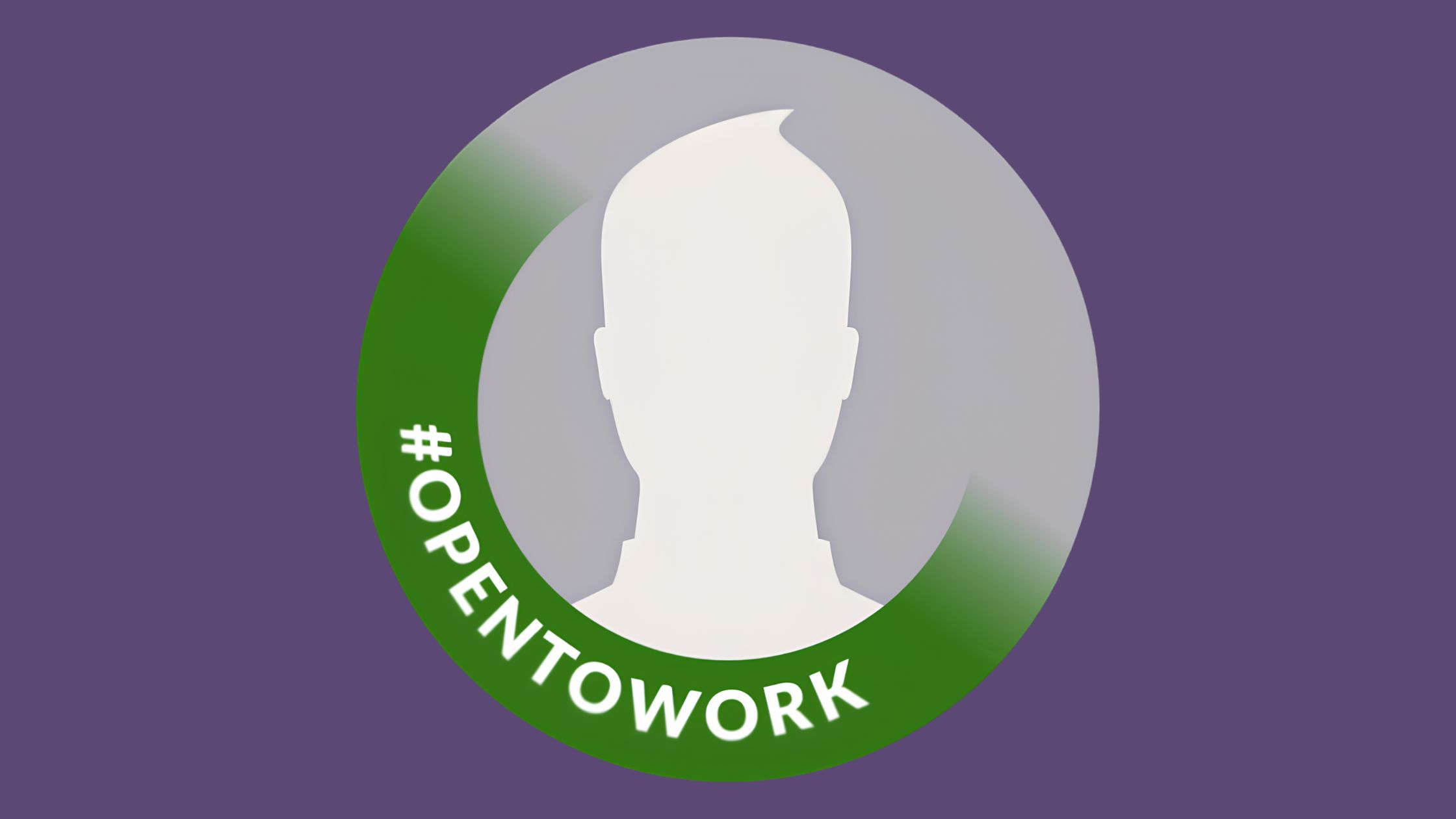
220 million LinkedIn users currently have the Open to Work feature enabled, according to LinkedIn community data. Setting it up takes under two minutes — but the privacy choice you make matters significantly, especially if you're currently employed.
How to turn on the Open to Work badge:
- Go to your LinkedIn profile and click Open to below your name.
- Select Finding a new job.
- Fill in your target job titles, location, work type (remote/hybrid/on-site), and start date availability.
- Choose visibility: All LinkedIn members (public green banner) or Recruiters only (hidden from general feed).
- Click Add to profile.
linkedin open to work hide from employer — the "Recruiters only" option reduces but does not eliminate employer exposure. LinkedIn excludes recruiters at your current company from seeing the badge, but this relies on your employer having a paid Recruiter licence and their employees being linked to it. Gaps exist. If confidentiality is critical, a written post carries even higher risk — it's fully public content.
turn off open to work linkedin mobile — tap your profile photo → View Profile → tap the Open to Work banner → Edit → Delete from profile. Turn it off as soon as you accept an offer. Continued recruiter messages after hiring read as a professionalism gap — and employers occasionally check LinkedIn during onboarding.
Does the badge hurt your personal brand? Honestly, it depends on the profile behind it. A strong, specific profile with clear expertise makes the badge look like a confident move. A thin profile makes it look like a last resort. Fix the profile first.
Is LinkedIn Premium Worth It for Job Seekers in 2026?
LinkedIn Premium Career adds three things that genuinely matter during an active job search:
- InMail credits — message hiring managers and decision-makers who aren't connected to you yet
- Profile view data — see exactly which recruiters and companies have visited your profile in the last 90 days, so you can follow up intelligently
- "Top Applicant" badge — flags you to hiring managers when you apply to roles where your skills are in the top tier of applicants
What Premium does not do: boost your Open to Work post's organic reach. The algorithm treats Premium and free posts identically. Paying for Premium while neglecting engagement strategy is a common and costly mistake — the visibility problem is in the post, not the account tier.
Cost-benefit verdict: Premium is most valuable during a focused, time-sensitive search in a competitive field. If you're in early exploration mode or your network is already strong, free alternatives often move the needle more:
- Optimise your headline to match your target job title exactly
- Rewrite your About section using the same language as job descriptions in your target role
- Post consistently (2–3 times per week) to keep your name in recruiter feeds
- Use a community engagement tool like HyperClapper to amplify post visibility — real engagement from relevant professionals, no subscription required for a free trial
For more on using the full LinkedIn toolkit during a job search, see the complete Open to Work feature guide.
Get Your Open to Work Post Seen by More Recruiters
HyperClapper connects your post to real engagement channels — so it earns the early signals LinkedIn needs to push it further. Real people, real comments, faster recruiter visibility.
Try HyperClapper Free✓ The Open to Work Post Launch Checklist
- ☐Profile headline matches the exact job title in your post
- ☐Post uses the 5-part formula: Hook → Who You Are → What You Want → What You Offer → CTA
- ☐Post is between 150–300 words — no longer
- ☐3–5 connections notified and ready to engage when the post goes live
- ☐Posting scheduled for Tuesday–Thursday, 8–10 a.m. (target market time zone)
- ☐Open to Work badge visibility setting reviewed (All members vs. Recruiters only)
- ☐Committed to responding to every comment within the first 60 minutes
- ☐Calendar reminder set to remove badge immediately upon accepting an offer
Frequently Asked Questions About the LinkedIn Open to Work Post
How do I announce open to work on LinkedIn without sounding desperate?
Lead with your value and be specific about what you're looking for. Confident, precise posts — naming exact job titles, industries, and one clear achievement — read as professional self-advocacy. Vague, emotional posts signal distress. Tone is calibrated by specificity: the more concrete your post, the more competent it sounds.
Is it a good idea to post open to work on LinkedIn?
Yes, for most job seekers. According to LinkedIn data, Open to Work users have a 53% recruiter response rate versus 35% for those without the signal. The badge plus a well-written post works significantly better than either alone. The main exception: senior executives in visible roles where public job searching could affect client or board relationships.
Can my employer see if I put open to work on LinkedIn?
Partly. The "Recruiters only" setting excludes recruiters at your current employer — but only if your company uses LinkedIn Recruiter and their accounts are properly linked. It is not a guarantee. A written post is fully public. If confidentiality matters, use the "Recruiters only" badge setting and skip the public post entirely.
How long should an open to work post be for maximum engagement?
150–300 words is the consistent sweet spot. Long enough to communicate your value, short enough to read in under 30 seconds on mobile. Posts above 400 words see measurable engagement drop-off. Use the 5-part formula as a length guide — each element needs only 1–3 lines.
What is the best formula for an open to work LinkedIn post?
Hook → Who You Are → What You're Looking For → What You Offer → One clear CTA. Every element answers a question a recruiter would otherwise have to hunt for. Use specific job titles, quantified achievements, and a single frictionless ask. This structure is what separates posts that get messages from posts that get scrolled past.
Does posting open to work on LinkedIn help you get hired faster?
It measurably increases recruiter contact — a 53% response rate versus 35% for passive profiles. But speed depends on post quality, profile strength, and early engagement. A strong post with poor engagement still won't reach most recruiters. The post earns the click; the profile and follow-up conversation close the opportunity.
What should I include in an open to work LinkedIn post?
Your target job titles (exact, searchable terms), your top 2–3 measurable achievements, years of experience and industry context, your location or remote preference, and one specific CTA. Omit corporate filler phrases. The clearer and more specific the post, the easier it is for recruiters to decide whether to reach out.
Does LinkedIn Premium help with an open to work post's reach?
No — LinkedIn's algorithm treats Premium and free posts identically. Premium Career adds value through InMail credits, profile view insights, and a "Top Applicant" badge on job applications. For post reach, the more effective investment is engagement strategy: early comments, optimised posting times, and priming your network before the post goes live.
What consistently separates job seekers who land interviews from those who don't isn't the badge, the Premium subscription, or even the post copy — it's whether the algorithm ever showed the post to a recruiter in the first place. Engineers of early engagement win. Everyone else waits.



