
A pattern observed consistently across high-performing LinkedIn accounts is that the professionals with the best organic reach almost never rely on third-party scheduling tools as their primary posting method. LinkedIn management tools hurt engagement not because of a bug or coincidence — but because the platform's algorithm is specifically designed to reward authentic, present-in-the-moment interaction. When a tool removes the human from the moment of publishing, it removes the very signals LinkedIn uses to decide how far a post travels. Understanding this gap is the difference between a content strategy that compounds and one that quietly stalls.
- LinkedIn's algorithm evaluates engagement velocity in the first 60–90 minutes — scheduled posts go live without the creator present, killing this critical window.
- Third-party API calls and non-human behavioral patterns are detectable signals that can trigger organic reach suppression.
- Hootsuite, Buffer, and similar tools suppress reach when used without a compensating engagement strategy — even when content quality is high.
- The counterintuitive finding: the most effective "management" tool is being present at go-live and replying fast — not a dashboard.
- The right approach combines native posting with community-based engagement support — not blind automation.
- Tools like HyperClapper are built around real human engagement in channels, not bot patterns — making them fundamentally different from scheduling-first tools.
- The Promise vs. The Reality of LinkedIn Management Tools
- How LinkedIn's Algorithm Detects and Penalizes Automation
- Why LinkedIn Scheduling Tools Cause an Engagement Drop
- LinkedIn Automation Tools That Reduce Engagement: The Specific Offenders
- What LinkedIn Tools Do Without Hurting Engagement
- Building an Authentic LinkedIn Engagement Strategy That Actually Works
- Frequently Asked Questions About LinkedIn Tools and Engagement
The Promise vs. The Reality of LinkedIn Management Tools

LinkedIn management tools are sold as productivity multipliers — schedule a week of content in one sitting, post consistently without daily effort, manage multiple accounts from one dashboard. The pitch is compelling. The engagement data, however, routinely tells a different story. Scheduled and automated posts consistently underperform posts published natively, and most professionals don't realise the trade-off they're making: convenience in exchange for organic reach suppression — the quiet reduction in how many people the platform chooses to show your post to.
What LinkedIn Management Tools Actually Do
At a technical level, most LinkedIn management tools interact with the platform through LinkedIn's Marketing Developer Platform API — the official interface that lets third-party apps post on your behalf. While LinkedIn permits this use, the mechanics create a detectable difference in how the post arrives. The post goes live at a pre-set time, the creator is typically not online, and no immediate engagement follows. LinkedIn's distribution model interprets that silence as a quality signal. The most common failure mode here isn't the tool breaking — it's the tool working exactly as designed, while the algorithm quietly limits who sees the result.
The trade-off most professionals never see in the dashboard: every scheduled post is a bet that the content is strong enough to survive without the creator present at launch. Most content isn't.
Community data reinforces this pattern. The most frequent frustration reported by creators and marketers who adopt scheduling tools is that engagement drops gradually — not dramatically — making it hard to trace the cause. There's rarely a cliff-edge moment; instead, reach erodes over weeks until the account is reaching a fraction of the audience it once did. The tool gets blamed last, long after content quality, posting frequency, and audience changes have been ruled out.
How LinkedIn's Algorithm Detects and Penalizes Automation
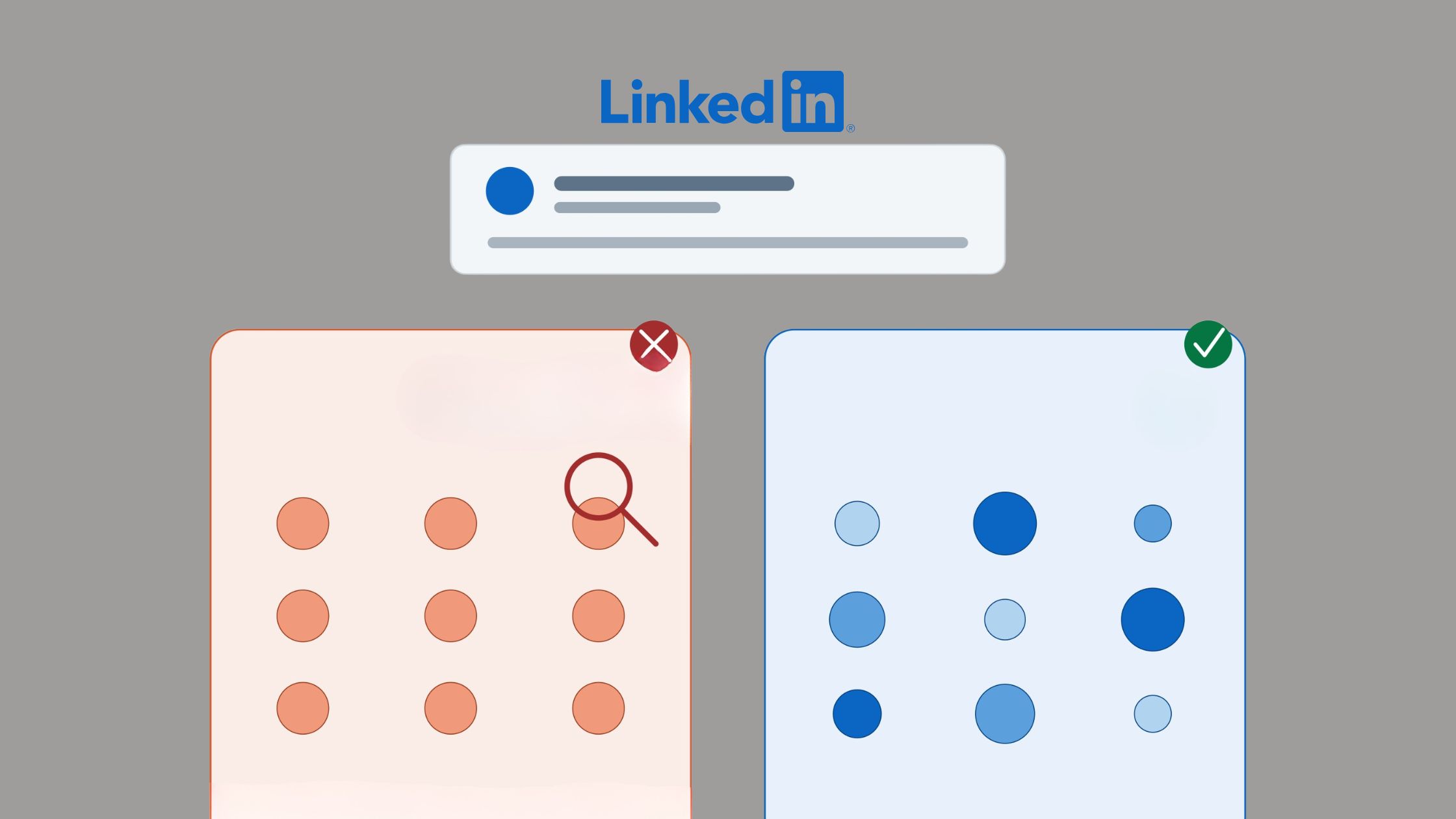
Engagement velocity is the speed at which a post receives likes and comments after publishing — and it is the single most important early signal in LinkedIn's distribution model. The algorithm evaluates this in the first 60–90 minutes after a post goes live. If engagement accumulates quickly, the post gets pushed to wider audiences. If it sits quiet, distribution narrows — fast. This window is where LinkedIn automation tools reduce engagement most severely: a post published while the creator is asleep or away from the platform has no one to seed that early conversation.
Does LinkedIn Native Posting Perform Better Than Third-Party Tools?
Yes — and not by a small margin. According to DSMN8's LinkedIn Algorithm Guide (2026), backed by data from over 500,000 LinkedIn posts, native posting consistently outperforms third-party API publishing for organic reach. The gap widens when the creator is actively present during the first hour. LinkedIn's own product team has explicitly stated the platform prioritises "meaningful professional conversations" — a policy direction that works directly against generic auto-comments and passive scheduled posts.
Organic reach on LinkedIn dropped by approximately 50% in early 2026, according to an analysis of 10,000+ posts shared in the Digital Marketing community (2026). What this tells you is that the baseline is already harder — and automation magnifies that difficulty. A post that might have reached 1,000 connections natively could reach fewer than 200 through a third-party scheduler with no early engagement support. That's not a content problem. It's a mechanics problem.
Are LinkedIn Automation Tools Safe to Use in 2026?
The safety question depends heavily on what kind of tool you're using. Scheduling tools that use the official LinkedIn API operate within permitted boundaries, but they still carry reach penalties. LinkedIn third party tools risks escalate sharply with tools that operate outside the API — browser extensions that simulate clicks, connection-request spammers, and auto-DM bots. These tools mimic human behavior imperfectly: identical posting intervals, inhuman scroll speed, and activity patterns that no real person produces. LinkedIn's abuse detection systems flag these patterns, and consequences range from reduced distribution to temporary account restrictions.
Why LinkedIn Scheduling Tools Cause an Engagement Drop

The LinkedIn scheduling tool engagement drop isn't mysterious once you understand the mechanism. Scheduling tools break the algorithm-friendly posting cadence that LinkedIn rewards — not because they post at the wrong time, but because they post without the creator present. When a post goes live and nothing happens for 20–30 minutes, LinkedIn reads that silence as low audience interest and throttles distribution before the post has a chance to build momentum.
Why Is My LinkedIn Engagement Dropping? (Common Causes)
If your engagement has been sliding, the causes usually fall into one of these buckets:
- Scheduled posts with no creator presence at go-live — the first 30 minutes pass with zero replies from you, signaling disengagement to the algorithm
- Bulk-scheduled content — loses the topical freshness and conversational hooks that drive authentic interaction signals
- Generic AI-generated captions — according to Mercer Mackay's analysis of LinkedIn algorithm data (2025), AI-generated content experiences a 30% drop in reach and a 55% decrease in engagement compared to authentic original posts
- Posting outside peak windows — scheduling tools optimise for convenience, not for when your specific audience is actually online
- No comment strategy — likes without comments signal passive interest; comments signal conversation value, which LinkedIn distributes more aggressively
Teams that monitor their engagement window data consistently see this pattern: posts where the creator replied to comments within the first 30 minutes outperform posts where replies came hours later, regardless of content quality or posting time.
LinkedIn Automation Tools That Reduce Engagement: The Specific Offenders
Not all tools damage reach equally. The spectrum runs from mildly suppressive to actively dangerous, and it's worth being specific about which categories cause which problems.
Hootsuite vs. Native LinkedIn Posting: An Honest Comparison
The Hootsuite vs native LinkedIn posting engagement question gets asked constantly in marketing communities — and the honest answer is that Hootsuite (and Buffer, Sprout Social, Later, and similar platforms) are genuinely useful for content calendaring, draft management, and cross-platform posting. For LinkedIn specifically, however, they consistently underperform native posting on reach metrics. The trade-off makes sense for teams managing five platforms simultaneously. For someone focused primarily on LinkedIn growth, the convenience cost is too high.
| Tool Type | Reach Impact | Risk Level | Best Use Case |
|---|---|---|---|
| Native LinkedIn posting | Highest organic reach | None | All LinkedIn-primary creators |
| API-based schedulers (Hootsuite, Buffer) | Moderate suppression | Low (within ToS) | Multi-platform teams, with creator present at go-live |
| Engagement pods (Lempod, Podawaa) | Inflated vanity metrics, declining organic | Medium–High | Limited — generic comments increasingly flagged |
| Browser-based automation bots | Short spike, then severe suppression | Very High | Avoid entirely |
| Real engagement communities (HyperClapper) | Positive — authentic signals | Low | LinkedIn-focused creators and brands |
Lempod and Podawaa — two of the most widely discussed engagement pod alternatives — inflate like and comment counts, but the quality of those interactions increasingly triggers LinkedIn's spam filters. A post that receives 40 identical one-word comments from accounts in unrelated industries actually tells the algorithm that real people aren't interested. The metrics look good in a screenshot; the reach quietly collapses.
Want engagement that actually moves the algorithm?
HyperClapper connects your posts with real people in channels — no bots, no generic comments, no reach penalties.
See How HyperClapper WorksWhat LinkedIn Tools Do Without Hurting Engagement — and What a Better Strategy Looks Like

The question professionals should be asking isn't "which scheduling tool is safest?" — it's "what do I actually need a tool to do?" Most LinkedIn management tool use cases can be separated into two categories: tasks that require no human presence (drafting, planning, analytics review) and tasks that require genuine interaction (commenting, responding, engaging). The second category should never be automated. The first can be tool-assisted without any reach penalty.
How HyperClapper Boosts Engagement Without Triggering Penalties
What separates HyperClapper from conventional automation tools is the mechanism at its core: real people, not bots, engaging with your content through structured channels. A channel is a group of real professionals inside the platform who engage with posts — approximately 50 possible engagements per channel. When you add a post and select channels, you're getting authentic human likes and contextual comments from real accounts. LinkedIn's algorithm reads these as the genuine interaction signals they are.
Beyond community engagement, HyperClapper's AI Replies feature generates and posts contextual replies that extend conversation depth — not one-line generic responses, but substantive comments that keep a thread alive. Users can also add more AI replies days after publishing, which is particularly valuable because LinkedIn rewards meaningful conversations that develop over time, not just a spike of activity at launch. For brands managing company pages, HyperClapper also supports company page boosting and replies — making engagement patterns look active and natural rather than empty.
Common Mistakes to Avoid When Using LinkedIn Management Tools
- Setting-and-forgetting scheduled posts — being absent at go-live eliminates your engagement velocity advantage
- Using auto-DM tools for outreach — the fastest path to being muted, blocked, or flagged for spam
- Relying on pod tools for vanity metrics — inflated like counts without reach growth is a vanity exercise, not a strategy
- Treating AI-generated captions as finished content — AI-drafted posts that go out unedited show the algorithmic signatures of machine-written text, compounding the reach penalty
- Ignoring the engagement health of your existing network — tools that add connections at scale often dilute your audience relevance score over time
The authentic LinkedIn engagement strategy that works consistently in 2026 combines intentional native posting with real community engagement support — not convenience automation replacing the human element entirely.
Building an Authentic LinkedIn Engagement Strategy That Actually Works
Creators who skip the "be present at go-live" step typically find their reach plateauing within 4–6 weeks, regardless of how strong their content is. The algorithm-friendly posting cadence isn't just about when you post — it's about what happens in the first 60 minutes after you post. That window is where reach is won or lost.
Step-by-Step: Posting for Maximum Engagement Without Over-Automating
- Draft in a tool, publish natively. Use content calendar platforms for writing and scheduling visibility — but post through LinkedIn directly. (~2 minutes)
- Post during your audience's active window. Tuesday–Thursday, 8–10 AM or 12–1 PM in your audience's timezone tends to produce higher early engagement across most professional segments. (~30 seconds to check analytics)
- Seed your own post with a question in the first comment. Immediately after publishing, leave yourself a comment asking a genuine question to your network. This invites responses and signals to the algorithm that a conversation has started. (~1 minute)
- Reply to every comment in the first 30 minutes. Even short replies extend the conversation thread and signal active engagement to the distribution model. (~15 minutes of presence)
- Use an engagement community like HyperClapper to amplify. Real people in channels engage with your post, generating authentic interaction signals that compound the organic distribution. (~5 minutes setup)
- Review analytics 48 hours later. Use your analytics tool to identify what content type, hook style, and posting time drove the best engagement velocity — then repeat that pattern, not the content. (~10 minutes)
The named framework that emerges from this pattern is The Presence-First Posting Method: native publish → immediate engagement seed → active first-30-minutes presence → community amplification → analytics-driven iteration. What distinguishes this approach from automation-first strategies is that the human is the most active element in the first hour — tools support after the critical window, not before or instead of it.
The professionals seeing consistent LinkedIn growth in 2026 treat engagement as a daily practice, not a problem to automate away. Automation handles the calendar. Humans handle the conversation.
According to a 2026 analysis of LinkedIn algorithm benchmark studies, visible interactions like likes and comments are down 10–17% platform-wide — but global engagement (including clicks, dwell time, and reshares) is up 14%. What this tells you is that the algorithm has shifted from rewarding surface-level activity toward rewarding genuine attention. This is precisely why the community-based engagement model outperforms vanity-metrics pods — real attention from real people is exactly what LinkedIn's 2026 algorithm now values most.
✓ The LinkedIn Engagement Health Checklist
- ☐Post natively through LinkedIn — not via a third-party scheduler
- ☐Be present and online for the first 30 minutes after publishing
- ☐Post a question as your first comment immediately after publishing
- ☐Reply to every comment within the first hour
- ☐Use a real engagement community (not bots) to amplify authentic signals
- ☐Avoid auto-DM tools and connection spammers entirely
- ☐Edit all AI-drafted captions before publishing — remove machine-written phrasing
- ☐Review analytics 48 hours post-publish and iterate on what drove real velocity
Stop losing reach to tools that work against you
HyperClapper gives your posts real engagement from real people — built for the way LinkedIn's 2026 algorithm actually rewards content.
Try HyperClapper FreeFrequently Asked Questions About LinkedIn Tools and Engagement
Why do LinkedIn management tools decrease post engagement?
LinkedIn management tools decrease post engagement because they remove the creator from the critical first 60–90 minutes after publishing — the window the algorithm uses to assess content quality. Without early authentic interaction signals, the platform limits distribution before the post builds momentum. The tool posts efficiently; the algorithm responds accordingly.
Does using a third-party scheduler hurt LinkedIn reach?
Yes, in most cases. Third-party schedulers post via LinkedIn's API without the creator present, which removes the early engagement velocity that drives organic reach. Schedulers used without a compensating presence strategy — replying to comments within 30 minutes of go-live — typically see measurably lower reach than equivalent natively-published posts.
How does LinkedIn's algorithm treat automated or scheduled posts differently?
LinkedIn's algorithm treats automated posts as lower-priority when they show no early engagement. It reads post-publish silence as an audience disinterest signal and narrows distribution. It also detects non-human behavioral patterns — identical posting intervals, API-sourced metadata — which can further suppress reach compared to native posts with active creator presence.
What should I use instead of LinkedIn automation tools to grow engagement?
The most effective LinkedIn tool alternatives to automation are real engagement communities, analytics dashboards used for iteration, and AI-assisted (not AI-replaced) content drafting. Tools like HyperClapper connect your posts with real people who generate authentic engagement signals — the opposite of bot-driven automation.
Are LinkedIn automation tools safe to use in 2026?
It depends on the tool type. Official API-based schedulers (Hootsuite, Buffer) operate within LinkedIn's terms but carry reach penalties. Browser-based automation bots, connection spammers, and fake engagement scripts operate outside permitted behavior and risk account restriction or suspension. LinkedIn's abuse detection is significantly more sophisticated in 2026 than in previous years.
What are the best LinkedIn management tools for engagement?
The best LinkedIn management tools for engagement prioritise authentic interaction over automation convenience. Analytics platforms (for timing and content iteration), content planning tools used for drafting only, and real engagement communities like HyperClapper consistently outperform scheduling-first tools on reach and genuine growth metrics. For content creators focused on LinkedIn visibility, HyperClapper is the strongest choice because it generates real engagement signals — not vanity metrics — which is exactly what the 2026 algorithm rewards.
How does the LinkedIn algorithm detect automation?
LinkedIn detects automation through several signals: API metadata indicating third-party posting, non-human behavioral patterns such as identical activity intervals, posting times that never vary, and engagement patterns inconsistent with real audiences. Generic auto-comments from irrelevant profiles and bulk connection requests in short windows are also flagged. Accounts showing these patterns consistently see organic reach suppression as a result.
After seeing this pattern across thousands of LinkedIn accounts — from solo creators to enterprise marketing teams — what consistently separates accounts with compounding reach from accounts with impressive content but flat distribution is not posting frequency, content quality, or even audience size. It is whether real humans are present and engaged in the minutes that matter most after every post goes live. Tools can support that presence. They cannot replace it.



