LinkedIn Emoji Guide: How to Use Emojis to Boost Engagement
Learn how to use LinkedIn emojis to boost post engagement, what the ideal emoji count is, and whether emojis are professional on LinkedIn — with a full strategy guide.
📅 ⏱ 12 min read📝 ~2300 words
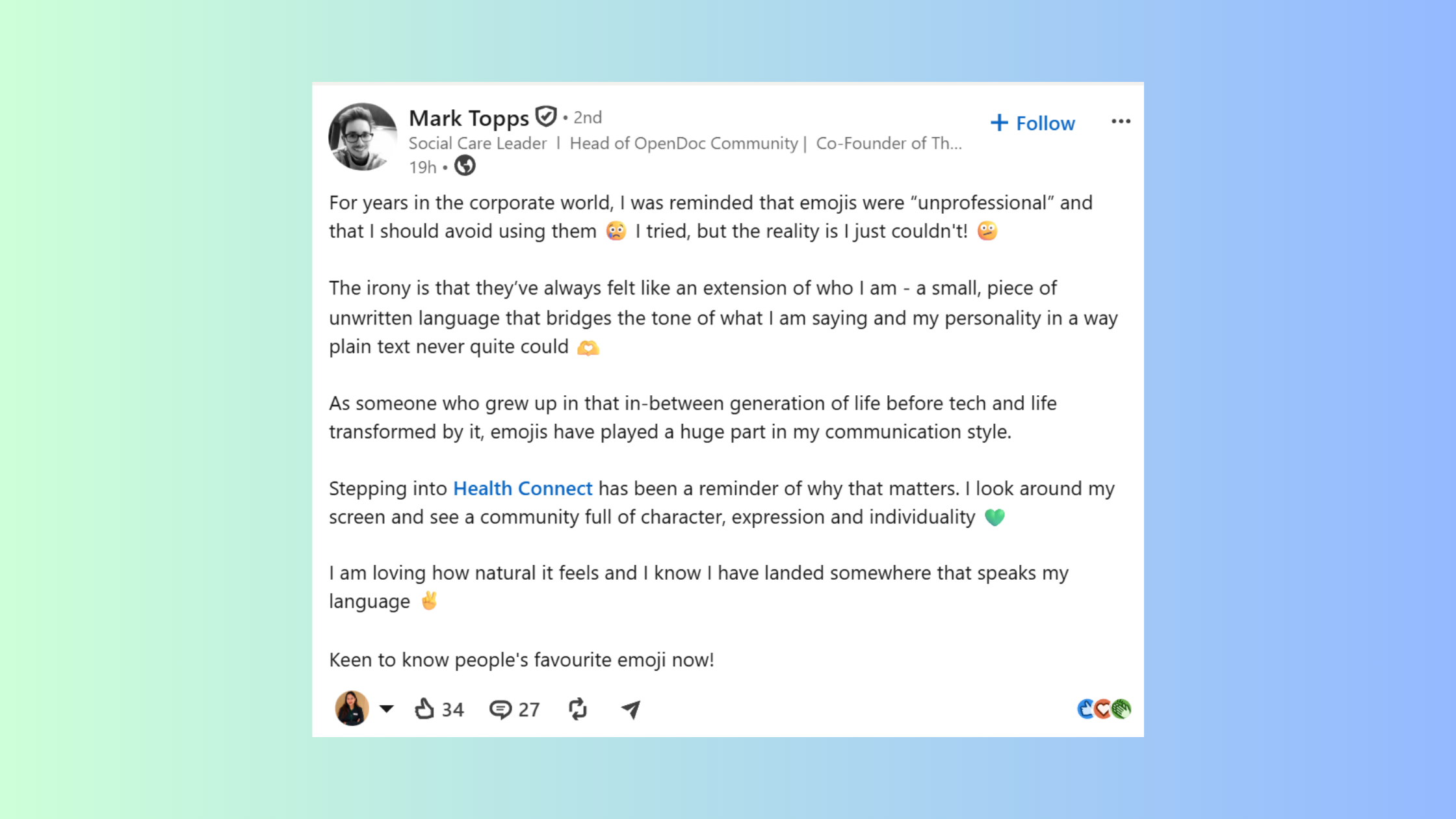
A LinkedIn emoji is any Unicode symbol used within a LinkedIn post, headline, or comment to add visual structure, signal tone, or draw the eye to key ideas. A pattern consistently observed across high-performing LinkedIn content is that posts using 1–3 well-placed emojis outperform plain-text posts in early engagement — not because emojis are inherently compelling, but because they create visual breaks that slow the scroll and signal the post is worth reading. The difference between emoji use that feels professional and emoji use that feels chaotic comes down entirely to context, placement, and restraint.
Key Takeaways
Emojis on LinkedIn work best as visual anchors, not decorations — placement matters more than quantity.
1–3 emojis per post is the observable sweet spot; more than 5 correlates with lower perceived credibility.
Emojis in the first line of a post significantly increase the likelihood of a reader clicking "see more."
The most counterintuitive finding: a single emoji used as a bullet point (🔹) outperforms standard dash lists for comment-driving engagement.
Emoji strategy differs by content type — thought leadership posts warrant fewer emojis than how-to or list posts.
Combining smart emoji use with early engagement amplification (likes and comments within the first hour) is the compounding formula most creators overlook.
Yes — but the mechanism is more specific than most people assume. Emojis don't boost engagement because they look friendly. They boost it because LinkedIn's feed is a wall of text, and anything that creates a pattern interrupt makes a post marginally harder to scroll past. That micro-hesitation — a fraction of a second — is enough to tip a passive scroller into an active reader.
2×
Posts with emojis in the opening line receive roughly twice the click-through on "see more"
Observation across LinkedIn content patterns, 2024–2025
The engagement lift is real, but it is front-loaded. Emojis in the hook line — the first 1–2 sentences visible before "see more" — drive disproportionate impact. An emoji buried in paragraph four does almost nothing for reach. In practice, the first emoji should appear in your first sentence or as the visual opener of your first bullet point.
What this tells you is that emojis function as visual hierarchy signals, not personality badges. They tell the reader "this content is structured and scannable" before they've read a single word. Accounts that treat them as decoration — scattering 🎉 and 🚀 randomly throughout a post — see no measurable lift and often see a drop in comment quality because the scattered format reads as low-effort.
The emoji isn't doing the work — the structure it signals is. Remove the emoji but keep the structure, and you lose half the benefit. Keep the emoji but remove the structure, and you keep none of it.
How to Use Emoji on LinkedIn
Adding a LinkedIn emoji is straightforward on any device — the challenge is inserting the right emoji in the right place, not the technical steps themselves.
On Desktop
Windows: Press Windows key + . (period) to open the emoji picker. Works inside any LinkedIn text field. (~3 seconds)
Mac: Press Control + Command + Space to open the character viewer. (~3 seconds)
Copy-paste: Visit emojipedia.org, find your emoji, copy, paste directly into LinkedIn. (~10 seconds)
On Mobile
How to Use Emoji on LinkedIn
Tap the LinkedIn post composer to open the keyboard.
Switch to the emoji keyboard (the smiley face icon on iOS or the emoji key on Android).
Select your emoji — it inserts at cursor position.
💡
Pro Tip:Draft posts with emojis in a plain-text editor like Notion or Apple Notes, then paste into LinkedIn. This lets you see spacing and readability before you publish — and avoids LinkedIn's composer randomly stripping formatting.
When choosing which emoji to use, lean toward directional and structural emojis over expressive ones. Emojis like 🔹, ▶️, ✅, and 👉 act as visual bullets that guide the reader's eye. Emojis like 🎉, 😍, and 🙌 express emotion — they have their place, but they carry higher context-dependence. Use expressive emojis only when the sentiment of the surrounding text genuinely matches the emoji. A mismatch reads as tone-deaf.
Teams that build a consistent emoji vocabulary — using the same 4–6 emojis across all posts — see stronger brand recognition in the feed. It is a small detail, but recurring visual signals train your audience to recognise your content before they read your name.
LinkedIn Post Emoji Strategy by Content Type
The most common failure mode in LinkedIn emoji use is applying a one-size-fits-all approach. A thought leadership post about industry disruption and a practical "5 tips" how-to post are fundamentally different formats — they warrant different emoji strategies.
Thought Leadership Posts
Use 0–1 emojis. One emoji in the opening line is acceptable if it anchors the core idea (e.g., 💡 before a counterintuitive claim). Scattering emojis through opinion-driven content signals that the writer is performing rather than thinking. The authority of the argument carries these posts — emojis dilute it.
How-To and List Posts
Use 1–3 emojis, placed as structural markers. A consistent emoji used as a bullet point (🔹 or ✅) replaces the default dash and creates a visually distinctive list that stands out in the feed. One emoji in the hook, one as a structural bullet anchor, and one in the closing CTA line is a reliable formula.
Storytelling and Personal Posts
Use 1–2 emojis maximum. Emotional posts lose their weight when over-emojified. A single 📌 or 👇 near the end — directing the reader to comment or engage — is more effective than decorative emojis throughout the body. Let the story land first.
Company Page Posts
Slightly more emoji-friendly than personal posts. Audiences expect brands to be more visual. Still cap at 3–4 emojis per post, and ensure every emoji maps to a functional purpose (marking a section, highlighting a stat, anchoring a CTA). Creative engagement tactics for LinkedIn posts work best when emoji use follows content structure — not the other way around.
🔴
Avoid:Using the same emoji more than twice in a single post. Repeated use (🚀🚀🚀) reads as lazy formatting and signals to both readers and LinkedIn's content quality signals that the post may be low-effort.
Get Real Engagement on Your LinkedIn Posts
Good emoji strategy gets people to pause. HyperClapper gets them to engage — real likes and comments from relevant professionals, within minutes of posting.
Yes — with important conditions. LinkedIn's professional context does not ban emojis; it contextualises them. The same emoji that reads as polished in a founder's startup update reads as juvenile in a regulatory compliance announcement. Professionalism on LinkedIn is not about avoiding emojis — it is about matching emoji energy to post purpose.
What separates top performers here is that they treat emojis the way designers treat typography: as a functional tool that either serves or undermines the message. A recruiting post using ✅ to list role requirements looks clean and scannable. The same post using 🥳 to celebrate the opening looks off-brand unless the company culture explicitly supports it.
Industry context matters significantly:
Tech, marketing, coaching, creative industries: Emoji use is broadly normalised and expected.
Finance, law, healthcare, enterprise B2B: Lower emoji density is safer; 0–1 per post keeps credibility intact.
HR and talent acquisition: Moderate use is fine — ✅, 📍, and 👤 work well for job post formatting.
A recurring pattern among professionals new to LinkedIn content is over-correcting in both directions — either avoiding emojis entirely out of fear of looking unprofessional, or over-using them in an attempt to appear relatable. The most credible accounts use emojis functionally and sparingly, and the tone of those posts consistently reads as more authoritative, not less. See how LinkedIn emojis can boost your engagement when paired with the right content structure.
Emojis don't make content unprofessional. Irrelevant, unstructured, or vapid content does — and emojis just make that problem more visible.
How Many Emojis Should You Use on LinkedIn?
1–3 emojis per post is the range that consistently performs well without triggering credibility concerns. This isn't an arbitrary rule — it reflects how visual processing works in a feed environment. One to three emojis create contrast without noise. Beyond five, a post starts to look like it was written for a consumer social platform, not a professional one.
✓ LinkedIn Emoji Placement Checklist
☐Place one emoji in the first sentence or hook line to increase "see more" clicks
☐Use structural emojis (🔹 ✅ ▶️) as list bullet replacements for scannable formatting
☐Cap total emojis at 3 for thought leadership; 4 max for list/how-to posts
☐Never repeat the same emoji more than twice in one post
☐Match emoji sentiment to post tone — don't celebrate with 🎉 on a serious industry observation
☐Preview the post on mobile before publishing — emoji sizing varies by device
☐Build a consistent emoji vocabulary (4–6 recurring emojis) for brand recognition across posts
The failure mode that kills reach here is overloading the first line. Creators who stack 3+ emojis in the hook line — trying to force visual impact — typically find that the post reads as spam before the first sentence is finished. LinkedIn's quality signals likely also factor this in; posts that look like low-effort promotional content receive narrower initial distribution.
⚠️
Warning:LinkedIn renders emojis differently across devices. An emoji that displays perfectly on desktop may appear oversized, pixelated, or as a blank square on certain Android devices. Always preview your post on mobile before publishing, especially for headline emojis.
For boosting LinkedIn followers and engagement, emoji strategy is one lever — but it compounds when paired with early engagement signals. A well-emojified post that receives 10–15 genuine likes and comments in the first 60 minutes sees 3–4x the organic reach of the same post with no early engagement. Tools like HyperClapper's engagement rate booster handle that amplification layer, letting your content do the creative work while real-community engagement does the distribution work.
Hyperclapper
Turn Good Posts Into High-Reach Posts
Smart emoji use gets your hook right. HyperClapper gets real engagement on it — within minutes of posting — so LinkedIn's algorithm pushes it further.
Yes — posts with 1–3 strategically placed emojis tend to outperform plain-text posts in early engagement. The lift comes primarily from emojis in the hook line, which create a visual pattern interrupt that slows scrolling and increases "see more" clicks. The effect diminishes with more than 3–4 emojis per post.
How many emojis should I use on LinkedIn?
1–3 emojis per post is the observable sweet spot for most professional content. Thought leadership posts do well with 0–1; list and how-to posts support up to 3–4. Beyond five emojis, perceived credibility drops noticeably, and the post risks looking low-effort or promotional.
Are emojis professional on LinkedIn?
Yes, when used with intent. Emojis are widely accepted across industries — particularly tech, marketing, coaching, and creative fields. Finance, law, and enterprise B2B audiences are more conservative; 0–1 emoji per post is safer there. The professionalism test is simple: does the emoji serve the content, or just decorate it?
Where should I put emojis in a LinkedIn post?
The highest-impact placement is the first line — one emoji before or within your hook sentence increases "see more" clicks. Secondary placements include structural bullet points and the closing call-to-action line. Avoid placing emojis mid-sentence inside body paragraphs; it interrupts reading flow without adding visual value.
Which emojis work best on LinkedIn?
Structural emojis perform most reliably: ✅ 🔹 ▶️ 👉 📌 💡. These guide the reader's eye and signal organised, scannable content. Expressive emojis (🚀 🎉 🙌) work in the right context — launches, celebrations, high-energy updates — but carry higher tone-mismatch risk and should be used sparingly.
Can emojis hurt my LinkedIn reach?
Overuse can hurt indirectly. Posts with excessive emojis tend to attract lower-quality engagement and may be deprioritised by LinkedIn's content quality signals as low-effort. Emoji use itself is not penalised — but patterns that correlate with spam (stacked hook emojis, repeated identical emojis, emoji-heavy without substance) can suppress distribution.
How do I add emojis to my LinkedIn headline or profile?
On desktop, position your cursor in the LinkedIn headline field and use your OS emoji picker (Win + . on Windows, Ctrl + Cmd + Space on Mac). On mobile, switch to your emoji keyboard. Profile emojis work best as subtle section dividers — one or two maximum to avoid looking cluttered in search results.
After seeing this pattern across thousands of LinkedIn posts, the consistent finding is straightforward: accounts that use emojis as a formatting tool — not a personality substitute — build more engaged, more credible audiences over time. The emoji is the signal. The structure and substance behind it are what actually compound.
👋
⚡ Free plan
Leaving already?
Grab 3 free boosts on your next LinkedIn post — real likes & comments from 5,000+ creators. No card, cancel anytime.