
A LinkedIn company page is a dedicated public profile for a business, separate from any personal account, used to publish content, attract followers, and build brand credibility. Most brands set one up in twenty minutes and then wonder why nothing happens — a pattern observed consistently across brands of every size. The page is not the problem. What they put on it, how they optimise it, and what they expect from it are. This guide covers how to create a LinkedIn company page correctly and — more importantly — how to make it actually work.
- You do need a personal LinkedIn profile in good standing to create a company page — there is no workaround.
- A complete company page gets significantly more views than an incomplete one — fill every section before you publish.
- Organic reach for company pages is structurally lower than personal profiles — understanding this changes your strategy.
- The About section (up to 2,000 characters) and Specialities (up to 20) are the two most underused optimisation levers.
- Inconsistency is the single biggest growth killer — the algorithm needs a sustained signal to learn your audience.
- Tools like HyperClapper let you boost company page posts and add AI-powered replies to generate early engagement signals.
- What Is a LinkedIn Company Page?
- What You Actually Need Before You Create a LinkedIn Company Page
- How to Create a LinkedIn Company Page: Step-by-Step for 2026
- How to Optimise a LinkedIn Company Page for Maximum Visibility
- The Biggest Mistakes Brands Make on LinkedIn Company Pages
- Benefits and Real Limitations of a LinkedIn Business Page
- Frequently Asked Questions About LinkedIn Company Pages
What Is a LinkedIn Company Page (and Why Most Brands Underestimate It)?
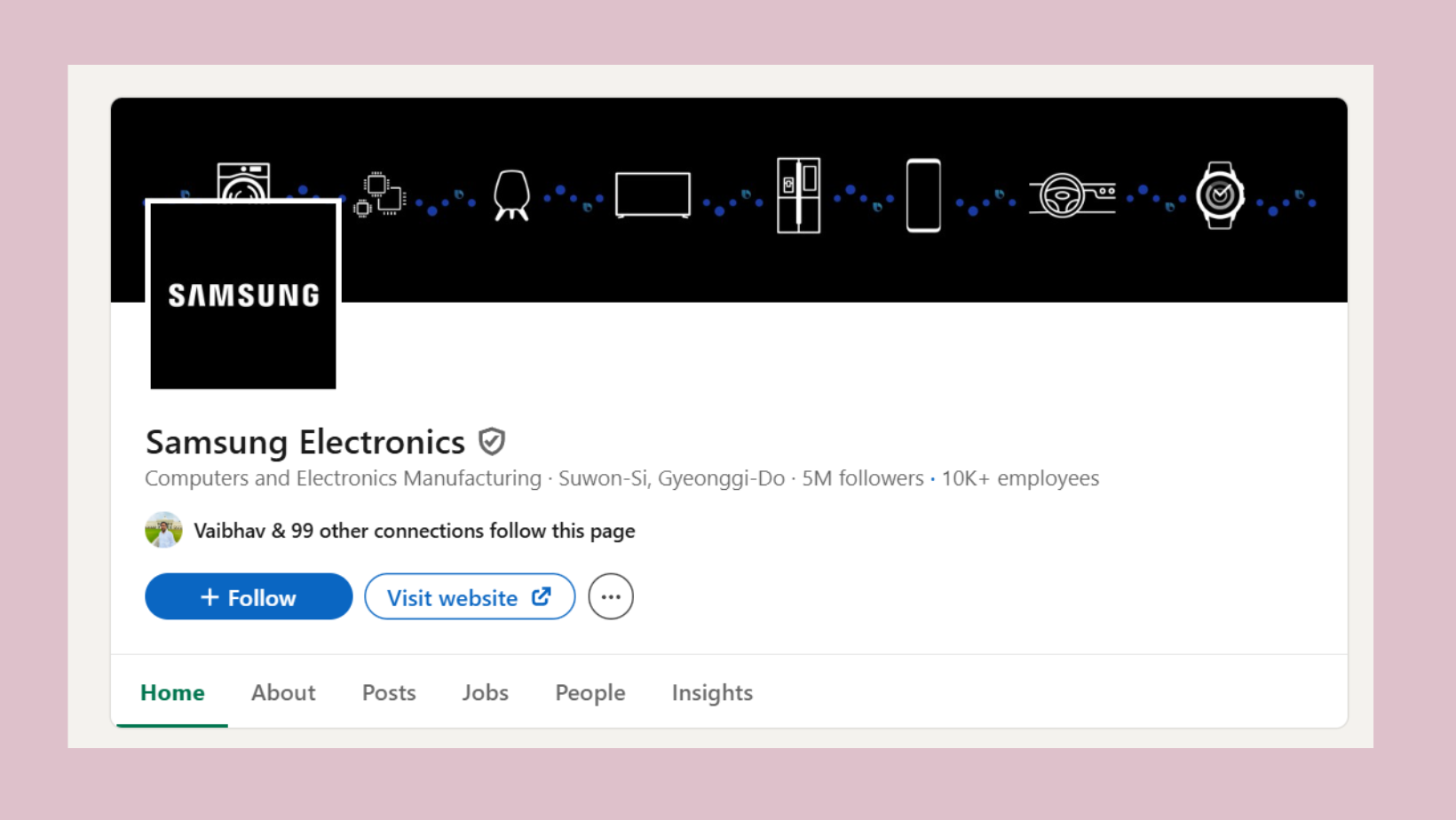
A LinkedIn company page — sometimes called a LinkedIn business page — is a public-facing profile that represents a brand, organisation, or institution rather than an individual. Unlike a personal LinkedIn profile, a company page can have multiple admins, run paid advertising, showcase products, post jobs, and appear in company search results across LinkedIn and Google.
The most common failure mode here is treating the page as a formality — a digital address card to tick off a launch checklist. In practice, businesses on LinkedIn that invest in their company pages treat them as a content and credibility engine: buyers verify companies on LinkedIn before responding to outreach, and recruiters routinely check company pages before shortlisting a business as a potential employer. In B2B markets, a thin or inactive page signals a brand that is not serious.
A LinkedIn company page is not where brands go to broadcast — it is where buyers go to decide whether a brand is worth their time.
Company Page vs. Personal Profile: Key Differences
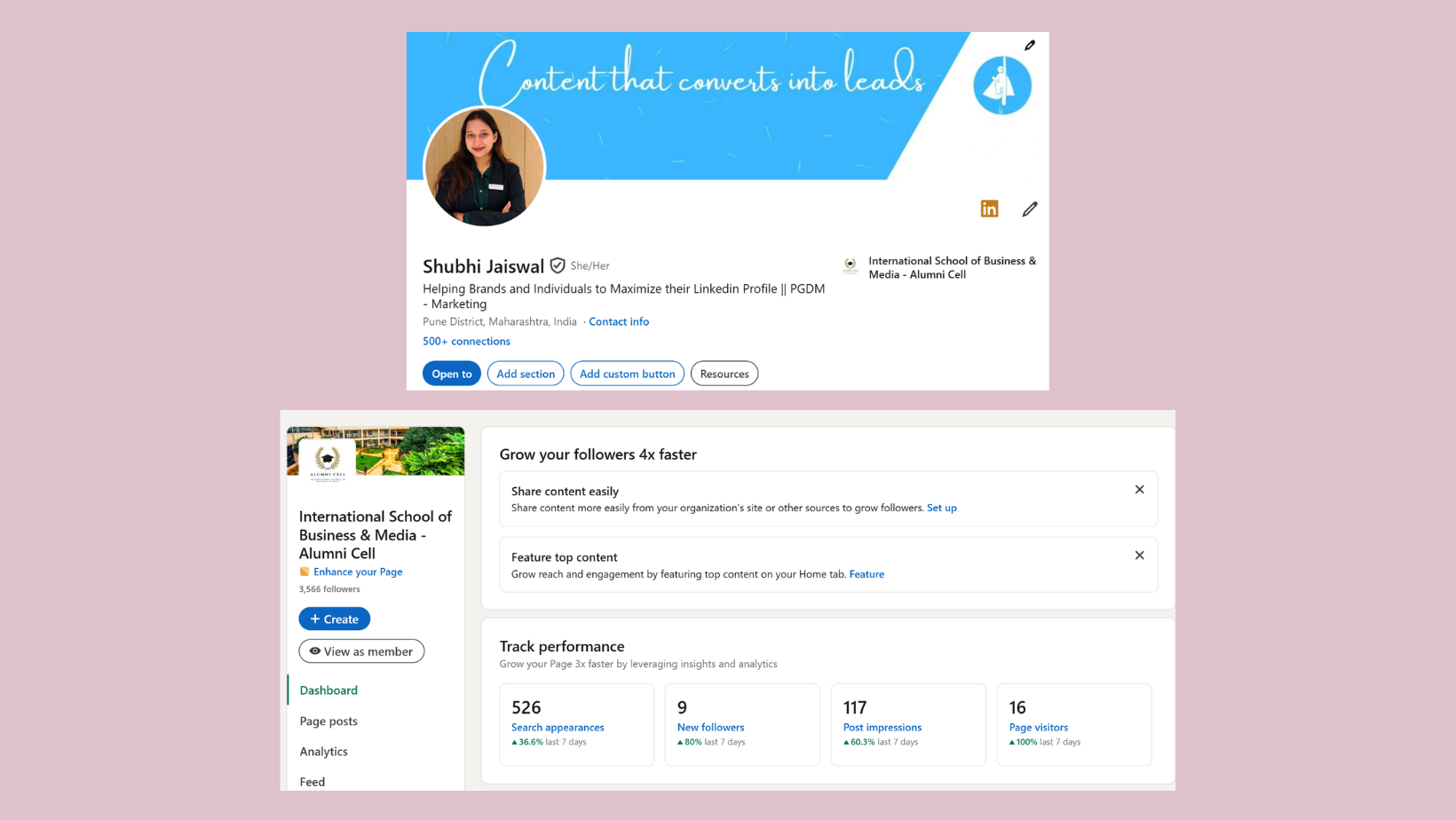
The distinction matters practically, not just technically:
- Personal profiles represent individuals and get significantly higher algorithmic reach — LinkedIn's feed is built around people, not brands.
- Company pages represent the brand, can be managed by a team, and support paid advertising, product showcases, and job listings.
- Personal profiles can directly message connections; company pages cannot initiate direct messages organically.
- Company pages appear in LinkedIn's company directory and in Google's business search results — personal profiles do not.
Understanding this distinction upfront prevents the most common disappointment: expecting personal-profile-level reach from a brand page out of the gate.
With the foundation clear, the next question is practical — what do you actually need in place before you start building?
What You Actually Need Before You Create a LinkedIn Company Page?
Contrary to one of the most persistent misconceptions, you do need a personal LinkedIn profile to create a company page — there is no way to build a LinkedIn company page without one. LinkedIn requires the creating account to be in good standing (verified email, at least a few days old) specifically to prevent spam page creation. Brand-new accounts attempting to create pages are blocked.
Before you start the creation flow, have these assets ready:
- Your company name exactly as it should appear publicly
- A working website URL
- Industry category and company size
- A square logo at minimum 300×300px (PNG preferred)
- A cover image at 1128×191px
- A short tagline (up to 120 characters) summarising what the business does
Preparing these in advance prevents the half-finished pages that plague many LinkedIn company pages — incomplete pages signal neglect to both visitors and the algorithm.
Can You Manage a Company Page Without Exposing Your Personal Profile?
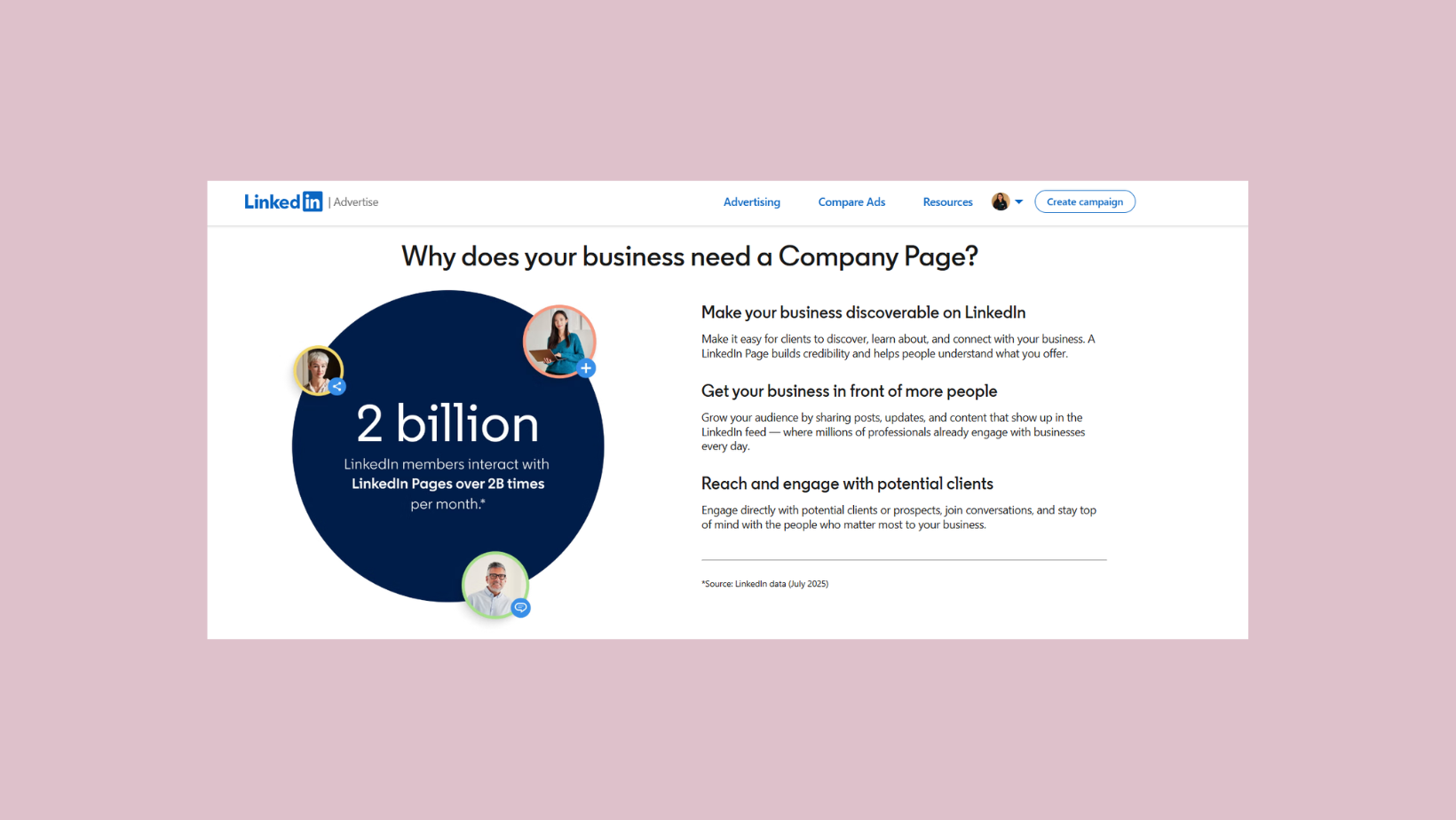
Yes — and this is a common concern, especially for founders who prefer to keep their personal and brand presences separate. Page admins' personal profiles are not displayed publicly on the company page itself. Visitors see the brand; they do not see a list of admins. Your personal profile is only relevant behind the scenes for administration purposes. For a deeper look at this specific scenario, see how to manage a LinkedIn company page without exposing your personal account.
Now that your assets are ready, here is exactly how to create the page.
How to Create a LinkedIn Company Page: Step-by-Step for 2026?
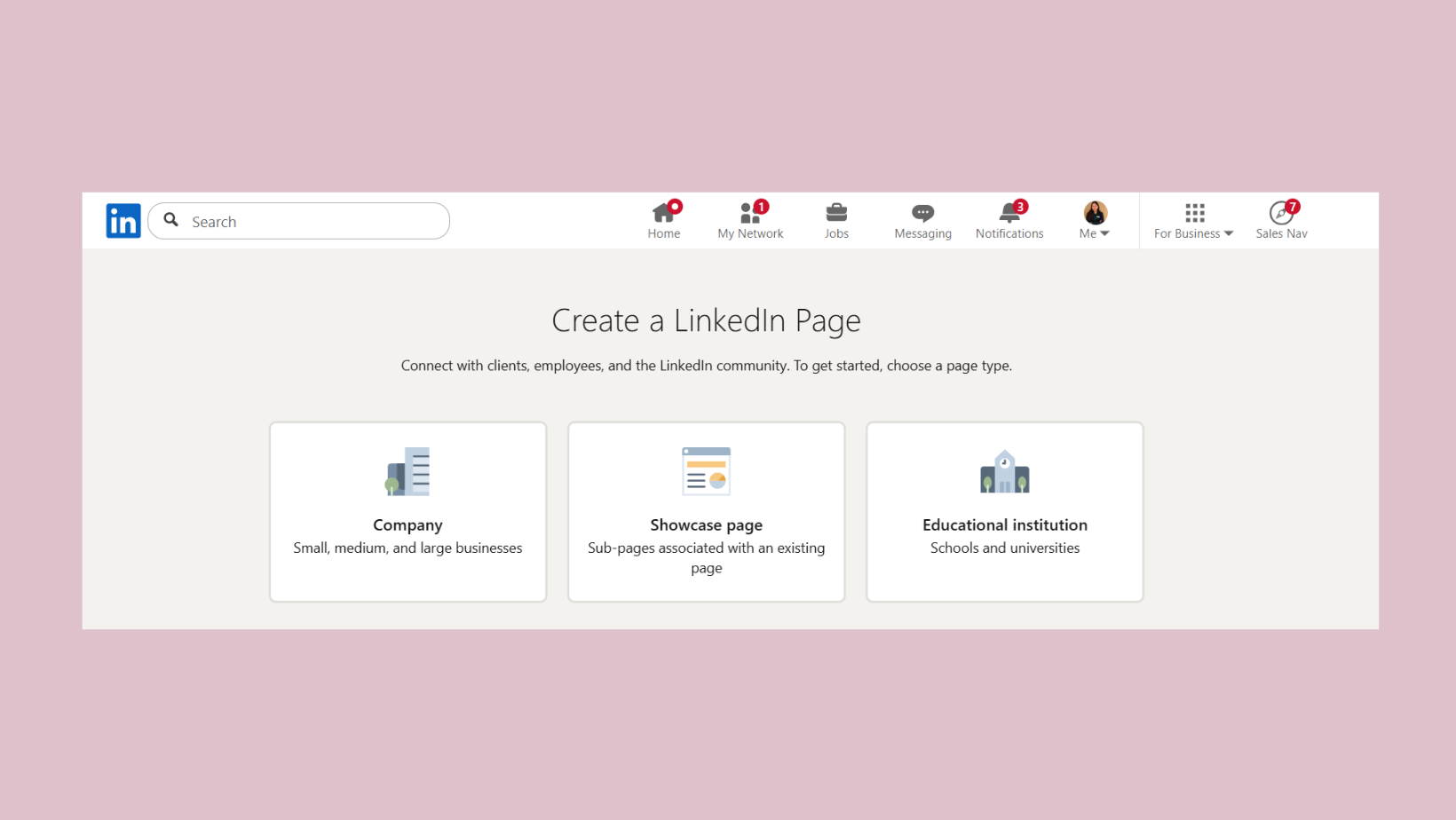
Creating a company page on LinkedIn takes under ten minutes if your assets are prepared. Here is the exact process to create a LinkedIn company page in 2026:
- Log in to your personal LinkedIn account. Click the grid icon (Work) in the top-right navigation bar and select Create a Company Page at the bottom of the dropdown. (~30 seconds)
- Choose your page type. Select Company (for most businesses), Showcase Page (a sub-page for a specific product line), or Educational Institution. (~15 seconds)
- Enter your company details. Add your company name, choose your LinkedIn public URL (make it your brand name, lowercase, no spaces), website URL, industry, company size, and page type. (~2 minutes)
- Upload your logo and write your tagline. The tagline is 120 characters maximum — use it to state clearly what the business does, not a clever slogan nobody understands. (~1 minute)
- Click Create Page. LinkedIn will verify your details and create the page immediately.
- Complete the About section immediately. Do not skip this step — add your full company description (up to 2,000 characters), a cover image, your phone number, and all Specialities before you share the page with anyone. (~5 minutes)
Setting Up Your LinkedIn Business Page URL and Branding
Your LinkedIn URL (e.g. linkedin.com/company/yourbrandname) appears in Google search results and in link previews. Keep it identical to your brand name — no hyphens unless your brand name contains one. Upload a cover image that communicates what the company does visually. Think of your company page header as a billboard: you have about two seconds to make an impression before a visitor decides to scroll or leave.
Adding Admins and Team Members to Your Company Page
Go to Settings → Manage admins to add additional page admins by their personal LinkedIn email address. Assign roles appropriately: Super admin for people who need full control; Content admin for team members who only post and respond to comments. Adding admins before you start posting means you can distribute the content workload from day one.
A fully built page is only the starting point — optimisation is where most brands leave serious reach untouched.
How to Optimise a LinkedIn Company Page for Maximum Visibility?
Teams that complete every section of their company page — About, Specialities, cover image, website, and employee connections — consistently see measurably higher organic reach than teams that leave even one section blank. The 30% figure above is not a rounding error; it reflects how significantly LinkedIn's own algorithm weights page completeness as a quality signal.
Writing a Company Description That Actually Ranks
The About section is a 2,000-character field that LinkedIn indexes for internal search and that Google crawls for external search. Most brands use 200 characters. That is leaving a significant optimisation lever completely unused. Write the description as if it were a landing page — lead with what you do, who you serve, and what makes you different, and include the keywords your buyers actually search for. Avoid generic phrases like "leading provider of solutions." They rank for nothing and communicate less.
Add all 20 Specialities slots. Each speciality functions like a tag that helps LinkedIn surface your page in relevant searches. Brands that add 3 or 4 specialities and stop are leaving 16 additional discovery pathways unused.
Boosting Company Page Post Engagement in 2026
Organic reach for company pages is structurally limited — but early engagement signals change the equation. When a post receives meaningful likes and comments within the first 60–90 minutes of publishing, LinkedIn's algorithm reads it as high-quality and distributes it to a wider audience. The challenge: company pages have fewer built-in mechanisms to generate those early signals than personal profiles do.
This is exactly the problem that tools like HyperClapper's company page boosting feature address — connecting your company page posts with real engagement channels so early traction is not left to chance. HyperClapper also supports AI-powered replies on company page posts, which keeps conversations active and signals post depth to LinkedIn's algorithm.
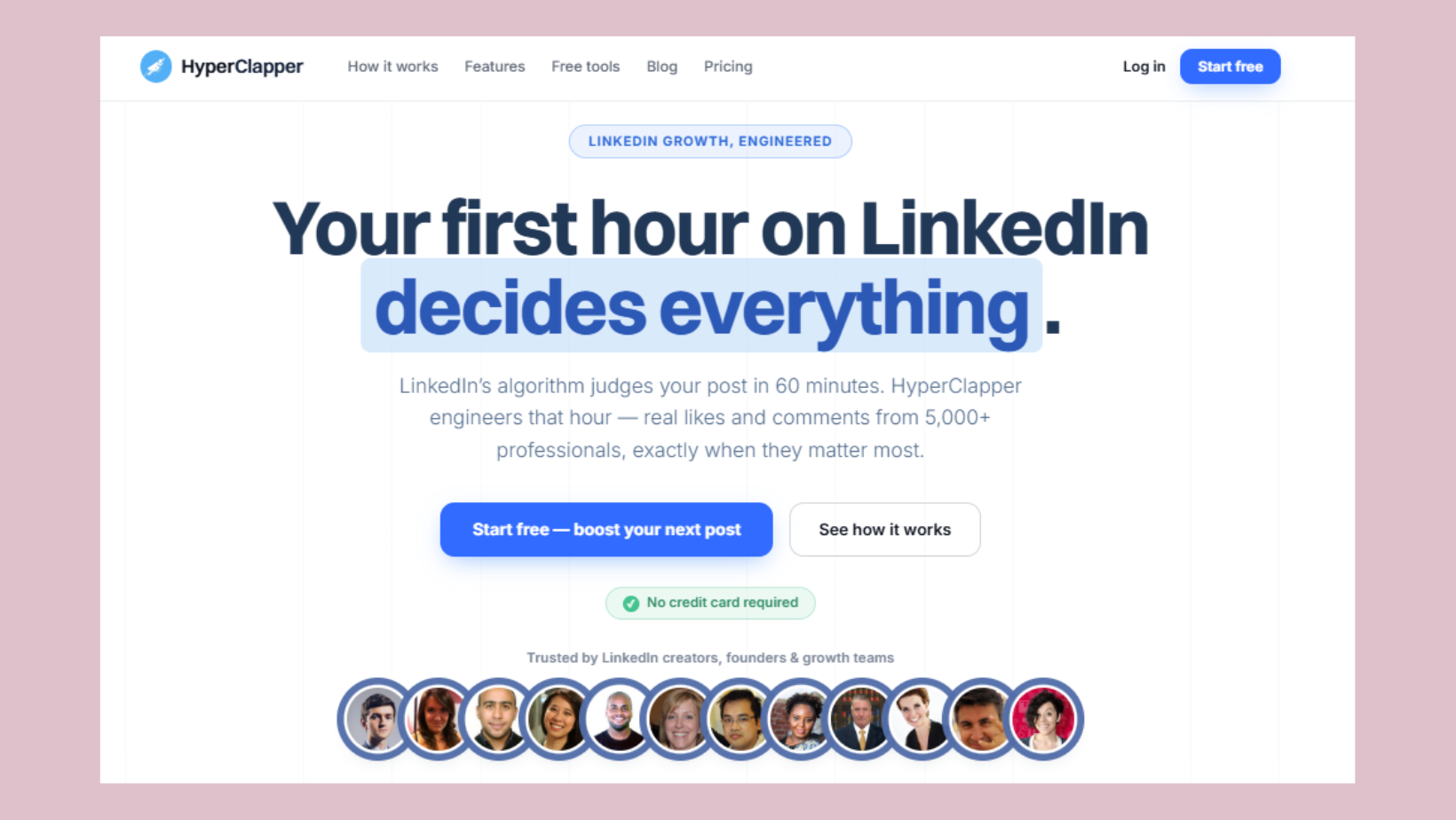
Get Real Engagement on Your LinkedIn Company Page Posts
HyperClapper connects your company page to real engagement channels — likes, comments, and AI replies that signal quality to LinkedIn's algorithm from post one.
Try HyperClapper FreeThe Biggest Mistakes Brands Make on LinkedIn Company Pages?
A recurring pattern among brands trying to grow on LinkedIn is starting with the wrong content model and then concluding that company pages "don't work." The page is not the problem. What follows are the four mistakes that account for most underperforming company pages.
- Mistake 1 — Posting only promotional content. Product launches, awards, and company news consistently underperform because they offer nothing to the reader's feed. Audiences engage with insight, education, and perspective — not press releases.
- Mistake 2 — Posting inconsistently. LinkedIn's algorithm needs a sustained signal to learn what audience to show your content to. Brands that post in bursts and go quiet typically see each new post treated as if it came from a new page.
- Mistake 3 — Never opening the analytics tab. LinkedIn provides detailed follower demographics, post impressions, and engagement rates per post. Most admins never open it, leaving a clear roadmap to better content completely unused.
- Mistake 4 — Ignoring comments. When a post gets engagement and the brand goes silent, the algorithm reads it as low quality and the commenter feels dismissed — both outcomes accelerate reach decay.
Why Company Page Posts Feel Like They Disappear (and What to Do About It)?
Creators who skip the early engagement window typically find their posts plateau at a small initial audience and never expand. The structural reason: LinkedIn distributes company page content more conservatively than personal content, so the first 60–90 minutes after publishing are disproportionately important. Encourage your admins and employees to engage with every new post immediately after it goes live — even simple reactions help. Over time, consistent early engagement trains the algorithm to expect it, and distribution improves.
The first 90 minutes after a company page post goes live determine whether it reaches 500 people or 5,000. Most brands never learn this because they check their analytics 24 hours later.
Understanding these failure modes makes the genuine benefits of a well-run page much clearer — and helps set honest expectations.
Benefits and Real Limitations of a LinkedIn Business Page?
The benefits of a well-managed LinkedIn business page are real and specific:
- Buyers, recruiters, and partners routinely check a company's LinkedIn page before initiating contact — a strong page converts that curiosity into trust.
- LinkedIn company pages are Google-indexed separately from your website, giving your brand a second content surface in organic search results.
- LinkedIn's advertising platform offers B2B targeting by job title, seniority, company size, and industry — precision that Facebook and Google Ads cannot match for professional audiences.
- A company page with active employee connections dramatically expands organic reach, since employees' engagement with company posts appears in their own networks.
The limitations are equally worth stating honestly:
- Organic reach for LinkedIn company pages is structurally lower than for personal profiles — LinkedIn's algorithm is built around people, not brands, and that has not changed in 2026.
- Company pages cannot directly message users without using paid LinkedIn products (InMail, Sponsored Messages). They are credibility and broadcast tools, not outreach tools.
Is a LinkedIn Company Page Worth It for Small Businesses?
Yes — with calibrated expectations. For small businesses, the primary value is not reach, it is credibility. A complete, active LinkedIn company page signals legitimacy to prospects who Google your brand and find the page in results. For a deeper look at real-world examples of what a strong company page looks like in practice, see these LinkedIn company page examples worth studying.
✓ LinkedIn Company Page Launch Checklist
- ☐Logo uploaded at minimum 300×300px — no blurry or stretched images
- ☐Cover image at 1128×191px with a clear visual message
- ☐About section uses all 2,000 characters with relevant keywords included
- ☐All 20 Specialities slots filled with accurate, searchable terms
- ☐Website URL, phone, and industry fields all complete
- ☐At least one admin added beyond the page creator
- ☐First post published and employees notified to engage within 90 minutes
- ☐Analytics tab bookmarked and reviewed after first week of posting
Ready to Make Your Company Page Actually Perform?
HyperClapper's company page boosting connects your posts with real engagement channels and AI-powered replies — so your page looks active from day one, not six months in.
See How HyperClapper WorksFrequently Asked Questions About LinkedIn Company Pages
What is a company page on LinkedIn?
A LinkedIn company page is a public profile for a business or organisation, separate from any personal profile, where the brand can publish content, list jobs, run ads, and build credibility with buyers, recruiters, and partners. Multiple team members can manage it as admins.
How do I create a company page on LinkedIn?
Log into your personal LinkedIn account, click the Work grid icon in the top-right navigation, and select Create a Company Page. Choose your page type, enter your company name and details, upload a logo, and click Create Page. Complete the About section and cover image immediately before sharing.
Do I need a personal LinkedIn profile to create a company page?
Yes. LinkedIn requires a personal account in good standing — verified email, at least a few days old — to create any company page. There is no way to build a LinkedIn company page without one. Your personal profile is not displayed publicly on the page; it is only needed for admin access.
What is the difference between a LinkedIn company page and a personal profile?
A personal profile represents an individual and gets higher algorithmic reach. A company page represents a brand, supports multiple admins, enables paid advertising, and appears in company directory searches. Company pages cannot message users directly; personal profiles can. Both serve different, complementary purposes in a LinkedIn strategy.
What information should I include on a LinkedIn company page?
Include a keyword-rich About section (up to 2,000 characters), company logo and cover image, website URL, industry, company size, all 20 Specialities slots, phone number, and founded year. The more complete the page, the higher it ranks in LinkedIn search and the more credible it appears to first-time visitors.
How does a LinkedIn company page help with brand visibility?
LinkedIn company pages are indexed by Google, creating a second organic search presence beyond your website. Within LinkedIn, a complete and active page surfaces in company searches and in the feeds of employees' networks. According to LinkedIn Marketing Solutions (2024), complete pages receive 30% more weekly views than incomplete ones.
How do I make my LinkedIn company page look professional and grow engagement?
Use a clean logo, a cover image that communicates your brand's purpose, and a description that reads like a landing page — not a press release. Post consistently at least 3x per week, respond to every comment, and encourage employees to engage with posts in the first 90 minutes. For additional best practices, see this guide to LinkedIn company page best practices.
What are the steps to create a LinkedIn company page from scratch?
The six steps are: (1) log in with a personal account, (2) click Work → Create a Company Page, (3) select page type and enter company details, (4) upload your logo and write a tagline, (5) click Create Page, and (6) immediately complete your About section, cover image, and Specialities before making the page public.
How do I get to my company page on LinkedIn?
Click the Me icon on LinkedIn's top navigation, scroll to Manage, and select your company page from the list. Alternatively, search your company name in LinkedIn's search bar and select the company result. If you are an admin, you will see page admin tools when you visit.
What consistently separates LinkedIn company pages with real business impact from those that fade into obscurity is not the initial setup — it is the compounding effect of completeness, consistency, and early engagement signals working together. Brands that get all three right see reach grow steadily over months. Brands that miss any one of them typically plateau within weeks and conclude, incorrectly, that LinkedIn company pages are not worth the effort.



