LinkedIn Articles That Actually Get Read: Pro Strategies
Learn how to write LinkedIn articles that get read with expert strategies on headlines, the algorithm, ideal length, and post-publish promotion tactics.
📅 ⏱ 14 min read📝 ~2700 words
A recurring pattern among professionals trying to build authority on LinkedIn is this: they spend two hours writing a thoughtful article, hit publish — and watch it collect fewer views than a throwaway post they dashed off in ten minutes. LinkedIn articles that get read don't succeed because of better writing alone. They succeed because the writer understood the platform's distribution logic, built a promotion window around publication, and structured the article to reward the reader immediately. The writing is rarely the problem. The strategy around it almost always is.
Key Takeaways
LinkedIn articles build evergreen authority and show up in Google — posts do not
The first 60–90 minutes after publishing are the most algorithm-critical window
1,000–2,000 words is the engagement sweet spot; shorter rarely demonstrates expertise
80% of readers only read the headline — your headline IS your distribution strategy
Publishing without a promotion plan is the single most common reason articles get zero views
Seeding real early engagement on the companion post accelerates the algorithm's initial push
LinkedIn Articles vs. Posts: What You're Actually Choosing Between
LinkedIn Articles vs. Posts
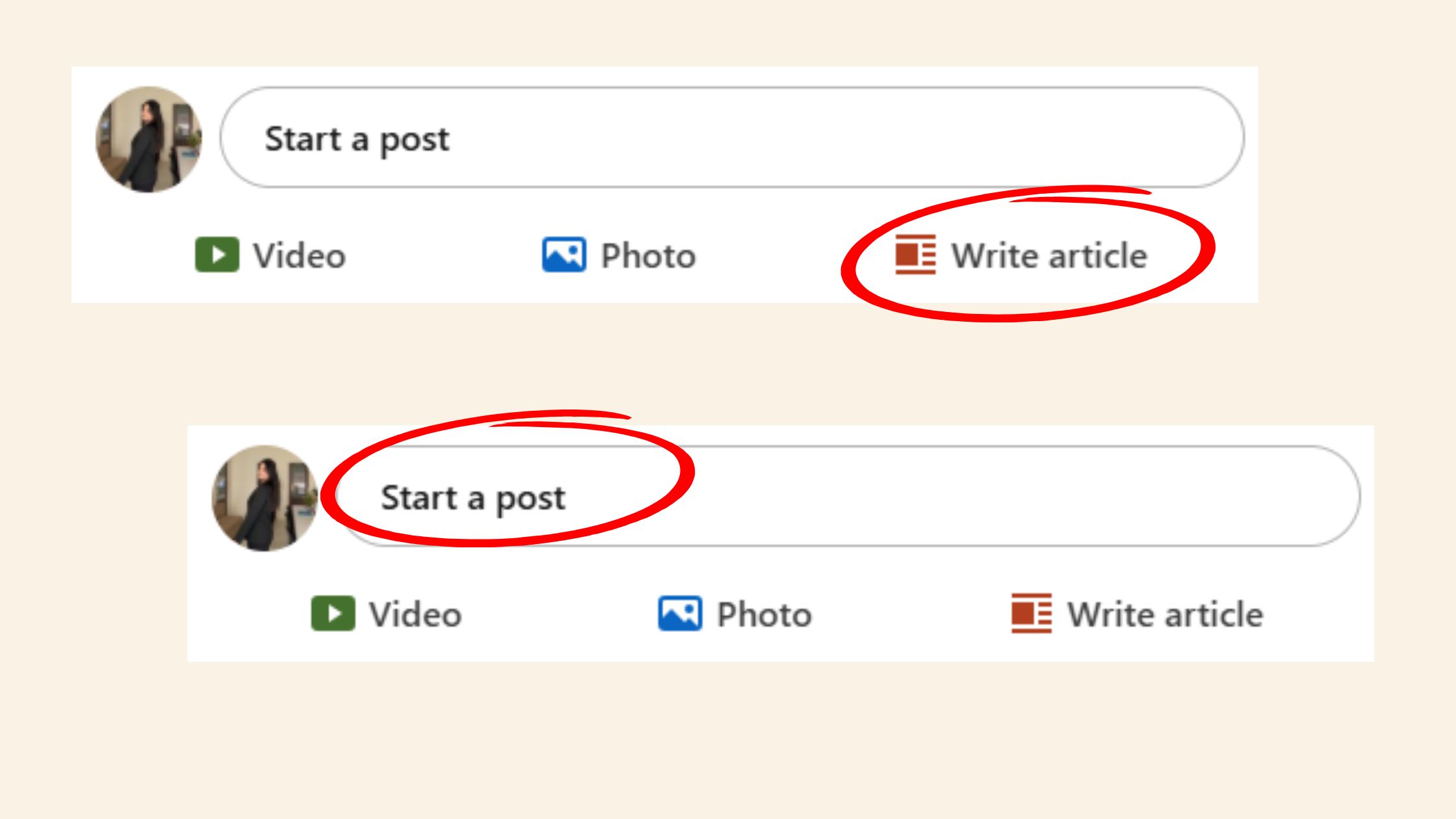
A LinkedIn Article is long-form, indexed content hosted on LinkedIn Pulse — a separate publishing layer from the standard feed. Posts live and die in the feed within days. Articles persist, accumulate inbound traffic from LinkedIn search and Google, and can build a visible body of thought leadership work on your profile. Choosing between them isn't a question of better or worse — it's a question of what you're trying to accomplish right now.
The honest trade-off: posts typically generate more immediate impressions because they land directly in followers' feeds. Articles enter a narrower initial distribution window. But a well-written article on a searchable topic can surface in Google results months after publication — something a post can never do. For professionals building long-term authority, LinkedIn article best practices always start with this distinction: articles are an investment, not a broadcast.
Do LinkedIn Articles Actually Get Views?
Yes — but not automatically. According to Medium research on LinkedIn article behaviour, 80% of people only ever read the headline of a LinkedIn article. This means that only 2 in 10 people who see your article in the feed click through to read it — which makes the headline not just important, but the entire ballgame. Articles absolutely get views when they earn them through strong headlines, early engagement, and active promotion. Without those, they tend to flatline.
80%
Of LinkedIn readers never get past the headline — making it your most important distribution lever
Do LinkedIn Articles Help with SEO?
Yes — and this is the most underused advantage. LinkedIn articles are indexed by Google, which means a well-optimised article on a topic like "how to write a B2B proposal" can rank in Google search results independently of your follower count. This is a fundamentally different content asset than a post. Teams that publish consistent LinkedIn articles on searchable topics consistently see compounding organic discovery over time — something that never happens with feed posts alone. For a deeper look at how LinkedIn fits into a broader B2B content strategy, see our guide to proven LinkedIn B2B marketing strategies for 2026.
How to Write LinkedIn Articles That Hook Readers from the First Line
How to Write LinkedIn Articles That Hook Readers from the First Line
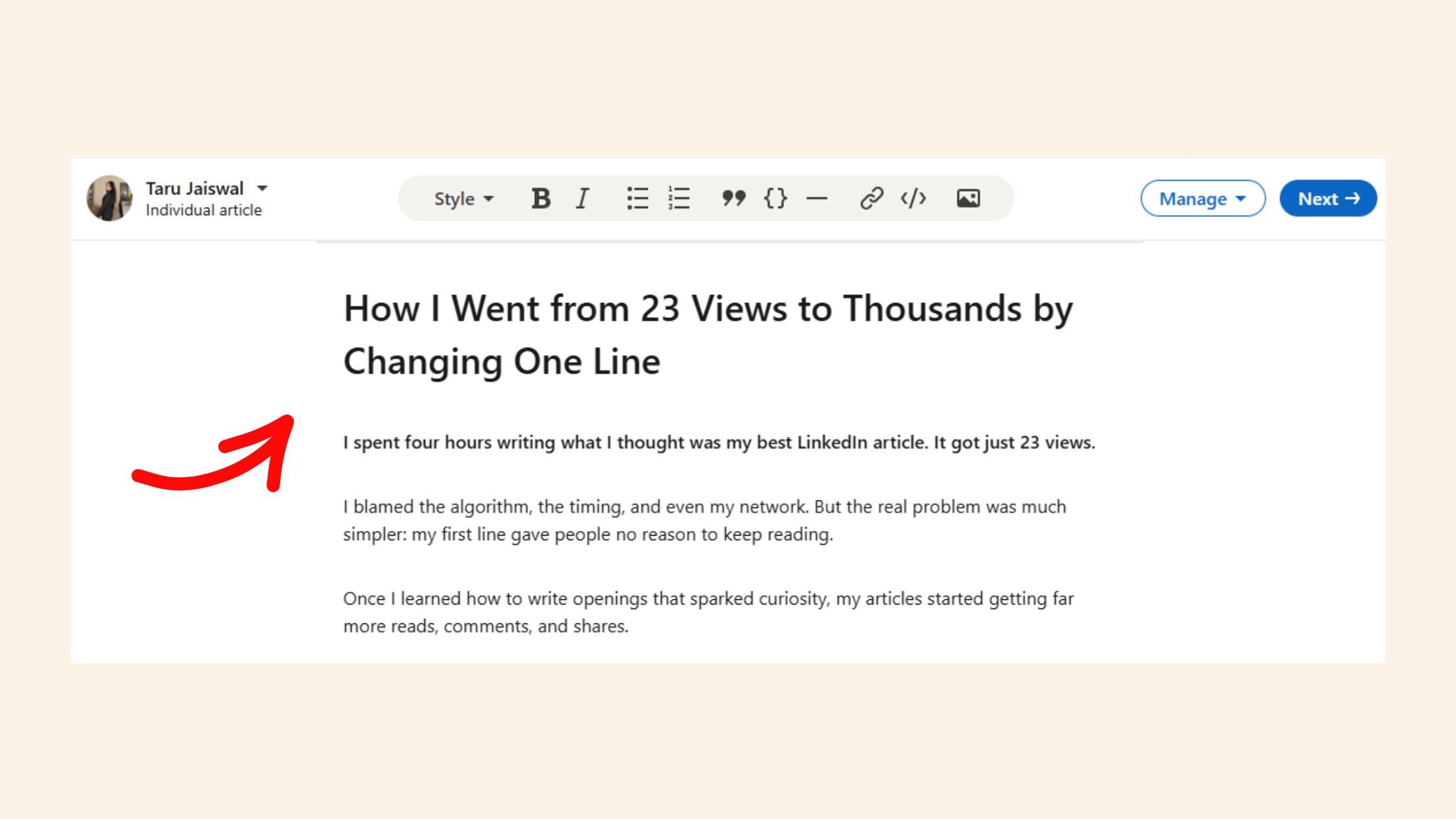
The first sentence of a LinkedIn article determines whether the reader continues. Not the headline — the first sentence. The headline earns the click; the opening earns the read. What works consistently is an opening that drops the reader into a recognisable problem or counterintuitive claim without preamble. No "In this article, I'll share..." — just the insight, immediately.
LinkedIn Article Headline Tips That Drive Clicks
Given that 80% of readers stop at the headline, LinkedIn article headline tips deserve more strategic attention than most writers give them. The patterns that drive clicks:
Specificity beats cleverness — "How I Got 12,000 Views on My First LinkedIn Article" outperforms "My LinkedIn Journey"
Numbers create expectation — "5 Reasons Your LinkedIn Articles Get No Views" signals structure and payoff
Tension outperforms inspiration — "Why Most LinkedIn Articles Fail Before They're Even Published" creates a compelling open loop
Avoid vague abstractions — "Thoughts on Leadership" is invisible; "The Leadership Mistake That Cost Our Team 3 Months" is not
💡
Pro Tip:Write 5–10 headline options before choosing one. The first headline you write is almost never the best one. Force yourself through the list — the winner usually appears around option 6 or 7.
LinkedIn Article Best Practices for Structure and Readability
The ideal length for a LinkedIn article sits between 1,000 and 2,000 words. Shorter rarely demonstrates genuine expertise; longer risks reader drop-off before the payoff. More importantly, structure matters as much as length. What is the ideal length for a LinkedIn article? It's the length that delivers a complete, satisfying answer to one specific question — not longer, not shorter.
Structural best practices that keep readers moving:
Use H2 subheadings every 300–400 words to create visible progress
Keep paragraphs to 3 sentences maximum — walls of text kill dwell time
Use a bold pull-quote or key insight in the middle to re-hook skimmers
End with a clear call to action — a question to the reader, a next step, or an invitation to share
On publishing frequency: one well-crafted article per week or every two weeks consistently outperforms a daily output of thin content. The most common failure mode is prioritising volume over depth — creators who publish frequently but shallowly see diminishing returns on each successive article as readers learn to skip them.
The article that took three hours to write and earned 50 comments compounds in value for months. The article rushed out in 45 minutes to "stay consistent" disappears by Thursday.
The LinkedIn Algorithm for Articles: What Actually Drives Visibility
LinkedIn's algorithm treats articles and posts as distinct content objects with different distribution mechanics. According to LinkedIn Algorithm Insights 2026 via LinkedIn Pulse, the platform has shifted from showing content from people you know to showing content based on relevance and engagement signals — which means even small accounts can reach large audiences if their content earns the right signals early.
The key LinkedIn algorithm signals for articles are:
Engagement velocity — the speed at which early likes and comments arrive in the first hour post-publish
Comment depth — replies to replies, not just top-level comments, signal genuine conversation
Dwell time — how long readers spend on the article page before returning to the feed
Click-through from the feed preview — a compelling teaser post drives this
⚠️
Warning:Articles that receive no engagement in the first 24–48 hours are rapidly deprioritised by the algorithm. Publishing without a distribution plan means your article competes with nothing — because no one sees it to engage with it. This is the primary reason LinkedIn articles get no views.
Why LinkedIn Articles Get No Views — and How to Fix It
Why do LinkedIn articles get no views? In roughly 9 out of 10 cases observed across underperforming accounts, the cause isn't the article quality — it's the absence of any promotion in the first 60 minutes. The algorithm uses early engagement to decide whether to distribute further. Without that initial signal, even an excellent article stalls at negligible reach. The fix is simple but non-negotiable: have your promotion plan ready before you publish, not after.
Also worth noting: platform analysis from Scott Manning found that AI-generated content receives approximately 30% less reach — reinforcing that authentic, human-perspective writing isn't just better for readers, it's algorithmically advantaged.
How to Promote a LinkedIn Article After Publishing (and Increase Views)
Promote a LinkedIn Article
Publishing is the starting gun, not the finish line. The writers who consistently increase LinkedIn article views treat the 60–90 minutes after publishing as an active work session, not a passive wait. Here is how to promote a LinkedIn article after publishing — in the order that maximises algorithmic momentum:
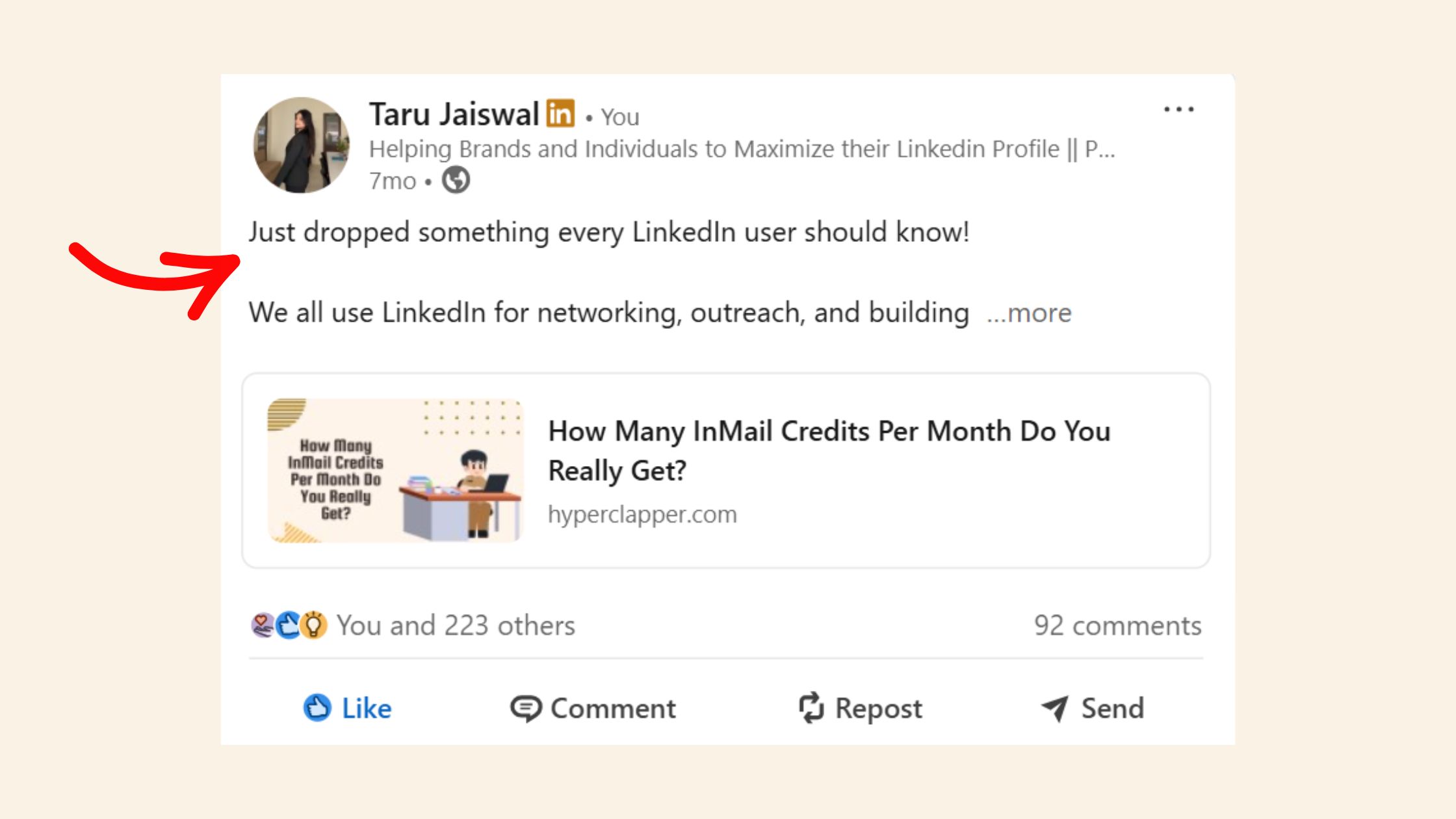
Write a teaser post immediately — share the article with a punchy 3–5 line hook in the feed. Do not just paste the link; write the most counterintuitive insight from the article as the hook. (~5 minutes)
Reply to every comment within the first hour — this deepens comment threads and signals active conversation to the algorithm. (Ongoing — first 60 minutes are critical)
Share in 2–3 relevant LinkedIn Groups — groups still drive targeted discovery, especially in professional niches. (~10 minutes)
DM it to five relevant connections with a personal note — not a mass blast; a targeted "thought this might be useful given what you work on." (~15 minutes)
Cross-post a summary to newsletters or communities where your audience is active. (~20 minutes)
Using Engagement Tools to Boost LinkedIn Article Visibility
HyperClapper
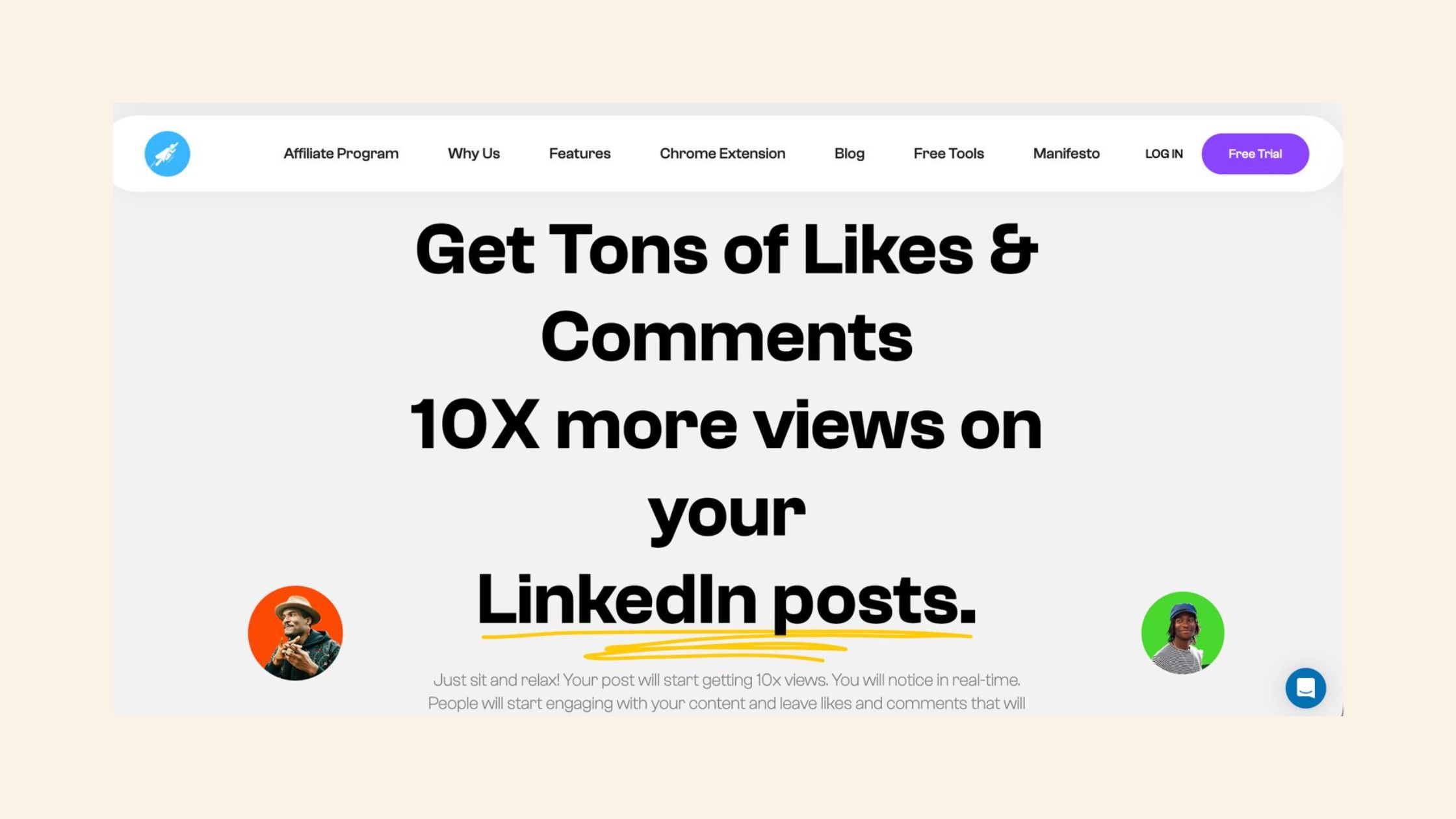
The first hour of engagement is the hardest to generate organically — especially for accounts still building their audience. This is where engagement platforms like HyperClapper solve a real problem. Rather than waiting passively for the algorithm to decide your article is worth distributing, you can seed real early engagement on the companion teaser post through HyperClapper's *channels* — groups of real users who engage with your content.
What separates top performers here is the distinction between fake engagement (bots, click farms) and real community engagement. HyperClapper's model connects your post with real people in relevant networks — producing the genuine engagement velocity the algorithm rewards, without the account risk that comes from automated tools. For a direct comparison of how this stacks up against alternatives, the breakdown in HyperClapper vs. Podawaa: which engagement pod is better is worth reading before you choose a tool.
🔴
Avoid:Using bot-driven engagement tools that inflate vanity metrics without real interaction. LinkedIn's detection systems flag unnatural engagement spikes, and the resulting reach suppression can last weeks — far outweighing any short-term boost.
Best Tools for Writing and Distributing LinkedIn Content
The best tools for writing LinkedIn content depend on the workflow stage. For the writing itself, the highest-leverage tools are the simplest: a structured outline in Notion or Google Docs before you open the LinkedIn editor, and a headline swipe file to iterate from. For distribution and visibility, the landscape is more varied — but the tools that drive measurable results focus on real engagement, not reach inflation. For content creators focused on sustainable LinkedIn visibility growth, HyperClapper is one of the strongest options because it combines real community engagement, AI-powered reply generation to keep conversation active, and analytics to track what's actually working. You can see the full feature breakdown at LinkedIn article promotion strategies for businesses.
Stop publishing articles that disappear
HyperClapper seeds real early engagement on your LinkedIn posts — the kind the algorithm rewards with wider distribution.
☐Write 5+ headline options before choosing one — the first is rarely the best
☐Draft the teaser post before you publish the article
☐Set a 90-minute post-publish reply block in your calendar
☐Identify 3 LinkedIn Groups to share the article in
☐Prepare 5 personal DMs with tailored context (not a mass blast)
☐Reply to every comment within the first hour to deepen thread depth
☐Cross-post a summary to your newsletter or relevant community within 24 hours
Publishing a LinkedIn article without a promotion plan is like hosting an event and forgetting to send the invites. The content was never the bottleneck.
Frequently Asked Questions About LinkedIn Articles
Do LinkedIn articles get views?
Yes, LinkedIn articles get views — but only when they earn them. Articles with strong headlines, early engagement on the companion teaser post, and active promotion in the first 90 minutes can accumulate hundreds to thousands of views. Without a promotion plan, most articles flatline below 100 views regardless of quality.
What makes a LinkedIn article perform well in the algorithm?
Early engagement velocity is the primary signal — specifically, how fast the companion post generates likes and comments in the first 60 minutes. Comment depth (replies to replies), dwell time on the article page, and click-through rate from the feed preview all extend distribution. Articles that earn no engagement in the first 48 hours are rapidly deprioritised.
How do I get more people to read my LinkedIn articles?
Write a punchy teaser post with a compelling hook and publish it immediately after the article goes live. Reply to every comment within the first hour. Share in 2–3 relevant LinkedIn Groups. DM five targeted connections with a personal note. These five actions, done in the 90-minute window after publishing, drive more readership than any writing improvement.
Should I write LinkedIn articles or just posts for engagement?
Posts drive faster immediate impressions; articles build evergreen authority and Google indexing. For short-term engagement, posts win. For long-term thought leadership credibility and SEO reach, articles win. The strongest LinkedIn content strategies combine both — using posts to drive traffic to articles, not treating them as competing formats. See also: how LinkedIn tracks profile and content activity.
What topics get the most engagement on LinkedIn articles?
Career lessons, industry contrarian takes, specific how-to frameworks, and personal failure stories with professional insights consistently outperform generic thought leadership. Topics with a clear searchable intent — "how to negotiate a salary increase", "what B2B buyers actually want" — also compound well over time because they attract both algorithmic and Google search traffic.
How long should a LinkedIn article be to get noticed?
1,000–2,000 words is the range that consistently performs best. Under 800 words rarely demonstrates enough depth to earn shares or saves; over 2,500 words risks significant drop-off before the conclusion. The target is a complete, satisfying answer to one specific question — the word count follows from that, not the other way around.
How often should you publish LinkedIn articles, and is LinkedIn Premium worth it for content creators?
Publishing one well-crafted article per week or every two weeks consistently outperforms daily thin content. On LinkedIn Premium: it adds article analytics and extended reach tools that help creators track what's working — useful once you have a publishing rhythm established, but not a substitute for strategy. Dedicated engagement tools typically deliver more measurable visibility lift per dollar than Premium alone for content creators.
Is LinkedIn Premium for content creators worth it?
LinkedIn Premium gives content creators access to enhanced analytics, who-viewed-your-profile data, and some additional content reach features. It is worth it if you are actively monitoring content performance and using the data to iterate. For pure visibility growth, pairing a free account with a real engagement platform like HyperClapper tends to outperform Premium alone at a comparable cost.
After seeing this across thousands of LinkedIn publishing patterns, the consistent finding is that LinkedIn articles that get read aren't distinguished by extraordinary writing — they're distinguished by creators who treat publishing as the beginning of a process, not the end of one. The article earns the credibility. The promotion strategy earns the audience.
👋
⚡ Free plan
Leaving already?
Grab 3 free boosts on your next LinkedIn post — real likes & comments from 5,000+ creators. No card, cancel anytime.