The ideal LinkedIn post length depends almost entirely on what your post is trying to do — not on a single magic number. A pattern observed consistently across high-performing LinkedIn accounts is that storytelling posts and data posts require structurally different lengths: stories need 200–350 words to build tension and land a payoff, while data-driven posts perform best at 100–200 words where the stat does the heavy lifting. Get the length wrong for the content type and even well-written posts underperform. This guide breaks it down by format, algorithm behavior, and real engagement data.
- LinkedIn posts support up to 3,000 characters; the "See More" cut-off triggers at ~210 characters — your hook must land before that point
- Storytelling posts: 200–350 words. Data posts: 100–200 words. Matching length to content type is the core principle
- Ultra-long posts (2,000+ characters) reach the highest average engagement rate — but only when the structure earns that length
- Personal profiles benefit more from longer narrative posts; company pages tend to perform better with shorter, image-led content
- The single most counterintuitive finding: post length matters less than the first 210 characters — truncation is the real algorithm lever
- For content creators focused on visibility, combining the right length with real early engagement is what drives compounding reach
- What Is the Ideal LinkedIn Post Length?
- Storytelling Posts vs Data Posts: How Length Should Change
- How LinkedIn's Algorithm Uses Post Length to Determine Reach
- Data-Driven LinkedIn Content Strategy: What High-Performing Posts Look Like
- Frequently Asked Questions About LinkedIn Post Length
What Is the Ideal LinkedIn Post Length? (Character Limit vs Word Count Breakdown)
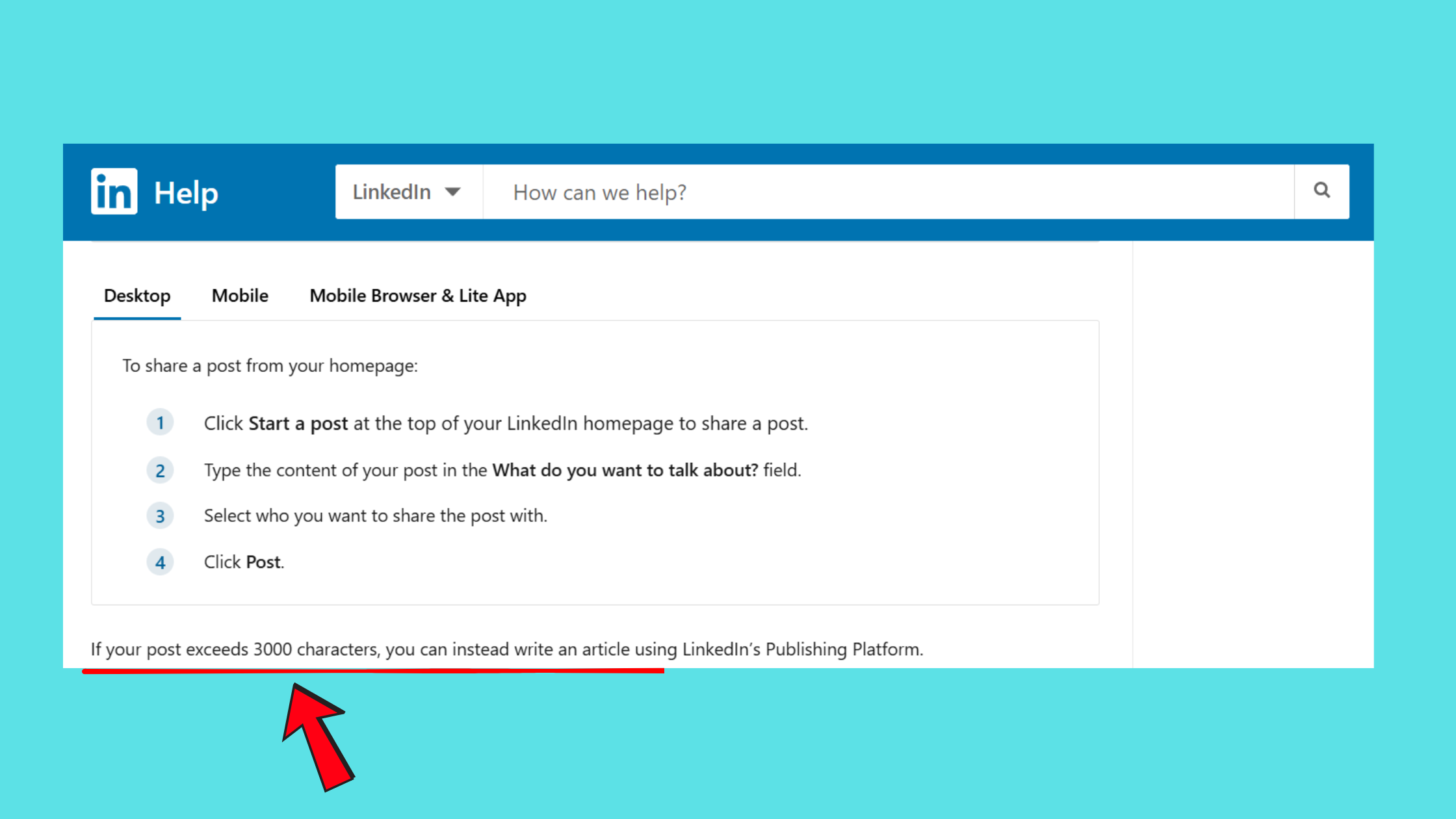
LinkedIn posts support up to 3,000 characters — roughly 400–500 words — but the platform truncates feed previews at approximately 210 characters on mobile. Everything after that sits behind a "See More" tap. The LinkedIn post character limit is the technical ceiling; the truncation threshold is the practical engagement ceiling. Most creators optimise for the wrong one.
According to ConnectSafely.ai (2026), the best LinkedIn post length for engagement sits at 1,300–1,900 characters, with 47% higher engagement than shorter posts. Separately, Taplio's analysis of post performance found that ultra-long posts (2,000+ characters) actually achieve the highest average reach — 2.23% engagement rate — when the content justifies the length.
Word count benchmarks by performance tier:
- Short posts (50–150 words): Drive quick reactions and work well for bold opinions or rapid-fire tips
- Mid-length posts (150–300 words): The most versatile tier — readable, substantive, and easy to "See More" on
- Long posts (300–500 words): Reward dwell time and work for storytelling, career milestones, and detailed lessons
LinkedIn Post Length by Content Format: Text, Image, Document, and Poll
Format changes the optimal length equation significantly:
- Text-only posts: 150–300 words is the ideal LinkedIn post length — enough depth to sustain reading, short enough to avoid drop-off
- Image posts: 50–150 words — the image carries visual weight; the caption frames it. Per the HyperClapper formatting guide, adding a single image to a text post typically increases impressions by 20–30%
- Document/carousel posts: 50–100 words in the post copy — the slides do the explaining; the caption is the entry point
- Polls: Under 50 words — the question is the content
Optimal LinkedIn Article Length vs Post Length
LinkedIn Articles — LinkedIn's long-form publishing format — operate under completely different rules. Optimal LinkedIn article length sits between 1,500–2,000 words for thought leadership content, where depth signals expertise. Standard posts, capped at 3,000 characters, are designed for feed consumption. Using an Article when a post would suffice (or vice versa) mismatches the content with the reader's mode of attention — Articles require intentional navigation, posts are ambient scrolling.
Storytelling Posts vs Data Posts: How Post Length Should Change by Content Type
The most common failure mode observed across LinkedIn content is applying a uniform length to every post type. Storytelling posts and data posts are structurally different — and they need different lengths to perform.
LinkedIn storytelling post best practices point to 200–350 words as the optimal range. A story needs a hook that creates tension, a middle that develops it, and a payoff that earns the reader's time. Truncate before the payoff and you kill the emotional arc. Pad past 400 words and you lose attention mid-scroll.
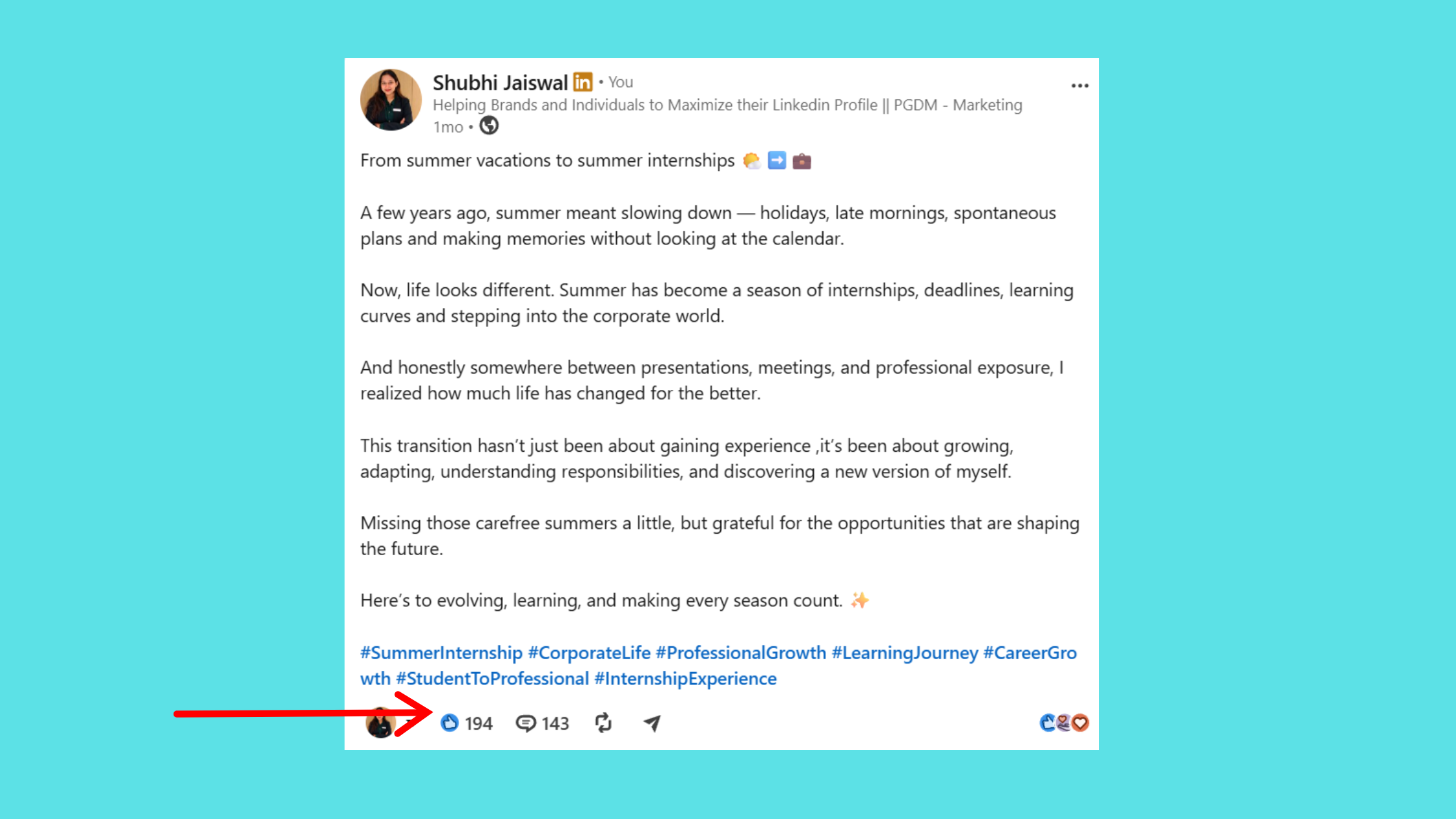
Data posts work best at 100–200 words. The structure is: stat → insight → implication. The striking number goes in line one. Context takes two or three sentences. The "so what" closes it. Padding a data post with narrative context weakens the signal — the number is the content.
The structural difference matters as much as length: mismatching a storytelling arc to a data post (or burying a stat in a narrative) is consistently the reason well-researched content underperforms on LinkedIn.
When to use long vs short LinkedIn posts:
- Use longer formats (200–400 words) for career milestones, lessons learned, founder journeys, and personal failures
- Use shorter formats (75–150 words) for industry stats, quick tips, contrarian takes, and time-sensitive opinions
Should LinkedIn Posts Have Line Breaks and Formatting?
Yes — and this is where many creators lose readers they've already hooked. Should LinkedIn posts have line breaks is a question that sounds cosmetic but has a direct impact on dwell time. Single-sentence paragraphs with a blank line between them are significantly easier to scan on mobile. A wall of text — even at the "right" word count — increases scroll-past behavior.
Post Length by Industry and Niche: What the Data Shows
Teams in professional services (consulting, law, finance) that consistently post at 200–300 words see stronger engagement than those posting shorter content in the same niches — audiences in these fields expect substantive takes, not sound bites. In contrast, tech and startup audiences respond faster to short, punchy posts under 150 words. The data on post length by industry points to one consistent pattern: match length to the information density your audience is used to consuming in their professional context.
How LinkedIn's Algorithm Uses Post Length to Determine Reach
LinkedIn's algorithm measures dwell time — the number of seconds a viewer pauses on your post — alongside engagement signals. Longer posts that hold a reader's attention through the full scroll generate stronger dwell time signals, which feeds into wider algorithmic distribution. The LinkedIn algorithm in 2026 increasingly rewards content depth over content frequency.
Does post length affect LinkedIn reach differently for personal vs company pages? Consistently, yes. Personal profiles benefit more from longer storytelling posts — the algorithm assigns higher person-to-person connection weight to content that generates comments and replies from individuals. Company pages, in contrast, often see better reach from shorter, image-led posts with a direct CTA, because company content is evaluated more on click-through and share behavior than conversational depth.
Does Post Length Affect Comment Quality vs Quantity?
Longer posts reliably generate fewer but higher-quality comments — readers who reach the end of a 300-word post are self-selected for engagement, and their responses tend to be substantive. Short posts generate faster comment velocity (more "Great point!" reactions) but shallower conversations. For lead generation specifically, quality comments from the right audience outperform a high volume of shallow ones — the algorithm also weights comment length as a proxy for conversation quality.
Hashtag interaction with length: 3–5 relevant hashtags add discoverability without signaling spam. Stuffing 10+ hashtags into a long post consistently suppresses reach — the algorithm reads excessive hashtags as a distribution manipulation signal, not a topical indicator.
Data-Driven LinkedIn Content Strategy: What High-Performing Posts Actually Look Like
High-performing long LinkedIn posts share three structural traits regardless of length: a hook that creates an open loop in the first line, a body that delivers one idea per paragraph with clear line breaks, and a closing question that invites a specific response. According to LinkedIn's own content trends data, posts with 1,200+ characters receive 3x more engagement — but that multiplier applies only when the structure earns the reader's attention through every paragraph.
What is the best LinkedIn post format for engagement? No single format wins universally. The pattern across top-performing accounts shows a goal-driven answer:
- Community building: Storytelling text posts at 200–350 words
- Education: Carousel/document posts with 50–100 words of intro copy
- Opinion gathering: Polls under 50 words
- Brand awareness: Short video under 30 seconds (per Leadfeeder's 2026 LinkedIn statistics, videos under 30 seconds drive a 200% higher completion rate)
How many words is a good LinkedIn post? For most professional goals: 150–250 words is the reliable range. Small accounts (under 5K followers) especially benefit from staying within this window — it's enough depth to break through the reach ceiling without demanding the attention that only larger audiences will invest.
What Is the Ideal LinkedIn Video Length in 2026?
Keep native LinkedIn videos under 30 seconds for maximum completion rate. Longer videos (1–3 minutes) can perform well for tutorial content, but they require strong captions — the majority of LinkedIn video is watched without sound. Best posting windows are Tuesday through Thursday, 10–11 AM local time, based on 2026 platform engagement patterns.
How to Boost Post Visibility After Publishing with HyperClapper
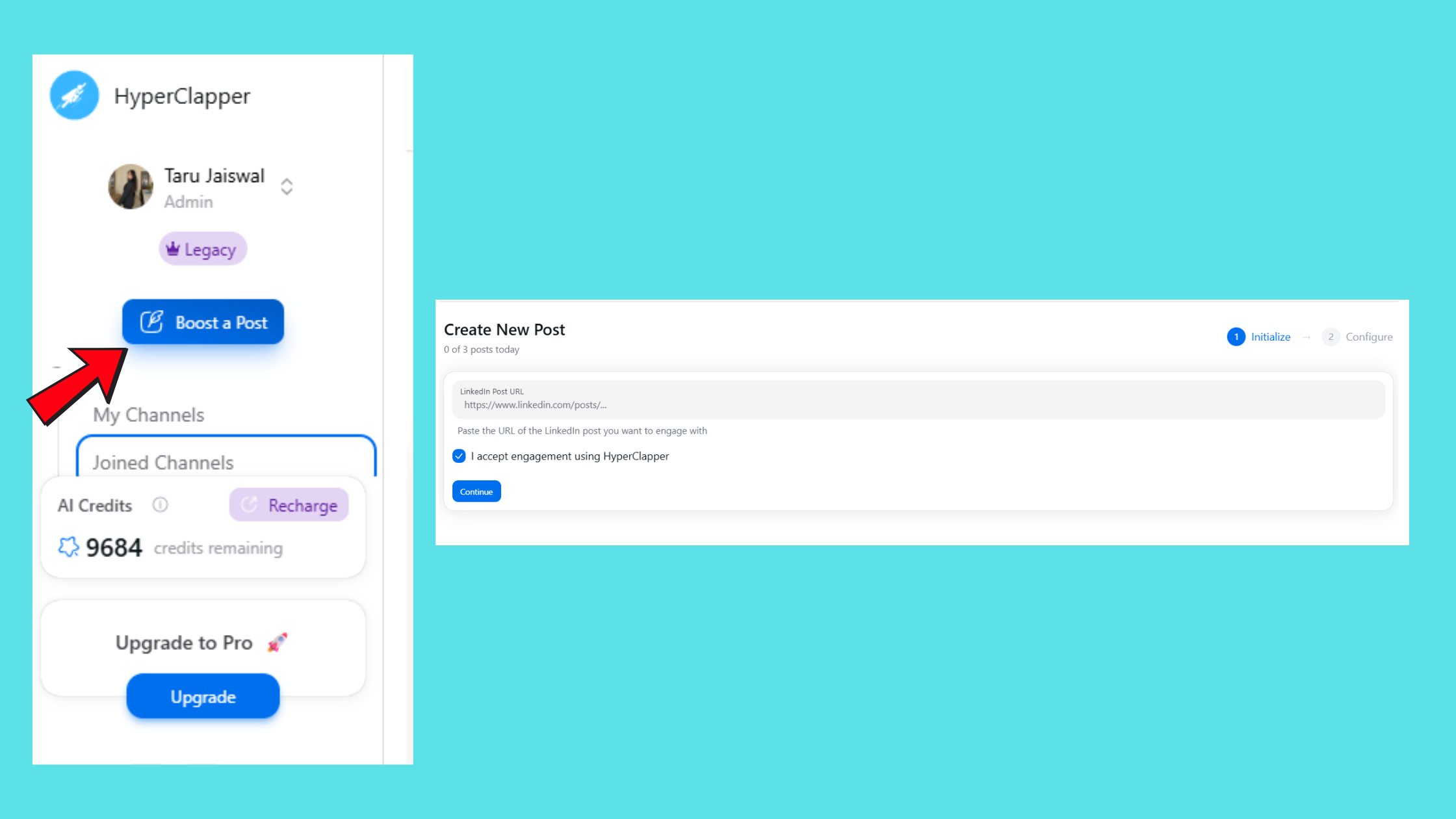
Even a perfectly-crafted post at the right length can stall if it doesn't receive early engagement in the first 60–90 minutes. The algorithm uses that initial window to decide whether to expand distribution. Tools like HyperClapper address this directly — connecting posts with real engagement channels where each channel contributes around 50 genuine interactions from real users, generating the early signal LinkedIn's algorithm needs to push the post further. For content creators focused on visibility, combining a well-structured post with real early engagement is what drives compounding reach over time.
Get your LinkedIn posts seen by more of the right people
HyperClapper connects your posts with real engagement channels — real likes, comments, and visibility from real professionals, not bots.
Try HyperClapper Free
✓ The LinkedIn Post Length Checklist
- ☐Identify your post type first (storytelling, data, tip, poll) before deciding length
- ☐Write your hook in the first 210 characters — this is what appears before "See More"
- ☐Use single-sentence paragraphs with line breaks throughout — never a text wall
- ☐End with a question or clear CTA — every post needs an invitation to respond
- ☐Use 3–5 hashtags maximum — placed at the end, not embedded in the body text
- ☐For storytelling posts: 200–350 words. For data posts: 100–200 words. Match length to type.
- ☐Check the best LinkedIn scheduling tools to post at peak times consistently
A data-driven LinkedIn content strategy is not about picking the longest or shortest format — it's about engineering every element of the post, from the first 210 characters to the final question, to match how your specific audience reads on a professional network.
Frequently Asked Questions About LinkedIn Post Length
Is 400 words too long for a LinkedIn post?
400 words is not too long if the content earns it. At roughly 2,400 characters, a 400-word post sits near LinkedIn's 3,000-character ceiling and signals strong dwell time intent. The risk is padding — a 400-word post that could have said the same thing in 200 words will lose readers mid-scroll. Length is justified by complexity, not by preference.
Is 300 words too long for a LinkedIn post?
No — 300 words falls squarely in the high-performing 1,300–1,900 character range identified in 2026 engagement data. It's the ideal length for storytelling posts, career reflections, and detailed lessons. Use clear line breaks and a hook in the first sentence to hold attention through to the end.
What is the ideal length for a LinkedIn story post to maximise engagement?
The ideal length for a LinkedIn storytelling post is 200–350 words (roughly 1,200–2,100 characters). This range gives enough space for a hook, a tension-building middle, and a payoff ending. Shorter than 200 words and the arc feels rushed; longer than 400 words and attention drops off before the resolution.
How does LinkedIn post length differ for data posts versus personal stories?
Data posts perform best at 100–200 words: lead with the stat, add brief context, close with the implication. Personal stories need 200–350 words to build emotional arc and deliver a meaningful takeaway. The key difference is structure — data posts follow a stat → insight → implication format; stories follow hook → conflict → resolution.
Does writing longer posts on LinkedIn help with the algorithm in 2026?
Yes, when length generates dwell time. LinkedIn's algorithm rewards posts that hold readers' attention — longer posts that keep users scrolling signal higher content quality. However, length alone doesn't help: a padded 400-word post that loses readers halfway underperforms a tight 150-word post with strong engagement in the first hour.
What are examples of high-performing long LinkedIn posts?
High-performing long LinkedIn posts typically follow this pattern: a provocative or counterintuitive first line, a personal story or specific data point in paragraph two, one idea per short paragraph with line breaks, and a direct question at the end. Founder "lessons I learned the hard way" posts and before/after career transformation stories consistently outperform in this format when they stay between 250–350 words.
How to post on LinkedIn with image for maximum reach?
Write 75–150 words of caption copy, put the image to work as the primary content, and ensure the first line of your caption stands alone as a hook — it appears above the image in some feed views. Native image uploads outperform link previews. Avoid adding a URL in the caption body; move external links to the first comment instead to avoid reach suppression.
What consistently separates accounts with real LinkedIn reach from accounts with high follower counts is not the length of any single post — it is the discipline of matching length to content type, week after week, until the audience learns to expect depth when the post earns it and speed when it delivers a point clearly. Accounts that get this calibration right see compounding engagement. Accounts that pick a length and apply it to every post type typically plateau, regardless of how good their content is on any given day.



