
A pattern observed consistently across high-performing LinkedIn accounts is that the most visible professionals are often not the most prolific posters — they are the most deliberate commenters. Knowing how to write professional LinkedIn comments is one of the fastest levers for visibility, relationship-building, and thought leadership on the platform. A single well-placed comment on a post with 10,000 impressions exposes your name and perspective to an audience you could never reach by posting alone — and it takes under two minutes to do right.
- Who this is for: Professionals, founders, marketers, and creators who want more LinkedIn visibility without spending hours creating original content.
- What you'll learn: A practical framework for writing comments that get noticed, the algorithm mechanics behind commenting, and how to build a time-efficient system.
- Why it matters: Comments carry more algorithmic weight than likes — a substantive comment surfaces your profile to the post author's entire network.
- Counterintuitive finding: LinkedIn comments are now generating more impressions than posts for many creators — commenting strategically can outperform original content.
- Time efficiency: A structured commenting system of 5–10 quality comments daily takes 20–30 minutes and delivers compounding visibility returns.
- What Makes a Good LinkedIn Comment (And Why Most People Get It Wrong)
- Does Commenting on LinkedIn Increase Visibility?
- LinkedIn Commenting Strategy for Engagement
- How to Save Time on LinkedIn Engagement With AI Tools
- Frequently Asked Questions About Professional LinkedIn Comments
What Makes a Good LinkedIn Comment (And Why Most People Get It Wrong)

What makes a good LinkedIn comment comes down to three elements: specificity, added value, and a conversational tone. "Great post!" tells the author nothing and contributes nothing to the discussion. A comment that says "This reframes how I've been thinking about cold outreach — have you seen this approach work differently in enterprise vs. SMB?" does three things at once: it signals you read the content, it adds a dimension, and it invites a reply.
The psychology here matters. Post authors and their networks notice comments that demonstrate genuine engagement. When you reference a specific point from the post, other readers — including people who haven't connected with you yet — register you as a credible voice in that conversation. That's professional online etiquette at work: showing up with something to say, not just a signal that you were present.
How to Comment on LinkedIn Without Sounding Generic

Use the ADD Method — a simple three-part framework for structuring every comment:
- Add a perspective — extend or challenge one specific point from the post ("This works, though in regulated industries I've seen it hit compliance walls quickly...")
- Deliver a question — ask something genuinely curious that the author or their community would want to answer ("How do you handle this when the team is fully remote?")
- Describe a personal experience — a one-sentence story anchors your comment in reality ("We tried this last quarter and the conversion rate surprised us — it was the follow-up timing, not the message.")
You don't need all three every time. One is enough. But the ADD Method ensures how to comment on LinkedIn without sounding generic becomes a reflex, not a struggle. Teams that implement a framework like this consistently see comment quality improve within days — and profile view upticks within weeks.
The comments that build reputations aren't longer — they're more specific. One sentence that references the exact data point in the post outperforms five sentences of general agreement.
Does Commenting on LinkedIn Increase Visibility? How the Algorithm Works
Does commenting on LinkedIn increase visibility? Yes — and more directly than most professionals realise. LinkedIn's algorithm treats substantive comments as conversation depth signals, which is a ranking factor that pushes posts — and the commenter's profile — to wider audiences. A like registers as a passive reaction. A comment registers as active participation, which the algorithm weights significantly higher for algorithmic content amplification.
Widely cited data across LinkedIn marketing analyses shows posts with comments receive approximately 70% more engagement than those without. In practice, this means every comment you leave not only benefits the original poster — it also amplifies your own name across their network. If that post has 10,000 impressions, your comment is visible to all of them. According to a discussion on Reddit, comments are now doing more impressions than posts for many active LinkedIn users — a dynamic that fundamentally changes how to think about a content strategy.
This is the core answer to how to get noticed on LinkedIn without posting: strategic, consistent commenting in your niche drives profile views and connection requests without publishing a single original post. The key word is strategic — commenting on posts already gaining traction (ideally within the first hour of publication) maximises this amplification effect.
When Is the Best Time to Comment on LinkedIn
When is the best time to comment on LinkedIn? The first 60–90 minutes after a post goes live. LinkedIn's distribution model rewards early engagement disproportionately — comments that arrive early are treated as signals of post quality and trigger broader distribution. Creators who skip this window typically find their comment buried under dozens of others, reducing both visibility and the chance of a reply from the author.
For most professional audiences, posts published Tuesday through Thursday between 8–10am and 12–1pm local time generate the most activity — meaning those windows are also when early comments get the most eyeballs.
LinkedIn Commenting Strategy for Engagement: Step-by-Step for Professionals
A LinkedIn commenting strategy for engagement starts with curation, not content creation. Before you write a single comment, build your target list.
- Follow 20–30 relevant voices in your niche — clients, prospects, industry leaders, and peers whose posts you'd genuinely want to respond to. Quality of targets matters far more than quantity.
- Block 20–30 minutes daily — scroll your curated feed, not the default algorithm feed. The default feed surfaces viral content; your curated list surfaces relevant conversations.
- Apply the ADD Method (see above) — one to three sentences per comment, specific and conversational.
- Track results monthly — use LinkedIn's native analytics to see which comment styles correlate with profile view spikes and new connection requests.
On the question of how often should you comment on LinkedIn: 5–10 substantive comments per day is a consistent sweet spot for thought leadership visibility without diminishing returns. Below 3 per day, the compounding effect is too slow. Above 15, quality typically drops and the effort becomes unsustainable. The most common failure mode here is starting at 15 per day for a week, burning out, and stopping entirely — which resets any algorithmic momentum built.
LinkedIn Comment Examples for Professionals (Ready to Adapt)

These LinkedIn comment examples for professionals are designed to be adapted, not copy-pasted:
- Extending a point: "The part about [specific claim] resonates — in our experience the biggest variable is [X]. Has that shown up in your data too?"
- Respectful challenge: "Genuinely useful framework. One pushback from working in [industry]: [specific constraint] makes step 3 tricky. Curious if you've seen workarounds."
- Personal experience: "We ran something similar last year — the result that surprised us most was [specific outcome]. Would do [X] differently now."
- Amplifying to your network: "Sharing this with my team. The point about [specific insight] is something we've been debating internally for months."
These serve as practical LinkedIn comment templates — starting structures that prevent blank-page paralysis while leaving room to make each comment genuinely yours. The goal is not to use them verbatim but to trigger the right kind of thinking before you type. Network relationship nurturing happens through this kind of consistent, specific engagement — not through occasional long-form posts.
How to Save Time on LinkedIn Engagement With AI Tools and Smart Automation
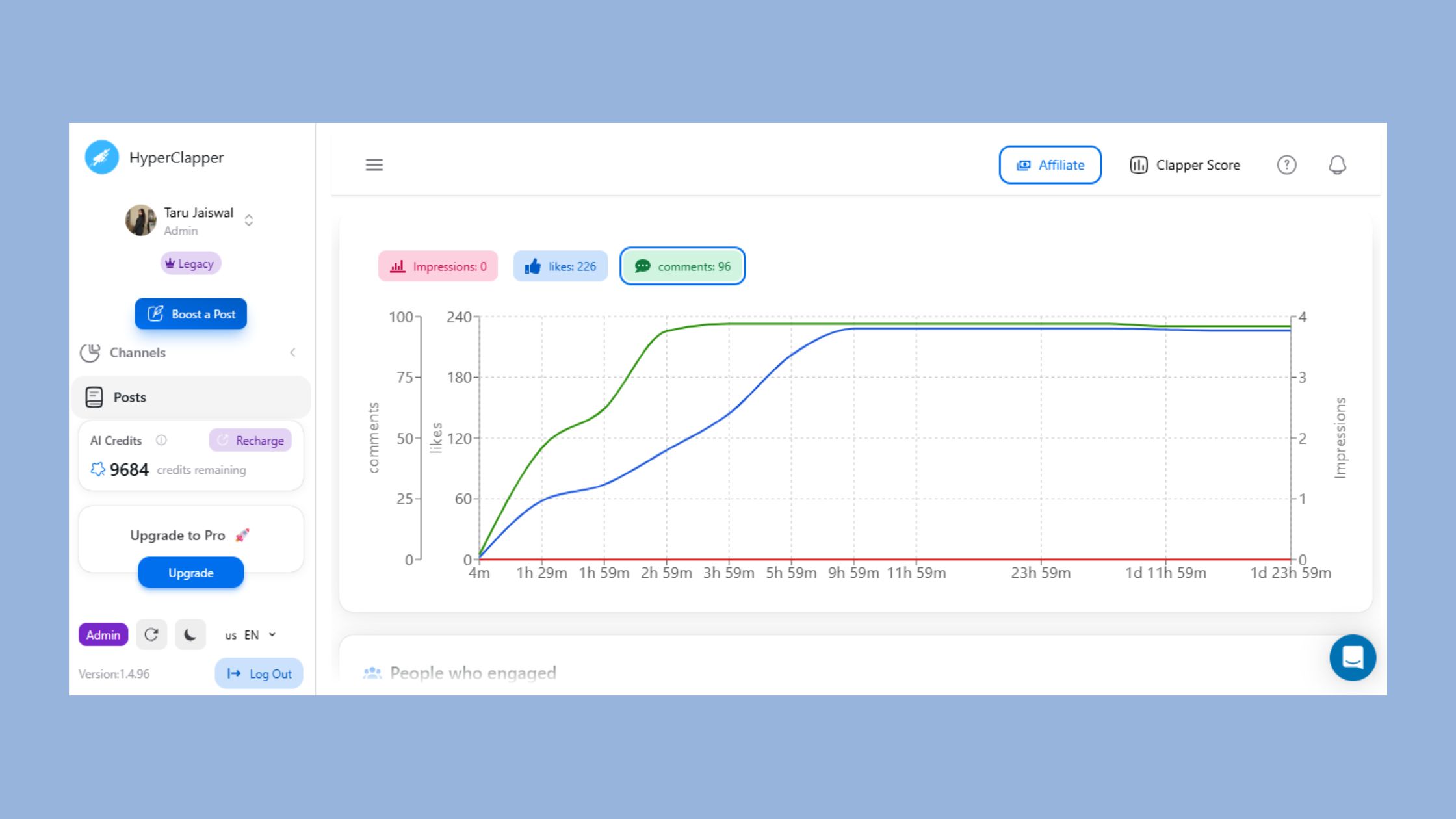
The single biggest reason professionals abandon their commenting habit isn't lack of intent — it's time. Writing five thoughtful comments feels manageable on Monday and impossible by Thursday. This is where AI tools and smarter systems earn their place in a LinkedIn automation tools for engagement strategy.
The best AI tools for writing LinkedIn comments in 2026 share three characteristics:
- Context awareness — they read the post content and generate a response relevant to what was actually said, not a generic template
- Tone control — they let you set a voice that matches your professional persona
- Safety features — they avoid political, controversial, or policy-violating content that could damage your reputation or account standing
What to avoid: tools that fire comments automatically without human review, or that recycle the same phrasing patterns across multiple accounts. LinkedIn's trust systems are increasingly sensitive to mechanical engagement patterns — accounts flagged for inauthentic behaviour face reach suppression or restriction.
For content creators focused on saving time on LinkedIn engagement without sacrificing quality, HyperClapper is built specifically for this balance. Its AI Replies feature drafts contextual comments that you review before posting — keeping conversations active and natural without hours of manual effort. Unlike outreach-focused automation tools, HyperClapper is designed around real community engagement: real people in structured channels, AI assistance for drafting, and a Content Guard system that filters sensitive or risky content before it reaches your profile. For a detailed comparison of how it stacks up, see why HyperClapper outperforms Podawaa for LinkedIn marketing.
The pattern observed across accounts that use AI-assisted commenting effectively is consistent: they treat the AI draft as a first draft, not a final draft. One edit — personalising with a specific reference to the post — is enough to make the comment feel human. That edit takes 20 seconds. Without AI, the full comment takes 3–4 minutes. Across 10 comments daily, that's roughly 30 minutes saved every single day.
✓ The Professional LinkedIn Commenting Checklist
- ☐Build a curated follow list of 20–30 relevant voices in your niche
- ☐Enable post notifications for your top 15 target accounts
- ☐Comment within the first 90 minutes of a post going live
- ☐Apply the ADD Method: Add a perspective, Deliver a question, or Describe a personal experience
- ☐Keep comments to 2–4 sentences — specific, not generic
- ☐Target 5–10 quality comments per day — not more, not fewer
- ☐Review AI-drafted comments and personalise with one specific reference before posting
- ☐Track profile views and connection requests monthly to measure comment impact
Get More LinkedIn Visibility Without Spending Hours Commenting Manually
HyperClapper's AI Replies feature drafts contextual comments for you to review and post — real engagement, no bots, no risk.
Try HyperClapper FreeFrequently Asked Questions About Professional LinkedIn Comments
How to comment professionally on LinkedIn?
Comment professionally on LinkedIn by referencing a specific point from the post, adding your own perspective or question, and keeping the tone conversational rather than formal. Avoid one-word reactions and generic praise. A two-to-three sentence comment that shows you actually read the content performs far better than a longer but vague response. See also: how to write LinkedIn comments that get replies.
What should I write in a LinkedIn comment to get more visibility?
Write a comment that extends or challenges a specific claim in the post — this signals genuine engagement to both the algorithm and the author's network. Including a relevant question increases the chance of a reply, which in turn triggers another round of algorithmic distribution. One specific sentence outperforms five sentences of general agreement every time.
How can I grow my LinkedIn presence by commenting instead of posting?
Grow your LinkedIn presence by commenting consistently on posts with strong early traction in your niche. Each comment exposes your name and perspective to the post's entire audience — not just your connections. A pattern observed across high-visibility accounts is that 5–10 quality daily comments on relevant posts can generate profile view increases comparable to publishing original content. Explore how comments and likes function as LinkedIn ranking signals for deeper context.
What is a good LinkedIn comment strategy to save time each week?
Build a curated list of 20–30 accounts to follow, block 20–30 minutes in the morning to engage, and use the ADD Method (Add a perspective, Deliver a question, Describe a personal experience) to structure each comment quickly. AI-assisted drafting tools like HyperClapper can cut per-comment time to under 30 seconds while maintaining quality and context-relevance.
Are LinkedIn comments more effective than likes for building a network?
Yes — comments are significantly more effective than likes for network relationship nurturing. A like is invisible to everyone except the post author; a comment is visible to their entire network and surfaces your profile to people you've never connected with. According to community data observed across active LinkedIn users, a single substantive comment can outperform dozens of likes for new connection requests and profile views.
How often should you comment on LinkedIn?
5–10 substantive comments per day is the consistent sweet spot. Below 3 per day, the visibility compounding effect builds too slowly to notice. Above 15, quality typically drops and the habit becomes unsustainable. The most effective commenters block a fixed daily window rather than commenting reactively throughout the day.
What are the risks of using LinkedIn automation tools for commenting?
Fully automated commenting tools that post without human review violate LinkedIn's Terms of Service and risk account restrictions. The safest approach is AI-assisted drafting — where the tool generates a draft that a human reviews and edits before posting. Tools like HyperClapper vs Podawaa differ significantly in how they handle this safety tradeoff — always review the safety model before committing to any tool.
What consistently separates accounts with real reach from accounts with impressive follower numbers is not posting frequency — it is the quality and consistency of how they show up in other people's conversations. Comments are where LinkedIn relationships actually start.
For professionals managing negative or difficult LinkedIn comments, the same principle applies: specificity and professional tone in responses builds reputation far faster than silence or generic replies. After seeing this pattern across thousands of LinkedIn accounts, the clearest signal of long-term visibility growth is not any single viral post — it is the quiet, consistent presence built one well-crafted comment at a time.



