The ability to schedule post on LinkedIn is one of those deceptively simple features that separates reactive posters from creators with real, consistent reach. A pattern observed across high-performing LinkedIn accounts is that they decouple creation from distribution — writing content in focused batches and publishing it when their audience is actually online, not when they happen to have a free moment. The result: more consistent visibility, better-timed posts, and less daily scramble. This guide covers how to schedule a LinkedIn post natively and with third-party tools, the best times to publish in 2026, and exactly how scheduling affects your algorithmic reach.
- Yes, you can schedule a post on LinkedIn natively — it's free, built into the post composer on desktop and mobile, no third-party tool required.
- The native scheduler supports scheduling up to 3 months in advance; your draft queue lives inside the composer, not a separate dashboard.
- Best times to post: Tuesday–Thursday, 10–11 AM and 12–1 PM in your audience's time zone, based on 2026 LinkedIn and independent platform data.
- Scheduling via LinkedIn's native tool or the official API does not hurt your reach — the real reach killer is publishing at low-traffic times with no early engagement.
- Third-party tools add team workflows, multi-account management, and analytics — but free tier options are limited; only LinkedIn's native feature is truly free.
- Counterintuitive finding: Timing your post well is only half the equation — the engagement your post receives in the first 60–90 minutes after publishing matters more than almost any other variable.
- Why Scheduling LinkedIn Posts Is Worth Your Time
- How to Schedule a LinkedIn Post: Native Feature Step-by-Step
- Best Time to Post on LinkedIn for Engagement (2026 Data)
- Does Scheduling LinkedIn Posts Affect Reach? Myths vs. Reality
- Best LinkedIn Scheduling Tools: Free vs. Paid Compared
- LinkedIn Post Scheduling Tips to Maximize Every Post
- Frequently Asked Questions About Scheduling LinkedIn Posts
Why Scheduling LinkedIn Posts Is Worth Your Time
Consistency is the single biggest driver of LinkedIn algorithm visibility — and scheduling is the simplest system for maintaining it. Accounts that publish on a reliable cadence (3–5 times per week) signal to LinkedIn's distribution model that they're active, which compounds reach over time. Scheduling removes the daily decision fatigue that causes most professionals to post sporadically, then wonder why their numbers have plateaued.
There are three practical reasons to schedule LinkedIn posts in advance rather than posting live every time:
- Peak-time publishing without peak-time availability — you can write at 9 PM and publish at 8 AM when your audience is online.
- Batch production — teams and agencies can draft a full week of posts in one sitting, then let the scheduler handle distribution.
- Content calendar management — scheduling transforms random posts into an intentional system, making it easier to plan campaigns, product launches, or thematic series without gaps.
Real talk: scheduling is not a growth lever on its own. Well-timed posts with weak copy still underperform. Pair your scheduling discipline with strong hooks, relevant content, and fast early engagement — that combination is what actually moves the needle. Getting your LinkedIn post length right is a good place to start before you think about timing.
Content Calendar Management: Turning Random Posts Into a System
Content calendar management is the practice of mapping planned posts to specific dates and times — typically a week or month ahead — to ensure consistent, intentional publishing. Think of it as the editorial calendar a magazine runs, applied to your LinkedIn profile. Without it, even skilled writers end up posting whatever occurs to them that day, missing the thematic coherence that builds audience expectations and drives return visits to your profile.
A simple weekly structure: 1 thought-leadership post (Tuesday morning), 1 practical how-to post (Wednesday midday), 1 personal story or observation (Thursday morning). Rotate formats — text-only one week, carousel the next — and your calendar nearly writes itself.
How to Schedule a LinkedIn Post: Native Feature Step-by-Step
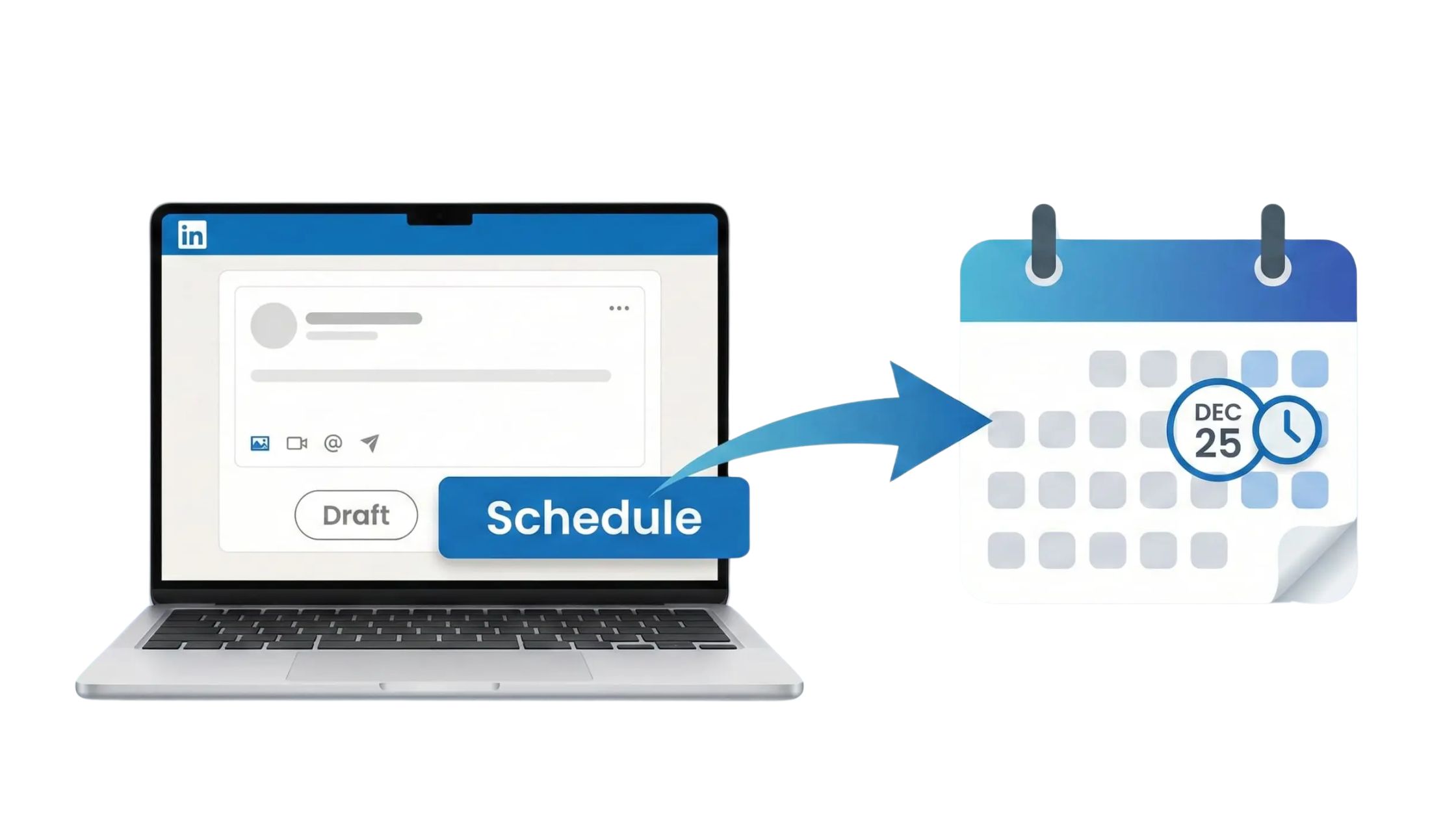
LinkedIn's built-in scheduling feature is free, requires no third-party tool, and works on both desktop and the mobile app. Here is exactly how to schedule a post on LinkedIn from start to finish.
Scheduling on Desktop (Personal Profile & Company Page)
For a personal profile or company page on desktop, the steps are identical:
- Open the post composer — click "Start a post" from your LinkedIn feed or company page. (~5 seconds)
- Write your post — add your text, images, documents, or links as normal. (~5–15 minutes)
- Click the clock icon — in the bottom-right corner of the composer, next to the "Post" button, you'll see a small clock/calendar icon. Click it. (~2 seconds)
- Set your date and time — select the date (up to 3 months out) and a specific time from the dropdown. LinkedIn shows times in 30-minute increments. (~30 seconds)
- Click "Schedule" — your post is saved to the scheduled queue. (~2 seconds)
⚠️ To find your scheduled posts after saving: Re-open the post composer and look for the clock icon again — click it, and you'll see a "View all scheduled posts" link. This is buried and catches almost every new user off guard.
To schedule a post on LinkedIn business page or company page specifically: navigate to your company page first, click "Create a post" from the page admin view, then follow the same steps above. The clock icon appears in the same position.
Scheduling on the LinkedIn Mobile App
Wondering how do you schedule a post on LinkedIn from your phone? The mobile scheduler works almost identically to desktop:
- Tap the "Post" button at the bottom of the LinkedIn app feed. (~2 seconds)
- Write your post content. (~5–15 minutes)
- Tap the clock icon in the top-right corner of the composer screen. (~2 seconds)
- Choose your date and time. (~30 seconds)
- Tap "Schedule" to confirm. (~2 seconds)
Scheduling Carousels, Video, and Other Post Types
Native scheduling supports text posts, single images, and video reliably. For carousel posts (PDF documents), use the desktop composer — mobile support is inconsistent. LinkedIn Articles and Newsletters have their own publish settings and do not use the same scheduling flow as regular posts; plan those separately. LinkedIn Stories no longer exist as a format on the platform.
How to Edit or Delete a Scheduled Post
To address how to edit scheduled posts on LinkedIn: open the post composer → click the clock icon → select "View all scheduled posts" → find your post → choose "Edit" to modify it or "Delete" to remove it entirely. You cannot reschedule a post to an earlier time than the current moment — if you've scheduled for 9 AM and it's 8:55 AM, you'll need to delete and re-create it.
To see schedule post on LinkedIn on mobile: tap the composer → tap the clock icon → "View scheduled posts" appears at the top of the time-picker screen.
Best Time to Post on LinkedIn for Engagement (2026 Data)
The data consensus for best time to post on LinkedIn for engagement in 2026 is clear: Tuesday through Thursday, with mid-morning (10–11 AM) and lunchtime (12–1 PM) slots outperforming all other windows. According to LinkedIn's own marketing blog, posting on weekdays with a focus on mid-morning and lunchtime on Tuesday, Wednesday, and Thursday delivers the highest results. This means if you're scheduling weekly content, those six time slots are your highest-probability publishing windows.
What is the best day to post on LinkedIn? Tuesday and Wednesday consistently edge ahead for B2B and professional content. Thursday performs strongly for thought leadership and personal brand posts. Monday sees lower engagement as professionals clear inboxes; Friday afternoons drop sharply as attention shifts away from work mode.
A separate analysis by Leadfeeder (2026) corroborates the Tuesday–Thursday, 10–11 AM window as the strongest consistent slot, recommending pairing those times with carousel formats for educational content. Posts with a question in the body generate 77% more comments, according to Metricool's 2026 LinkedIn data — a format worth building into your scheduling rotation.
According to Metricool (2026), posts with links get 51% more impressions — a significant shift from previous years when LinkedIn reportedly suppressed linked content. In practice, this means including a relevant external link in your scheduled posts is now a net positive, not a penalty. Worth factoring into your content calendar planning.
One important caveat: generic benchmarks are a starting point, not a formula. Your own post performance analytics — available inside LinkedIn Analytics or your scheduling tool — reveal when your specific audience is online. After 4–6 weeks of consistent posting, your own data will outperform any industry average.
Matching Your Schedule to the LinkedIn Algorithm's Engagement Window
Engagement window timing is the practice of publishing when your audience is most likely to interact immediately after your post goes live — because LinkedIn's distribution model amplifies posts that collect reactions and comments within the first 60–90 minutes. Teams that schedule posts at peak-traffic times front-load that early engagement signal, which triggers broader algorithmic distribution. Publishing at 2 AM when no one is online produces the same post with a fraction of the reach.
The most reliable way to beat the LinkedIn algorithm is not to game it — it's to publish at the moment your audience is already scrolling, so your early engagement happens naturally and fast.
Does Scheduling LinkedIn Posts Affect Reach? Myths vs. Reality

Does scheduling LinkedIn posts affect reach? The short answer: using LinkedIn's native scheduler does not hurt your algorithmic reach. LinkedIn's official position is that scheduled posts are processed identically to live posts. However, the picture is more nuanced than a flat yes or no — and worth understanding properly.
Older data (2023) showed reach decreases of roughly 8–15% with scheduling, as noted in community-sourced analysis from LinkedIn creators. More recent observations suggest that gap has narrowed significantly as LinkedIn updated its native scheduling infrastructure. The consensus for 2026: native scheduling carries negligible algorithmic penalty, if any.
Where real risk exists:
- Third-party tools using unofficial APIs — tools that simulate browser clicks or bypass LinkedIn's official API can trigger distribution throttling or account flags. Tools using the official LinkedIn Marketing Developer Platform API (like Buffer, Hootsuite, and Taplio) carry the same risk profile as native scheduling.
- Engagement bait phrases — phrases like "Comment YES if you agree" that LinkedIn's algorithm has been trained to penalise.
- Publishing at dead times — a post scheduled for 3 AM Saturday gets no early engagement, which means LinkedIn's system sees no signal to amplify it. This is the real reach killer, not the act of scheduling itself.
Why Your LinkedIn Posts Are Getting Low Engagement (And How Scheduling Helps)
The most common failure mode for LinkedIn posts is not bad content — it's bad timing combined with no engagement strategy. Why are my LinkedIn posts getting low engagement is one of the most-searched LinkedIn questions, and the answer almost always comes down to three factors:
- Publishing outside peak hours — posts that go live at off-peak times miss the engagement window entirely.
- No early interaction — if no one comments or likes within the first hour, LinkedIn's algorithm treats the post as low-interest and reduces distribution.
- Inconsistent posting — gaps of more than 7–10 days reset your algorithmic momentum, requiring 3–4 weeks of consistent posting to recover prior distribution levels.
Scheduling solves problem one directly. For problem two, tools like HyperClapper address the early engagement gap by connecting your post to real engagement channels — communities of relevant professionals who interact with your content shortly after it goes live, seeding the algorithmic signal that drives broader reach.
How does the LinkedIn algorithm work for posts? Content passes through three stages: an automated bot filter (checking for spam or policy violations) → a small human reviewer sample → broad algorithmic distribution. At every stage, the gating factor is early engagement quality — not whether the post was scheduled or live.
Best LinkedIn Scheduling Tools: Free vs. Paid Compared
After looking at scheduling patterns across many LinkedIn accounts and tools, the clearest finding is this: the right tool depends entirely on your use case — individual creator, small team, or enterprise. Here's an honest breakdown.
| Tool | Best For | Free Tier? | Paid From | Key Limit |
|---|---|---|---|---|
| LinkedIn Native | Solo creators, personal profiles | ✅ Yes (fully free) | $0 | No analytics, no team workflows |
| Buffer | Individuals, small teams | ✅ Yes (3 posts/channel) | ~$6/mo | Limited analytics on free tier |
| Hootsuite | Enterprise, multi-account teams | ❌ No free tier | ~$99/mo | Expensive for solo use |
| Taplio | LinkedIn-specific creators | ✅ Trial only | ~$39/mo | LinkedIn-only; no cross-platform |
| HyperClapper | Creators boosting post engagement | ✅ Free plan available | Freemium | Engagement amplification, not scheduling |
Can you schedule LinkedIn posts for free? Yes — LinkedIn's native scheduler is completely free with no post limit. For third-party tools: Buffer's free plan allows up to 3 scheduled posts per channel at a time, making it the strongest genuinely free third-party option. Hootsuite discontinued its free tier and now starts at approximately $99/month — making it a poor choice for individuals.
For a deeper comparison, see our full guide to the best LinkedIn scheduling tools for consistent posting, which covers additional platforms including Publer, Later, and Metricool. There's also a dedicated roundup of free LinkedIn scheduling tools if budget is the primary constraint.
Buffer vs. Hootsuite for LinkedIn Scheduling
Teams that evaluate Buffer vs Hootsuite for LinkedIn scheduling consistently land in the same place: Buffer wins for simplicity, price, and solo or small-team use; Hootsuite leads for enterprise teams that need approval workflows, multi-account management at scale, and deeper cross-platform analytics. For most LinkedIn creators and small marketing teams, Buffer's paid tier (~$6–$12/month) delivers everything needed at a fraction of Hootsuite's entry price. Hootsuite's value proposition only materialises when you're managing 5+ accounts with a team that requires post approval chains.
LinkedIn Native vs. Third-Party Tools: Limitations to Know
The LinkedIn native scheduling feature covers the basics well but has real gaps:
- No analytics on scheduled post performance inside the scheduler itself.
- No approval workflow — anyone with page admin rights can schedule and publish.
- Maximum scheduling window is 3 months out.
- No bulk upload or CSV scheduling for high-volume teams.
Scheduling LinkedIn Posts for Multiple Team Members or Company Pages
How do I schedule LinkedIn posts for multiple team members or company pages simultaneously? LinkedIn's native tool does not support multi-account management from a single dashboard. For this use case, Buffer (Teams plan), Hootsuite, or Taplio are the practical options. Each allows assigning specific accounts to specific team members, setting approval requirements, and viewing all scheduled content in a unified calendar view — capabilities LinkedIn's native scheduler simply does not offer.
Scheduled your post — now make sure it actually gets seen
Timing gets you to the starting line. HyperClapper's real engagement channels give your post the early likes and comments LinkedIn's algorithm needs to distribute it broadly.
Boost Your Next Post →LinkedIn Post Scheduling Tips to Maximize Every Post
Scheduling infrastructure is table stakes. What separates accounts with compounding reach from those that plateau is how they use the space between scheduling and publishing. Here are the LinkedIn post scheduling tips that matter most in practice.
The Timing + Engagement Method
What consistently separates top-performing scheduled posts from average ones is not the content alone — it's the pairing of peak-time scheduling with active engagement monitoring in the hour after publishing. Use this as a named framework:
- Schedule your post for a peak window (Tue–Thu, 10–11 AM or 12–1 PM).
- Block 30–60 minutes in your calendar immediately after the post goes live.
- Reply to every comment within that window — each reply counts as engagement and re-triggers algorithmic re-evaluation.
- Tag relevant people where appropriate. See our guide on how to tag people on LinkedIn for maximum reach for when tagging helps versus hurts.
Posts that get replies within the first 30 minutes see measurably stronger distribution than posts that receive the same total engagement spread over 24 hours. Velocity matters.
Common LinkedIn Scheduling Mistakes to Avoid
Creators who skip these steps typically find their scheduled posts consistently underperform despite good content:
- Scheduling without being available afterward — you miss the critical comment-reply window.
- Using the same post format every time — LinkedIn's algorithm favors accounts that rotate formats (text, carousel, image, poll, video). Scheduling the same format week after week erodes distribution over time.
- Ignoring your own analytics — scheduling at "industry best times" when your specific audience is most active at different hours. Pull your own data after 30 days of consistent posting.
- Over-scheduling too far in advance — posts scheduled 6–8 weeks out often become stale or misaligned with current events. Keep your queue 2–3 weeks deep maximum.
✓ LinkedIn Post Scheduling Checklist
- ☐Write post copy in a batch session (Monday or Sunday) — not day-of.
- ☐Choose a Tue–Thu 10–11 AM or 12–1 PM slot in your audience's time zone.
- ☐Preview the scheduled post to confirm formatting, tags, and images render correctly.
- ☐Block 30–60 minutes in your calendar for active engagement monitoring after go-live.
- ☐Reply to all comments within 60 minutes of publishing.
- ☐Rotate post formats weekly — do not schedule the same format two weeks in a row.
- ☐Review post performance analytics after 48 hours to calibrate future scheduling times.
- ☐Keep your forward queue no deeper than 2–3 weeks to stay topically relevant.
Turn every scheduled post into a high-reach post
HyperClapper's engagement channels connect your post to real professionals who interact with it early — feeding the algorithm the signal it needs to distribute your content further. Unlike engagement pods that use fake accounts, HyperClapper's community is built on real, relevant people in your industry.
Start Boosting Posts Free →Scheduling is the engine. Engagement is the fuel. A post scheduled at the perfect time with zero early interaction will still underperform a mediocre post that gets 15 genuine comments in the first hour.
Frequently Asked Questions About Scheduling LinkedIn Posts
How do I edit a LinkedIn post that has been scheduled?
To edit a scheduled post: open the LinkedIn post composer, click the clock icon, then select "View all scheduled posts." Find the post you want to change and click "Edit." You can modify text, images, or timing before confirming. Changes save immediately — no need to delete and recreate the post unless you're moving the time earlier than the current moment.
Where are my scheduled posts on the LinkedIn app?
Scheduled posts on LinkedIn mobile are accessed through the post composer, not a standalone menu. Tap the "Post" button, then tap the clock icon at the top of the composer screen — a "View scheduled posts" option appears. This is a common source of frustration because there is no dedicated scheduled-posts section in the LinkedIn app navigation.
How far in advance can I schedule a LinkedIn post?
How far in advance can you schedule LinkedIn posts using the native tool: up to 3 months (approximately 90 days). There is no minimum scheduling lead time — you can schedule a post for 5 minutes from now. Third-party tools like Buffer and Hootsuite follow similar limits tied to LinkedIn's API constraints.
How do I delete a scheduled post on LinkedIn?
To delete a scheduled post on LinkedIn: open the post composer, click the clock icon, select "View all scheduled posts," find the post, and click "Delete." The post is removed immediately with no recovery option. If you want to save the content, copy the text first before deleting.
What is the best time to schedule a LinkedIn post to get the most engagement?
The strongest consistent window is Tuesday through Thursday, 10–11 AM and 12–1 PM in your audience's primary time zone, based on LinkedIn's own marketing data and independent 2026 platform analyses. That said, your own LinkedIn Analytics data — after 4–6 weeks of posting — will outperform any generic benchmark for your specific audience.
Does scheduling LinkedIn posts hurt your algorithm reach compared to posting live?
No — scheduling via LinkedIn's native tool or an official API-connected third-party tool does not reduce your algorithmic reach in 2026. Earlier data from 2023 showed an 8–15% reach dip with scheduling, but that gap has largely closed. The real reach killers are publishing at low-traffic times, getting no engagement in the first 60–90 minutes, or using unofficial automation tools that don't comply with LinkedIn's API terms.
How do I schedule a LinkedIn post using the mobile app, and what third-party tools can schedule LinkedIn posts automatically?
On mobile: tap "Post," write your content, then tap the clock icon in the top-right corner of the composer to set your date and time. Third-party tools that schedule LinkedIn posts automatically include Buffer (best free option, 3 posts/channel on free tier), Taplio (LinkedIn-specific, ~$39/month), and Hootsuite (enterprise teams, ~$99/month). All use LinkedIn's official API, so reach impact is equivalent to native scheduling.



