
A LinkedIn networking message is a short, personalised note sent alongside a connection request or as a follow-up after connecting — and the difference between a message that gets ignored and one that starts a real conversation comes down to specificity. A pattern observed across thousands of outreach campaigns is that messages referencing something concrete about the recipient (a recent post, a shared industry challenge, a mutual connection) consistently outperform generic templates by a significant margin. The mechanics are simple: visit a profile, click Connect, add a note, send. The craft is in what you actually write in those 300 characters.
- Who this is for: Job seekers, sales professionals, recruiters, founders, and anyone building a professional network on LinkedIn.
- What you'll learn: How to write connection messages that get accepted, how to reach non-connections, when to use InMail vs direct message, and how to handle replies.
- The most counterintuitive finding: Adding a personalised note to your connection request doesn't guarantee acceptance — but sending no note at all is the single biggest reason requests get ignored.
- Recruiter outreach: Connect after applying, not before — this context makes your message feel purposeful rather than speculative.
- Profile visibility first: A complete, active LinkedIn profile is your silent introduction — recipients check it before accepting any request.
- Auto reply on LinkedIn: Useful for acknowledgment, but manual responses within 24–48 hours consistently produce better follow-through rates.
- What Is a LinkedIn Connection — and Why It Matters for Networking
- How to Connect with Someone on LinkedIn with a Message
- LinkedIn Connection Request Message Templates That Actually Get Accepted
- How to Connect with Recruiters on LinkedIn (and Actually Hear Back)
- How to Send a Message on LinkedIn to Someone You're Not Connected With
- How to Network with People on LinkedIn: A Step-by-Step Approach
- How to Write a Personalized Message on LinkedIn That Gets Replies
- How to Reply to LinkedIn Messages — and Set Up Auto Reply on LinkedIn
- LinkedIn Sales Navigator for Messaging — Features, Cost, and Is It Worth It?
- Common Mistakes to Avoid When Sending LinkedIn Messages
- How HyperClapper Helps You Get More Responses to LinkedIn Messages
- Frequently Asked Questions About LinkedIn Networking Messages
What Is a LinkedIn Connection — and Why It Matters for Networking?
A LinkedIn connection is a mutual relationship between two LinkedIn members — once accepted, both parties gain 1st-degree status, unlocking free direct messaging between them. LinkedIn organises its network into three tiers: 1st-degree connections (people you're directly connected to), 2nd-degree connections (people connected to your connections), and 3rd-degree connections (one step further removed). Your connection tier directly controls your messaging access — 1st-degree contacts can receive free direct messages, while 2nd and 3rd-degree profiles require either a paid InMail credit or a connection request to reach.
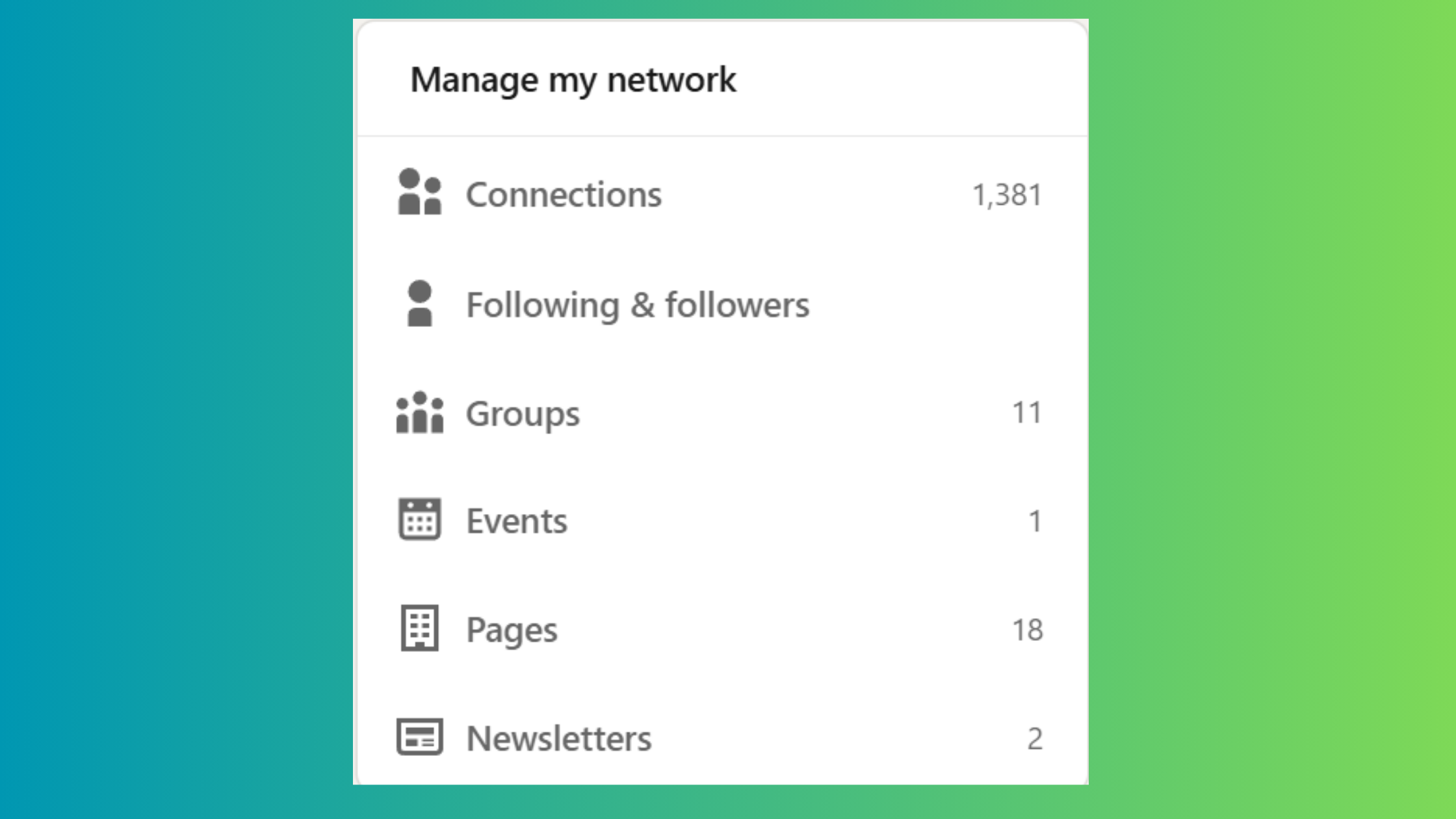
This tiered system has a compounding effect worth understanding. Every new 1st-degree connection you add expands the pool of 2nd-degree profiles you can see and reach — which means growing your network of 200 relevant connections can expose you to tens of thousands of discoverable profiles. Profile visibility before outreach matters here too: LinkedIn's algorithm surfaces your profile in "People You May Know" suggestions based on shared connections, shared employers, and shared groups.
A recurring pattern among professionals trying to build their network is underestimating how much the tier system shapes their strategy. Most people focus on what to say in their messages — when the more fundamental question is whether their profile gives the recipient a reason to accept in the first place.
How LinkedIn Recommends Connections to You
LinkedIn's connection recommendation engine — the People You May Know feature — uses signals including shared connections, shared employers, shared educational institutions, profile views, and mutual group membership. The more overlapping signals exist between two profiles, the more likely LinkedIn surfaces them to each other. This means joining relevant LinkedIn Groups and engaging with posts in your industry actively improves your discoverability — not just your content reach.
Understanding connection tiers is the foundation. Next comes the practical skill of actually sending that first message in a way that gets a response.
How to Connect with Someone on LinkedIn with a Message?
Connecting with someone on LinkedIn with a personalised message takes four steps: visit their profile, click the blue Connect button, select Add a note, write your message (up to 300 characters), and click Send. On mobile, the Connect button is sometimes nested under the More (…) menu depending on the profile layout.
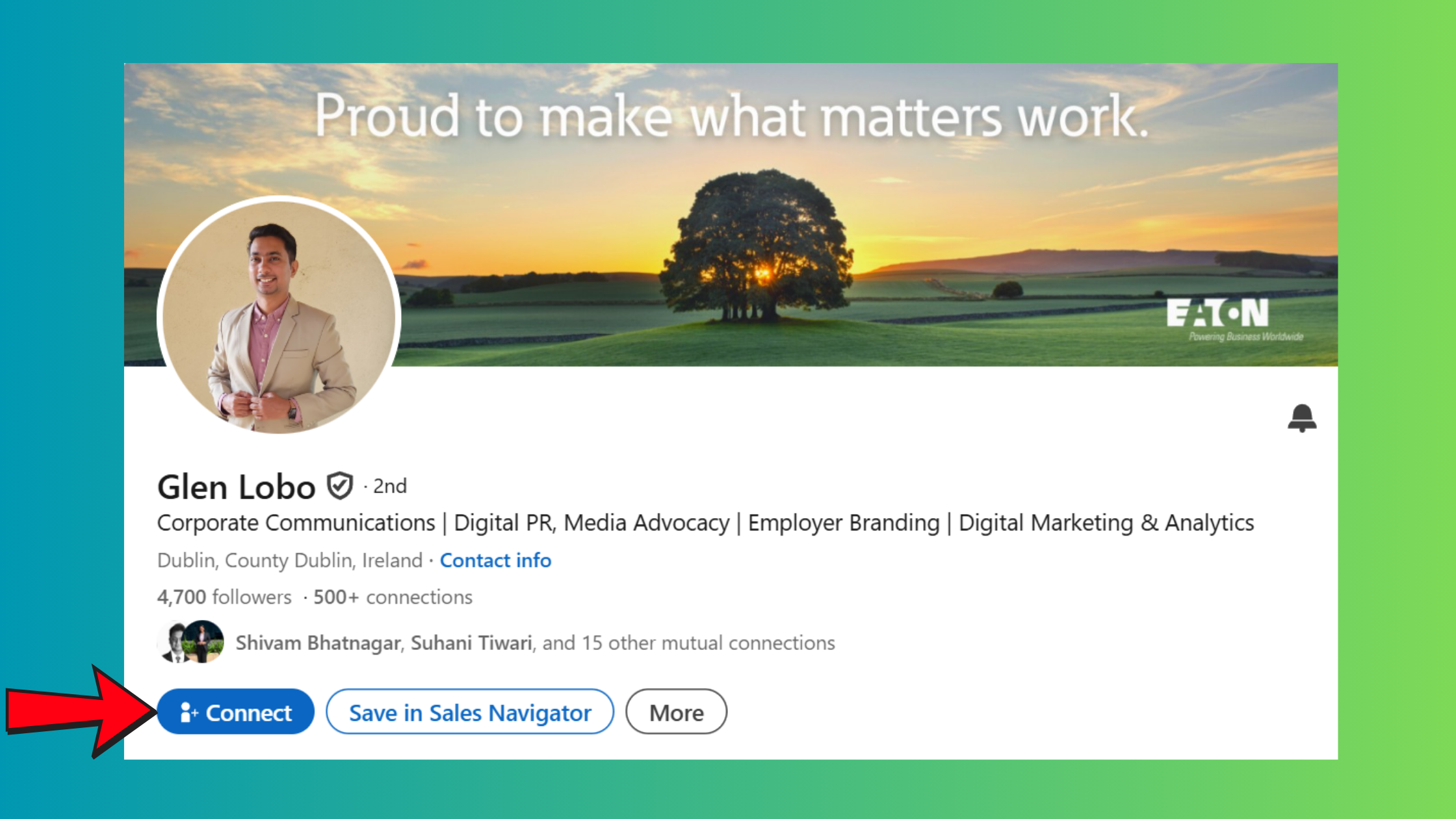
The most important decision point is step three. Skipping the note and sending a blank connection request is the default behaviour for most LinkedIn users — which is precisely why adding even a single sentence of context makes your request stand out. Connection request acceptance rates are measurably higher when a personalised note references something specific: a shared alumni network, a comment they left on a post, or a project they're publicly working on.
What to Say When Connecting on LinkedIn — Message Formula
The most effective LinkedIn connection messages follow a simple three-part formula: context → relevance → ask. Here's how each part works in 300 characters or fewer:
- Context: One sentence on who you are or where you came across them. ("I came across your post on B2B positioning last week…")
- Relevance: Why you specifically want to connect with them, not people in general. ("Your work on SaaS growth strategy aligns exactly with what I'm navigating right now.")
- Ask: A low-pressure invitation. ("Would love to connect and follow your insights.") — no pitch, no immediate favour.
Think of the connection request note as a handshake at a conference, not an opening sales presentation. The goal is to get the door open — conversation comes after.
With the formula clear, the next step is seeing it applied across real scenarios — which is where templates earn their place.
LinkedIn Connection Request Message Templates That Actually Get Accepted?
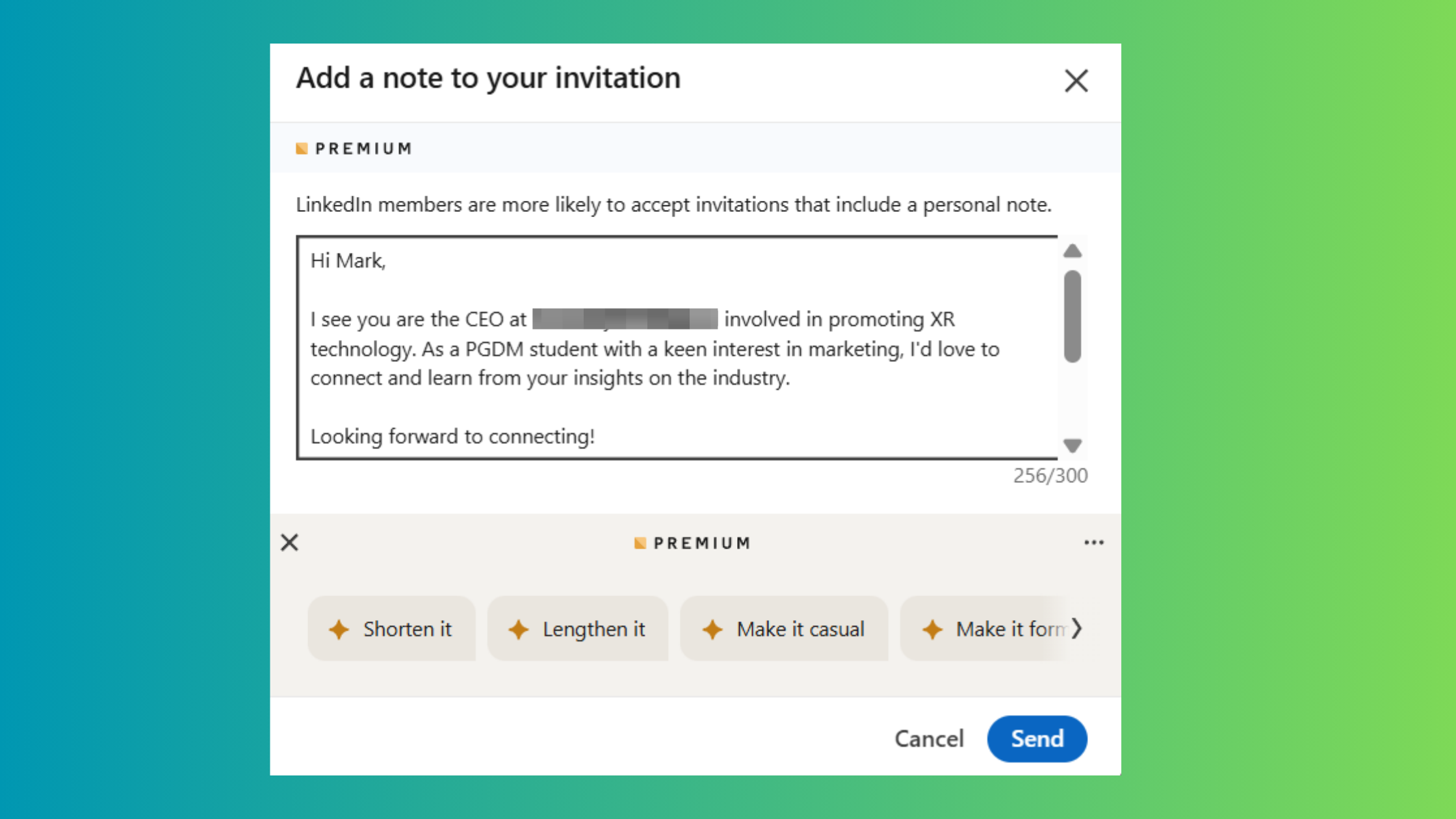
The templates below are built around the context–relevance–ask formula and cover the scenarios where LinkedIn networking messages are most commonly needed. Each one is under 300 characters and deliberately avoids opening with a pitch.
LinkedIn Connection Message Example by Scenario
1. Job seeker to recruiter:
"Hi [Name] — I noticed you recruit for [Company/Industry]. I'm currently exploring [Role Type] opportunities and your background in [specific area] stood out. Would love to connect and be on your radar."
2. Peer-to-peer networking:
"Hi [Name] — I've been following your content on [Topic]. Your recent post on [Specific Post] really resonated with something I'm working through. Would be great to connect with someone thinking about this."
3. Event follow-up:
"Hi [Name] — We were both at [Event Name] last week. I really enjoyed [Speaker/Session] and would love to stay connected."
4. Sales outreach (soft entry):
"Hi [Name] — I work with [Industry] teams on [Problem Area] and your profile came up as someone doing interesting work in this space. Happy to just connect and share ideas — no pitch, I promise."
5. Cold industry reach-out:
"Hi [Name] — I'm building in [Industry] and have been reading up on your work at [Company]. Would love to connect with others navigating similar challenges."
The single biggest predictor of whether a LinkedIn connection request gets accepted is not the length of the note or how polished the writing is — it is whether the recipient can immediately answer the question "why me, specifically?" in the first sentence.
Templates work best as a starting point, not a copy-paste solution. The further you personalise from the template, the better your results. Now, let's look at the one audience that requires a slightly different approach: recruiters.
How to Connect with Recruiters on LinkedIn (and Actually Hear Back)?
Recruiters receive dozens of connection requests and LinkedIn messages every day. What separates the requests they accept from the ones they quietly ignore comes down to one thing: immediate relevance. Your professional introduction etiquette needs to signal "I'm worth 30 seconds of your time" before they've clicked your profile.
Best practices when connecting with a recruiter:
- Reference the specific role or company you're targeting — vague interest in "opportunities" signals low effort.
- Lead with one relevant achievement or credential that qualifies you for the roles they fill.
- Keep it under 200 characters — recruiters scan, they don't read. Shorter messages get higher response rates in this context.
- Update your profile visibility before outreach — a complete profile with a clear headline, recent activity, and a professional photo signals credibility before the recruiter even reads your note.
This means your profile is doing most of the heavy lifting — your message just needs to confirm what your profile already signals.
How to Message a Recruiter on LinkedIn After Applying
The most natural timing for a recruiter outreach message is after submitting an application — not before. This single adjustment transforms your message from speculative cold outreach into a purposeful follow-up. Here's a template that works:
"Hi [Name] — I applied for the [Job Title] role at [Company] earlier today (Job ID: [#]). I wanted to reach out directly because [specific reason: company mission, team, product]. Happy to provide any additional context. Thank you for your time."
For a more detailed breakdown of recruiter-specific messaging, see our full guide on how to effectively message a recruiter on LinkedIn.
Reaching recruiters is one scenario. Reaching anyone who isn't in your network yet requires a different toolkit — which is where InMail and messaging permissions come in.
How to Send a Message on LinkedIn to Someone You're Not Connected With?
In 2026, there are three ways to message someone on LinkedIn without being connected: send a connection request with a personalised note, use InMail credits (available with Premium accounts), or message them through a shared LinkedIn Group. Each has a different cost, reach, and appropriate use case.
LinkedIn InMail vs Direct Message — Which Should You Use?
InMail is LinkedIn's paid messaging feature that lets Premium members send messages directly to any LinkedIn member, regardless of connection status. A direct message, by contrast, is only available between 1st-degree connections and is completely free.
Here's how to choose between them:
- Use InMail when you need to reach a senior decision-maker or recruiter directly, and a connection request would feel too presumptuous or is unlikely to be accepted.
- Use a connection request with a note when the person is likely to recognise your mutual context and the relationship has long-term value beyond a single interaction.
- Use shared Groups as a free workaround — members of the same LinkedIn Group can message each other even without being connected.
On the LinkedIn free vs premium messaging question: free accounts receive zero InMail credits. LinkedIn Premium Career accounts typically include 5 InMail credits per month, while Sales Navigator Professional includes 50. InMail credits that go unused roll over up to a cap, so they don't disappear immediately — but they do expire.
One nuance worth knowing on LinkedIn InMail vs email outreach: InMail tends to get higher open rates in professional B2B contexts — partly because LinkedIn inboxes are less cluttered than email inboxes, and partly because the sender's profile is attached to every message, adding instant credibility. Email wins for volume-based outreach where personalisation isn't feasible at scale.
Now that you understand the different messaging channels available, the next step is building the full networking workflow from the ground up.
How to Network with People on LinkedIn: A Step-by-Step Approach?
Teams that approach LinkedIn networking as a structured process — rather than sporadic message-sending — consistently see higher connection acceptance rates and more meaningful follow-through conversations. Here is the four-step workflow that works:
- Optimise your profile visibility before outreach (5–10 minutes): Update your headline to reflect your current focus, add a recent post or featured item, and ensure your banner communicates what you do. This is your silent introduction — recipients view your profile before deciding whether to accept. Time investment: one-time setup, 10 minutes.
- Identify your targets (ongoing): Use LinkedIn's search filters (role, industry, company size, location), browse mutual connections' networks, and join 3–5 LinkedIn Groups in your field. Group membership both expands your discoverable 2nd-degree network and gives you a free messaging channel to non-connections.
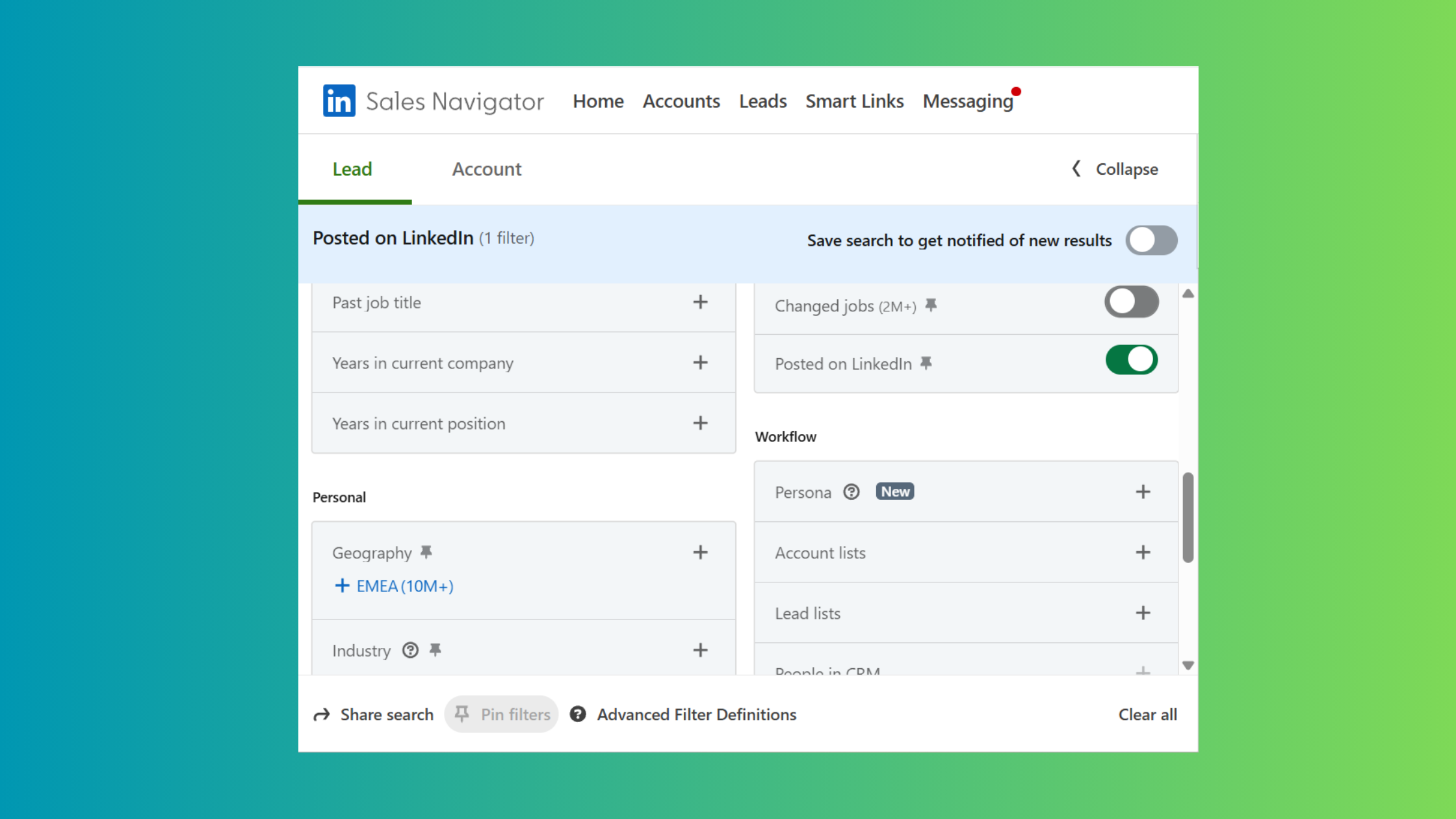
Identify your targets on Linkedin with Search filters - Send personalised connection requests: Apply the context–relevance–ask formula from earlier. Aim for 10–20 targeted requests per week, not 100 generic ones. Quality targeting protects your account health and produces better conversations.
- Follow up after acceptance: This step is where most people drop the ball. Within 48 hours of a connection accepting your request, send a warm, no-pressure follow-up. See the thank-you message framework below.
Check off each step before moving to the next — the sequence matters because each step builds credibility for the next one.
How to Thank Someone for Connecting on LinkedIn
Knowing how to thank someone for connecting on LinkedIn is an underrated move. Most people never send a follow-up after connecting — which makes those who do immediately memorable. A good thank-you message does three things:
- Acknowledges the connection warmly and briefly.
- Reinforces why you wanted to connect (one sentence).
- Opens a low-stakes conversation or offers something useful.
Example: "Thanks for connecting, [Name]! I've been enjoying your takes on [Topic]. If you ever want to compare notes on [shared interest], I'd be happy to chat."
Messaging Connections: How to Keep Conversations Going
Messaging connections effectively over time means treating LinkedIn like a relationship platform, not a one-shot outreach channel. Comment on their posts when they publish something relevant. Share an article you think they'd find useful without any ask attached. Check in every few months with a genuine observation. Creators who skip this ongoing engagement step typically find their network stagnates — connection counts grow, but response rates to future messages decline because the relationship is one-directional.
Once your networking workflow is in place, the quality of your individual messages becomes the main lever. Here's how to make each one count.
How to Write a Personalized Message on LinkedIn That Gets Replies?
Four out of five LinkedIn messages that go unanswered share the same problem: they could have been sent to anyone. A truly personalized message on LinkedIn contains at least one detail that proves you looked at this specific person's profile or content before writing. That detail doesn't need to be elaborate — a single sentence referencing their most recent post, a company announcement, or a shared professional challenge is enough to signal genuine intent.
Structure your personal message on LinkedIn in three sentences:
- Context sentence: Why you're reaching out and where you encountered them or their work.
- Relevance sentence: Why this person specifically, and what genuine overlap exists between your work and theirs.
- Ask sentence: One clear, low-effort next step — a brief call, a question, or an offer of something useful. Never a pitch deck, never a calendar link in the first message.
What separates top performers in LinkedIn cold outreach is not following a formula more precisely — it is knowing when to deviate from it. If someone's recent post directly mirrors a challenge you've solved, leading with that shared experience is more compelling than any template structure.
Cold outreach personalization isn't about mentioning someone's name. It's about demonstrating that you spent 90 seconds on their profile and found a reason specific to them — not a reason that applies to everyone in their job title.
How to Reach Out on LinkedIn for Different Goals
The mutual value proposition shifts depending on your goal. Here's how the framing changes:
- Job seekers: Lead with relevant experience, reference the specific company or role, and make it easy for the other person to see why you're worth a conversation.
- Sales professionals: Focus on a problem you've observed in their industry — not your product. Curiosity-led messages ("I noticed [Company] recently [milestone/challenge] — I work with similar teams on this...") outperform product-led ones in early outreach.
- Recruiters: Lead with the role or skills you're sourcing for, and make the value of connecting clear from the candidate's perspective.
- Peer networking: Reference shared context — industry, community, event — and keep the ask as light as "would love to stay connected."
For more templates and tactics, see our detailed guide on LinkedIn connection messages that get replies and our collection of auto-connect LinkedIn personalised message approaches.
Writing the right message is one side of the equation. Knowing how to handle replies — and set yourself up to respond efficiently — is the other.
How to Reply to LinkedIn Messages — and Set Up Auto Reply on LinkedIn?
Replying to a LinkedIn message is straightforward: open your Messaging inbox (the chat icon in the top navigation), click the conversation thread, type your reply, and press Enter or click Send. On mobile, the LinkedIn app mirrors this layout. Message threads are chronological — scroll up to see the full conversation history before you respond.
The nuance is in when and how you reply, not just the mechanics.
LinkedIn Response Best Practices for Professionals
- Reply within 24–48 hours. Responding within this window keeps conversational momentum alive. Wait longer and the context fades — for both parties.
- Reference their previous message. This signals you actually read it. Even a brief callback ("Following up on your question about X…") signals attentiveness and builds trust.
- Always close with a clear next step. Every reply should leave the conversation pointing somewhere: a question, a proposed action, or an explicit offer to continue the discussion.
On auto reply on LinkedIn: LinkedIn Premium users have access to a native Away Message feature — a simple auto-acknowledgment that fires when someone messages you. Third-party tools offer more sophisticated LinkedIn auto response capabilities, including conditional replies based on message content. The trade-off is clear: an auto response LinkedIn system saves time but risks feeling impersonal if not configured carefully. The best approach is to use automation for the acknowledgment ("Thanks for your message — I'll reply personally within 24 hours") and always follow up manually for anything requiring a real answer.
For most professionals, the free LinkedIn inbox is sufficient. But for sales teams and recruiters operating at scale, Sales Navigator adds a layer of capability worth understanding.
LinkedIn Sales Navigator for Messaging — Features, Cost, and Is It Worth It?
LinkedIn Sales Navigator is LinkedIn's premium prospecting tier, designed specifically for sales professionals and recruiters who need advanced search, account tracking, and expanded InMail access. It's a meaningful step up from LinkedIn Premium — and a meaningfully higher cost.
What LinkedIn Sales Navigator Professional adds to your messaging toolkit:
- Advanced lead and account search with 40+ filters (seniority, company headcount, recent job changes, etc.)
- 50 InMail credits per month (vs. 5 with LinkedIn Premium Career)
- CRM integration (Salesforce, HubSpot, and others) for syncing outreach activity
- The Sales Navigator Chrome extension, which surfaces LinkedIn profile data and messaging history directly inside your browser while you're on external websites or inside your CRM
- Smart Links for tracking when prospects engage with shared content
Sales Navigator Tools vs LinkedIn Premium vs Free — Which Messaging Tier Do You Need?
The Sales Navigator monthly cost in 2026 sits at approximately $99/month for Professional, $169/month per seat for Team, and custom pricing for Enterprise. For international users comparing sales navigator precio, costs vary by region but typically follow a similar tier structure. Annual billing reduces these figures by roughly 20%.
The LinkedIn Sales Navigator connection request limit is an important nuance: Sales Navigator users still operate within LinkedIn's platform-wide weekly invite limits. Sales Navigator doesn't remove those restrictions — it supplements them with InMail, which bypasses the connection requirement entirely.
Is Sales Navigator worth it? The answer depends on your use case:
- Yes — for sales professionals doing account-based outreach, recruiters filling multiple roles simultaneously, or agencies managing outreach for clients at scale.
- No — for job seekers, casual networkers, or professionals whose outreach volume doesn't justify the cost. LinkedIn Premium Career is sufficient for most individuals.
- Maybe — for founders and coaches building an audience: the advanced search filters have value, but the InMail credits may go unused.
What consistently separates professionals who get ROI from Sales Navigator from those who don't is using the advanced search filters to define a specific ideal contact profile before sending a single message — not using it as a faster way to send the same generic outreach at higher volume.
Tool capabilities only get you so far. The behaviour patterns that kill even well-crafted messages are worth addressing directly.
Common Mistakes to Avoid When Sending LinkedIn Messages?
The most common failure mode in LinkedIn outreach isn't a badly written message — it's a message sent to the wrong person, at the wrong moment, with the wrong expectation of what one message can achieve. Here are the four mistakes that consistently sink otherwise reasonable outreach efforts.
Why Your LinkedIn Connection Request Got Ignored — and How to Fix It
Mistake #1: Sending a blank connection request. No note = no reason to accept. Recipients who don't recognise your name have zero context for why they should add you to their network. Fix: always add a personalised note — even one sentence is better than nothing.
Mistake #2: Pitching in the first message. The most reliable way to get ignored is opening with "I'd love to show you our platform" or "Are you currently looking for [role]?" in a first message. This signals that the relationship is one-directional before it's even started. Fix: lead with curiosity or shared context, never with an ask.
Mistake #3: Not following up. Most LinkedIn cold outreach fails not because of a bad first message, but because there was no second touchpoint. A single follow-up message sent 5–7 days after the first, with a fresh angle or piece of value, recovers a significant proportion of non-responses.
Mistake #4: Outreach without profile preparation. If your profile has no recent posts, a vague headline, and a sparse experience section, recipients won't accept your request regardless of how good your message is. Profile credibility is a prerequisite for outreach credibility.
✓ The LinkedIn Outreach Readiness Checklist
- ☐Profile headline clearly states what you do and who you help
- ☐At least one post published in the last 30 days (shows activity)
- ☐Connection request note written using context–relevance–ask formula
- ☐Message references something specific to this recipient (not a generic template)
- ☐No pitch, product mention, or calendar link in the first message
- ☐Follow-up planned for 5–7 days after initial outreach if no response
- ☐Weekly invite volume kept below 100 to avoid restriction flags
- ☐Thank-you message ready to send within 48 hours of acceptance
Fixing these mistakes improves your outreach hit rate. But there's an upstream factor that most people overlook entirely: the profile credibility that your content activity builds before any message is sent.
How HyperClapper Helps You Get More Responses to LinkedIn Messages?
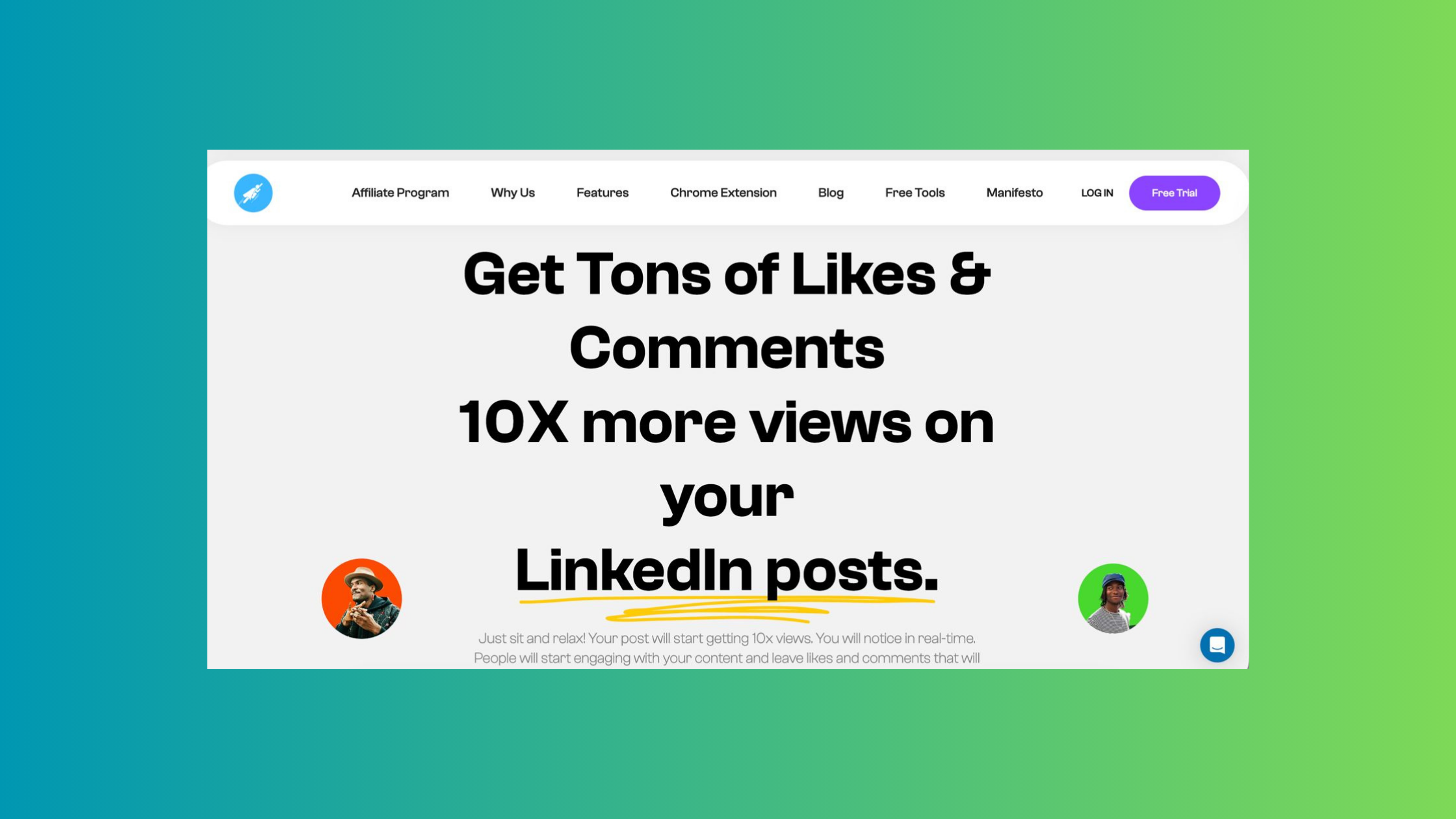
Getting replies to LinkedIn messages is only partly about the message itself. The rest is about how credible your profile looks when the recipient visits it — which they always do before responding. A profile with active posts, meaningful comments, and visible community engagement signals that you're a real professional worth talking to. A dormant profile with zero recent activity, even with a perfectly written connection message, creates hesitation.
Using AI Replies and Post Boosting to Build Outreach Credibility
This is where HyperClapper fits into a LinkedIn networking strategy. HyperClapper is a LinkedIn engagement platform that connects your posts with real engagement groups called channels — networks of real LinkedIn users who like and comment on content within the platform. When your posts consistently receive engagement from real people, your profile builds the kind of social proof that makes cold outreach recipients more likely to accept your connection request and reply to your messages.
The platform also generates AI-powered replies to keep post conversations active and deep — which matters because LinkedIn's algorithm rewards posts with meaningful back-and-forth engagement, not just surface-level likes. More engagement on your posts means more profile visibility, which means more people recognising your name when your connection request arrives.
HyperClapper's Content Guard system and safer engagement approach mean this happens without aggressive automation or the account risk that comes with bot-based tools. For professionals doing serious LinkedIn outreach — recruiters, sales teams, coaches, founders — building a credible content presence through real engagement is the highest-leverage thing you can do to improve outreach response rates.
Build the profile credibility that makes your outreach land
HyperClapper boosts your LinkedIn post visibility with real community engagement and AI-powered replies — so when your connection request arrives, your profile already does the convincing.
Try HyperClapper FreeFrequently Asked Questions About LinkedIn Networking Messages
What is an example of a networking message on LinkedIn?
A strong example: "Hi [Name] — I came across your post on SaaS growth strategy and it directly addressed something I'm navigating. I work in a similar space and would love to connect and follow your thinking." It's specific, relevant, and makes no immediate ask beyond the connection itself.
What to say in a networking message?
Lead with one specific reason you're reaching out — a post they wrote, a mutual connection, a shared industry challenge. Then state why you specifically want to connect with them, not people in their role generally. Close with a low-pressure ask: connecting, a brief question, or an offer of something useful. Skip the generic opener entirely.
Can you send a message on LinkedIn for free?
Yes — you can send unlimited free direct messages to your 1st-degree connections. Messaging non-connections requires InMail credits, which come with LinkedIn Premium plans. Free accounts receive zero InMail credits, but can message anyone in shared LinkedIn Groups at no cost.
Why can't I message someone on LinkedIn?
The most common reasons are: you're not connected and don't have InMail credits; the recipient has restricted their message settings to connections only; or your account has been flagged for unusual activity. Check the recipient's privacy settings and your own account status in LinkedIn's settings panel.
How do I get someone to accept my LinkedIn connection request?
Always include a personalised note referencing something specific to them. Make sure your profile is complete and shows recent activity before sending. View or comment on one of their recent posts before your request arrives — this creates name recognition that meaningfully improves acceptance rates.
How do I send a LinkedIn connection request to someone I don't know?
Visit their profile, click Connect, select Add a note, and write a context–relevance–ask message referencing something from their public profile or content. No mutual connection is required — a well-framed message that clearly explains why you want to connect is sufficient. See the templates section above for specific examples.
What is the best LinkedIn outreach tool for getting more replies?
For profile credibility that improves outreach response rates, HyperClapper builds real post engagement so your profile signals authority before recipients even read your message. For high-volume sales prospecting, LinkedIn Sales Navigator adds advanced search filters and expanded InMail access. For most professionals, a complete profile and personalised manual outreach outperforms any tool.
What is the difference between LinkedIn 1st, 2nd, and 3rd degree connections?
1st-degree connections are people you're directly connected to — you can message them for free. 2nd-degree connections are people connected to your 1st-degree contacts — you need InMail or a connection request to reach them. 3rd-degree connections are one step further and have the least visibility in your feed and searches.
How to message a recruiter on LinkedIn after applying?
Send a brief, context-specific message within 24–48 hours of submitting your application. Reference the specific role and job ID, mention one relevant qualification or reason for your interest in the company, and keep it under 150 characters. Connecting after applying — not before — makes the message feel purposeful. Full templates are in our recruiter messaging guide.
After seeing this across thousands of LinkedIn outreach scenarios, the pattern is consistent: accounts and professionals who invest in profile credibility before sending messages — through active content, real engagement, and a complete presence — see compounding returns on every piece of outreach they send. Those who skip that step and rely entirely on message craft alone typically plateau, regardless of how good their templates are.



