
A pattern observed consistently across high-performing LinkedIn accounts is that the professionals growing fastest are not the most talented — they are the most strategically visible. Building a standout LinkedIn brand means moving beyond a polished profile that sits idle and creating an active presence that generates inbound connections, recruiter interest, and business leads. The gap between a profile and a brand is strategy: clear positioning, consistent content, and smart use of LinkedIn branding tools that amplify what you are already doing well. This guide covers all three — from profile optimization to the best tools available in 2026.
- LinkedIn personal branding is the active strategy of positioning yourself to attract the right people — not just having a complete profile.
- Profile optimization (headline, summary, banner) directly affects how often LinkedIn's algorithm surfaces you in search results.
- Content frequency matters: posting 3–5x per week with strong early engagement signals significantly outperforms sporadic high-effort posts.
- The best LinkedIn branding tools fall into five categories: profile optimizers, AI writing assistants, schedulers, analytics platforms, and engagement tools.
- Engagement pod platforms are not equal — fake engagement can restrict your account; real community engagement (like HyperClapper) compounds your organic reach safely.
- Counterintuitive finding: Most LinkedIn content fails not because of poor quality, but because of poor distribution in the critical first 60–90 minutes after posting.
- What LinkedIn Personal Branding Actually Means in 2026
- How to Optimize Your LinkedIn Profile to Stand Out
- LinkedIn Content Strategy That Actually Builds Authority
- Best Tools to Build Your LinkedIn Personal Brand in 2026
- Step-by-Step LinkedIn Personal Branding Strategy
- Risks, Limitations, and What to Watch Out For
- Frequently Asked Questions About Building a LinkedIn Personal Brand
What LinkedIn Personal Branding Actually Means in 2026?
LinkedIn personal branding is the deliberate practice of shaping how your professional identity is perceived by the right audience — recruiters, clients, collaborators, or peers — so that visibility converts into real opportunity. It is not about having a complete profile. It is about having a living presence that attracts the right people without you chasing them.
LinkedIn Profile vs. LinkedIn Brand — Why the Difference Matters?
A profile is a resume. A brand is a reputation engine. The profile tells people who you are; the brand makes people seek you out. In 2026, LinkedIn's algorithm now explicitly rewards authentic professional presence — consistent posting, meaningful comments, and thought leadership amplification that signals you are an active contributor to your niche, not a passive participant.
The most common failure mode here is the "polished dormant profile" — professionals who invest hours perfecting their About section, then publish nothing for three months. Their profile looks credible. Their brand does not exist. What separates top performers is the combination of a well-optimized profile and a publishing rhythm that keeps the algorithm treating their account as an active signal source.
If you want to understand why LinkedIn personal branding matters for career and business growth, the core argument is simple: inbound beats outbound. A brand that attracts is more efficient than an outreach effort that interrupts.
Now that the distinction is clear, the first practical step is making your profile do its job.How to Optimize Your LinkedIn Profile to Stand Out From the Crowd?
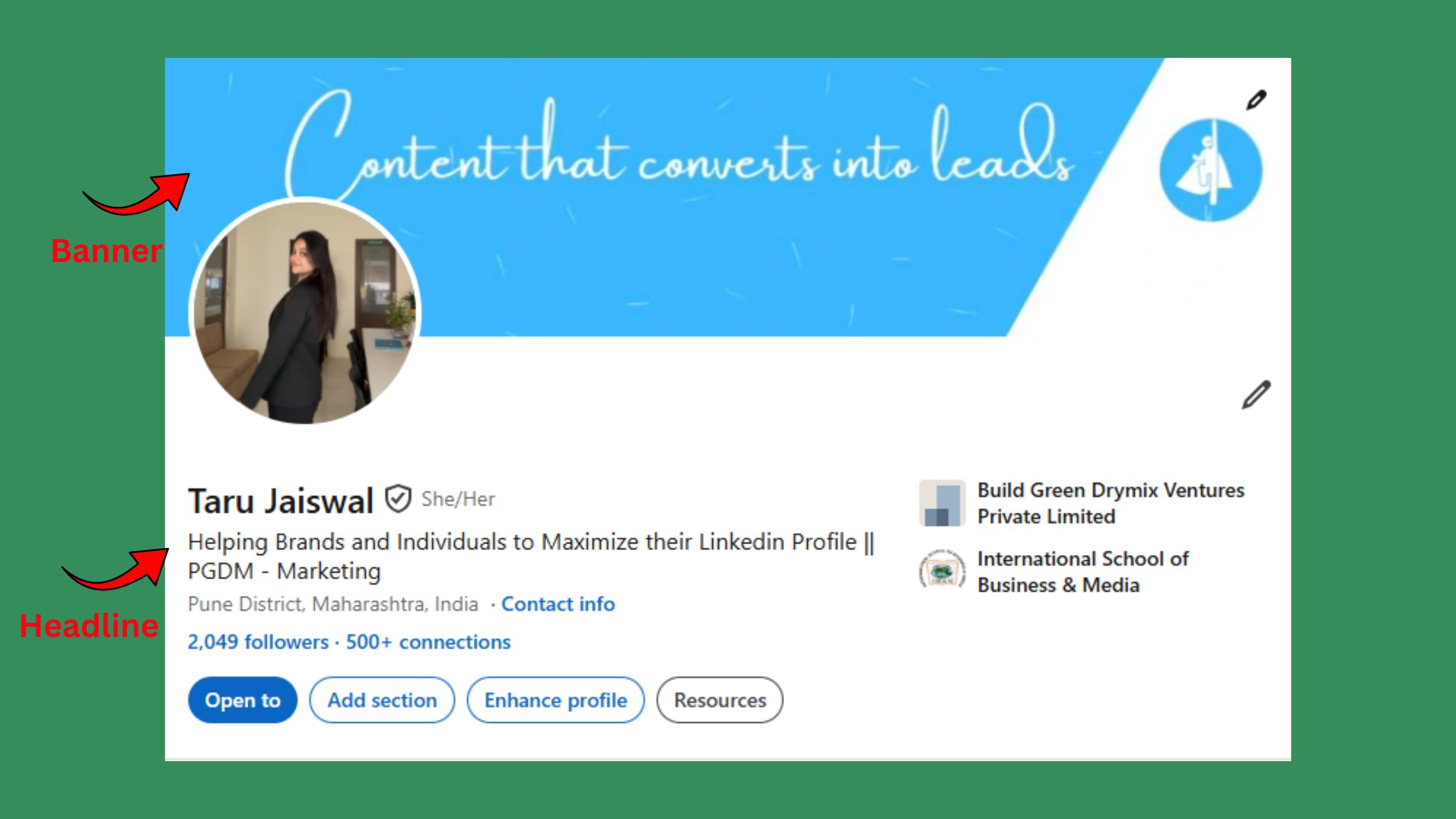
Four profile elements drive 80% of first impressions and search visibility: your headline, banner image, About section, and featured content. Most professionals under-invest in all four.
- Headline: Go beyond your job title. Include who you help and the outcome you deliver. "Marketing Director" becomes "Helping B2B SaaS companies turn content into pipeline | Marketing Director @ [Company]".
- Banner: Treat it as a billboard. One clear statement of value, ideally with social proof or a visual hook relevant to your niche.
- About section: Lead with the problem you solve for your audience — not your career history. The first three lines appear before the "See more" cut-off. Make them earn the click.
- Featured content: Pin your best-performing post, a lead magnet, or a media mention. This is your highest-converting real estate on the profile page.
LinkedIn Profile Optimization Strategy for Different Audiences?
The right optimization angle depends on your goal. Job seekers should front-load their headline with the role title they are targeting — LinkedIn's recruiter filters match on exact terms. Founders and consultants should optimize for the client problem they solve. Executives building thought leadership should lead with their point of view, not their title. One profile structure does not serve all intents equally.
For a deeper breakdown of how different professionals should approach this, see the full guide to building a personal brand on LinkedIn.
Now that your profile is working, the next challenge is what you actually publish — and how to make it land.LinkedIn Content Strategy That Actually Builds Authority?
The content types driving the strongest engagement and brand growth on LinkedIn in 2026 are not the ones that feel most impressive to write. Storytelling posts, contrarian takes, short-form video, and document carousels consistently outperform polished long-form articles in distribution reach.
How the LinkedIn Algorithm Works for Content Visibility?
LinkedIn algorithm visibility signals work in tiers: the first 60–90 minutes after posting determine whether your content reaches a wider audience or stays flat. Early likes and — more importantly — early comments signal to the algorithm that the post is generating conversation. Posts that accumulate 10+ comments in the first hour receive distribution to second- and third-degree connections at a significantly higher rate than posts that sit quiet.
The algorithm does not reward quality in isolation — it rewards quality that sparks early conversation. A good post with no early engagement is algorithmically identical to a bad post.
How often should you post on LinkedIn for brand growth? The consistent pattern across accounts that grow is 3–5 posts per week. Dropping below 3 posts per week typically triggers algorithmic reach decay within 10–14 days — recovering full distribution usually takes 3–4 weeks of consistent output. Daily posting without a clear content strategy, however, produces diminishing returns within 30 days as audience fatigue sets in.
On content ideation: teams that build a content pillar system — 3–4 recurring themes tied to their positioning — produce content faster and maintain more consistent thought leadership amplification than those who generate topics from scratch each week. Repurposing works well here: one insight from a client conversation can become a text post, a carousel expanding the point, and a comment on a trending thread — three pieces of content from one source idea.
With a content strategy in place, the right tools can meaningfully accelerate your results — but only if you choose the right category for your actual gap.Best Tools to Build Your LinkedIn Personal Brand in 2026?
The best LinkedIn personal branding tools fall into five distinct categories. Choosing the right one depends on where your bottleneck actually is — not on what has the most features.
LinkedIn AI Tools for Profile and Content Creation?
- Taplio: AI-powered content creation and scheduling. Strong for generating post ideas, drafting in your voice, and scheduling at optimal times. Best for creators who want an all-in-one writing and publishing workflow. Taplio vs Kleo: Taplio wins on scheduling depth; Kleo wins on lightweight in-browser content drafting without leaving LinkedIn.
- AuthoredUp: A browser extension focused on post formatting, draft management, and analytics. Particularly useful for professionals who want to improve post readability and track what formats perform. In a Taplio vs AuthoredUp comparison, AuthoredUp suits those who prefer to write natively on LinkedIn and want a formatting layer on top.
- Shield Analytics: The strongest third-party analytics platform for LinkedIn creators. It tracks post reach, follower growth, and engagement trends with far more granularity than LinkedIn native analytics. Shield Analytics vs LinkedIn native analytics: Shield wins by a significant margin for anyone making data-driven content decisions.
How HyperClapper Helps You Get Real LinkedIn Engagement Safely?
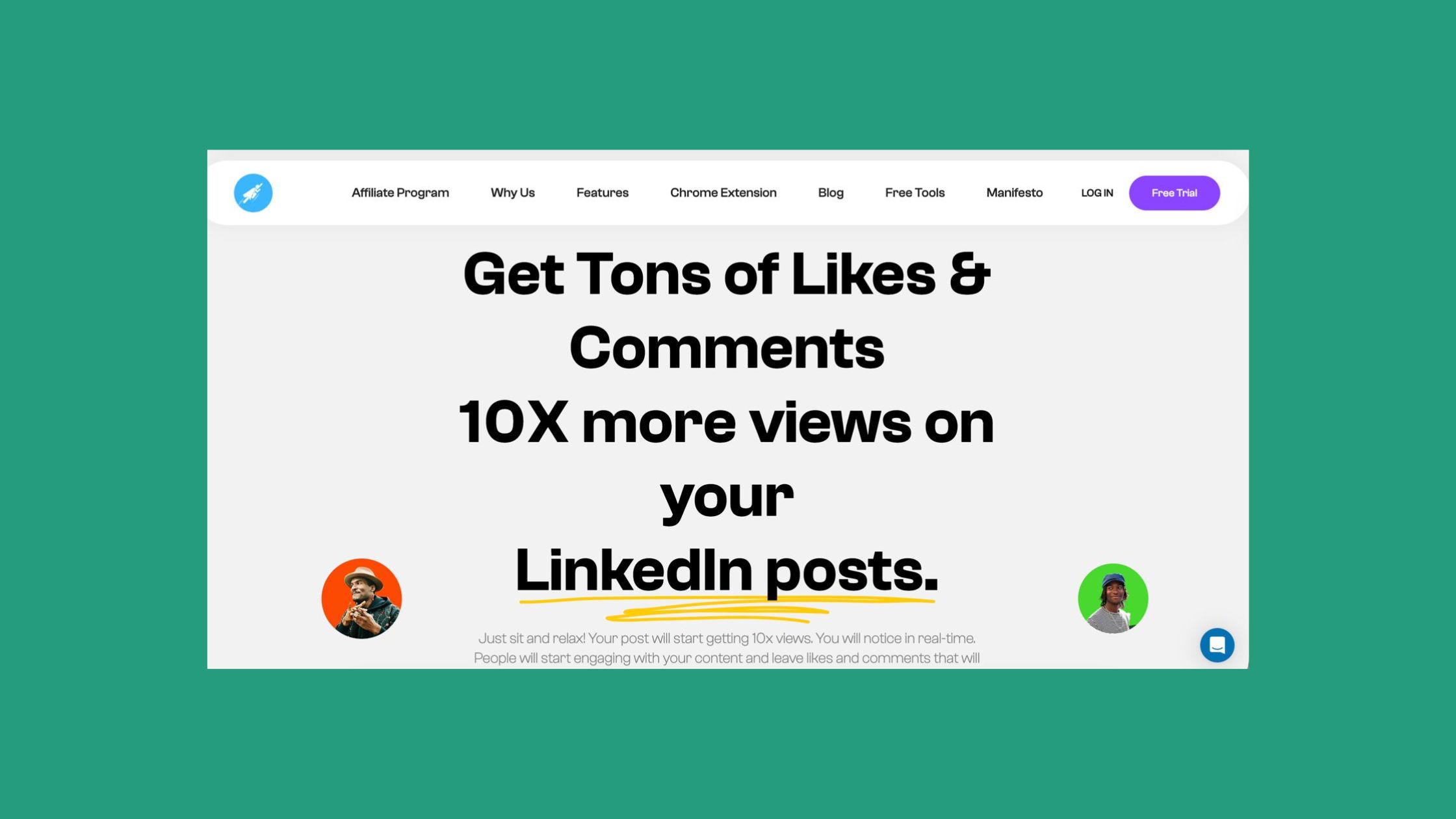
When it comes to engagement pod platforms, the critical distinction is between real engagement and artificial engagement. Lempod vs Podawaa vs HyperClapper: Lempod and Podawaa operate on pod mechanics that can produce inauthentic engagement patterns — a risk that has led to account warnings for some users. HyperClapper takes a different approach: real users inside structured channels engage with your posts, generating genuine likes and contextually relevant AI-powered comments that reinforce the conversation rather than inflate vanity metrics.
For professionals asking whether paid tools are worth it: the honest answer is that tools accelerate a strategy that already works. A founder with a clear niche, consistent publishing, and a tool like HyperClapper to boost early traction will compound results faster. A professional with no clear positioning will find that paid tools amplify their confusion, not their brand. Tools are multipliers — they need something real to multiply.
Get Real LinkedIn Engagement — Without Bots or Fake Activity
HyperClapper connects your posts with real community members who engage authentically — boosting your early traction and signalling quality to the LinkedIn algorithm.
Try HyperClapper FreeStep-by-Step LinkedIn Personal Branding Strategy for Professionals?
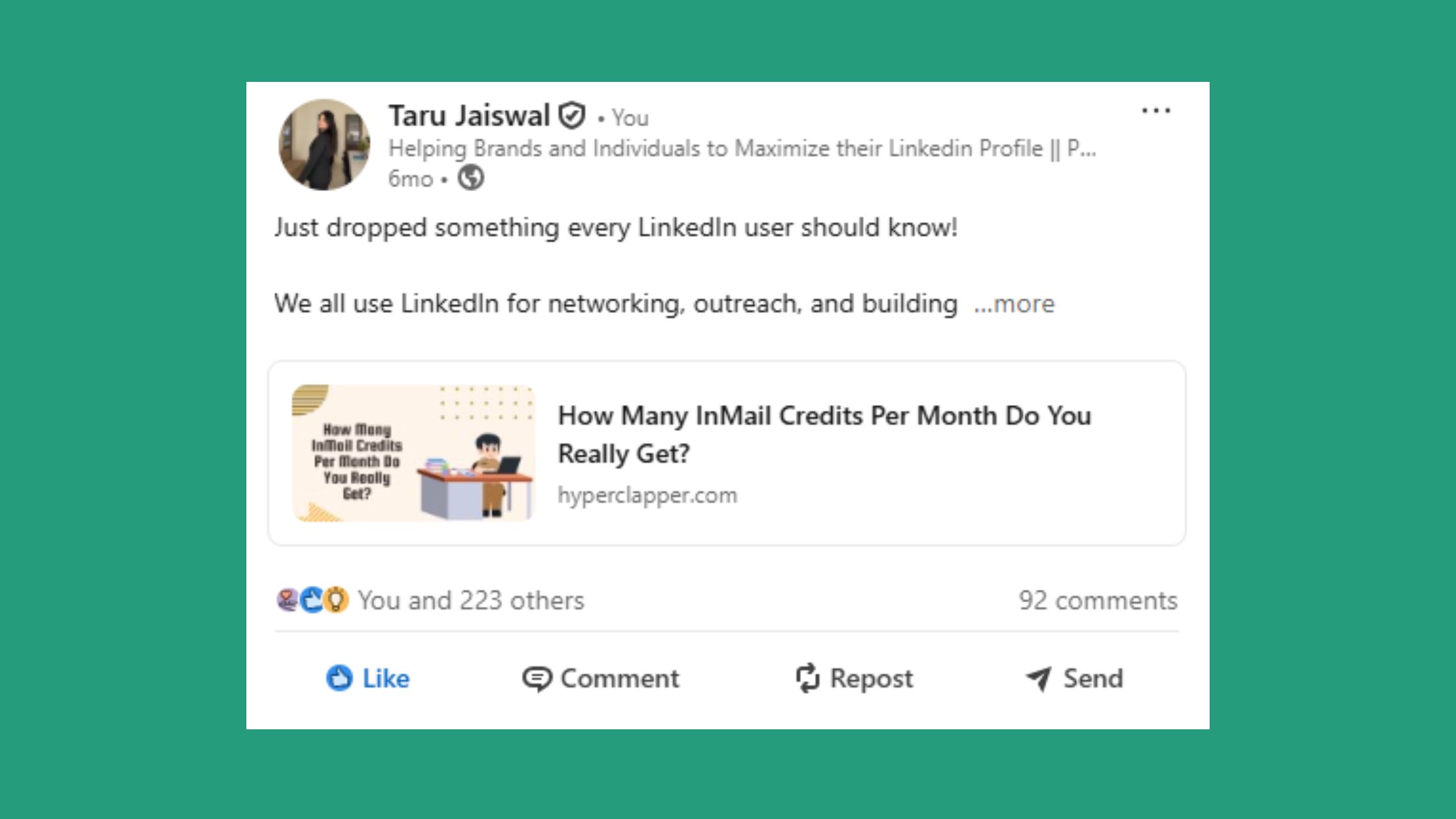
Here is a practical LinkedIn personal branding guide that works whether you are starting from zero or restarting after months of inactivity.
- Define your niche and positioning (Week 1): Identify who you help, what specific problem you solve, and what point of view makes your perspective worth following. Write a one-sentence positioning statement and use it to anchor every profile element and content decision that follows.
- Optimize your profile for discoverability (Week 1–2): Rewrite your headline, About section, and banner with your positioning and relevant keywords front-loaded. Pin your strongest piece of content in the Featured section. A generic profile is the single biggest barrier to content-to-connection conversion rate.
- Build a sustainable content rhythm (Week 2–4): Choose 3 content pillars aligned to your positioning. Commit to 3 posts per week minimum. Build a simple repurposing workflow: each long-form idea becomes a text post, a carousel, and a comment contribution on a trending thread.
- Amplify strategically (Ongoing): Use engagement tools and community channels to generate early traction on new posts. AI-powered replies keep conversations active longer, which the LinkedIn algorithm reads as sustained quality signal. Let organic reach compound from there.
Common LinkedIn Branding Mistakes to Avoid?
- Posting without a niche: Broad content pleases no one and attracts no one specific. Niche down, then broaden once you have an established audience.
- Ignoring the comment section: Creators who skip responding to comments see their reach decay faster — LinkedIn explicitly factors reply depth into distribution decisions.
- Using AI writing tools without editing: Over-reliance on AI content writing tools produces homogenous posts that sound identical to thousands of other LinkedIn users. AI is a draft tool, not a publishing tool.
- Measuring vanity metrics: Impressions and likes matter less than profile views from target connections and inbound connection requests from relevant people. Track what converts.
Risks, Limitations, and What to Watch Out For With LinkedIn Tools?
Not all LinkedIn engagement tools carry the same risk profile. Low-quality engagement tools — those using bots, scraped profiles, or indiscriminate automation — can trigger LinkedIn account restrictions that reduce your reach or suspend your account entirely. The platform's abuse detection systems have become significantly more sophisticated since 2023.
LinkedIn Native Tools vs. Third-Party Branding Tools?
LinkedIn's native tools — Creator Mode, newsletters, LinkedIn Live, and the native analytics dashboard — are genuinely useful as a baseline. Creator Mode unlocks follower-first profile settings and surfaces your top content more prominently. However, native analytics are limited: they show impressions and engagement totals but lack the post-level and audience-level breakdown that platforms like Shield provide. Third-party tools are not a replacement for LinkedIn's native features — they are a layer of precision on top of them.
The professionals who grow fastest on LinkedIn are not those using the most tools — they are those who identified their specific bottleneck (content, distribution, or profile), chose one tool that solves it, and used it consistently for at least 90 days before evaluating results.
For professionals comparing LinkedIn branding strategy for executives versus founders or freelancers: the tool stack differs by bottleneck. Executives often need scheduling and AI drafting tools (time is the constraint). Freelancers and consultants often need engagement tools to break through early obscurity (distribution is the constraint). Match the tool to the gap.
Explore more on how LinkedIn personal branding wins clients faster and the frameworks for building a powerful personal brand on LinkedIn.
Stop Publishing Into the Void — Amplify Posts That Deserve to Be Seen
HyperClapper's real engagement channels and AI-powered replies give your posts the early signal boost LinkedIn's algorithm needs to push them further — with full content moderation built in.
Start Building Real LinkedIn ReachFrequently Asked Questions About Building a LinkedIn Personal Brand
How do I do personal branding on LinkedIn if I'm just starting out?
Start with positioning before content. Define who you help and what problem you solve, then rewrite your headline and About section around that. Publish 3 posts per week on topics within your niche for 60 days before evaluating results. Most beginners give up in week three — consistency past that point is where the compounding begins.
What is the best LinkedIn post tool in 2026?
Taplio is the strongest all-in-one option for AI drafting, scheduling, and inspiration. AuthoredUp is better for formatting and draft management. For engagement amplification — getting real early traction on posts — HyperClapper is the strongest choice because it uses real community engagement rather than automation, which keeps your account safer while boosting algorithmic distribution.
Why is my LinkedIn not getting engagement even when I post regularly?
The most common cause is weak early engagement — if your first 10–15 connections don't react within the first hour, the algorithm deprioritises the post for wider distribution. Posting at the wrong time, using generic content that lacks a clear point of view, and ignoring the comment section all compound the problem. Fix distribution first, then refine content quality.
Can AI tools really improve my LinkedIn presence?
Yes, but only as a drafting accelerator — not as a replacement for your voice and expertise. AI writing tools help you publish faster and overcome blank-page friction. The risk is over-reliance: posts that read as AI-generated without editing get lower engagement because they lack the specificity and personality that LinkedIn audiences respond to. Edit everything AI produces.
Is it worth using paid LinkedIn branding tools as an individual professional?
Worth it — if you have a clear strategy to amplify. Professionals who use paid tools without a defined niche or content plan see minimal ROI. Those who combine a clear positioning, consistent publishing, and a tool like HyperClapper for early engagement amplification typically see measurable growth in profile views and inbound connections within 60–90 days.
How often should I post on LinkedIn to grow my personal brand?
3–5 times per week is the optimal range for sustainable growth. Fewer than 3 posts per week and the algorithm treats your account as low-activity, reducing distribution. More than 7 posts per week without a meaningful increase in engagement typically signals to the algorithm — and your audience — that you're prioritising volume over value. Quality and consistency beat volume alone.
✓ LinkedIn Personal Brand Launch Checklist
- ☐Write a positioning statement: "I help [audience] achieve [outcome] through [your method]"
- ☐Rewrite your headline to include who you help and the outcome you deliver
- ☐Rewrite your About section so the first 2 lines address your audience's problem
- ☐Pin your strongest post or a lead magnet in the Featured section
- ☐Define 3 content pillars aligned to your niche and positioning
- ☐Commit to a publishing schedule of at least 3 posts per week for 60 days
- ☐Choose one engagement tool (e.g. HyperClapper) to amplify early post traction
- ☐Set up Shield Analytics or equivalent to track which content types drive profile visits
What consistently separates accounts with real authority from accounts with impressive follower counts is not any single tactic — it is the compounding effect of a clear positioning, a consistent publishing rhythm, and early engagement signals that tell the algorithm your content is worth amplifying. Accounts that get all three right see reach compound over 90–120 days. Accounts that miss any one of them typically plateau regardless of how much effort they invest in the others.



