
A pattern observed consistently across LinkedIn creators, founders, and marketers is this: slow growth is almost never a content quality problem — it is a distribution timing problem. The LinkedIn algorithm decides within the first 60–90 minutes whether a post deserves broad reach. Posts that collect early likes and meaningful comments get pushed to more feeds. Posts that sit quiet get buried, often permanently. Most LinkedIn reach tools — schedulers, analytics dashboards, outreach automators — do nothing to solve that critical window. HyperClapper is built specifically to fix that gap.
- Who this is for: LinkedIn creators, founders, coaches, recruiters, marketers, and B2B teams who publish regularly but struggle to break through the algorithm.
- The core problem: LinkedIn suppresses posts that don't earn fast engagement — most reach tools don't address this at all.
- What HyperClapper does differently: Real community channels, AI-powered replies, and a Feed More feature that extends post lifespan — not bots or scripts.
- The counterintuitive finding: Engagement pods still work in 2026, but only when comments are contextually relevant and the engagement pattern looks natural to the algorithm.
- The gap competitors miss: Traditional tools diagnose reach problems or schedule content — they don't inject the early engagement velocity that triggers algorithmic distribution.
- Realistic outcome: Consistent use compounds over time; expecting a one-time viral fix leads to underutilising what the platform can actually deliver.
- Why LinkedIn Post Reach Is Broken for Most Creators in 2026
- What LinkedIn Reach Tools Actually Get Wrong
- What HyperClapper Is and How It Works
- HyperClapper vs. Other LinkedIn Engagement Tools
- How to Use HyperClapper to Increase LinkedIn Post Reach Organically
- Who Should Use HyperClapper and What Results to Realistically Expect
- Frequently Asked Questions About LinkedIn Reach Tools and HyperClapper
Why LinkedIn Post Reach Is Broken for Most Creators in 2026
LinkedIn post reach is no longer driven by follower count. According to LinkedIn consultant Melanie Goodman's 2026 analysis, follower count and reach are now structurally decoupled — an account with 8,000 focused followers can outperform one with 80,000. The algorithm has shifted toward an Interest Graph and Topic Authority model, where distribution is earned post by post based on engagement signals, not accumulated audience size.
What this means in practice: if your first wave of connections doesn't engage quickly, the algorithm interprets the post as low-value and throttles its distribution. This is organic reach decay — the process by which a post that fails to generate early momentum sees its impressions flatline within the first hour. Most creators experience this as "my post got 12 likes and then nothing." It isn't bad luck. It is the algorithm doing exactly what it was designed to do.
How the LinkedIn Algorithm Suppresses Reach Without Warning
Engagement velocity is the speed at which a post receives likes and comments after publishing — and it is the single most influential signal in LinkedIn's current distribution model. According to DSMN8's 2026 LinkedIn Algorithm Guide (based on data from 500,000+ posts), LinkedIn's algorithm evaluates content quality primarily through early engagement patterns, not through the post's text, format, or follower count.
The suppression happens quietly. There is no notification, no warning, no flag. A post simply stops receiving impressions. Creators who post at off-peak times, have a passive follower base, or publish without any immediate engagement strategy routinely experience this — even when the content itself is genuinely strong.
Social proof amplification is the compounding effect where initial engagement makes a post visible to more people, who then engage further, creating a self-reinforcing cycle. Without that initial spark, the cycle never starts. That is the structural problem most LinkedIn marketing tools completely ignore.
Understanding this algorithm reality reframes the entire tool landscape — which is exactly where most LinkedIn reach tools fall short.
What LinkedIn Reach Tools Actually Get Wrong
The most common failure mode among LinkedIn reach tools is solving the wrong problem. Scheduling tools, analytics platforms, and even AI writing assistants address content creation and measurement — but none of them inject the early engagement that actually triggers algorithmic distribution. Think of it this way: building a better car doesn't help if the road is blocked. You need to clear the road first.
LinkedIn engagement pods were once a reliable shortcut. Early platforms like Lempod and Podawaa built reciprocal engagement loops where users agreed to like and comment on each other's posts. In 2020–2022, this worked. By 2026, LinkedIn's algorithm has become significantly better at detecting low-quality, off-topic, or templated comments — and it discounts them rather than rewarding them. A pod full of marketers leaving "Great post! 🙌" on a finance article no longer moves the needle.
The Specific Features Most LinkedIn Reach Tools Are Missing
After examining what LinkedIn reach tools consistently lack across the market, three gaps stand out clearly:
- Contextually relevant early engagement — not just any likes and comments, but ones that arrive fast and read as genuine to both the algorithm and human visitors.
- Conversation depth signals — LinkedIn now rewards posts that generate threaded replies and ongoing discussion, not just a pile of one-word comments at publish time.
- Post lifespan extension — the ability to re-inject activity into a post 24–48 hours after publishing, when organic momentum has stalled but the content still has value.
- Content safety controls — a moderation layer that prevents engagement from being placed on posts that could trigger platform flags (political content, controversial topics).
- Company page support — most engagement tools focus exclusively on personal profiles, leaving B2B teams with no equivalent solution for their brand pages.
These gaps are not minor product oversights — they represent a fundamental mismatch between what most LinkedIn reach tools sell and what the LinkedIn algorithm actually rewards. That mismatch is precisely what HyperClapper was designed to close.
What HyperClapper Is and How It Works
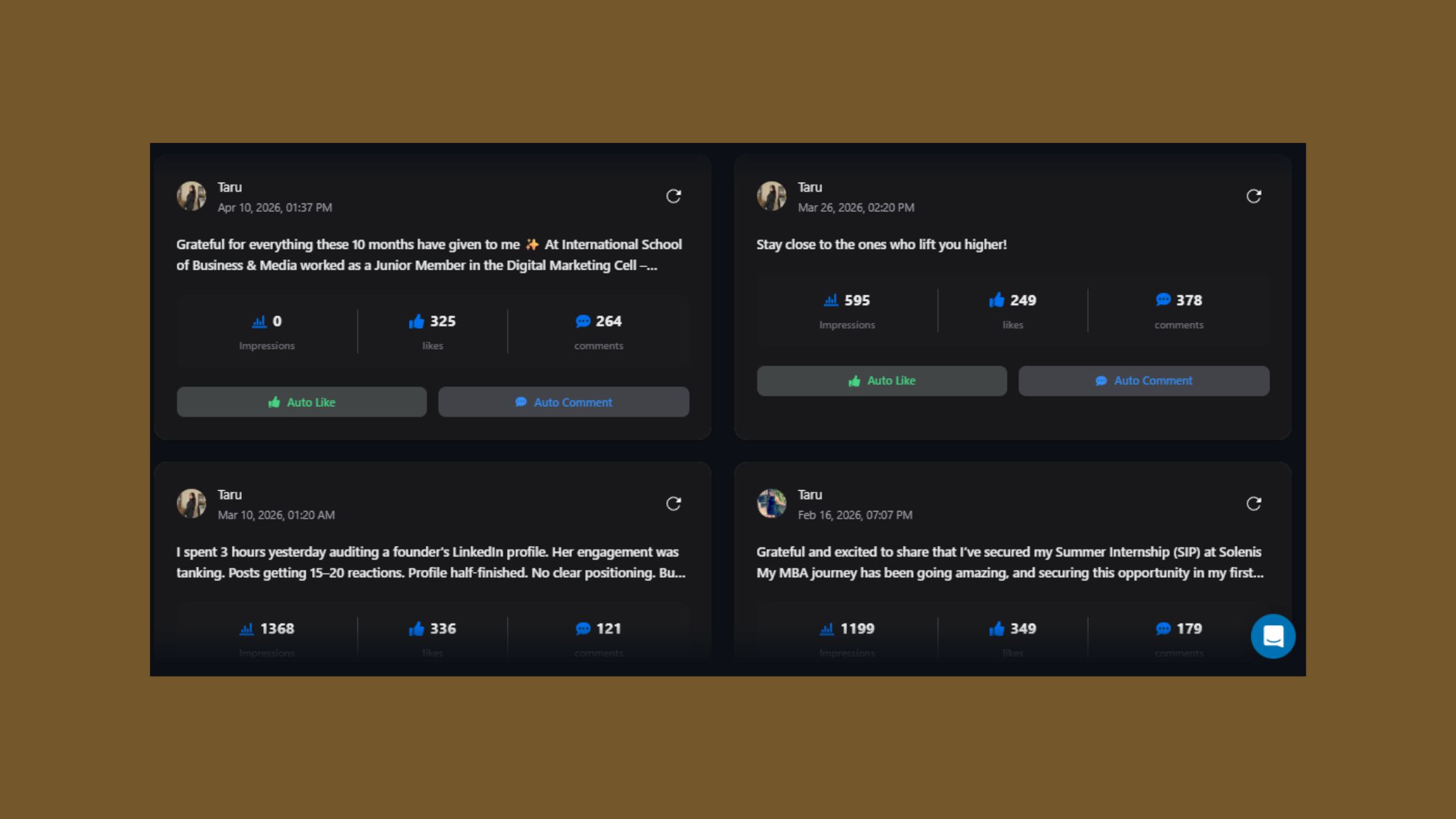
HyperClapper is a LinkedIn engagement platform that connects users with real community members inside structured groups called channels — not automation scripts, not bot accounts. Channels are curated groups of real LinkedIn users who engage with submitted posts, generating genuine likes and comments that arrive at the moment they matter most for the algorithm.
The submission process is straightforward:
- Write your LinkedIn post with a strong hook and submit it to HyperClapper. (30 seconds)
- Select your channels — each channel represents approximately 50 real engagements, so 2 channels ≈ 100 engagements, 3 channels ≈ 150 engagements. (1 minute)
- Publish your post on LinkedIn — early engagement from channel members kicks in, triggering engagement velocity signals to the algorithm. (Immediate)
- Activate AI Replies to generate contextually relevant comments that build conversation depth and signal ongoing post value. (Optional, 2 minutes)
- Use Feed More AI Replies at the 24–48 hour mark to re-inject activity and extend the post's distribution lifespan. (Optional)
Channels, AI Replies, and Feed More: How the Engine Actually Runs
AI Replies in HyperClapper are not generic "Great post!" fillers. They are generated to match the post's topic, tone, and context — producing comments that look and read as natural contributions to the conversation. This matters because LinkedIn's algorithm now weights comment quality, not just comment count. A single substantive reply carries more distribution weight than five hollow ones.
Feed More AI Replies is the feature that most directly addresses post lifespan — the period during which a post can still earn incremental reach after its initial burst. By re-injecting intelligent replies 24–48 hours post-publication, HyperClapper signals to the algorithm that the post still has active value, often extending its distribution window by another full cycle.
HyperClapper also supports company page boosting and company page replies — a feature set almost entirely absent from competitor tools. For B2B teams running employee advocacy programmes or building brand visibility on LinkedIn, this closes a significant gap. The engagement appears as natural brand activity, not automated output.
The difference between a post that earns 2,000 impressions and one that earns 20,000 is rarely the quality of the writing. It is almost always whether the algorithm decided to distribute it — and that decision happens in the first hour.
HyperClapper vs. Other LinkedIn Engagement Tools: Where It Pulls Ahead
Teams that have used multiple LinkedIn tools before switching to HyperClapper consistently cite the same frustration: other tools either measure reach or schedule for it — none of them actually drive it at the moment the algorithm is watching.
- Best for early engagement velocity → HyperClapper — real channel engagement + AI replies fix the distribution window problem directly.
- Best for content scheduling → Taplio or Hootsuite — strong scheduling and AI writing assistance, but no engagement-driving capability.
- Best for post performance analytics → Shield Analytics — excellent LinkedIn analytics for diagnosing what's working, but no reach-driving features.
- Best for brand page + personal profile growth → HyperClapper — the only tool in this set that covers both company page boosting and personal post reach.
- Best Podawaa alternative in 2026 → HyperClapper — real community channels replace reciprocal pod loops, producing more natural engagement patterns the algorithm doesn't discount.
| Tool | Best For | Fixes Engagement Velocity? | Company Page Support? | Safety Approach |
|---|---|---|---|---|
| HyperClapper | Reach velocity + AI replies | ✅ Yes — core feature | ✅ Yes | Content Guard + real users |
| Podawaa | Pod-style amplification | ⚠️ Partial — reciprocal loops | ❌ No | Moderate |
| Taplio | AI writing + scheduling | ❌ No | ❌ No | Low risk |
| Shield Analytics | LinkedIn analytics | ❌ No | ❌ No | No engagement risk |
| Hootsuite (LinkedIn) | Scheduling + multi-platform | ❌ No | ✅ Yes (scheduling only) | No engagement risk |
Are LinkedIn Engagement Tools Against LinkedIn's Terms of Service?
Most LinkedIn engagement tools operate in a grey zone relative to LinkedIn's Terms of Service — the platform's rules prohibit artificial manipulation of engagement, which includes bot-driven likes and fake accounts. HyperClapper is not a bot tool: its engagement comes from real people inside its community channels, which places it in a meaningfully different category from scraping tools or automation scripts that simulate clicks.
That said, no third-party engagement platform is formally approved by LinkedIn. What separates lower-risk tools from higher-risk ones is whether the engagement patterns are detectable as artificial. HyperClapper's Content Guard moderation system actively prevents boosting of content that could trigger platform flags — politics, hate speech, controversial global events — reducing the surface area of risk considerably. The platform is designed to behave as a natural community, not a lever for algorithmic manipulation.
Stop Publishing Into the Void
HyperClapper connects your posts with real engaged readers at the moment the LinkedIn algorithm is deciding whether to distribute your content.
Try HyperClapper FreeHow to Use HyperClapper to Increase LinkedIn Post Reach Organically
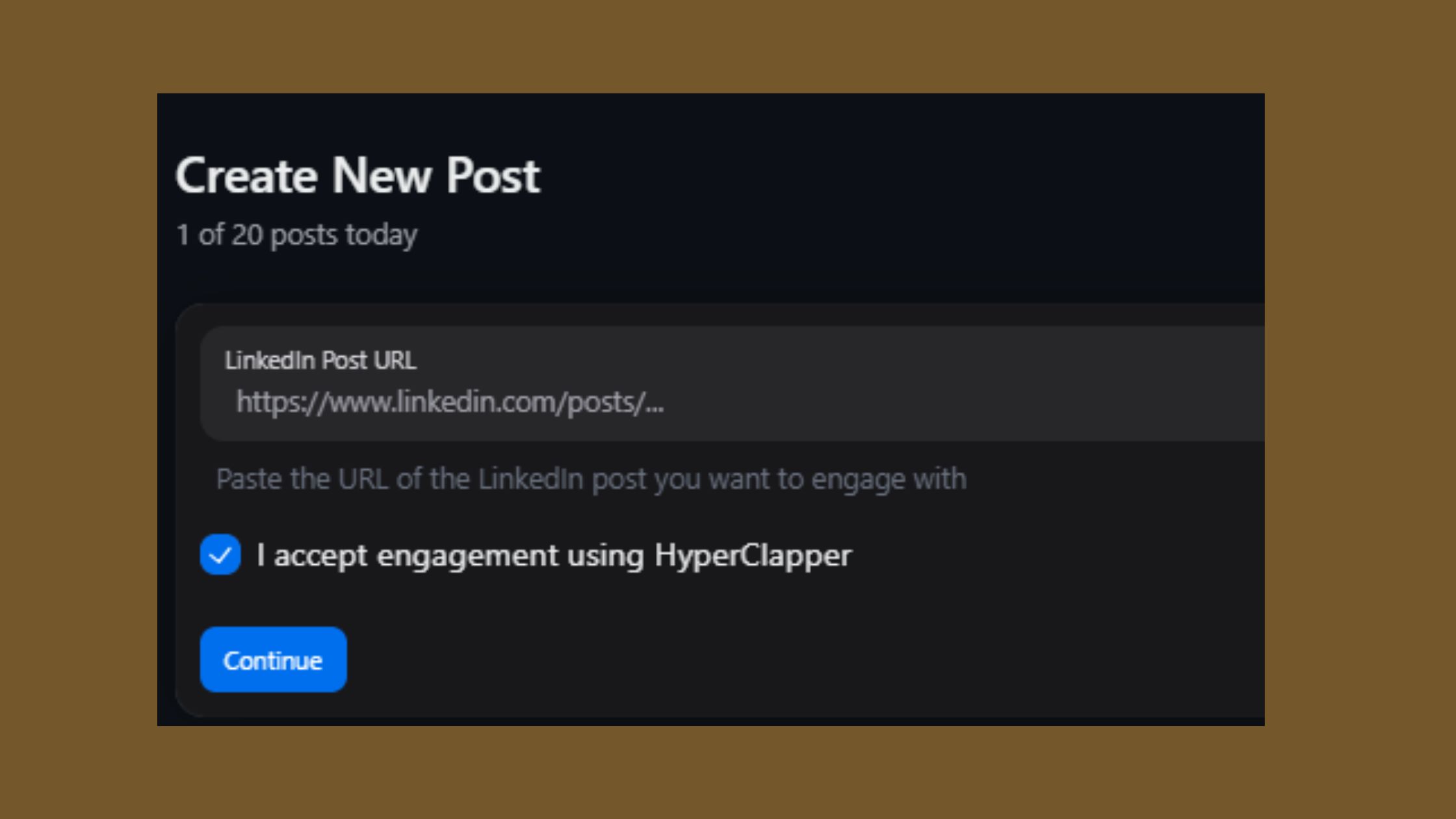
The fastest path to stronger LinkedIn post reach with HyperClapper is pairing channel boosts with AI replies from the moment of publication — not as separate actions, but as a coordinated launch sequence. Early likes tell the algorithm the post has value. Early contextual comments tell it the post generates conversation. Both signals together are what trigger expanded content distribution.
For LinkedIn creators focused on personal branding and thought leadership, the most effective approach is:
- Use 2–3 channels for high-value posts (announcements, original frameworks, career milestones).
- Use 1 channel for regular content to maintain consistent engagement cadence without overusing the tool.
- Always pair with at least 3–4 AI Replies to seed conversation depth, not just a like count.
For B2B marketing teams and agencies managing LinkedIn content strategy for clients:
- Activate company page boosting alongside personal post boosts to synchronise brand and individual reach signals.
- Use company page replies to make brand accounts appear active and engaged, not dormant — this directly supports social selling and lead generation efforts.
- Review HyperClapper analytics to identify which post formats (carousels, text posts, videos) earn the most sustained engagement in your niche.
Common Mistakes to Avoid When Using LinkedIn Reach Tools
Creators who skip the AI Replies step typically find that their like count climbs but their post stops distributing after the first wave — because comments are the signal that triggers secondary distribution. Likes alone are not enough in 2026.
- Boosting without a strong hook: Channel engagement amplifies what's already there — a weak opening line will still underperform even with 150 real engagements behind it.
- Using the tool once and expecting permanent change: LinkedIn reach compounds with consistent posting and consistent engagement. A single boosted post creates a spike; a pattern of boosted posts builds algorithmic authority.
- Ignoring Feed More: Posts that earned strong initial traction can often be revived with a second round of AI replies. Most users leave this reach on the table entirely.
- Boosting off-topic or controversial content: HyperClapper's Content Guard exists for a reason — submitting politically charged or inflammatory content creates platform risk regardless of how natural the engagement looks.
For a deeper comparison of how HyperClapper's approach differs from traditional LinkedIn automation, see HyperClapper vs. Traditional LinkedIn Tools.
Who Should Use HyperClapper and What Results to Realistically Expect
HyperClapper delivers the most value to people who are already publishing consistently on LinkedIn but hitting an engagement ceiling — typically professionals getting fewer than 500 impressions per post despite having a relevant audience. If you're posting 3–5 times per week with strong content and still seeing flat reach, the problem is almost certainly algorithmic suppression, not content quality. That is exactly the scenario HyperClapper addresses.
The platform is particularly well-suited for:
- LinkedIn creators and coaches building personal brands and monetising through visibility and inbound leads.
- Founders and executives using LinkedIn thought leadership as a business development channel.
- Recruiters who need posts about job openings and employer brand content to reach beyond their direct network.
- B2B marketing teams and agencies running employee advocacy or managing LinkedIn content strategy for multiple clients.
- Sales teams building social selling pipelines who need their posts seen by prospects, not just existing connections.
HyperClapper Pricing, Plans, and Getting Started
HyperClapper offers tiered plans starting from entry-level access for individual creators through to agency-scale plans supporting multiple accounts and company page management. Specific pricing is available at hyperclapper.com — plans are structured around channel access and AI reply volume, so you scale your investment in line with your posting frequency and reach goals.
What separates users who see compounding returns from users who plateau is consistency. HyperClapper is not a one-time viral fix — it is an infrastructure layer for LinkedIn content distribution. The most effective users treat it the way they treat a LinkedIn scheduling tool: as part of every publishing cycle, not an occasional boost.
What consistently separates LinkedIn accounts with real reach from accounts with impressive follower numbers is not any single tactic — it is whether they solve the engagement velocity problem every time they post, not just when they remember to.
✓ LinkedIn Post Launch Checklist
- ☐Write post with a hook in the first line that creates a reason to keep reading (question, bold claim, or specific number).
- ☐Add 1–2 topically relevant hashtags — no more, or engagement drops.
- ☐Submit to HyperClapper before publishing — select 1–3 channels based on reach goal.
- ☐Activate AI Replies to seed 3–5 contextual comments within 30 minutes of publishing.
- ☐Reply to early comments manually — your own replies count as engagement signals too.
- ☐Check analytics at 24 hours — if post has traction, use Feed More AI Replies to extend reach.
- ☐Review HyperClapper analytics after 72 hours to track impressions, engagement rate, and profile views generated.
Build a LinkedIn Presence That Compounds Over Time
HyperClapper's real channel engagement, AI-powered replies, and analytics give you the infrastructure to turn every post into a reach event — not a coin flip.
Get Started with HyperClapperFrequently Asked Questions About LinkedIn Reach Tools and HyperClapper
What is the best LinkedIn post tool in 2026?
The best LinkedIn post tool depends on your specific gap. For engagement velocity and reach — the core algorithmic problem most creators face — HyperClapper is the strongest choice because it directly injects early engagement from real community members. For analytics, Shield Analytics leads. For scheduling and AI writing, Taplio performs well. No single tool does all three.
How do I increase my LinkedIn post reach without ads?
Increase LinkedIn post reach organically by triggering strong engagement velocity in the first 60 minutes after publishing. Use a compelling hook, post 1–2 relevant hashtags, and seed early likes and contextual comments through a platform like HyperClapper. Follow up with Feed More AI Replies at the 24-hour mark to extend distribution. Consistency across multiple posts compounds the effect over weeks.
What are the biggest gaps in LinkedIn reach tools that HyperClapper solves?
The biggest gaps HyperClapper addresses are: (1) no early engagement velocity — most tools don't inject the first-hour engagement that triggers algorithmic distribution; (2) no conversation depth — AI replies create threaded discussion, not just like counts; (3) no post lifespan extension — Feed More re-injects activity after initial momentum stalls; and (4) no company page support — most competitors focus only on personal profiles.
Is HyperClapper safe to use for LinkedIn growth without risking account suspension?
HyperClapper is designed to minimise account risk by using real community members rather than bots, and by including a Content Guard moderation system that prevents boosting flagged content. It is not an outreach tool or scraper — both high-risk categories on LinkedIn. No third-party engagement tool is formally LinkedIn-approved, but HyperClapper's real-user model places it in a meaningfully lower risk category than automation scripts.
How does HyperClapper work differently from traditional LinkedIn automation tools?
Traditional LinkedIn automation tools simulate human behaviour through scripts — sending bulk connection requests, auto-messaging, or scripting fake clicks. HyperClapper uses no scripts for engagement: likes and comments come from real people inside structured channels. The key difference is that HyperClapper is a community platform for amplification, not an automation tool for outreach. This distinction matters significantly for both safety and engagement quality.
Can HyperClapper help LinkedIn posts go viral by fixing algorithmic suppression?
HyperClapper meaningfully reduces algorithmic suppression by ensuring posts receive fast, genuine early engagement — the primary trigger for expanded distribution. Virality is never guaranteed on any platform, but posts that clear the first-hour engagement threshold consistently reach significantly larger audiences. HyperClapper's Feed More feature also extends post lifespan, giving content a second distribution window that most posts never get.
What should I look for in a LinkedIn reach tool that most tools get wrong?
Look for four things most tools overlook: (1) engagement that arrives fast — within the first hour of publishing; (2) contextually relevant comments, not generic ones the algorithm discounts; (3) conversation depth features that generate threaded replies; and (4) post lifespan tools that re-signal activity after 24–48 hours. If a tool only schedules or analyses content without driving any of these signals, it cannot fix reach suppression.



