
HeyReach LinkedIn automation 2026 sits at an interesting crossroads: it is one of the more technically capable outreach tools on the market, but the "safe" label it carries deserves serious scrutiny before you hand it your LinkedIn credentials. A pattern observed across dozens of outreach tool evaluations is that the gap between what a tool's marketing page claims and what users report after 60 days of use is widest in the LinkedIn automation category — precisely because the risks are account-level, not just performance-level. This article breaks down whether HeyReach's safety architecture, pricing structure, and agency-focused feature set hold up under real-world conditions in 2026.
- HeyReach is a cloud-based multi-account LinkedIn outreach tool — best suited for agencies and sales teams running parallel prospecting sequences.
- LinkedIn automation broadly violates LinkedIn's Terms of Service — no tool, including HeyReach, can truthfully claim to be 100% safe or platform-approved.
- HeyReach pricing plans are seat-based (per LinkedIn account connected), which surprises solo users but makes more financial sense for agencies at scale.
- LinkedIn account ban automation tools risk is real: industry data suggests 15–45% of automated accounts face restrictions within six months.
- The strongest alternative for visibility-focused teams is pairing outreach tools with a post engagement platform like HyperClapper, which operates outside the cold outreach risk profile entirely.
- Cheaper alternatives exist (from ~$8.25/month), but they routinely trade safety controls for price — a trade-off that rarely ends well at scale.
- What Is HeyReach and How Does LinkedIn Automation Actually Work?
- Is HeyReach Safe to Use — and Is LinkedIn Automation Against the Rules?
- HeyReach Pricing Plans 2026: What You Actually Pay vs. What You Get
- HeyReach vs. Expandi vs. Lemlist: Which Safe LinkedIn Automation Tool Wins in 2026?
- HeyReach Review 2026: Is It Worth It for Agencies and Sales Teams?
- FAQ: HeyReach, LinkedIn Automation Safety, and Pricing — Answered
What Is HeyReach and How Does LinkedIn Automation Actually Work?
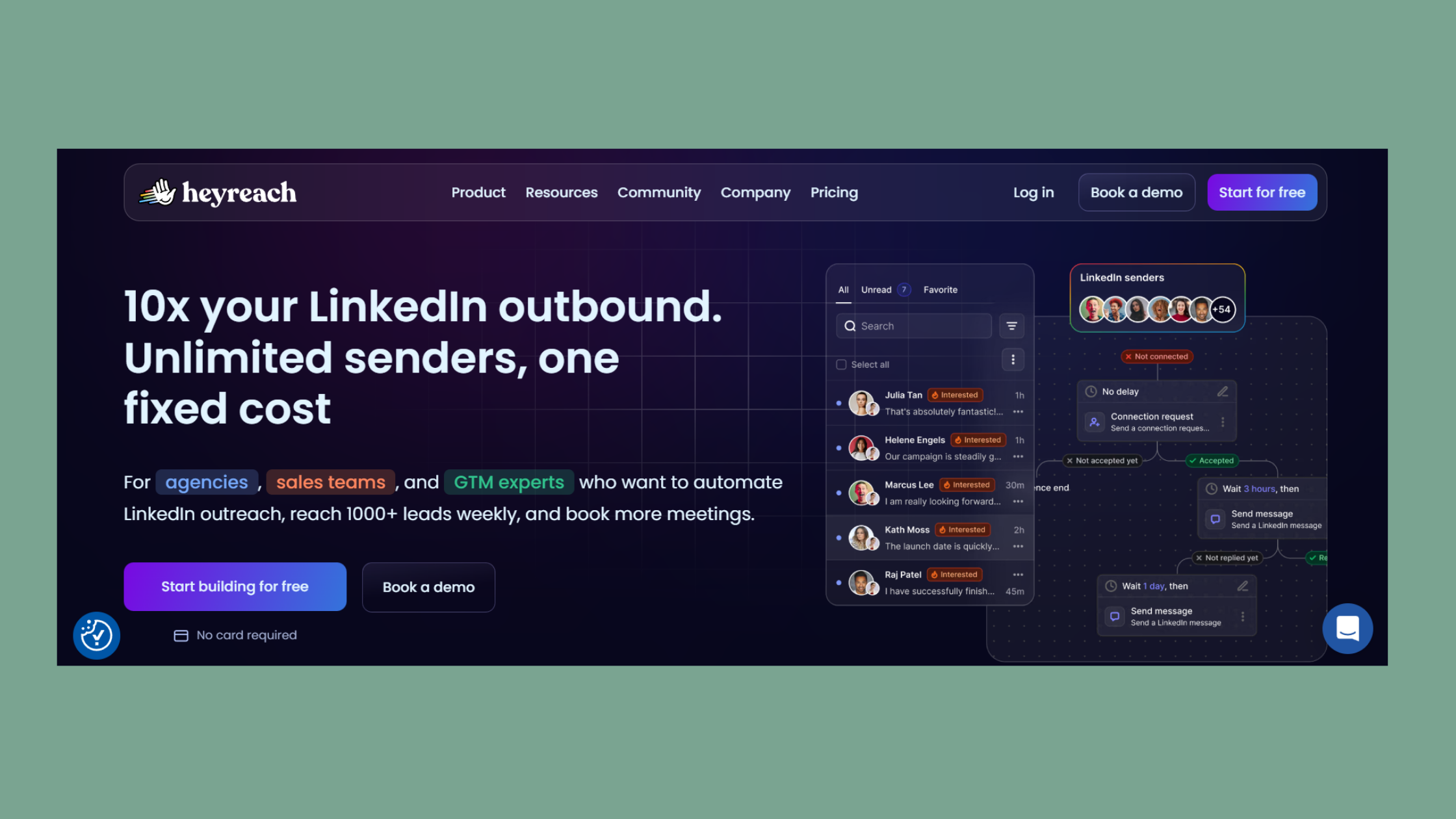
HeyReach is a cloud-based LinkedIn outreach platform built specifically for running connection requests, follow-up sequences, and prospecting campaigns across multiple LinkedIn accounts simultaneously. Multi-account management is the feature that separates it from simpler, single-account tools — an agency can run client outreach across 10, 20, or 50 LinkedIn profiles from one dashboard without logging in and out manually.
At a mechanical level, LinkedIn automation works by rotating sending accounts on a scheduled cadence, throttling connection requests to stay below LinkedIn's detection thresholds, and pushing leads through pre-built messaging pipelines. Think of it as a conveyor belt: each LinkedIn account feeds leads into a sequence, and the tool manages timing so no single account looks suspiciously active.
What HeyReach is not: it is not a post engagement tool, a content booster, or a brand visibility platform. It targets cold outreach and connection volume — which carries a fundamentally different (and higher) risk profile than engagement-focused tools. Readers evaluating it for content reach or audience building are looking at the wrong product category entirely.
How HeyReach Tries to Avoid LinkedIn Detection
HeyReach uses several standard safety mechanisms: dedicated IP addresses per account, randomised action delays between requests, and daily volume caps that stay within LinkedIn's informal tolerance bands. Activity randomisation is the practice of adding variable time gaps between automated actions so the behaviour pattern looks more human. These controls reduce the probability of triggering LinkedIn's bot-detection systems — but they do not eliminate it.
Is HeyReach Safe to Use — and Is LinkedIn Automation Against the Rules?
Is LinkedIn automation against terms of service? Yes — unambiguously. LinkedIn's User Agreement prohibits the use of bots, scrapers, and automated tools to send connection requests or messages without explicit permission. No reputable tool can truthfully claim otherwise, and any vendor marketing their product as "LinkedIn-approved" is being misleading.
The more useful question is relative safety. What makes a LinkedIn automation tool safe in practice comes down to four factors:
- IP isolation — each LinkedIn account runs from a unique, dedicated IP, not a shared pool
- Volume throttling — daily connection requests kept under LinkedIn's informal threshold (generally 20–30/day for newer accounts, up to 50–80/day for established ones)
- Activity randomisation — variable delays between actions to avoid robotic timing signatures
- Content moderation — flagging message sequences that trigger LinkedIn's spam classifiers
HeyReach scores reasonably well on IP isolation and throttling. Its content controls are basic compared to platforms with built-in moderation layers.
According to GigRadar's agency automation analysis, LinkedIn automation tools see 15–45% of accounts restricted within six months, with LinkedIn restricting over one million accounts in 2025 alone. In practice, this means even a well-configured HeyReach setup carries meaningful account risk — particularly for outreach sequences running at the upper end of volume thresholds.
Does HeyReach Get LinkedIn Accounts Banned? What Users Report
The honest answer: yes, it can — and LinkedIn outreach automation risks 2026 are higher than they were two years ago as LinkedIn's detection has improved. User reports cluster around two failure modes: accounts that pushed volume too fast too early, and accounts running identical templated messages across large prospect lists. Teams that hit restrictions were almost universally running above recommended daily limits or skipping the account warm-up phase entirely. HeyReach's safety controls reduce risk; they do not eliminate it.
The distinction between "lower risk" and "safe" is the single most important thing to understand before using any LinkedIn automation tool. Conflating the two is how teams end up losing client accounts.
HeyReach Pricing Plans 2026: What You Actually Pay vs. What You Get

The most common source of frustration in community discussions about HeyReach isn't the product — it's the pricing structure. HeyReach uses a seat-based billing model where cost scales per LinkedIn account connected, not per user logging into the dashboard. A solo founder connecting one LinkedIn profile pays a different rate than an agency connecting 15 client profiles. That distinction catches a significant number of buyers off-guard at checkout.
According to Fuzzy AI's 2026 LinkedIn automation pricing breakdown, reliable LinkedIn automation tools now range from $30–$200+ per seat per month, with the market having matured considerably from the $10–$15 entry tools of earlier years. HeyReach sits in the mid-to-upper range of this band.
Here's how the cost curve looks across three realistic team scenarios:
| Scenario | Accounts Connected | Est. Monthly Cost | Where Sticker Shock Hits |
|---|---|---|---|
| Solo founder | 1 | $59–$99 | High cost for single-account use |
| 5-person sales team | 5 | $295–$495 | Scaling cost hits fast without pipeline to match |
| Outreach agency | 15–20 | $885–$1,980+ | Makes sense only when client retainers offset per-account cost |
The cost-per-connection outreach ROI frame is the right way to evaluate these numbers. If HeyReach costs $300/month for a five-person team and generates 3 booked meetings per month at an average deal value of $5,000, the math justifies itself. If it generates 3 meetings and none convert, it does not. The benchmark question to ask before purchasing: what does each dollar of HeyReach spend need to return in booked pipeline to break even?
Seat-Based vs. Usage-Based Billing: Which Model Suits Your Team Size?
Seat-based billing — paying per LinkedIn account connected — rewards volume and penalises cautious use. Small teams running 1–3 accounts rarely get full value from a seat-based tool. Usage-based billing (paying per action, message, or connection sent) suits unpredictable or low-volume users better, but fewer enterprise-grade tools use it. For a team seat scaling cost curve: HeyReach's model becomes financially rational at roughly 5+ accounts, where the per-account cost amortises across meaningful outreach volume.
HeyReach vs. Expandi vs. Lemlist: Which Safe LinkedIn Automation Tool Wins in 2026?
Teams that consistently get value from LinkedIn automation tools share one trait: they match the tool's architecture to their specific use case before signing up. Here's how the three leading options compare on the dimensions that actually matter:
| Tool | Best For | Multi-Account | Safety Architecture | Starting Price |
|---|---|---|---|---|
| HeyReach | Agencies, parallel outreach | ✅ Native | Dedicated IPs, volume caps | ~$59–$99/seat/mo |
| Expandi | Solo users, safety-first | Limited | Strong per-account controls | ~$99/seat/mo |
| Lemlist | Email + LinkedIn multichannel | Via email sequences | Moderate | ~$59/seat/mo |
HeyReach's clearest differentiator is native multi-account LinkedIn management at the agency level — this is where HeyReach vs Expandi diverges most sharply. Expandi is built around protecting a single account's health; HeyReach is built around running many accounts simultaneously. HeyReach vs Lemlist LinkedIn is a different comparison: Lemlist wins when email is the primary channel and LinkedIn is supplementary; HeyReach wins when LinkedIn outreach is the primary motion.
For the best safe LinkedIn automation tools 2026, the use-case map is clear:
- HeyReach — agencies and SDR teams running parallel LinkedIn outreach at scale
- Expandi — individual users who prioritise account safety over outreach volume
- Lemlist — teams running multichannel sequences where email does the heavy lifting
For reviews of other tools in this space, the 2026 LinkedIn automation software comparison covers the broader landscape in detail.
When Should You Use LinkedIn Outreach Automation — and When Should You Not?
Automation makes sense when you have a validated message sequence, a defined ICP (ideal customer profile), and an established LinkedIn account with genuine history. It does not make sense for brand-new profiles, untested messaging, or anyone whose LinkedIn presence is their primary professional asset. The most common failure mode is teams deploying automation before validating the offer manually — automating a message that doesn't convert at low volume produces the same result at high volume, just faster and at greater account risk.
Want LinkedIn Visibility Without the Outreach Risk?
HyperClapper boosts post engagement through real community channels — no cold outreach, no account risk, no TOS exposure.
See How HyperClapper WorksHeyReach Review 2026: Is It Worth It for Agencies and Sales Teams?
For HeyReach agency LinkedIn outreach, the verdict is conditional but genuinely positive: if you are an agency billing clients for LinkedIn outreach services, HeyReach's multi-account architecture pays for itself once you're managing five or more client profiles. The per-account cost amortises against client retainer revenue, the sequence builder is solid, and the IP isolation is better than most tools in its tier. The maths simply doesn't work for solo users or small teams with one or two accounts.
The genuine limitations deserve equal weight:
- TOS exposure is real — HeyReach reduces risk but cannot eliminate it. Losing a client's account is a business liability, not just a technical inconvenience.
- No built-in post engagement or content visibility features — HeyReach is outreach-only. Teams that need inbound pull from content need a separate solution.
- Cost at scale compounds quickly — the team seat scaling cost curve steepens at 10+ accounts without a clear ROI model in place.
The HeyReach review worth it answer for sales teams: yes, when outreach is systematic and the ICP is well-defined. No, when the team is still figuring out what message resonates — automation before validation is expensive and risky.
Teams that need LinkedIn visibility — not just outreach volume — should seriously consider pairing or replacing HeyReach with a post engagement tool. HyperClapper operates through real community engagement channels (not cold outreach automation), which means it sits entirely outside the LinkedIn TOS risk profile that tools like HeyReach carry. For a full comparison of safe alternatives, the 2026 LinkedIn automation safe growth blueprint is worth reading alongside this review.
The teams getting the best long-term results from LinkedIn in 2026 are not choosing between outreach and content — they are treating outreach as the spike and content engagement as the compounding baseline. Neither alone is enough.
Also worth reviewing: the We Connect safe LinkedIn outreach review, the LinkBoost 2026 review, and the Salesflow outreach review for side-by-side tool comparisons.
✓ LinkedIn Automation Safety Checklist
- ☐Account is at least 90 days old with organic posting history
- ☐Profile has 500+ connections before automation starts
- ☐Daily connection requests capped at 20–30/day for the first 30 days
- ☐Message sequences validated manually before automation begins
- ☐Dedicated IP assigned per LinkedIn account (not shared pool)
- ☐Activity randomisation enabled — no fixed-interval sending
- ☐ROI model defined: cost per seat vs. expected pipeline value
Frequently Asked Questions About HeyReach and LinkedIn Automation Safety
Is HeyReach a safe tool for LinkedIn outreach in 2026?
HeyReach is one of the safer options in its category, using dedicated IPs, volume throttling, and activity randomisation to reduce detection risk. But no LinkedIn automation tool is fully safe — LinkedIn's TOS prohibits automation, and restrictions are a real risk. Established accounts running conservative volume see lower ban rates than new or thin profiles.
What are the risks of using LinkedIn automation software like HeyReach?
The primary risks are account restriction or permanent ban, damage to professional reputation from spam-flagged messages, and violation of LinkedIn's Terms of Service. According to GigRadar, 15–45% of automated accounts face restrictions within six months. Messaging quality and volume discipline are the two biggest controllable risk factors.
How does HeyReach keep LinkedIn accounts safe from bans?
HeyReach assigns dedicated IP addresses per account, randomises action timing to mimic human behaviour, and enforces daily volume caps on connection requests and messages. These controls significantly reduce the likelihood of triggering LinkedIn's bot-detection algorithms — but they do not guarantee immunity from restrictions, particularly on high-volume or newer accounts.
Is paying for HeyReach worth it compared to free LinkedIn outreach methods?
For agencies managing multiple client accounts, yes — the time savings and multi-account management justify the cost when retainer revenue offsets the per-seat pricing. For solo users or early-stage founders with a single account, free or very low-cost manual outreach is safer and more economical until the volume genuinely requires automation.
Which LinkedIn outreach tool is safest to use without getting banned?
No tool guarantees zero ban risk. Among the leading options, Expandi is widely regarded as the most cautious single-account tool due to its per-account IP isolation and conservative default limits. HeyReach is safest at the agency multi-account level. The safest approach overall is pairing any outreach tool with genuine organic activity and conservative volume settings.
What is LinkedIn automation, and is it against LinkedIn's terms of service?
LinkedIn automation is software that performs repetitive LinkedIn actions — connection requests, follow-up messages, profile visits — automatically, without manual input. Yes, it broadly violates LinkedIn's Terms of Service, which explicitly prohibit bots and automated tools. All mainstream automation tools operate in this grey zone; none are officially permitted by LinkedIn.
What is the cheapest LinkedIn automation tool available in 2026?
According to Botdog's 2026 tool analysis, Linked Helper starts at $8.25/month on annual billing, making it the lowest-cost credible option. Entry-level tools with basic sequencing start around $30–$59/month. Cheaper tools typically trade safety controls, support quality, or multi-account capability for the lower price — a trade-off worth understanding before purchasing.



