
A pattern observed consistently across Cleverly reviews is that users don't leave because the platform is broken — they leave because it stops fitting their growth stage. Cleverly is a managed LinkedIn outreach service that pairs automation with human copywriters: it handles your prospect list, message sequences, and follow-up drips, then hands warm leads to your sales team. For founders with no SDR capacity, that's genuinely useful. But as accounts scale, the managed model creates friction — pricing climbs per seat, sequence control is limited, and content-driven visibility gets ignored entirely. That's when users start searching for a better linkedin automation tool — and the patterns of where they land reveal a lot about what LinkedIn lead generation actually requires in 2026.
- Cleverly is a managed service, not self-serve software — this distinction explains most of the complaints in user reviews.
- Pricing vs. ROI is the #1 cancellation driver: many users pay $500–$1,500/month without predictable pipeline returns.
- Power users migrate toward either deep self-serve automation (Expandi, Dripify) or engagement-first platforms (HyperClapper) after leaving.
- Cold outreach alone has declining reply rates — personalized messages get ~9.66% replies vs. 5.44% for generic templates, per Dux-Soup data.
- The most overlooked alternative: engagement pod platforms that drive inbound visibility rather than cold connection volume.
- The right switch depends on your bottleneck — outreach volume, content visibility, or account safety all point to different tools.
- What Cleverly Actually Is and How Its LinkedIn Lead Generation Works
- Cleverly Reviews Aggregated: What Real Users Praise and What Frustrates Them
- Cleverly vs. the Field: Expandi, Dux-Soup, SalesFlow, and More
- What Power Users Actually Switch To After Leaving Cleverly
- Risks, Limitations, and Common Mistakes When Using LinkedIn Outreach Tools
- How to Choose the Right LinkedIn Tool for Your Use Case in 2026
- Frequently Asked Questions About Cleverly and LinkedIn Automation
What Cleverly Actually Is and How Its LinkedIn Lead Generation Works
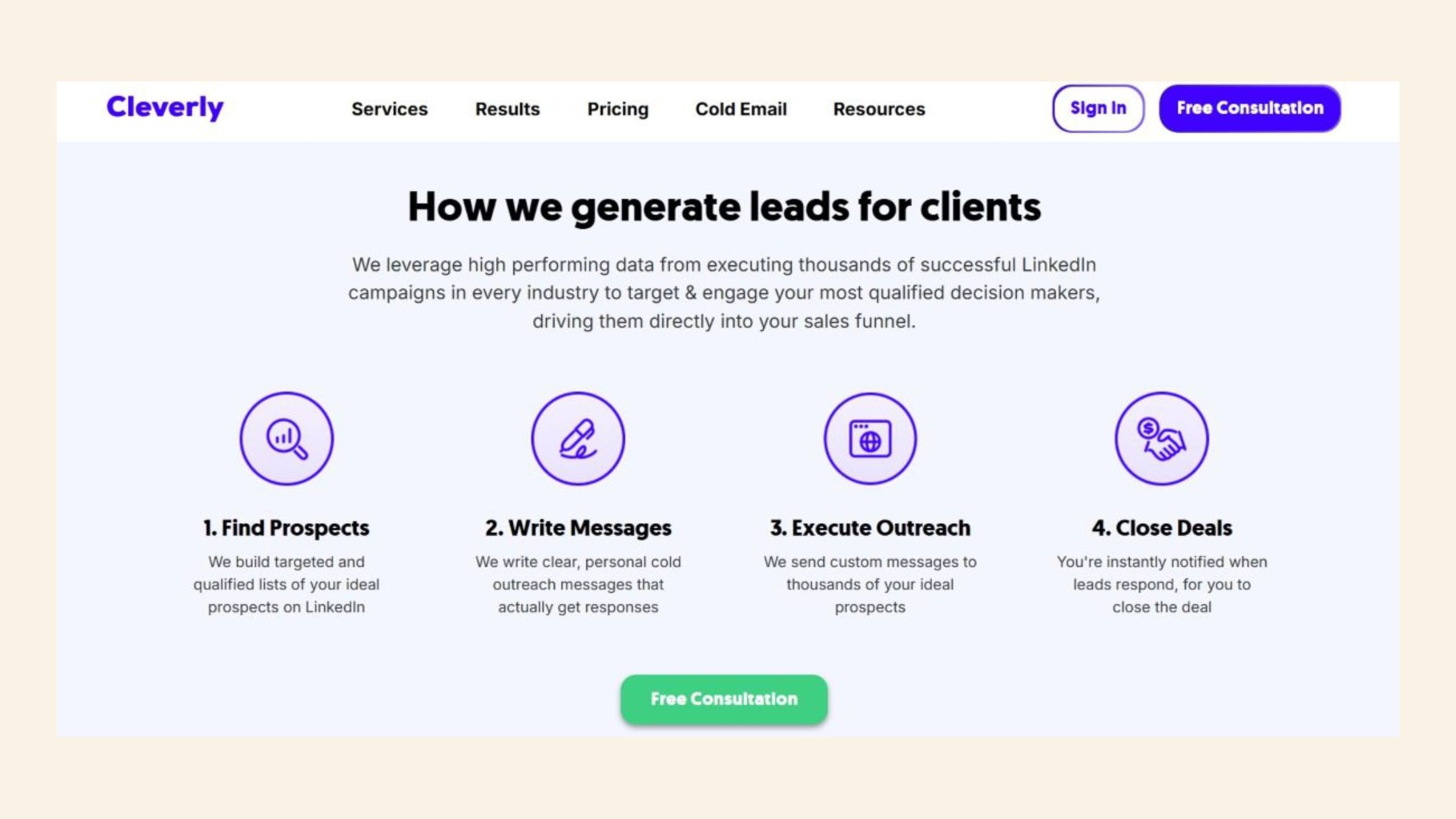
Cleverly operates as a done-for-you LinkedIn outreach agency, not a software tool you log into and configure yourself. That distinction matters more than any feature comparison. When you sign up for a Cleverly LinkedIn lead generation review, you're evaluating a service business — not a SaaS product — and many user complaints only make sense once you understand that architecture.
LinkedIn Outreach Sequencing Inside Cleverly's System
LinkedIn outreach sequencing is the process of sending a structured series of connection requests, follow-up messages, and value-add touchpoints to prospects over time. Inside Cleverly's system, this sequence is built and managed by their team — you provide your ICP (ideal customer profile) and approved messaging, and they run the campaigns on your behalf through a cloud-based LinkedIn account layer.
The core workflow follows four stages:
- Prospect list building — Cleverly's team pulls leads using LinkedIn Sales Navigator filters based on your ICP criteria.
- Personalized connection request sequences — crafted by their copywriters, sent at platform-safe daily limits.
- Follow-up message drips — 2–4 touchpoints after connection acceptance, designed to move prospects toward a call.
- Lead handoff — warm replies are flagged and forwarded to your sales team to close.
Understanding this managed-service model is the critical context before evaluating any Cleverly complaint or comparing it to self-serve tools like Expandi or dux-soup. Most negative reviews aren't describing a broken tool — they're describing a mismatch between what a managed service delivers and what a power user actually needs.
Cleverly Reviews Aggregated: What Real Users Praise and What Frustrates Them
The clearest picture of a platform comes not from its homepage but from the patterns that repeat across independent reviews — and Cleverly reviews show a surprisingly consistent split between who it serves well and who churns within 90 days.
Is Cleverly Worth It? Pricing vs. ROI Breakdown
Cleverly pricing worth it is the most searched qualifier attached to the brand — and for good reason. Cleverly's plans typically start around $397/month for basic outreach and climb toward $1,497/month for higher-volume campaigns with dedicated management. For a founder sending 200–400 connection requests per month with no internal sales development resources, the done-for-you model can justify that cost if even one or two deals close. In practice, though, ROI depends almost entirely on ICP clarity and message quality — two variables that users often blame Cleverly for, even when the underlying issue is a poorly defined target audience.
Teams that invest time defining their ICP before onboarding consistently see better results. Teams that hand off a vague brief and expect Cleverly's copywriters to figure it out tend to generate the loudest complaints.
According to Dux-Soup's 2026 analysis, personalized messages generate reply rates of up to 9.66%, compared to 5.44% for generic templates, with connection acceptance rates of 45% for tailored outreach. This means that Cleverly's copywriting quality is the single largest ROI lever — which is precisely where the most frustrating complaints emerge.
Why Do Users Cancel Cleverly? The Patterns Behind Churn
What are the biggest complaints about Cleverly — and more importantly, what do they have in common? After aggregating community discussions and review patterns, three themes repeat:
- Cost-to-result ratio: At $500–$1,500/month, users expect a predictable lead pipeline. When months pass without qualified replies, the math breaks fast.
- Slow copy iteration cycles: Unlike self-serve tools where you can change a message in minutes, Cleverly revisions go through a human team — turnaround of several days frustrates users who want to test rapidly.
- Limited targeting control: Cleverly relies on Sales Navigator filters, which have well-documented accuracy issues. One community member on Quora noted that Sales Navigator lead lists showed roughly a 33% accuracy rate — meaning nearly one in three contacts didn't match the intended ICP.
Why do users cancel Cleverly? Most commonly: they hit the 90-day mark, haven't closed enough deals to justify the recurring cost, and decide to either run outreach themselves or switch to a self-serve platform where they have direct control.
The most common failure mode isn't that Cleverly delivers zero results — it's that results arrive too slowly, at a cost that compounds faster than the pipeline it generates.
Cleverly vs. the Field: How It Compares to Expandi, Dux-Soup, SalesFlow, and More
This is where most articles go wrong: they compare Cleverly to self-serve tools as if they're equivalent products. They aren't. A more useful LinkedIn outreach automation tools comparison maps each platform to the use case it actually fits.
| Tool | Best For | Pricing (approx.) | Agency Multi-Seat | Self-Serve Control |
|---|---|---|---|---|
| Cleverly | Founders with no SDR team | $397–$1,497/mo | Expensive per seat | Limited — managed |
| Expandi | Advanced outreach sequences | ~$99/mo/seat | Yes, agency plans | High — full control |
| Dripify | Teams needing drip automation | $39–$79/mo | Yes | High |
| Dux-Soup | Budget-conscious prospecting | $14.99–$55/mo | Limited | Medium |
| SalesFlow | Agency-scale multi-account | $99–$150/mo | Yes | High |
| HyperClapper | Creators, founders, content-led growth | Flexible plans | Yes | Engagement-first model |
Cleverly vs Expandi: Automation Depth and Safety
Cleverly vs Expandi is the comparison that comes up most often among power users evaluating a switch. Expandi operates as a cloud-based self-serve platform — you build your own sequences, set your own daily limits, and A/B test copy without submitting a revision request to a human team. That flexibility is exactly what Cleverly's managed model sacrifices in exchange for done-for-you convenience.
On LinkedIn account safety limits — the daily thresholds LinkedIn uses to detect and restrict automated behaviour — Expandi has built-in rate controls and randomisation that mimic human behaviour patterns more granularly than Cleverly's managed approach. Neither is immune to LinkedIn restrictions, but Expandi gives users direct control over the safety parameters.
Cleverly vs SalesFlow and Other Cleverly Alternatives for B2B Outreach
Cleverly vs SalesFlow represents a different trade-off: SalesFlow is built specifically for agencies managing multiple client accounts, with white-label features and per-seat economics that scale more favourably than Cleverly's pricing model. The Cleverly alternative for B2B outreach that makes most sense depends on seat count — for 1–2 accounts, the gap narrows; for 10+ client accounts, SalesFlow or Expandi's agency plans are structurally more cost-effective.
Does Cleverly work for high-volume B2B outreach? Technically yes — but its managed pacing and per-seat economics create a ceiling. Agencies handling 400–500 prospects per client per month (a figure cited in practitioner Reddit discussions) consistently report that self-serve tools deliver better economics at that volume.
Now that the comparison landscape is clear, the more useful question is where users actually land after they've made the switch.
What Power Users Actually Switch To After Leaving Cleverly
The migration pattern among users leaving Cleverly splits into two distinct paths — and which path someone takes reveals what their actual LinkedIn bottleneck is.
Path 1 — Self-serve outreach platforms: Users who were primarily frustrated by slow iteration cycles and limited sequence control move to tools like dripify, Expandi, or linkedin helper. Dripify is a LinkedIn automation platform focused on drip campaign sequencing with team features. LinkedIn Helper is a browser-based automation tool for managing connection requests and message sequences. These tools handle the linkedin automation tool for lead generation use case with full user control — you own every variable.
Path 2 — Engagement-first platforms: A growing segment — particularly founders, coaches, and content-led sales teams — makes a less obvious move. Rather than replacing cold outreach with more cold outreach, they shift toward platforms that amplify post visibility and drive inbound interest. This is where tools like HyperClapper enter the picture.
HyperClapper as an Engagement-Led Alternative for LinkedIn Visibility
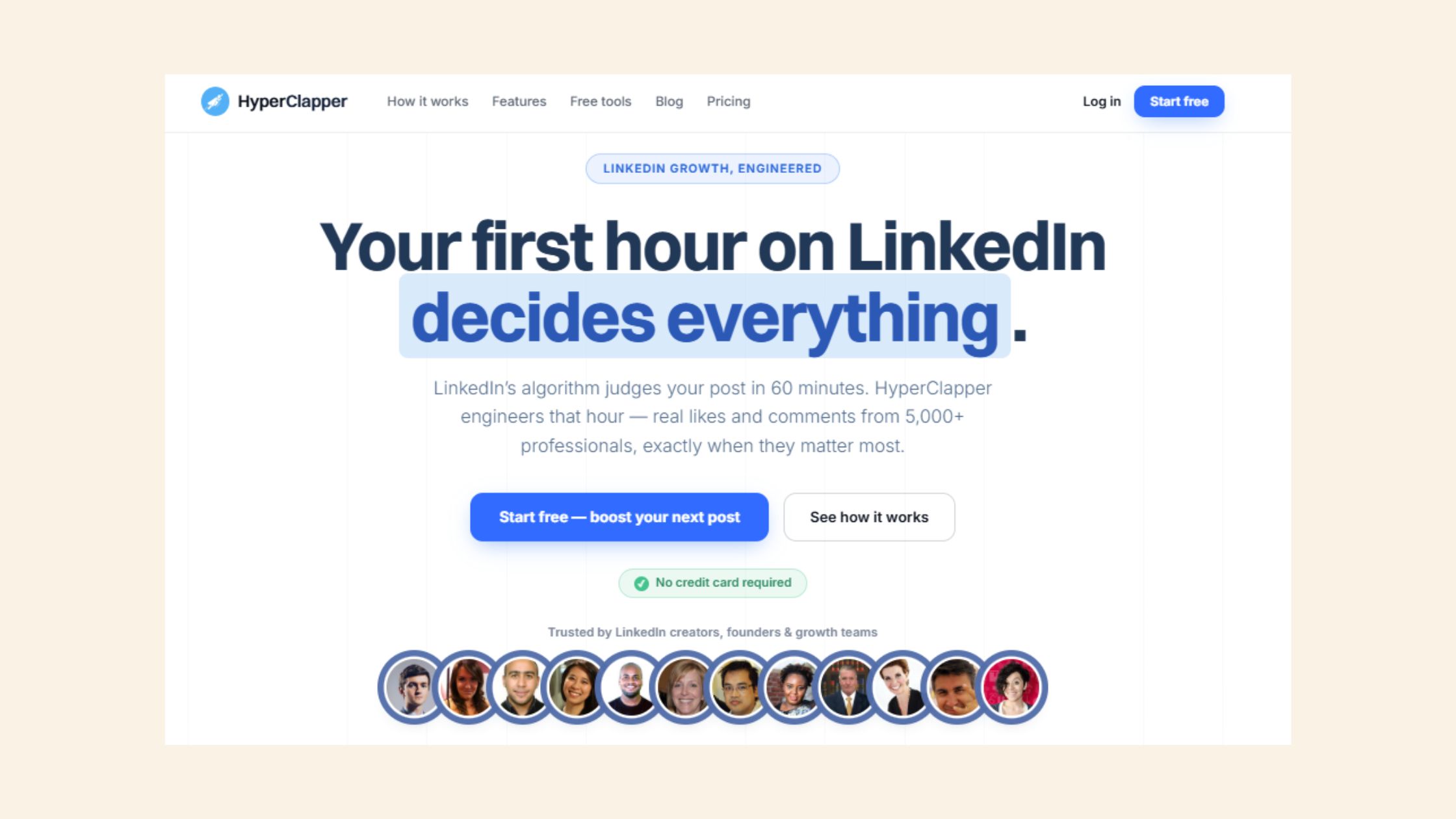
Engagement pod platform is a category that describes tools connecting users in groups who engage with each other's content, amplifying reach through LinkedIn's own algorithm rather than through outbound messages. HyperClapper operates on this model — but with meaningful differentiators that separate it from older pod tools like Lempod or LinkBoost.
For creators, founders, and agencies running content-led growth, the core mechanics work like this: you submit a LinkedIn post, choose your channels (each channel represents roughly 50 possible engagements from real users), and the platform delivers real likes and comments — not bot activity. HyperClapper also adds AI-powered replies that keep conversation threads active, which directly signals depth to LinkedIn's distribution algorithm.
What separates top performers who use engagement tools from those who don't is that they understand the LinkedIn algorithm visibility signals at play: early engagement velocity, comment depth, and sustained interaction all feed into how broadly LinkedIn distributes a post. Cold outreach ignores this entirely — engagement platforms exploit it directly. For professionals comparing Lempod alternatives or those switching from LinkBoost, HyperClapper's real-user engagement model and Content Guard moderation system represent a measurable improvement in both safety and output quality.
Want real LinkedIn engagement without cold outreach fatigue?
HyperClapper connects you with real engagement channels — not bots — so your posts get seen by the right people organically.
Explore HyperClapperRisks, Limitations, and Common Mistakes When Using LinkedIn Outreach Tools
Every linkedin automation tool — including Cleverly, Expandi, Dripify, and the dux soup linkedin automation tool — carries the same fundamental risk: triggering LinkedIn's spam detection and losing account access. The platform has become significantly more aggressive about restrictions since 2023, and the tactics that worked two years ago now cross safety thresholds routinely.
The most common mistakes power users make when deploying any LinkedIn outreach tool:
- Skipping account warm-up — running full outreach sequences from a new or recently reactivated LinkedIn account triggers restriction flags within days. A 2–4 week warm-up period with gradually increasing daily actions is standard practice.
- Scaling generic copy — sending the same message template to thousands of contacts. As the Dux-Soup data above shows, personalised messages outperform generic ones by nearly 2x on reply rate — scaling the wrong message just means failing faster.
- Ignoring engagement metrics in favour of raw connection volume — a 500-connection week with zero replies is a warning signal, not a success metric.
B2B Social Selling Workflow: Balancing Outreach and Engagement
B2B social selling workflow is the integrated approach of combining outbound prospecting with inbound content visibility — rather than treating LinkedIn as a pure cold-outreach channel. Treating LinkedIn as only an outreach channel while neglecting content and LinkedIn algorithm visibility signals is a strategic mistake that compounds over time: cold outreach reply rates are declining industry-wide as inboxes saturate, while content-driven inbound leads arrive already warmed to the brand.
The practitioners who see the strongest LinkedIn pipeline in 2026 run both in parallel: a self-serve outreach tool for targeted cold outreach, and an engagement platform to build the content authority that makes those cold messages land in a warmer context. For more context on how this integrated approach compares across tool categories, see this analysis of smarter LinkedIn outreach methods.
✓ The LinkedIn Outreach Safety Checklist
- ☐Warm up new accounts for 2–4 weeks before running full sequences
- ☐Stay under 100–150 connection requests per week per account
- ☐Personalise at least the first line of every outreach message
- ☐Monitor reply rate weekly — below 3% signals a messaging problem, not a volume problem
- ☐Pair outreach sequences with active content publishing (2–3x/week minimum)
- ☐Use an engagement platform to amplify content visibility alongside cold outreach
- ☐Review Sales Navigator filter accuracy against actual connection profiles monthly
How to Choose the Right LinkedIn Tool for Your Use Case in 2026
Given the sheer volume of options — Clearout's 2026 roundup identifies over 12 distinct tools by use case — the clearest decision filter isn't feature lists. It's identifying your primary bottleneck first.
- Best for founders with no SDR team → Cleverly — done-for-you saves time, if your ICP is well-defined
- Best for self-serve outreach at scale → Expandi or Dripify — full sequence control, agency-friendly pricing
- Best for budget-conscious prospecting → dux-soup or LinkedIn Helper — lower cost, solid basics
- Best for content-led inbound growth → HyperClapper — real engagement channels, AI replies, safer LinkedIn visibility
- Best for agencies managing 10+ client seats → SalesFlow or Expandi agency plans — economics work at scale
The The Outreach-First vs. Engagement-First Framework is the most useful mental model for this decision. Most LinkedIn tools fall clearly into one category:
- Outreach-first tools (Cleverly, Expandi, Dripify, Dux-Soup, SalesFlow) — generate pipeline through cold connection sequences. Measured in reply rate and meetings booked.
- Engagement-first tools (HyperClapper) — generate pipeline through post visibility, content authority, and inbound interest. Measured in profile views, post reach, and inbound DM quality.
A recurring pattern among professionals trying to scale LinkedIn is that they default to outreach-first tools because cold outreach feels more controllable. But as their network grows and their content improves, engagement-first platforms compound in value — because each high-visibility post reaches connections who already chose to follow them.
Agency buyers should add a third filter: multi-seat economics and white-label features. This is where Cleverly loses most agency clients — its managed model doesn't allow white-labelling, and its per-client pricing doesn't scale to 10+ seats. For agencies that have already explored similar transitions, the patterns seen in sales team tool migrations are instructive.
For professionals committed to linkedin tools for lead generation that work both now and at scale, the answer in 2026 is increasingly a paired stack: a self-serve outreach tool for cold pipeline, and an engagement platform for content-driven visibility. Neither alone covers the full funnel.
For content creators and founders focused on LinkedIn visibility, HyperClapper is the strongest choice.
Real community engagement, AI-powered replies, and analytics — built for sustainable LinkedIn growth without cold outreach risk.
Start Growing on LinkedInFrequently Asked Questions About Cleverly and LinkedIn Automation
What do most Cleverly users switch to after canceling their subscription?
Most Cleverly users switch to one of two categories: self-serve outreach tools like Expandi or Dripify (for more sequence control at lower cost), or engagement-first platforms like HyperClapper (for content visibility and inbound pipeline). The split depends on whether their primary frustration was pricing, lack of control, or poor results from cold outreach alone.
What are the most common reasons power users leave Cleverly?
The three patterns that repeat most often are: high monthly cost relative to pipeline generated, slow copy revision cycles through a managed team, and limited control over targeting and sequence logic. Power users who need rapid A/B testing or multi-account management hit Cleverly's structural limits quickly — it's a managed service, not a self-serve tool.
Is Cleverly a good LinkedIn automation tool for scaling agencies?
Cleverly is not well-suited for agencies managing 10+ client accounts. Its managed model lacks white-label features, and per-seat pricing becomes prohibitive at scale. Agency-focused alternatives like SalesFlow, Expandi agency plans, or a paired stack with HyperClapper for content visibility offer better economics and control for multi-client management.
Which LinkedIn lead generation tool is better than Cleverly for advanced users?
For outreach depth, Expandi and Dripify outperform Cleverly for advanced users — both offer cloud-based operation, full sequence control, and agency-friendly pricing. For engagement-led growth, HyperClapper outperforms Cleverly by targeting LinkedIn's algorithm directly through real community engagement and AI-powered post replies rather than cold connection requests.
Is Cleverly worth it for LinkedIn lead gen if you're just starting out?
Cleverly can work for early-stage founders with a clear ICP and no internal SDR capacity — the done-for-you model removes setup friction. However, if budget is a constraint or you want to learn what messaging resonates before outsourcing it, a self-serve tool like Dripify or a free linkedin automation tool trial is a lower-risk starting point.
How does Cleverly compare to Expandi or Dux-Soup on LinkedIn account safety?
All three carry LinkedIn restriction risk if daily action thresholds are exceeded. Expandi has more granular safety controls — randomised timing, daily limit caps, cloud-based operation — giving users direct control. The dux soup linkedin automation tool runs as a browser extension, which carries a different risk profile. Cleverly's managed team controls pacing, but users have no direct visibility into what daily limits are being applied to their account.
What is a free linkedin automation tool worth trying before committing to a paid plan?
Most paid tools offer free trials rather than permanently free tiers. Dux-Soup offers a free plan with basic functionality. LinkedIn Helper has a trial period. For engagement-first approaches, HyperClapper's entry-level options let you test real community engagement before scaling. Starting with a trial rather than a monthly commitment is the consistently smarter entry point.
What consistently separates accounts that generate real inbound pipeline from accounts that only generate outreach volume is not any single tool — it is the combination of targeted cold sequences and high-visibility content running in parallel. Accounts that get both right compound their results. Accounts that rely on cold outreach alone typically plateau as inbox saturation climbs and reply rates fall.



