
Chili Piper is an inbound lead conversion and meeting scheduling automation platform built for B2B revenue teams — not a general scheduling app, and definitely not a LinkedIn tool out of the box. A pattern observed across hundreds of B2B SaaS evaluations is that teams buy Chili Piper expecting a smarter Calendly and discover a complex revenue operations platform that demands real setup investment. This Chili Piper review 2026 cuts through the noise: what it actually does, what it costs per seat, where it earns its price tag, and where it doesn't — so you can make a use-case-specific call rather than a vendor-sales-call one.
- Who it's for: Mid-market and enterprise B2B teams with 10+ reps, high inbound volume, and HubSpot or Salesforce as their CRM.
- What you'll learn: Exact 2026 pricing per seat, ROI math, real user complaints, integration gaps, and how it compares to Calendly.
- Why it matters: Chili Piper's modular pricing compounds fast — teams under 5 reps often overpay for features they'll never use.
- Biggest gap: There is no native LinkedIn integration — using it effectively with LinkedIn requires a manual workflow.
- Counterintuitive finding: For LinkedIn-first outreach teams, a combination of HyperClapper (visibility) + Chili Piper booking links often outperforms either tool alone.
- Verdict preview: Worth it above ~$50K inbound pipeline/month; questionable below that threshold.
- What Is Chili Piper and Who Is It Actually Built For?
- Chili Piper Features Breakdown: What You're Actually Paying For
- Chili Piper Pricing 2026: Exact Per-Seat Costs and What Gets Expensive Fast
- Chili Piper's Biggest Drawbacks: What Real Users Complain About
- Chili Piper Integrations: HubSpot, Salesforce, and the LinkedIn Gap
- Chili Piper vs Calendly 2026 — and Other Alternatives Worth Considering
- Chili Piper for LinkedIn Power Users: Practical Setup and Workflow
- Frequently Asked Questions About Chili Piper in 2026
According to TrustRadius verified user data, teams that fully implemented Chili Piper saw their no-show rate drop nearly 40% and were able to schedule twice as many meetings at a faster rate. According to Abmatic AI's 2026 cost analysis, base contracts run $15,000–$80,000 annually depending on seat count and product mix — a range wide enough to mean very different things for a 5-person startup vs. a 50-rep enterprise team.
What Is Chili Piper? And Who Is It Actually Built For?
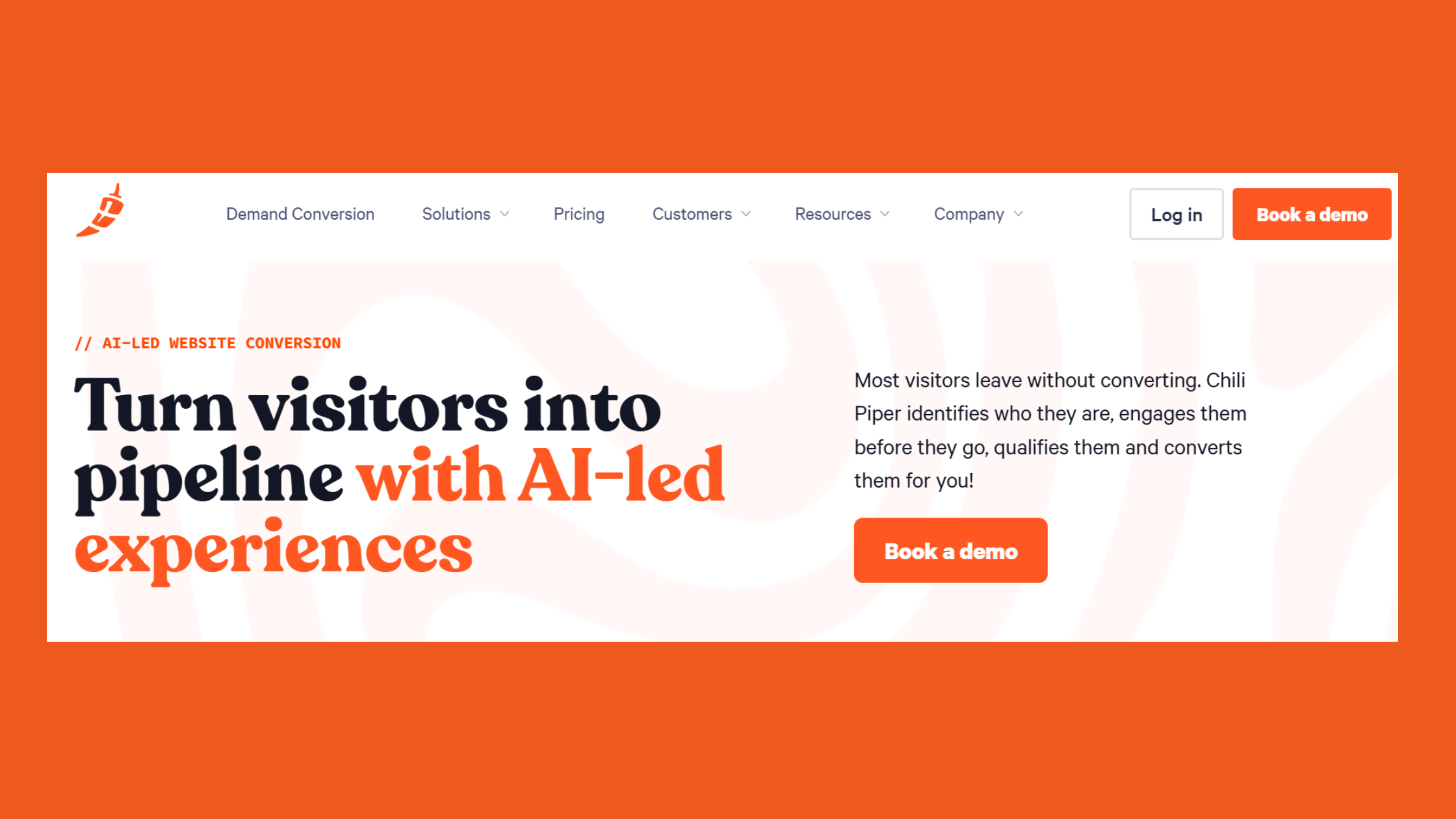
Chili Piper is an inbound lead conversion platform — software that intercepts a prospect at the moment of peak interest (a form fill, a link click, a reply to an outreach sequence) and books a qualified meeting instantly, without the "I'll send you a calendar link" delay. The inbound lead conversion rate is the metric it's built to move: specifically, the percentage of inbound inquiries that convert into booked, attended sales meetings.
Its ideal user is specific. This is not a solo founder's scheduling tool. Chili Piper is built for:
- RevOps teams managing routing logic across 10+ reps with territory, account, or round-robin assignment rules
- Marketing teams running high-volume inbound campaigns where every lead needs instant response
- Sales ops professionals working inside HubSpot or Salesforce who need bidirectional CRM sync
- SDR/AE-split organisations where meeting handoffs between roles create pipeline leakage
It is not a LinkedIn outreach tool by default, and understanding that distinction upfront saves buyers from a costly product mismatch. Teams evaluating it primarily for LinkedIn prospecting workflows will need to build manual bridges — more on that in the LinkedIn workflow section.
How Chili Piper Works: The Core Mechanism
Think of Chili Piper as a traffic controller sitting between your web forms and your sales reps' calendars. When a prospect submits a form, Chili Piper's form concierge routing logic fires: it enriches the lead against connected data providers, evaluates routing rules (territory, account match, rep availability, deal size), and presents a real-time booking experience — all before the prospect leaves the page. The entire flow takes under 30 seconds for the prospect and zero manual action from the rep.
That instant-response mechanic is the core value driver. The longer a lead waits after submitting a form, the lower the conversion probability — a well-documented pattern in B2B sales. Chili Piper's pitch is that it eliminates the sales velocity bottleneck created by async scheduling entirely.
Chili Piper Features Breakdown: What You're Actually Paying For
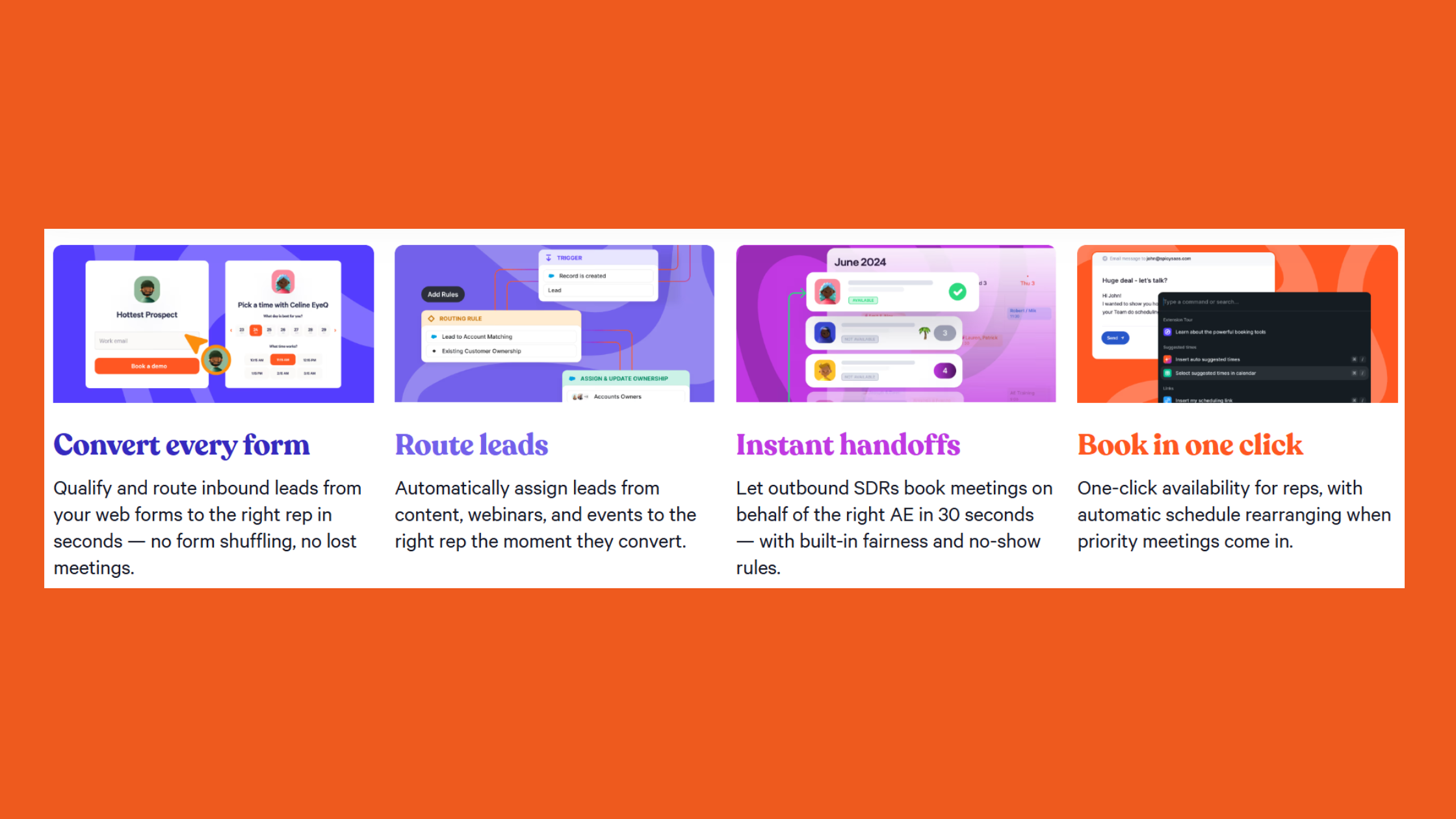
Four distinct products make up the Chili Piper suite — and this modular structure is both its strength and the source of most buyer frustration when it comes to Chili Piper features and pricing.
- Concierge: Form-to-meeting conversion. Embed on any landing page; qualifies and books instantly.
- Distro: Lead routing and distribution engine. Round-robin, territory-based, account-matched, and custom-rule assignment.
- Handoff: SDR-to-AE meeting passing with context transfer — prevents the "who owns this meeting?" confusion.
- Demand Conversion: Full-funnel orchestration combining the above with workflow automation triggers.
Standout features worth calling out individually:
- No-show reduction workflows — automated reminder sequences via email and SMS
- Multi-timezone scheduling — auto-detects prospect timezone at booking
- Meeting type templates — pre-configured duration, buffer time, and confirmation copy per meeting type
- Embedded booking links — for email sequences, LinkedIn DMs, and Sales Navigator InMail
- Lead enrichment at form fill — pulls ZoomInfo, Apollo, Lusha, or LeadIQ data to qualify before routing
According to Chili Piper's own data, around 84% of inbound prospects can be enriched via connected data providers at the moment of form submission — which means routing decisions happen on real firmographic data, not just whatever the lead typed in the name field.
The most overlooked Chili Piper feature is not routing — it's the enrichment layer. Teams that connect ZoomInfo or Apollo at the form level stop routing junk leads to senior AEs entirely, which is where the real rep-time savings compound.
Chili Piper Lead Routing Setup: How Distro and Concierge Work Together
The Chili Piper lead routing setup is where most teams either unlock the platform's full value or get stuck for weeks. Distro handles the assignment logic — which rep gets which lead and why. Concierge handles the booking experience — what the lead sees and clicks. Together, they create a flow where a lead submits a form, Distro decides instantly which rep gets it, and Concierge presents only that rep's available times. No manual handoff. No 24-hour response lag.
The setup complexity scales with rule complexity. A simple round-robin for one team configures in under an hour. Territory-based routing with account-matched fallback rules and overflow logic for rep absence can take days and requires someone who understands both the CRM data model and Chili Piper's rule builder interface.
Using Chili Piper for LinkedIn Outreach: What's Possible and What's Not
Chili Piper for LinkedIn outreach is a manual play, not a native integration. There is no LinkedIn plugin, no Sales Navigator data pull, and no LinkedIn form trigger. What is possible: generating a personal booking link with a custom meeting type and embedding it in LinkedIn DMs, connection acceptance messages, or InMail sequences. What's not: automated routing from LinkedIn activity, LinkedIn-attributed pipeline in the CRM without manual UTM tagging, or any form of LinkedIn profile enrichment at booking.
Teams that do this well treat the Chili Piper link as the conversion endpoint in a LinkedIn sequence — not as the sequence itself. The LinkedIn work (visibility, warm-up, outreach) happens in LinkedIn; the booking link closes the loop.
Chili Piper Pricing 2026: Exact Per-Seat Costs and What Gets Expensive Fast
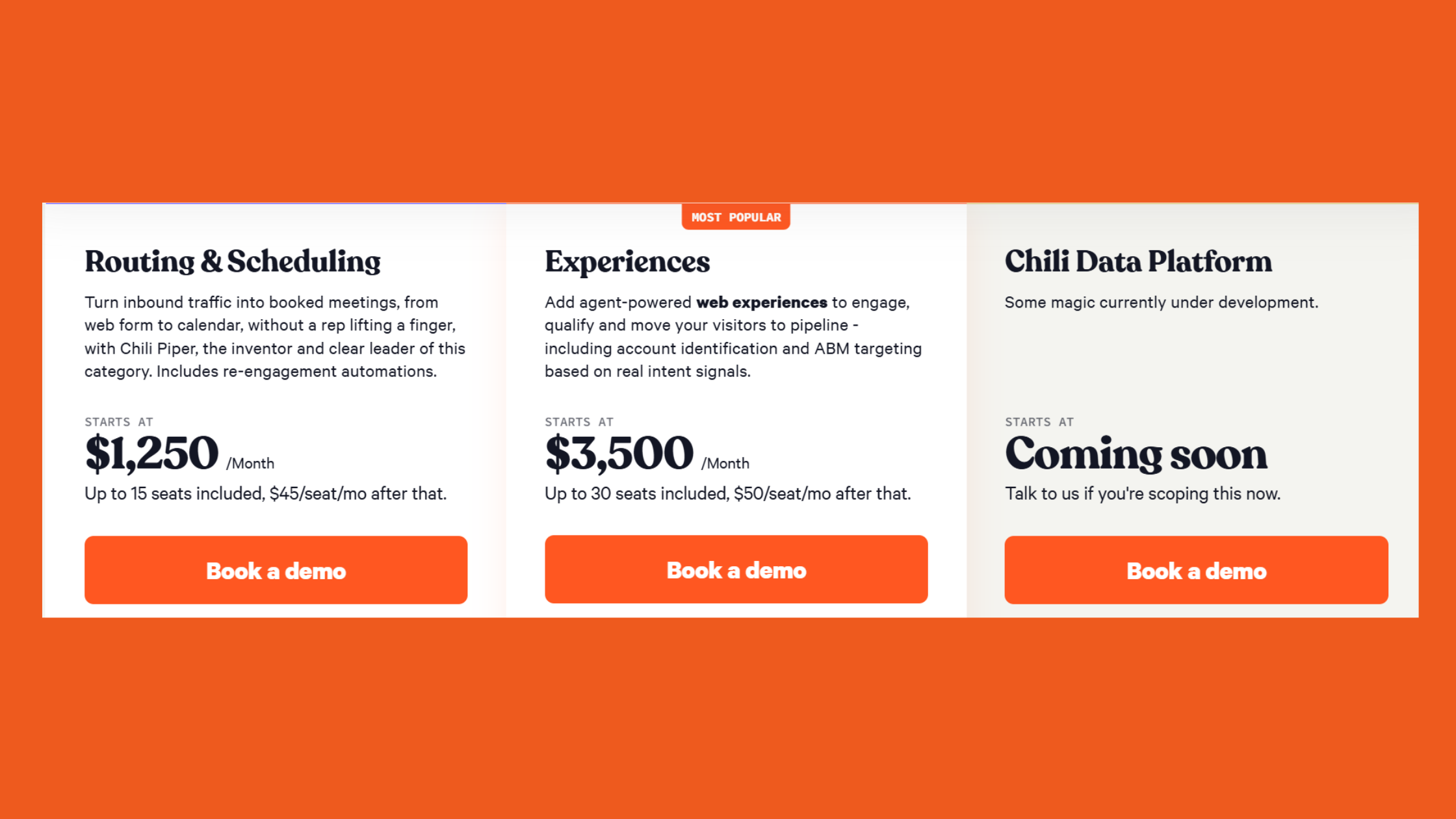
Here is the pricing reality most articles avoid stating plainly: Chili Piper pricing 2026 is deliberately opaque, and getting a firm number requires a sales call. That said, disclosed data from Vendr and independent cost analyses provide reliable benchmarks for the Chili Piper vs Chilipiper Concierge pricing question.
| Module | Reported Cost | Best For | Key Limit |
|---|---|---|---|
| Concierge | ~$30/seat/mo | Form-to-meeting conversion | Needs HubSpot/SFDC for full value |
| Distro | ~$25–35/seat/mo | Lead routing + distribution | Complex rules need RevOps resource |
| Handoff | ~$25–30/seat/mo | SDR-to-AE meeting passing | Only valuable with SDR/AE split teams |
| Enterprise Platform Fee | Billed separately | Enterprise accounts | Often a surprise in final contract |
Run the real math: a 10-rep team running both Concierge and Distro pays roughly $550–$650/month in seat fees alone — before any platform fee, onboarding cost, or annual contract minimum. According to Abmatic AI's 2026 total cost of ownership analysis, Chili Piper's base contract range runs $15,000–$80,000 annually per Vendr disclosed bands, varying by seat count and product mix. This means how much does Chili Piper cost per user is genuinely unanswerable without knowing which modules are in scope.
Chili Piper ROI Calculation: Does It Pay for Itself?
The Chili Piper ROI for sales teams follows a straightforward formula — but most buyers never run it before signing:
- Baseline metric: What is your current form-fill-to-meeting conversion rate? (Industry average sits around 10–15% for async scheduling.)
- Chili Piper uplift: Expect 20–40% improvement in conversion rate with instant booking (conservative estimate based on TrustRadius-reported outcomes).
- Pipeline value per meeting: Average deal size × close rate = pipeline value per booked meeting.
- Break-even point: Annual Chili Piper cost ÷ pipeline value per meeting = number of additional meetings needed to break even.
Example: A team paying $24,000/year with a $50,000 ACV and a 20% close rate generates $10,000 pipeline value per booked meeting. They need 2.4 additional meetings per month to break even. If inbound volume is 50+ form fills/month, that's achievable. If it's 10 form fills/month — it's not, regardless of how good the routing logic is.
The honest conclusion on Is Chili Piper worth it in 2026: for teams with 30+ inbound leads per month and pipeline value above $5,000 per deal, the ROI math works clearly. Below those thresholds, a $16/seat Calendly Teams plan returns nearly equivalent value.
Chili Piper's Biggest Drawbacks: What Real Users Complain About
The most common failure mode among new Chili Piper buyers is underestimating setup complexity. Teams without a dedicated RevOps resource consistently report 3–6 weeks before routing logic is stable — and the onboarding support received during that period varies significantly by contract tier.
Based on verified reviews across G2 and Capterra, the top recurring complaints about What are Chili Piper's biggest drawbacks cluster into four areas:
- Onboarding complexity: Routing rule configuration is powerful but not intuitive. Enterprise customers get a dedicated CSM; SMB and mid-market accounts frequently navigate setup via documentation and community forums, which are inconsistently maintained.
- Customer support quality: Fast and responsive for enterprise tiers; measurably slower for SMB contracts. Ticket response times of 48–72 hours are reported by smaller accounts during high-demand periods.
- Pricing transparency: The modular model makes true annual cost impossible to forecast without a sales call. Buyers report discovering platform fees, overage clauses, and annual minimums late in the contract process.
- Calendar sync reliability: Timezone display bugs and Google Calendar / Outlook sync conflicts appear in multiple verified reviews as persistent, intermittent issues — a critical failure mode when the entire value proposition is booking reliability.
Common Mistakes to Avoid When Setting Up Chili Piper
Teams that skip this step typically find themselves six weeks into an implementation with broken routing, duplicate meetings, and reps manually reassigning leads — which is exactly the problem Chili Piper was supposed to solve. The three setup mistakes observed most consistently:
- Configuring routing before cleaning CRM data. If your Salesforce territories or HubSpot owner assignments are messy, Chili Piper inherits that mess and routes incorrectly.
- Over-engineering rules on day one. Start with round-robin. Add complexity (territory, account match) only after the basic flow is confirmed to be working.
- Skipping UTM tagging for source attribution. Without UTM parameters, all Chili Piper-booked meetings appear as "direct" in your CRM — destroying campaign-level pipeline reporting.
Understanding these failure modes sets the stage for the integration question, which is where Chili Piper either becomes indispensable or reveals its most significant limitation for LinkedIn-first teams.
Chili Piper Integrations: HubSpot, Salesforce, and the LinkedIn Gap
The question of Does Chili Piper integrate with HubSpot and Salesforce has a clear answer: yes, and these are its deepest, most mature integrations by a significant margin. Both are bidirectional — meeting data, contact updates, routing decisions, and attendee status push back into the CRM in near real time. This is what makes Chili Piper a genuine revenue operations stack component rather than a standalone scheduling tool.
- HubSpot: Native form embedding for Concierge (no custom JavaScript needed), contact-level routing, meeting outcome sync, and deal association.
- Salesforce: Lead, contact, and opportunity-level routing; territory-based and account-matched assignment; rep availability sync from Salesforce calendar records.
- Google Calendar / Outlook: Core calendar sync for availability — the layer where timezone and sync bugs tend to surface.
- ZoomInfo, Apollo, Lusha, LeadIQ: Enrichment integrations that fire at form submission to qualify leads before routing.
The LinkedIn gap is real and worth naming plainly: How does Chili Piper work with LinkedIn is not a native capability. There is no LinkedIn Sales Navigator data pull, no routing trigger from LinkedIn form fills, and no LinkedIn-attributed meeting tracking without manual UTM parameters. Chili Piper knows nothing about where a lead came from unless the CRM source field is populated explicitly.
Bridging the LinkedIn Gap: How Power Users Combine Chili Piper with LinkedIn Tools
The most effective LinkedIn-first sales workflow pairs a visibility tool with a conversion tool — and they serve genuinely different purposes. Tools like HyperClapper drive LinkedIn post reach, comment activity, and follower engagement so that by the time you send a Chili Piper booking link via DM, the prospect already recognises your name from their feed. That warm familiarity is what separates a 15% DM-to-booking rate from a 2% cold-outreach rate.
For context on the LinkedIn visibility side of this equation, the LinkedIn Sales Navigator + HyperClapper ROI breakdown explores how combining organic reach with prospecting tools compounds pipeline generation — the same principle applies when Chili Piper replaces the booking friction at the end of that sequence.
Build the LinkedIn Visibility That Makes Your Booking Links Convert
Chili Piper handles the booking — HyperClapper handles the warm-up. Real engagement from real people, so prospects already know you before you send that link.
See HyperClapper in ActionChili Piper vs Calendly 2026 — and Other Alternatives Worth Considering
Chili Piper vs Calendly 2026 is the most-asked comparison in this category, and the honest answer is that they're not direct competitors — they solve adjacent problems at different price points and complexity levels.
| Tool | Best For | Price Range | Routing Logic | LinkedIn Use |
|---|---|---|---|---|
| Chili Piper | 10+ rep teams, high inbound, CRM-native | ~$30–65/seat/mo + fees | Advanced (territory, account, round-robin) | Manual link only |
| Calendly Teams | Teams under 10, straightforward scheduling | $16–20/seat/mo | Basic round-robin | Manual link only |
| HubSpot Meetings | HubSpot-native teams, low volume | Free–$45/mo | Basic (no Distro-level logic) | Manual link only |
| RevenueHero | Chili Piper alternative at lower price point | ~$25/seat/mo | Advanced routing, similar to Concierge | Manual link only |
| Drift / Qualified | Conversational AI routing, high-traffic sites | Enterprise pricing | AI-driven routing via chat | No direct integration |
The practical comparison on Chili Piper alternatives for B2B sales: Calendly Teams delivers roughly 80% of the meeting-booking value at 40–60% of the cost for teams without complex routing needs. The ROI case for Chili Piper only emerges when routing logic, CRM-native attribution, and inbound volume justify the complexity overhead.
What separates teams that get clear ROI from Chili Piper from teams that don't is almost always the same variable: inbound volume. Below 30 qualified form fills per month, you're paying for infrastructure you don't have the traffic to justify.
Is Chili Piper Worth It in 2026? A Use-Case-Specific Verdict
Teams that consistently see strong ROI from Chili Piper share three characteristics: they have 10+ sales reps with distinct routing needs, they generate 30+ qualified inbound leads per month, and they have at least one dedicated RevOps or sales ops person to own the configuration. When all three are true, Chili Piper is genuinely hard to replace.
When one or more of those conditions is missing — particularly for early-stage or SMB teams — the honest recommendation is to start with Calendly Teams or HubSpot Meetings, achieve product-market fit, and revisit Chili Piper when inbound volume and team size justify the investment. For LinkedIn-specific scheduling needs, the gap is even more pronounced, since Chili Piper offers no native LinkedIn meeting scheduling software integration.
For more context on how LinkedIn-specific tools stack up at different price points, the Lempod review and LinkBoost review on the HyperClapper blog provide useful comparative context for the LinkedIn engagement side of the stack.
Chili Piper for LinkedIn Power Users: Practical Setup and Workflow
Using Chili Piper for LinkedIn outreach is entirely viable — it just requires a deliberate manual workflow rather than any automation. Here is the step-by-step setup that consistently produces the highest booking conversion in outreach sequences.
- Create a dedicated meeting type in Chili Piper (e.g., "15-min LinkedIn Discovery") — keep duration short and commitment low for cold outreach contexts. Estimated time: 10 minutes.
- Generate a personal booking link for that meeting type and append UTM parameters:
?utm_source=linkedin&utm_medium=dm&utm_campaign=outreach-q3. This ensures every LinkedIn booking is attributed correctly in HubSpot or Salesforce. - Embed the link in LinkedIn DM follow-ups, connection acceptance messages, and Sales Navigator InMail. Test plain URL vs. hyperlinked anchor text — click-through rates differ meaningfully by context and audience.
- Tag all LinkedIn-sourced bookings so Chili Piper pushes that attribution data into your CRM for pipeline reporting — without this step, LinkedIn-sourced revenue is invisible in your reporting.
How HyperClapper Complements Chili Piper for LinkedIn-First Teams
The The LinkedIn Warm-Then-Convert Framework is the named approach that consistently outperforms cold-link outreach for LinkedIn-first sales teams. The principle: use HyperClapper's engagement channels to build post visibility and comment activity in the weeks before outreach begins — so when you send a Chili Piper booking link via DM, the prospect has already seen your name in their feed multiple times.
What this looks like in practice:
- Weeks 1–2: Post 3x/week on LinkedIn, boosted via HyperClapper channels to reach target-audience followers organically
- Week 3: Begin connection requests and DM sequences to prospects who engaged with your content
- Week 4: Deploy Chili Piper booking links in follow-up DMs to warm connections
Teams that skip the visibility step and go straight to booking links typically see cold-DM booking rates under 3%. The warm-then-convert approach consistently pushes that rate above 10–15%, because the Chili Piper link arrives in context — not as a cold ask. For how LinkedIn post engagement amplification works at the mechanics level, the LinkedIn Premium vs HyperClapper cost comparison is a useful reference point for budgeting the full stack.
✓ The Chili Piper LinkedIn Deployment Checklist
- ☐Create a dedicated LinkedIn meeting type in Chili Piper (15 min, clear name, no internal jargon)
- ☐Append UTM parameters to every booking link before embedding in LinkedIn messages
- ☐Test the full booking link in a real LinkedIn DM to confirm URL survives without truncation
- ☐Confirm HubSpot/Salesforce source field captures utm_source=linkedin from booked meetings
- ☐Set up reminder sequences in Chili Piper for LinkedIn-sourced bookings to reduce no-shows
- ☐Use HyperClapper to build post visibility with target audience for 2–3 weeks before DM outreach begins
- ☐Review LinkedIn-attributed pipeline monthly to validate booking-link conversion rate vs. baseline
Turn LinkedIn Visibility Into Booked Meetings — Without Cold Outreach
HyperClapper builds the warm audience. Your Chili Piper link converts them. Start with real post engagement from real people in your target market.
Try HyperClapper FreeFrequently Asked Questions About Chili Piper in 2026
Is the Piper company legit?
Yes, Chili Piper is a legitimate, well-funded B2B SaaS company. Founded in 2016 and headquartered in New York, it has raised over $54 million in venture funding and serves thousands of enterprise and mid-market revenue teams globally. It is not a scam or fly-by-night tool — though users should be aware that Chili Piper announced workforce reductions in 2022–2023 during a broader SaaS market contraction.
Is Chili Piper a good company to work for?
Employee reviews are mixed. Glassdoor ratings average around 3.4–3.7/5 as of 2026, with positive mentions of product quality, customer obsession, and smart colleagues, offset by concerns around leadership communication during layoff periods and role instability in GTM functions. It is not widely cited as a top employer in the SaaS space, but also not ranked among the worst.
What is Chili Piper used for?
Chili Piper is used to convert inbound leads into booked sales meetings instantly — eliminating the scheduling delay between a prospect's form submission and a rep's calendar invite. Its core use cases are form-to-meeting conversion (Concierge), lead routing and distribution (Distro), and SDR-to-AE meeting handoff. It is part of the revenue operations stack for mid-market and enterprise B2B teams.
Is Chili Piper the best scheduling tool for LinkedIn prospecting in 2026?
No — Chili Piper has no native LinkedIn integration and is not purpose-built for LinkedIn prospecting. It works as a booking link destination in LinkedIn DMs or InMail sequences, but the LinkedIn work must happen separately. For pure LinkedIn scheduling, Calendly Teams ($16–20/seat) or a simple booking link embedded in your LinkedIn profile cover most use cases at a fraction of the cost.
What is the difference between Chili Piper and Calendly for B2B teams?
Calendly is a self-serve scheduling tool built for individual and small-team meeting booking. Chili Piper is an inbound lead conversion platform with advanced routing logic, CRM-native data sync, and form-level qualification. For teams under 10 reps with simple scheduling needs, Calendly delivers 80% of the value at 40–60% of the cost. Chili Piper's ROI case only holds at volume and routing complexity.
How do I use Chili Piper to book meetings directly from LinkedIn messages?
Generate a personal booking link in Chili Piper for a short, low-commitment meeting type (15 minutes works best for cold LinkedIn outreach). Append UTM parameters for attribution tracking, then paste the link in LinkedIn DMs, connection acceptance messages, or Sales Navigator InMail. There is no native LinkedIn plugin — this is a fully manual process. Always test the link in a real LinkedIn DM before deploying at scale to confirm URL integrity.
What do real users say about Chili Piper's customer support and onboarding?
Support quality divides sharply by contract tier. Enterprise accounts with dedicated CSMs consistently rate onboarding highly on G2 and TrustRadius. SMB and mid-market users frequently report slow ticket responses (48–72 hours) and limited self-serve documentation during complex setup phases. The onboarding gap is the single most consistent pain point in verified reviews, particularly for teams without a dedicated RevOps resource.
Should a small B2B sales team use Chili Piper or a cheaper alternative in 2026?
For teams under 5 reps or with fewer than 30 inbound leads per month, a cheaper alternative is almost always the right choice in 2026. Calendly Teams ($16–20/seat), HubSpot Meetings (free to $45/month), or RevenueHero (~$25/seat) cover the core scheduling use case at materially lower cost. Revisit Chili Piper when inbound volume, team size, and routing complexity justify the $15,000+ annual investment.
What consistently separates revenue teams that extract clear ROI from Chili Piper from those that regret the contract is not sophistication or company size — it's the discipline to run the break-even math before signing, not after. The tool is genuinely powerful for the right context. Dropped into the wrong one — a 4-person SDR team with 15 inbound leads a month — and it becomes expensive infrastructure nobody has time to maintain. Match the tool to the traffic and team size, and the decision almost makes itself.



