A pattern observed across thousands of LinkedIn accounts is that the professionals posting most consistently aren't the best writers — they're the ones who've built a repeatable system. ChatGPT prompts for LinkedIn posts are structured instructions that tell the AI your goal, tone, audience, and format — not vague requests like "write me a post." When done right, they compress a 45-minute writing session into under 5 minutes while still producing content that sounds human, specific, and worth reading. The key word is structured: a well-built prompt gives ChatGPT four things to work with — your role, the topic, the desired tone, and the output format — and the difference between a generic draft and a usable one almost always comes down to those four inputs.
- For: Founders, marketers, coaches, recruiters, and professionals who want to post on LinkedIn consistently without spending hours writing
- What you'll learn: A 5-step workflow, 25 copy-paste prompt templates, and how to make AI output sound like you
- Why it matters: LinkedIn's algorithm rewards early engagement velocity — consistent, quality posting is the single biggest driver of compounding reach
- Counterintuitive finding: The AI tool matters far less than the prompt structure and the human editing pass after generation
- On ethics: Using ChatGPT for LinkedIn posts is no different from using a ghostwriter — but raw, unedited AI drafts are detectable and hurt credibility
- On tools: A perfectly written post with zero early engagement still dies in the algorithm — writing and distribution are separate problems
- What ChatGPT Prompts for LinkedIn Posts Actually Are
- How to Write LinkedIn Posts with ChatGPT: A 5-Minute Workflow
- 25 ChatGPT LinkedIn Prompt Templates That Actually Get Engagement
- ChatGPT LinkedIn Content Strategy: Frequency, Format, and the Algorithm
- AI-Generated LinkedIn Content: Benefits, Risks, and What to Avoid
- Best AI Tools for LinkedIn Content Creation: ChatGPT Plus vs Free
- Frequently Asked Questions About ChatGPT Prompts for LinkedIn Posts
What ChatGPT Prompts for LinkedIn Posts Actually Are (And Why They Work)
Most professionals approach AI writing tools the wrong way. They type "write me a LinkedIn post about leadership" and get something that reads exactly like every other AI-generated post in the feed — bland, generic, and immediately skippable. The problem isn't ChatGPT. It's the prompt.
A LinkedIn prompt is a structured instruction set that tells ChatGPT exactly who is speaking, what they want to say, who they're saying it to, and in what format. Think of it as a creative brief: the more specific the brief, the better the output. The four core levers of a strong prompt are:
- Role: Who are you? ("I'm a B2B SaaS founder targeting HR Directors...")
- Context: What's the topic or situation? ("...writing about why performance reviews are broken...")
- Constraint: What tone, length, or format? ("...in a conversational, direct tone, under 1,200 characters, no bullet points...")
- Outcome: What do you want the reader to do or feel? ("...ending with an opinion question to drive comments")
The community pain point here isn't a lack of ideas. Professionals usually know what they want to say. The problem is blank-page syndrome — that friction between knowing and articulating — and inconsistent voice across posts. A well-structured prompt solves both.
Can ChatGPT Write Good LinkedIn Posts? Honest Expectations
Yes — with an important caveat. ChatGPT can produce strong LinkedIn drafts, but it cannot replace lived experience, specific data points, or emotional authenticity. Those are the exact signals LinkedIn's audience uses to decide whether to engage or scroll. What ChatGPT gives you is a solid structural skeleton; your job is to add the muscle — one real anecdote, one concrete number, and your own closing opinion. Creators who skip this editing step typically find their posts get low engagement regardless of how well-written the draft appears.
The question isn't whether ChatGPT can write good LinkedIn posts — it's whether you give it enough context to write posts that sound like you, and whether you edit them enough so they do.
How to Write LinkedIn Posts with ChatGPT: A 5-Minute Workflow
The 5-minute timeline is real, but only if you follow a defined sequence. Jumping straight to ChatGPT without a goal produces a draft you'll spend 20 minutes trying to fix. Here's the workflow that consistently produces usable LinkedIn posts fast — a process you can learn more about in this guide on making ChatGPT prompts sound human on LinkedIn.
- Define the post goal (30 seconds): Is this thought leadership, a personal story, lead generation, an announcement, or a pure engagement post? The goal determines the format.
- Build your 4-element prompt (90 seconds): Role + topic + tone + format. Write this in plain text before opening ChatGPT — it forces clarity.
- Run the prompt and read critically (1 minute): Look for what's missing: a specific number, a personal detail, a genuine opinion. These are the gaps you'll fill.
- Edit for your voice (2 minutes): Add one real story or observation. Remove corporate filler words. Make the hook your own. This is the step that separates posts people share from posts that disappear.
- Run a refinement prompt if needed (30 seconds): "Make this sound less formal." "Add a contrarian opening hook." "Cut this to under 1,000 characters." Iteration is where the real skill lives.
How Do I Make ChatGPT Write Like Me on LinkedIn?
The most reliable method: feed ChatGPT your own writing. Paste 3–5 of your best LinkedIn posts and say: "Analyse the tone, sentence structure, vocabulary level, and formatting patterns in these posts. Then use this style to write a new post about [topic]." The model will mirror your patterns — short sentences if that's your style, questions if you use them, casual asides if they appear. Combined with your manual edit pass, the result reads as genuinely yours. This technique works in ChatGPT Free but works significantly better in Plus due to the longer context window.
What to Do When ChatGPT Output Is Poor Quality
Poor output almost always traces back to a vague prompt. Before assuming the model failed, ask: did you specify a tone? A target audience? A format? A desired reaction? If any of those are missing, add them and re-run. If the output is structurally sound but sounds stiff, use the follow-up prompt: "Rewrite this to sound more conversational and direct. Use shorter sentences. Remove any corporate buzzwords." Teams that iterate through 2–3 refinement prompts consistently produce better content than those who accept the first output.
25 ChatGPT LinkedIn Prompt Templates That Actually Get Engagement
These are organised by post type — each serves a different signal in LinkedIn's algorithm and a different audience intention. Copy, fill in the brackets, and edit before posting. These are LinkedIn post prompt templates built around the four-element structure above.
ChatGPT Prompt to Go Viral on LinkedIn: Hook-First Formats
Hook-first formats are the highest-performing post structure on LinkedIn in 2026. Short personal stories with a lesson and listicles with a strong opening number consistently outperform generic opinion posts in both impressions and saves. The first line is everything — it determines whether someone hits "see more" or scrolls past.
1. Thought Leadership
"Act as a [your role] with 10 years of experience in [industry]. Write a LinkedIn post sharing one counterintuitive insight about [topic]. Open with a bold claim, explain the reasoning in 3–4 short paragraphs, and close with a question that invites debate. Tone: direct, confident, conversational. Under 1,200 characters."
2. Personal Story With a Lesson
"Write a LinkedIn post in first person about a time I [describe situation briefly]. The story should take 3–4 sentences, then pivot to the lesson learned. Close with one sentence of advice for anyone in the same position. Tone: honest, warm, relatable. No buzzwords."
3. Contrarian Take
"Write a LinkedIn post that challenges the common belief that [conventional wisdom]. Open with 'Unpopular opinion:' or a similar disruptive hook. Explain why the conventional view is wrong using one specific reason. Keep it under 900 characters. Tone: confident but not arrogant."
4. Industry Insight (Data-Backed)
"Write a LinkedIn post for a [role] sharing an interesting finding from [topic or trend]. Start with a surprising statistic or number. Explain what it means for [target audience]. End with a practical takeaway. Tone: authoritative but accessible."
5. Engagement Question
"Write a LinkedIn post that poses a genuine professional question to [audience type] about [topic]. Keep the setup to 2–3 sentences max. End with a clear, specific question that has multiple valid answers. Goal: generate comments. Avoid yes/no questions."
6. Listicle With a Number Hook
"Write a LinkedIn post titled '[Number] things I wish I knew about [topic] before [milestone].' Use a single-sentence hook, then list each point as a short numbered item with one sentence of explanation. Tone: practical, no fluff. Under 1,500 characters."
7. Announcement Post
"Write a LinkedIn post announcing [news/achievement/launch]. Open with the announcement, explain why it matters to my audience of [describe audience], and close with a human detail that makes it feel personal rather than corporate. Tone: genuine, excited but grounded."
Industry-Specific and Niche Prompt Customization
A recruiter's prompt looks fundamentally different from a SaaS founder's — and that specificity is exactly what makes the output usable rather than generic. The variable that matters most is the role-and-audience pairing in the opening line of your prompt.
For Recruiters:
"Act as a senior recruiter at a [industry] firm. Write a LinkedIn post giving candidates one piece of honest advice about [topic: interviews, salary negotiation, application mistakes]. Tone: direct, empathetic, insider-knowledge feel. End with a question to drive comments from candidates."
For SaaS Founders:
"Act as a B2B SaaS founder who bootstrapped to [milestone]. Write a LinkedIn post sharing one growth insight from [topic]. Include one specific number or result. Target audience: other early-stage founders. Tone: peer-to-peer, honest about what didn't work."
For Coaches and Consultants:
"Write a LinkedIn post that positions me as an expert in [niche] by sharing a client transformation story (anonymised). Follow a before → struggle → insight → result → lesson structure. Tone: compassionate, credible. Close with a soft call-to-action."
The remaining prompt types — follow-up posts, carousels, video scripts, company page posts, and event promotion — follow the same four-element structure. Vary the role, topic, tone, and format and the template scales to any post type. For a full LinkedIn content strategy built around personal branding, see that linked guide.
ChatGPT LinkedIn Content Strategy: Frequency, Format, and the Algorithm
Writing the post is only half the equation. Where most professionals leave value on the table is in the strategy layer: how often to post, in what format, and with what structural goal — and how those decisions interact with LinkedIn's distribution model.
LinkedIn's algorithm in 2026 prioritises three signals above everything else:
- Engagement velocity: Likes and comments in the first 60 minutes after posting signal quality to the algorithm and trigger wider distribution
- Comment depth: Replies to replies — multi-turn conversations — are weighted more heavily than single likes
- Dwell time: How long people spend reading before scrolling, which rewards posts with genuine substance and a "see more" click
When building your ChatGPT LinkedIn content strategy, design your prompts to serve these signals explicitly. An engagement question at the end isn't just for politeness — it's targeting the comment-depth signal. A compelling hook isn't just good writing — it's buying the dwell time that extends distribution. For a deeper look at how this plays out week by week, this LinkedIn content weekly plan is worth reading alongside this guide.
What Prompts Should I Give ChatGPT for LinkedIn? Matching Post Type to Goal
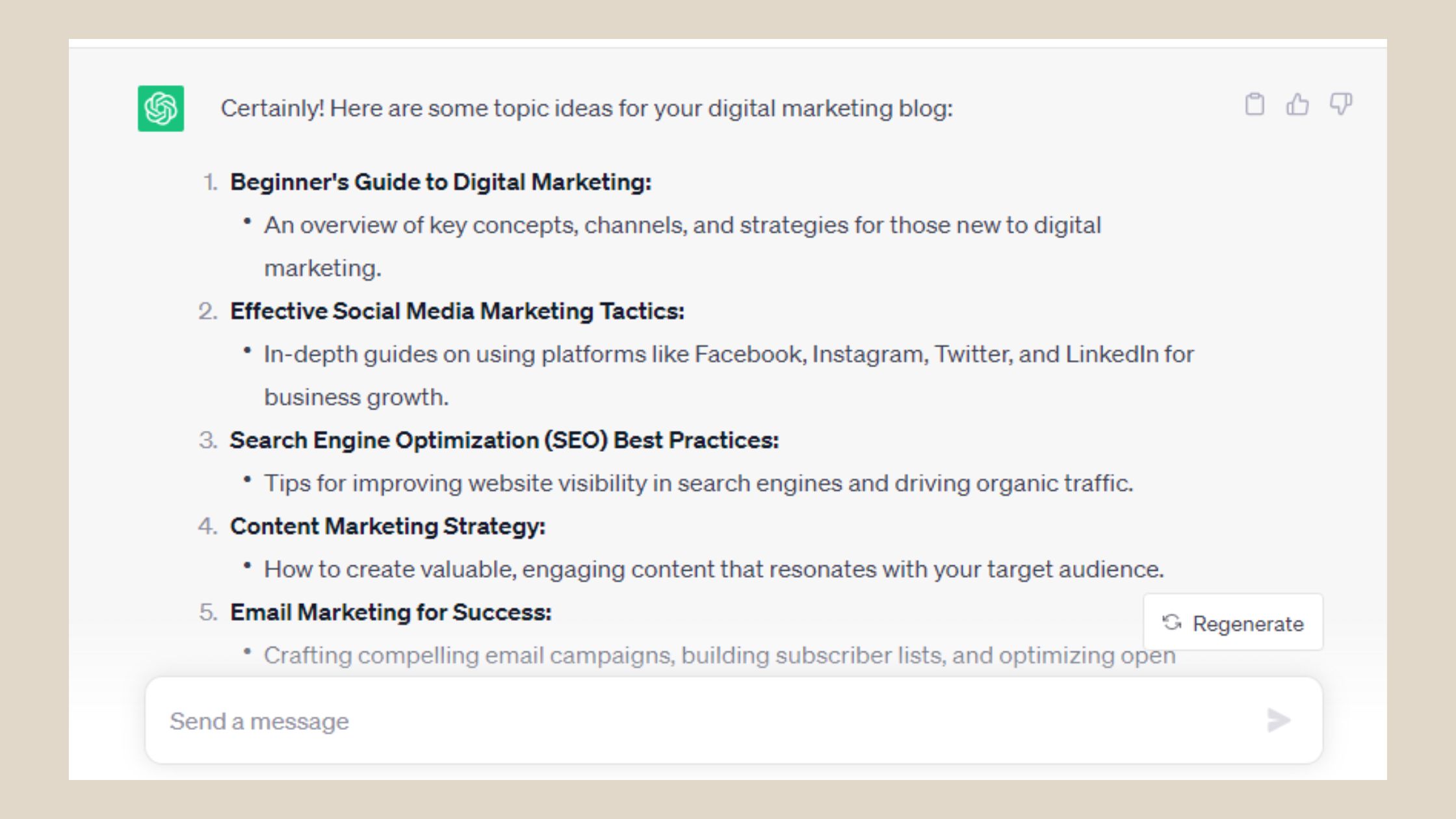
Optimal posting frequency: 3–5 times per week for growth-focused accounts. Dropping below 3x per week results in algorithmic reach decay that typically takes 3–4 weeks of consistent posting to recover. Quality over volume always wins — one strong AI-assisted post outperforms five generic ones. Build a 4-week content calendar in a single ChatGPT session with this prompt:
"Generate 20 LinkedIn post ideas for a [role] targeting [audience] covering these themes: [list 3–5 themes]. For each idea, suggest a post type (story, insight, question, listicle, contrarian take) and a one-sentence hook."
How long should a LinkedIn post be for engagement? 900–1,200 characters is the consistent sweet spot for mobile read-through and algorithmic reach on standard posts. Long-form content (1,800+ characters) can outperform on storytelling posts, but only if the hook earns the "see more" click — which most don't. Add this constraint to your prompts explicitly: "Keep the post to 1,100 characters maximum."
According to LinkedIn's own research, profiles with professional photos receive 14 times more profile views than those without. In practice, this means your profile photo and your content strategy compound together — a strong post that drives profile visits converts at a much higher rate when the profile photo builds immediate credibility. Content and profile optimisation are not separate workstreams. For more on how the algorithm responds to your posting cadence, this guide to optimising for LinkedIn's new algorithm covers the latest distribution mechanics.
AI-Generated LinkedIn Content: Benefits, Risks, and What to Avoid
The benefits are real. AI-generated LinkedIn content eliminates blank-page syndrome, compresses writing sessions from 45 minutes to under 5, and enables consistent posting even during busy periods. For agencies managing multiple client LinkedIn profiles, the productivity gain is substantial — one strategist can manage 5–8 accounts with prompt templates that would otherwise require 5–8 writers.
The risks, however, are equally concrete. AI output lacks three things LinkedIn's audience responds to: lived experience, specific numbers, and emotional authenticity. A recurring pattern among professionals new to AI writing is that they post raw drafts — and the resulting content gets low engagement not because the ideas are bad, but because the writing reads as no-one's. LinkedIn readers are trained to feel the difference between something written by a person and something assembled by a model, even if they can't articulate exactly why.
Common Mistakes to Avoid When Using ChatGPT for LinkedIn Posts
- Posting raw output: Never post a first-draft ChatGPT response without editing. Always inject one specific personal detail, one concrete data point, and your own closing opinion.
- Using generic prompts: "Write me a LinkedIn post about marketing" produces generic content. Specificity in the prompt is the single biggest quality lever.
- Ignoring format constraints: Not specifying character limits, structure, or tone produces inconsistent output that requires heavy revision anyway.
- Over-relying on one post type: Teams that post nothing but thought leadership or nothing but stories see plateau. LinkedIn rewards variety across post types.
Is using ChatGPT for LinkedIn posts ethical? Yes — the same way using Grammarly, a ghostwriter, or a content agency is ethical. The content represents your ideas; the tool handles the expression. Transparency is optional, though disclosure is increasingly valued by audiences and is a genuine differentiator. What's not ethical is fabricating stories, inventing data, or impersonating someone else's voice. The ethical question is about truth, not tooling.
Best AI Tools for LinkedIn Content Creation: ChatGPT Plus vs Free and Alternatives
What separates top LinkedIn content producers isn't which AI tool they use — it's prompt quality and the human editing layer applied after generation. That said, tool selection still matters at the margins, especially for daily creators.
| Tool | Best For | Key Strength | Limitation |
|---|---|---|---|
| ChatGPT Plus (GPT-4o) | Daily LinkedIn creators | Long context window, nuance, speed | $20/mo — overkill for weekly posters |
| ChatGPT Free (GPT-4o mini) | Occasional posters, beginners | Zero cost, solid for simple prompts | Shorter context window, slower iteration |
| Claude (Anthropic) | Voice-matching from writing samples | Exceptional at matching tone and style | Less widely integrated than ChatGPT |
| Gemini (Google) | Research-backed posts | Integrates with Google Workspace | Less refined LinkedIn-specific output |
| Taplio | LinkedIn-native workflow | Prompt libraries built for LinkedIn formats | Higher price, narrower use case |
ChatGPT Plus vs free for LinkedIn writing: Plus gives access to GPT-4o with meaningfully better nuance, longer context windows for pasting writing samples, and faster iteration cycles. For professionals posting 3–5 times per week, the $20/month cost pays for itself in time savings within the first week. Free tier is sufficient for weekly posters or those just starting out. The gap widens significantly when you're doing voice-matching from a large sample of your own posts — that's where context window length matters most.
Boosting Engagement on AI-Written Posts with HyperClapper
Here's the community gap that almost no one talks about: many professionals invest in AI writing tools and produce genuinely strong posts — then watch them get zero traction because early engagement never fires. A well-written post with zero likes or comments in the first 60 minutes still dies in LinkedIn's algorithm. Writing quality and distribution are separate problems that require separate solutions.
For content creators focused on visibility, HyperClapper is the strongest complement to a ChatGPT writing workflow, because it solves the distribution side of the equation. HyperClapper connects your posts with real engagement channels — groups of real LinkedIn users who engage with posts — triggering the early engagement velocity that LinkedIn's algorithm uses to decide whether to push your content to a wider audience. One channel delivers around 50 possible engagements; three channels puts you in the range of 150. AI-written replies keep the conversation active after the initial burst, which drives the comment-depth signal the algorithm weighs heavily.
Write better LinkedIn posts AND get them seen
HyperClapper gives your AI-written posts the real early engagement they need to trigger LinkedIn's algorithm — without bots or fake activity.
Try HyperClapper Free✓ The LinkedIn AI Content Publishing Checklist
- ☐Defined the post goal (thought leadership, story, insight, engagement, announcement) before prompting
- ☐Included role, context, tone, and format in the prompt — all four elements
- ☐Specified character limit in the prompt (900–1,200 characters for standard posts)
- ☐Added one specific personal anecdote or real data point that wasn't in the draft
- ☐Removed any AI filler phrases ("In today's world," "It's worth noting," "leverage")
- ☐Verified the hook stands alone — someone should stop scrolling after just the first line
- ☐Added a closing question or opinion that invites genuine comment responses
- ☐Scheduled the post for peak hours (Tue–Thu, 7–9am or 12–1pm in your audience's timezone)
- ☐Activated an engagement channel (via HyperClapper or manually) to seed early reactions within the first 60 minutes
The most scalable LinkedIn content approach combines prompt-driven writing with a systematic distribution strategy — for a complete walkthrough of how this works at scale, this guide on LinkedIn content strategy that scales covers the operational model in detail. What consistently separates accounts with real reach from accounts with impressive follower numbers is not any single tactic — it is the compound effect of strong writing, early engagement, and consistent cadence working together. Miss any one of the three and growth plateaus regardless of how good the content is.
Frequently Asked Questions About ChatGPT Prompts for LinkedIn Posts
Give me a ChatGPT prompt to write a LinkedIn post about my business
Use this template: "Act as a [your role] at [company type]. Write a LinkedIn post about [specific topic related to your business]. Target audience: [describe them]. Tone: [direct/warm/authoritative]. Open with a hook, explain the value in 3–4 sentences, and close with a question or soft call-to-action. Keep it under 1,200 characters." Fill in every bracket before running it.
How do I use ChatGPT to create LinkedIn content in minutes?
Define your goal, build a four-element prompt (role + context + tone + format), run it, edit for one personal detail and one concrete number, then post. The full cycle takes 5 minutes once you have a prompt template saved. Iteration on a follow-up refinement prompt adds another 90 seconds but significantly improves output quality.
What is a good ChatGPT prompt for a professional LinkedIn post?
A strong professional LinkedIn prompt includes: your specific role, the target audience, the post's purpose, a tone instruction, a format constraint (character count and structure), and the desired reader reaction. Generic prompts produce generic posts. The more specific your inputs, the more usable the output on the first run.
How can I make my LinkedIn posts sound more human when using AI?
Paste 3–5 of your own best posts and ask ChatGPT to mirror your style. Then manually add one real anecdote, one specific number, and your own closing opinion to every draft. Remove AI filler phrases — anything starting with "In today's world" or "It's worth noting." These three steps consistently close the authenticity gap in AI-generated content.
How long should a LinkedIn post be for maximum engagement?
900–1,200 characters is the consistent sweet spot for mobile read-through and algorithmic reach. Long-form posts (1,800+ characters) can outperform on storytelling formats, but only when the first line earns a "see more" click — which requires a genuinely compelling hook. Always specify your target character count in the prompt itself.
Is using ChatGPT for LinkedIn posts ethical?
Yes. Using ChatGPT is no different from using a ghostwriter, Grammarly, or a content agency — the ideas are yours, the tool handles expression. Disclosure is optional but increasingly valued. What's unethical is fabricating stories or data. The ethical question is about truth, not tooling.
Can ChatGPT write good LinkedIn posts on the free tier?
Yes, the free tier (GPT-4o mini) is sufficient for weekly posters using simple prompts. ChatGPT Plus becomes noticeably better for daily creators who paste writing samples for voice-matching, as the longer context window makes a meaningful difference in output quality and consistency. The prompt structure matters more than the tier at either level.
Your posts are only as powerful as the audience they reach
HyperClapper gives AI-written LinkedIn posts real early engagement from real people — the signal LinkedIn's algorithm uses to decide whether to distribute your content widely or not at all.
Start Boosting Posts Free


