LinkedIn tools are software platforms and applications that help professionals, marketers, recruiters, and founders work more effectively on LinkedIn — from scheduling posts and automating outreach to analysing engagement and generating leads. A pattern observed consistently across high-performing LinkedIn accounts is that they rarely rely on LinkedIn's native interface alone. The professionals seeing the strongest results in 2026 are layering two or three purpose-built tools that handle distinct jobs: one for engagement and visibility, one for prospecting or outreach, and one for scheduling or analytics. This guide breaks down every major category of LinkedIn tool, who each type serves best, and which options are genuinely worth paying for.
- LinkedIn tools fall into six distinct categories — automation, engagement, analytics, scheduling, lead generation, and prospecting — and the best stack combines two or three that don't overlap.
- LinkedIn automation tools work by mimicking human actions at scale; the risk of account restriction is real but manageable with tools that respect daily limits and behaviour patterns.
- Free LinkedIn tools exist and are legitimate starting points for small businesses, freelancers, and beginners — but the most impactful capabilities sit behind paid tiers.
- HyperClapper stands out in the engagement category specifically because it drives real community engagement rather than bot-generated activity — reducing account risk significantly.
- The single most counterintuitive finding: more LinkedIn connections does not equal more leads. Engagement quality on your existing posts drives more pipeline than connection volume.
- Sales Navigator is LinkedIn's own premium tool but does not replace third-party tools for automation, engagement, or content scheduling — it is a data layer, not an execution layer.
- What Types of LinkedIn Tools Are Available?
- How Do LinkedIn Automation Tools Work?
- Are LinkedIn Automation Tools Against Terms of Service?
- What Are the Best LinkedIn Tools for Your Specific Goal?
- LinkedIn Tools Pricing and Feature Comparison
- Which LinkedIn Tools Are Worth Paying For by Role?
- Frequently Asked Questions About LinkedIn Tools
What Types of LinkedIn Tools Are Available?
LinkedIn tools break into six functional categories, and knowing which category you actually need is the most important decision you'll make before spending a dollar. Most professionals who complain that LinkedIn tools "don't work" bought the wrong category for their goal.
- Engagement tools — increase likes, comments, and post visibility through community groups or AI-generated replies (e.g. HyperClapper, Lempod, Podawaa)
- Automation and outreach tools — send connection requests, follow-up messages, and drip sequences at scale (e.g. Expandi, Dux-Soup, MeetAlfred, Waalaxy)
- Lead generation and prospecting tools — find, filter, and export prospect lists from LinkedIn (e.g. LinkedIn Sales Navigator, PhantomBuster, Apollo.io)
- Scheduling and content tools — plan, write, and publish LinkedIn content with analytics dashboards (e.g. Buffer, Hootsuite, Shield, Taplio)
- Analytics tools — measure profile reach, follower growth, and content performance beyond LinkedIn's native stats
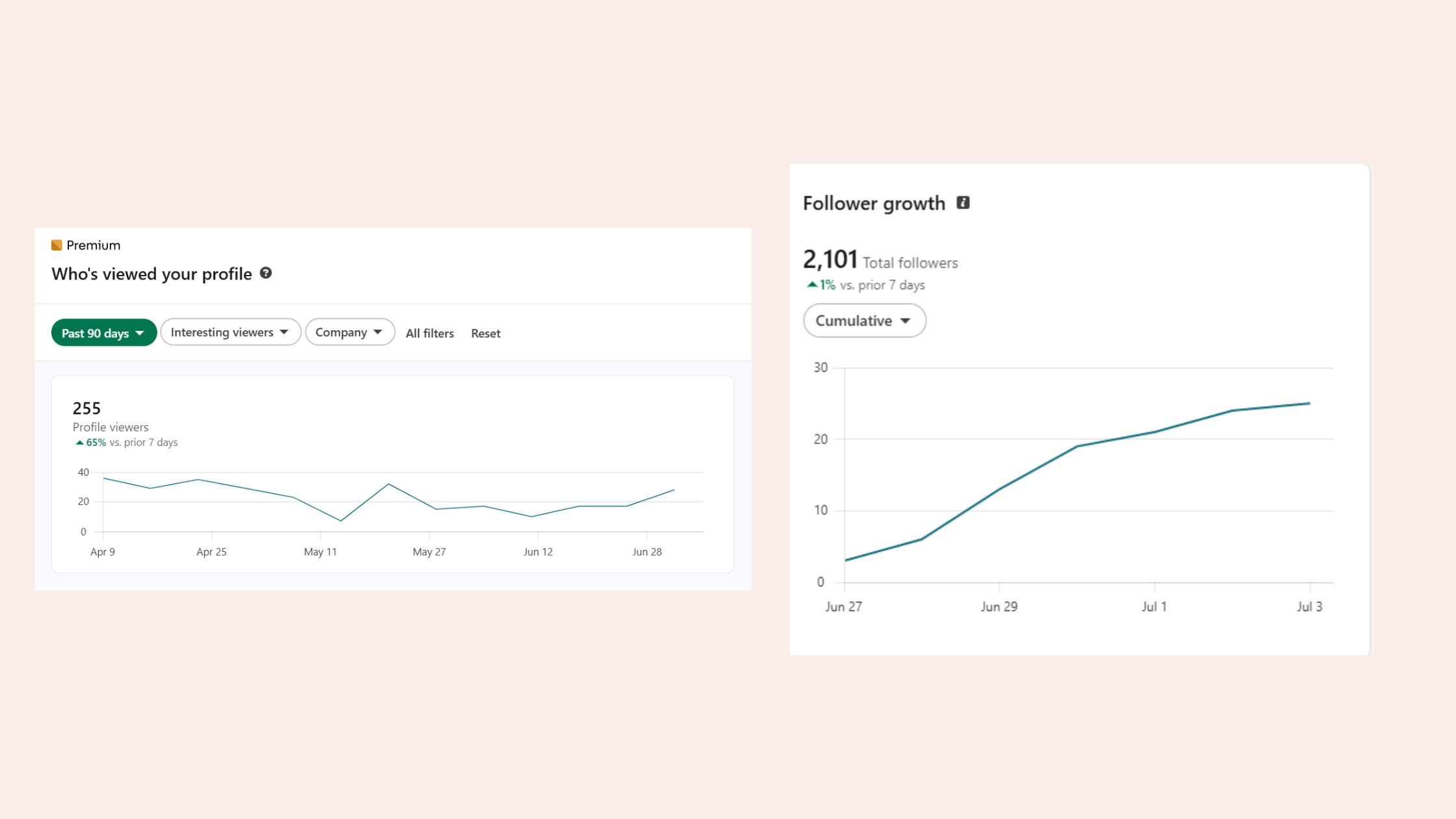
Linkedin Analytics tools - LinkedIn tools with email finder features — extract verified email addresses from LinkedIn profiles to run multi-channel campaigns (e.g. Hunter.io integrated with LinkedIn, Kaspr)
The most common failure mode is buying an outreach automation tool when what you actually need is an engagement tool. Outreach tools help you reach more people. Engagement tools help more people see what you're already publishing. These are fundamentally different problems.
The professionals generating the most LinkedIn pipeline in 2026 are not necessarily the most aggressive outreachers — they are the ones whose content is already visible before the first connection request lands.
Understanding the category map also clarifies the LinkedIn tools vs manual LinkedIn outreach debate. Manual outreach is not inherently better — it simply scales worse. Tools win on volume; humans win on personalisation. The best results come from tools handling the volume work and humans handling the high-value conversations.
How Do LinkedIn Automation Tools Work?
LinkedIn automation tools work by scripting actions on your LinkedIn account — sending connection requests, visiting profiles, clicking "like", sending messages — at a pace and volume that would take hours to do manually. Most operate via one of three technical approaches: browser extensions that run inside Chrome, cloud-based tools that operate independently of your device, or API-connected tools that communicate with LinkedIn's backend directly.
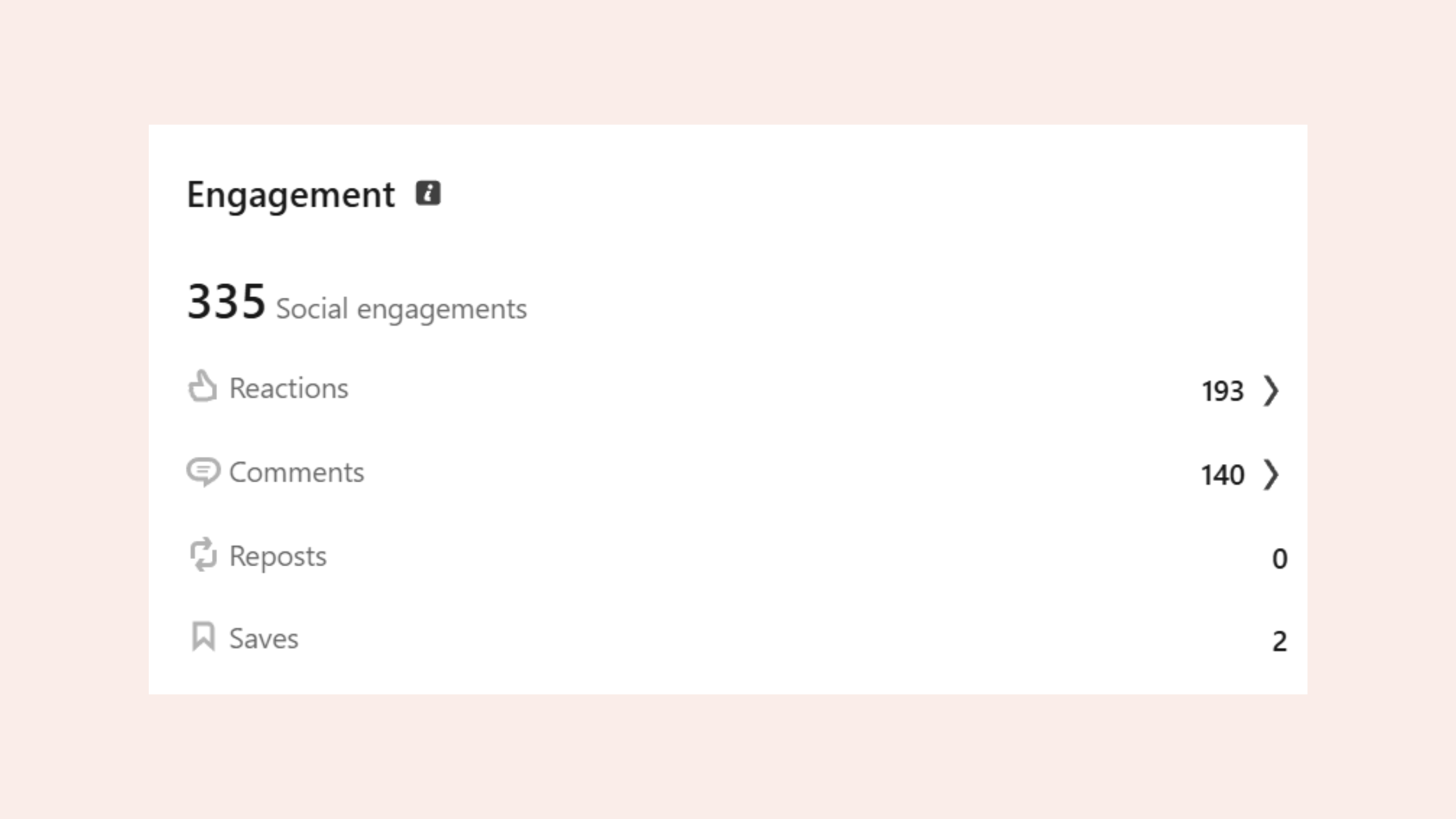
LinkedIn automation with drip messaging sequences is the most widely used feature. A drip sequence is a timed series of automated messages sent to a prospect after they accept a connection — typically three to five touches over seven to fourteen days. Think of it as email marketing, but inside LinkedIn's inbox. The best tools allow personalisation tokens (first name, company name, job title) so each message reads as individual rather than broadcast.
LinkedIn tools with A/B testing for messages allow users to send two versions of a connection request or opening message to split groups and see which performs better. Teams that use A/B testing on outreach messages consistently see 20–35% improvements in reply rates after two to three test cycles.
Tools also vary in how they handle LinkedIn's rate limits — the invisible daily caps LinkedIn enforces on actions like connection requests (typically 100–200 per week for standard accounts). Cloud-based tools tend to be safer here because they mimic human behaviour patterns more convincingly than browser extensions, which can spike action counts in ways that trigger LinkedIn's detection systems.
For LinkedIn tools for sales development reps, the workflow typically looks like this: Sales Navigator identifies target accounts → automation tool sends connection requests → drip sequence delivers follow-ups → CRM integration logs all interactions automatically. This is how enterprise sales teams compress weeks of manual prospecting into a day of setup. For more on how automation fits into a creator's workflow, see our guide to LinkedIn automation tools for creators.
Now that the mechanism is clear, the obvious question is whether any of this is actually allowed.Are LinkedIn Automation Tools Against Terms of Service?
Yes — most LinkedIn automation tools technically violate LinkedIn's User Agreement, which prohibits "scraping or automated data collection" and "the use of bots or other automated methods." That said, the risk level varies enormously depending on the tool type, usage volume, and how closely the tool mimics human behaviour.
LinkedIn tools safe to use in 2026 are generally those that:
- Operate at low daily action volumes (under 50 connection requests per day)
- Include randomised delays between actions
- Do not scrape profile data in bulk
- Do not operate 24 hours a day without pause
- Focus on engagement (likes, comments) rather than aggressive outreach
The most common failure mode here is users maxing out every limit in an attempt to get faster results. Creators who skip the warm-up period — the gradual ramp-up of automated actions over the first two to four weeks — typically find their accounts flagged or temporarily restricted within the first month.
Engagement-focused tools like HyperClapper carry lower inherent risk than outreach automation tools because they work through real human engagement within a community — not bots triggering LinkedIn's API. The distinction matters: a real person in a channel clicking "like" looks identical to organic engagement from LinkedIn's perspective. A bot sending 300 connection requests in two hours does not.
Regarding LinkedIn account restricted for automation: restrictions typically come in the form of temporary blocks on messaging or connection requests, or a "your account may be compromised" warning requiring identity verification. Permanent bans are rare for first offences but become more likely after repeated violations. The practical guidance: use automation tools conservatively, build your content and engagement in parallel, and never rely on a single tool or channel as your only LinkedIn growth strategy. Our LinkedIn engagement automation guide for 2026 covers safe usage patterns in depth.
Want real LinkedIn engagement without the account risk?
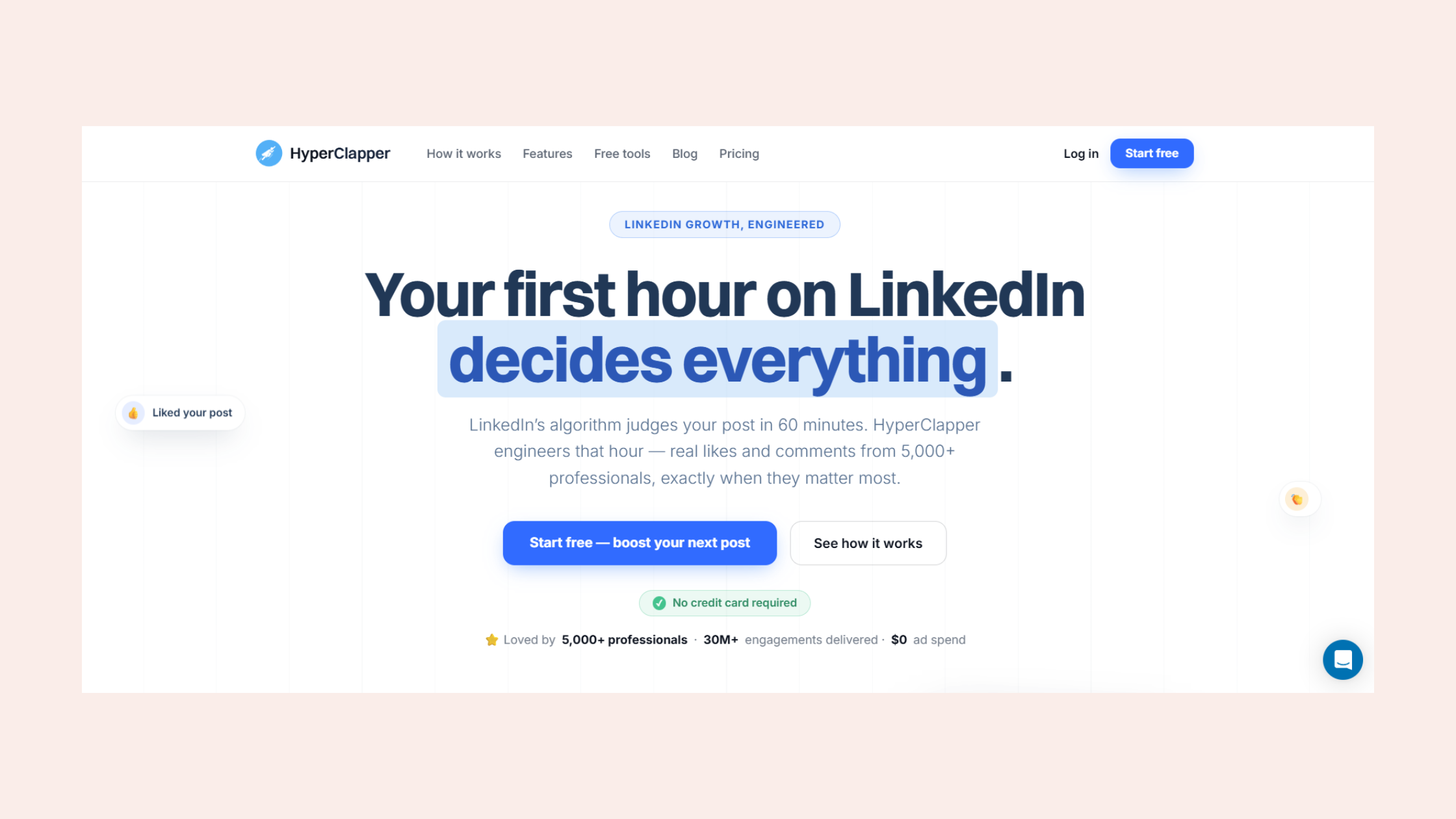
HyperClapper connects your posts with real people in engagement channels — no bots, no fake activity, no automation that puts your account at risk.
Try HyperClapper FreeWhat Are the Best LinkedIn Tools for Your Specific Goal?
The right LinkedIn tool depends entirely on your primary constraint — not your industry, not your seniority level, not your budget. What is the one thing holding your LinkedIn results back right now?
- LinkedIn content getting no engagement → HyperClapper — real community engagement channels boost post visibility in the critical first hour
- LinkedIn outreach not getting responses → Expandi or Waalaxy — A/B-tested drip sequences with personalisation tokens improve reply rates measurably
- Struggling to find qualified leads on LinkedIn → LinkedIn Sales Navigator + PhantomBuster — advanced filters identify ideal prospects; PhantomBuster extracts contact data
- Wasting time on LinkedIn manually → Buffer or Taplio for scheduling + HyperClapper for engagement — automate the repetitive work, focus on conversations
- LinkedIn profile not generating leads → Shield Analytics — shows exactly which content types and posting times drive profile views and follower growth
For LinkedIn tools for recruiters and HR teams, the most effective stack is LinkedIn Recruiter (LinkedIn's own premium layer) combined with an outreach automation tool for follow-up sequences. Recruiter InMail alone has a 10–25% response rate industry-wide according to LinkedIn talent solutions data — adding a structured follow-up sequence via automation typically pushes that to 35–40%.
LinkedIn tools for freelancers and consultants have a different priority order. Visibility matters more than volume. A freelancer needs ten qualified conversations, not 1,000 connection requests. For this audience, an engagement tool that amplifies content reach, combined with a basic scheduling tool, outperforms an expensive outreach automation suite every time.
For LinkedIn tools for startup founders, the highest-leverage combination is an engagement tool for brand building and Sales Navigator for targeted prospect research — with manual outreach to the top 20 prospects per week rather than automated sequences. Founder-led sales works because of authenticity; aggressive automation undermines it.
Teams that treat LinkedIn tools as a complete replacement for human judgment consistently see declining response rates after the first 60–90 days. The tools that sustain results are the ones that amplify human effort rather than replace it. For a deeper look at how AI-powered LinkedIn tools boost engagement and lead generation, our dedicated guide walks through the mechanisms in detail.
LinkedIn Tools Pricing and Feature Comparison
Pricing across LinkedIn tools ranges from genuinely free tiers to enterprise contracts exceeding $1,000 per month. What follows is an honest comparison of the major tools by category — including where free options are legitimate and where budget tools create more risk than they solve.
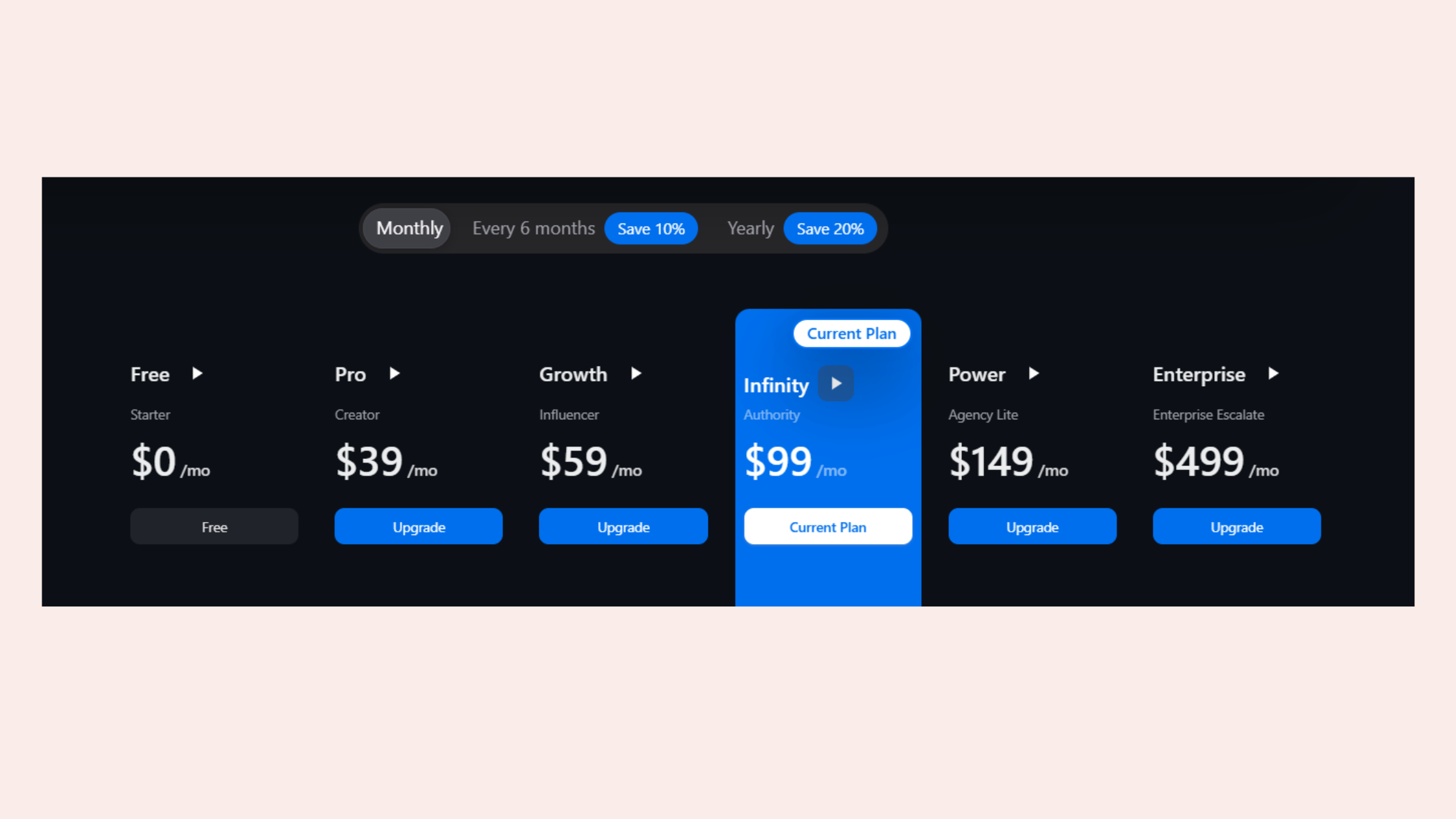
| Tool | Best For | Risk Level | Starting Price | Free Tier? |
|---|---|---|---|---|
| HyperClapper | Post engagement and visibility | Low | Paid plans available | Yes |
| Expandi | Outreach automation, drip sequences | Medium | ~$99/month | Trial only |
| Dux-Soup | Profile visits, basic automation | Medium-High | ~$14.99/month | Yes (limited) |
| Waalaxy | LinkedIn + email multichannel outreach | Medium | ~$40/month | Yes |
| PhantomBuster | LinkedIn profile scraping, data export | Medium-High | ~$59/month | Trial only |
| LinkedIn Sales Navigator | Prospect research and filtering | None (native) | ~$99/month | Trial only |
| Taplio | Content scheduling and creation | Low | ~$49/month | Trial only |
On the Expandi vs Dux-Soup LinkedIn automation comparison: Expandi operates as a cloud-based tool, which makes it meaningfully safer than Dux-Soup's browser extension approach. Expandi also supports more sophisticated drip sequences and has better safety controls. Dux-Soup costs less and is simpler to set up — making it a common entry point for beginners, but a tool most serious teams upgrade away from.
On Phantombuster vs Waalaxy for LinkedIn: these serve different functions. PhantomBuster is primarily a data extraction tool — it pulls profile data, email addresses, and lists at scale. Waalaxy is an outreach tool — it sends messages and connection requests. They are complementary, not competing. The best alternatives to LinkedIn Sales Navigator for prospecting are Apollo.io and PhantomBuster combined — they replicate most of Sales Navigator's filtering at lower cost, though without the same data accuracy guarantees.
LinkedIn Sales Navigator is a data layer — it tells you who to talk to. It does not talk to them for you. Every team that buys Sales Navigator expecting it to generate leads automatically is disappointed within 60 days.
Which LinkedIn Tools Are Worth Paying For by Role?
After seeing usage patterns across many professional categories, the highest return on investment from LinkedIn tools consistently comes from matching the tool category to the primary professional goal — not the most popular tool or the highest-reviewed one.
LinkedIn tools for B2B marketers — The priority is content visibility and lead capture. The most effective paid combination is an engagement tool (HyperClapper) for post amplification plus Shield Analytics for understanding what content is actually driving profile visits and follower growth. LinkedIn Ads adds a paid distribution layer on top once organic content is converting well.
LinkedIn tools for digital marketing agencies — Agencies managing multiple clients need tools with team collaboration features and multi-account support. MeetAlfred and Expandi both support multiple LinkedIn accounts from a single dashboard. LinkedIn tools supporting team collaboration should also include a shared content calendar — Hootsuite or Buffer serve this function at agency scale.
LinkedIn tools for recruiters — LinkedIn Recruiter remains the baseline for sourcing. The incremental value from third-party tools comes from automating follow-up InMails and tracking response rates by message template. Recruiter users who add a drip automation tool for follow-ups typically reduce their time-to-hire by 15–20% through faster response cycles.
LinkedIn tools for enterprise sales teams — Sales Navigator is non-negotiable as the data foundation. On top of that: an outreach automation tool with CRM integration (Expandi integrates with HubSpot, Salesforce, and Pipedrive natively), and an engagement tool to build brand credibility before outreach lands. The book more sales meetings using LinkedIn tools pattern that works consistently is: build content presence first for four to six weeks, then launch outreach — because prospects who've already seen your posts accept connection requests at 2x the rate of cold outreach.
✓ LinkedIn Tools Stack Checklist
- ☐Identify your primary LinkedIn goal (visibility, outreach, prospecting, scheduling)
- ☐Choose one engagement tool — don't skip this even if your primary goal is outreach
- ☐Verify any automation tool has configurable daily limits and randomised delays
- ☐Start all automation tools at 20–30% of their maximum limits and ramp up over 3–4 weeks
- ☐If using an outreach tool, connect it to your CRM so no lead data lives only in the LinkedIn tool
- ☐Review analytics weekly — any engagement tool should show measurable improvement in post reach within 14 days
- ☐Avoid running more than two automation tools simultaneously on the same LinkedIn account
For content creators and founders specifically, the highest-leverage tool is consistently an engagement amplification platform. HyperClapper's approach to engagement — using real community members in channels rather than bot activity — makes it the strongest option in this category for accounts where profile safety and authentic engagement quality both matter. According to HyperClapper internal data, users connecting to three channels see up to 150 possible engagements per post, which in turn drives significantly wider organic distribution through LinkedIn's algorithm.
Grow your LinkedIn visibility with real engagement — starting today
HyperClapper's channel system puts your posts in front of real professionals who engage authentically — no bots, no risk, no wasted spend.
Start with HyperClapperFrequently Asked Questions About LinkedIn Tools
What is the best free LinkedIn tool available for beginners?
Waalaxy and Dux-Soup both offer free tiers with limited monthly actions — Waalaxy's free plan allows up to 80 invitations per month, which is enough for early testing. For engagement and visibility rather than outreach, HyperClapper offers a free entry point. Free tools are useful for validation but most serious use cases require a paid plan within 30–60 days.
Which LinkedIn automation tools are safe and won't get an account banned?
Cloud-based tools with configurable daily limits and randomised action timing carry the lowest restriction risk — Expandi and Waalaxy are the most widely cited for this. Engagement tools that work through real community members (like HyperClapper) carry the lowest risk of all because the activity is genuinely human. No automation tool is completely risk-free, but conservative usage volumes and proper warm-up periods reduce risk substantially.
How do LinkedIn tools integrate with CRM systems?
LinkedIn tools with CRM integration — including Expandi, MeetAlfred, and Zopto — sync prospect data, message history, and connection status directly into HubSpot, Salesforce, or Pipedrive via native integrations or Zapier. This means every LinkedIn interaction is logged automatically without manual data entry. Sales Navigator also has a native Salesforce integration for enterprise teams.
What is the difference between LinkedIn Sales Navigator and third-party tools?
LinkedIn Sales Navigator is LinkedIn's own premium data and search layer — it helps you identify and save leads using advanced filters. It does not automate outreach or engagement. Third-party tools use Sales Navigator data as a starting point, then automate the actual sending of messages, connection requests, or engagement actions. The two categories are complementary rather than competing.
What LinkedIn tools do B2B sales teams actually use in practice?
The typical B2B sales team stack is LinkedIn Sales Navigator for prospecting, Expandi or MeetAlfred for outreach automation, and an analytics tool like Shield to track which team members' content is generating the most inbound interest. Larger teams also add an engagement tool to amplify content before outreach sequences begin — increasing connection acceptance rates by pre-building familiarity with the brand.
Can a beginner use LinkedIn automation tools without technical skills?
Yes — tools like Waalaxy and HyperClapper are built for non-technical users with guided setup workflows and template libraries. Expandi has a steeper learning curve but still requires no coding. The setup process for most tools takes under 60 minutes. The bigger learning curve is understanding LinkedIn's limits and how to configure the tool conservatively — not the tool interface itself.
Are LinkedIn tools worth the investment for freelancers and consultants?
For freelancers, an engagement tool that amplifies content visibility typically delivers better ROI than an outreach automation tool — one qualified inbound lead from strong content can pay for months of tool subscription. Outreach automation tools are worth the investment once a freelancer has a proven message that converts manually, typically after 30–50 manual conversations testing different approaches.
What consistently separates LinkedIn accounts with real pipeline from accounts with impressive follower numbers is not any single tool — it is the combination of visibility (driven by engagement tools), relevance (driven by targeted prospecting), and consistency (driven by scheduling tools working together). Accounts that get all three right see compounding reach and lead flow. Accounts that invest in only one layer typically plateau, regardless of how much they spend on that one tool.



