
A pattern observed across hundreds of LinkedIn accounts is that slow growth rarely comes from bad content — it comes from bad data. The best LinkedIn analytics tools give you what LinkedIn's native dashboard withholds: post-level history beyond a year, real engagement rate benchmarks, audience demographic insights by seniority and function, and the longitudinal trends that reveal whether your personal branding ROI is actually moving. Most professionals don't know these tools exist. The ones who do tend not to shout about them.
- For: B2B marketers, personal brand builders, social media managers, agency leads, and startup founders who've hit a LinkedIn growth ceiling.
- What you'll learn: Which LinkedIn analytics software professionals actually rely on, how they differ from native LinkedIn, and which tool fits your specific role.
- Why it matters: LinkedIn's native dashboard hides the metrics that drive real decisions — third-party tools surface them.
- Most counterintuitive finding: No tool can legally show you a competitor's private post-level stats — any platform claiming otherwise is misleading you.
- The expert shortcut: You likely need one specialized analytics tool plus one scheduler — not five overlapping subscriptions.
- Quick win: Setting an engagement rate baseline in week one of any new tool is the single highest-leverage action most people skip.
- Why LinkedIn's Native Analytics Leave Experts Frustrated
- How LinkedIn Analytics Tools Actually Work
- The Best LinkedIn Analytics Tools Experts Actually Recommend in 2026
- Matching the Right Tool to Your Role
- How to Get Deeper LinkedIn Analytics: A Practical Setup Guide
- Risks, Limitations, and Common Mistakes to Avoid
- Frequently Asked Questions About LinkedIn Analytics Tools
Why LinkedIn's Native Analytics Leave Experts Frustrated?
LinkedIn's built-in dashboard is designed for casual review, not serious strategy. It caps post-level historical data, buries demographic breakdowns behind aggregate numbers, and offers zero competitor benchmarking. For anyone trying to run a data-led content strategy, the LinkedIn native analytics dashboard is too limited to be the sole source of truth.
LinkedIn Analytics Dashboard Limitations vs. What You Actually Need
The specific gaps that consistently surface across professional communities:
- No historical LinkedIn data beyond 365 days — you can't track year-over-year growth without exporting manually every month.
- LinkedIn profile analytics missing key metrics — profile view sources, connection rate from post viewers, and click-through patterns by content type are absent.
- LinkedIn competitor analytics hard to access — native gives you nothing on how comparable accounts or brands are performing.
- Can't track LinkedIn post performance accurately at the individual post level over time without third-party tooling.
This gap explains a recurring pattern among LinkedIn creators trying to grow: they're optimizing based on incomplete signals, which is why even people using "all the right strategies" plateau. Third-party LinkedIn analytics software fills these blind spots by pulling from the LinkedIn API, enriching native data, and surfacing content performance attribution signals the native dashboard never exposes.
Understanding why native falls short sets the stage for choosing tools that genuinely solve those specific problems — not just adding more dashboards.
How LinkedIn Analytics Tools Actually Work (And What Makes Them Different)?
Third-party LinkedIn analytics tools connect via LinkedIn's official API or OAuth authentication — meaning they can only access data you explicitly authorize. This boundary matters: no legitimate tool can pull private data from accounts that haven't authorized access.
LinkedIn Metrics Explained: Impressions, Reach, Engagement Rate, and More
Before choosing a tool, understanding the core metrics removes a lot of confusion:
- Impressions — total times your content was displayed, including repeat views by the same person.
- Reach — unique accounts that saw your content (LinkedIn calls this "unique impressions").
- Engagement rate — the percentage of reach that interacted; calculated as (reactions + comments + shares + clicks) ÷ impressions. Engagement velocity is the speed at which those interactions accumulate after publishing — a key LinkedIn algorithm signal.
- Follower growth rate — net new followers per period as a percentage of total; more meaningful than raw follower count for personal branding ROI measurement.
The difference between LinkedIn native and third-party analytics isn't just feature depth — it's the difference between a snapshot and a story. Native shows you today; third-party tools build the longitudinal dataset that tells you whether you're actually trending in the right direction.
Creator-focused tools like Shield and Taplio build this longitudinal layer on top of native data. Agency platforms like Sprout Social and Hootsuite extend it further with multi-account LinkedIn analytics dashboards, automated reporting for clients, and team collaboration features. The mechanism is the same — the use case determines the right fit.
Now that the mechanics are clear, here's how the actual tools stack up against each other.
The Best LinkedIn Analytics Tools Experts Actually Recommend in 2026?

The tools professionals quietly rely on span four categories: personal brand analytics, all-in-one creator platforms, agency and enterprise dashboards, and niche tracking tools. Each serves a distinct intent.
Tool Comparison: Shield, Taplio, Keyhole, Sprout Social, and Hootsuite Side by Side
| Tool | Best For | Standout Feature | Pricing Tier |
|---|---|---|---|
| Shield | Personal brand builders, solo creators | Deep post-level historical data, engagement benchmarking | Paid (from ~$8/mo) |
| Taplio | Creators wanting analytics + AI writing + scheduling | All-in-one: LinkedIn analytics + content suggestions | Paid (from ~$49/mo) |
| Keyhole | Agencies, LinkedIn audience insights tools for teams | Competitor public benchmarking, historical data export | Paid (agency plans) |
| Sprout Social | Agencies, enterprise LinkedIn analytics solutions | Multi-client dashboards, PDF reporting, data depth | Premium (~$249+/mo) |
| Hootsuite | Social media managers, multi-platform teams | LinkedIn post scheduling and analytics combined, price flexibility | Mid-range (~$99+/mo) |
Shield vs. LinkedIn native analytics is the clearest comparison for individual creators: Shield builds the post-history archive that LinkedIn deletes after a year, adds visual engagement rate trend lines, and calculates your personal benchmarks automatically. Taplio vs. Shield comes down to whether you want pure analytics depth or an all-in-one platform — Shield wins on data granularity, Taplio wins on workflow integration.
For a deeper look at how these tools fit into a broader automation strategy, see this guide on LinkedIn analytics and automation tools for marketers and sales teams.
Hidden LinkedIn Analytics Features Inside Tools You Might Already Own
Teams that already use HubSpot, Salesforce, or Buffer often overlook that these platforms include LinkedIn analytics API integration — tracking link clicks from LinkedIn posts directly into CRM pipelines. This is the closest available proxy for LinkedIn lead generation analytics tracking without adding a dedicated tool.
Matching the Right Tool to Your Role: Creators, Agencies, B2B Marketers, and More?
What separates top performers here is not using the most expensive tool — it's using the right tool for their specific job. The metrics a startup founder needs look nothing like what an agency reporting to five clients requires.
Enterprise LinkedIn Analytics Solutions vs. Tools for Solo Professionals
- LinkedIn analytics for personal brand builders: Post-level data, follower growth trends, and engagement rate over time are the priority. Shield is purpose-built for this. Taplio adds scheduling and AI writing for creators who want fewer apps.
- LinkedIn analytics for marketing agencies: Multi-client dashboards, white-label LinkedIn analytics tool with PDF reporting, and team collaboration features matter most. Sprout Social leads; Keyhole is a strong second for agencies focused on LinkedIn specifically.
- LinkedIn analytics for B2B content marketers and startup founders: Audience demographic breakdown by job title, seniority, and industry is the critical metric — combined with content type performance to identify what drives pipeline, not just likes.
- LinkedIn analytics tools for recruiters: Profile view trends, follower demographics by function, and post reach segmented by industry reveal whether content is reaching the right talent pool.
- LinkedIn analytics for social media managers: Real-time LinkedIn analytics dashboards with scheduling integration — Hootsuite and Sprout Social serve this role, with Hootsuite edging ahead on pricing flexibility for smaller teams.
For teams evaluating the full toolkit — scheduling, carousels, and analytics in one place — this overview of LinkedIn tools covering scheduling, carousels, and analytics covers the landscape efficiently.
How to Get Deeper LinkedIn Analytics: A Practical Setup Guide?
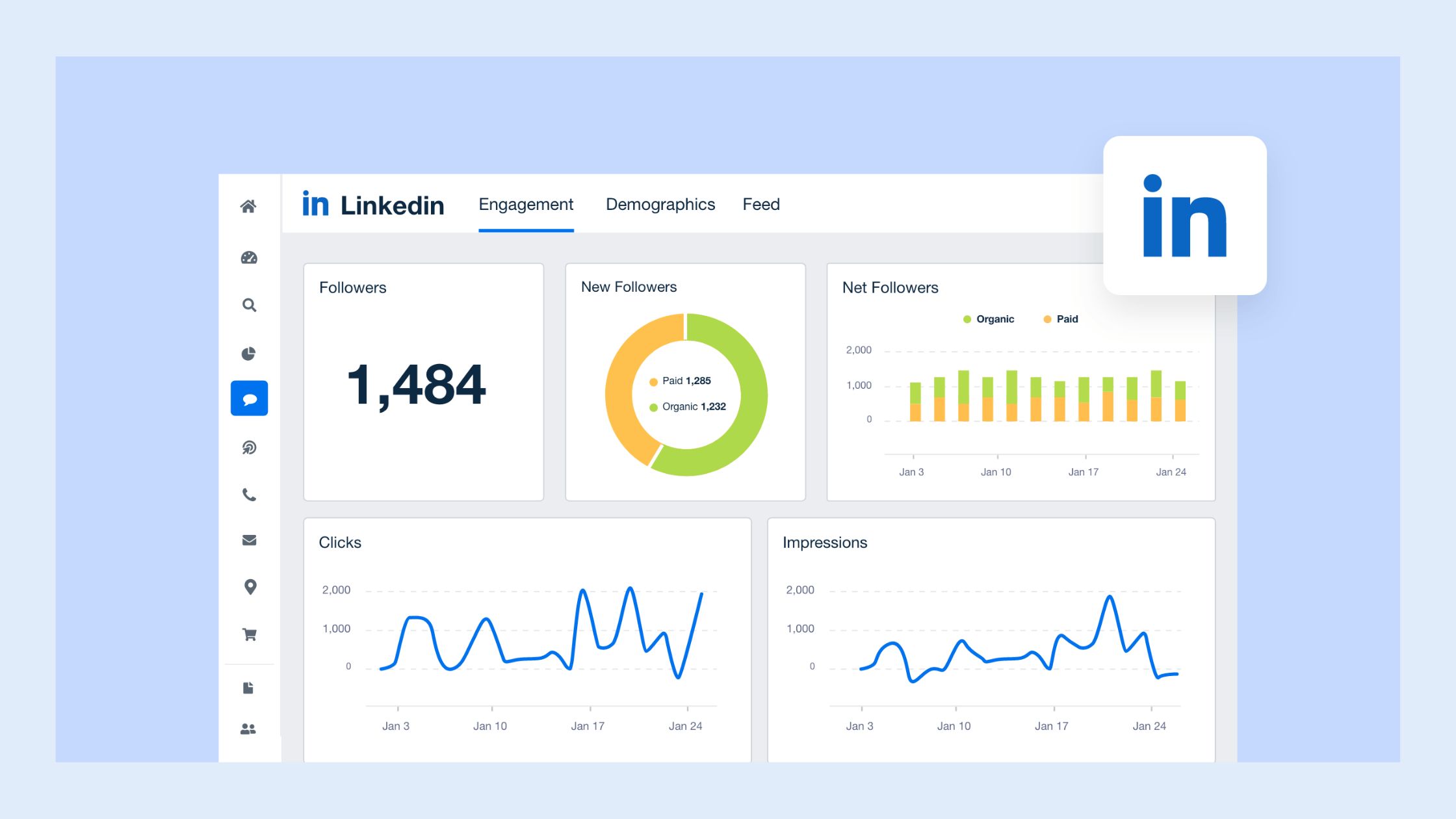
Most professionals who struggle to improve LinkedIn performance are skipping the baseline measurement step entirely. Here's the setup that actually works:
- Audit your native dashboard first (10 minutes). Document what's missing: historical data gaps, absent demographic breakdowns, no competitor view. This list becomes your tool selection criteria.
- Connect your chosen tool via LinkedIn API authorization (5 minutes). Verify it pulls both page-level and post-level data — not just aggregate summaries. Page-only data is nearly useless for content decisions.
- Set your LinkedIn engagement rate benchmarks baseline in week one. Across most professional niches, an engagement rate of 2–5% on a post is solid; above 6% signals content worth replicating. You can't improve what you haven't measured at the start — accounts that skip this step typically find themselves optimizing in the wrong direction six months later.
- Build a reporting rhythm (30 minutes per month). Weekly post performance review, monthly audience demographic insights check, quarterly content performance attribution audit. Data without a review cadence is noise.
What LinkedIn Analytics Do Top Content Creators Actually Track Week to Week?

Based on patterns across high-performing LinkedIn accounts, the weekly tracking list is shorter than most people expect:
- Engagement rate per post (not total impressions)
- Follower net gain vs. prior week
- Top-performing content type (text, carousel, video, poll)
- Best-performing posting time slot
- Profile visit rate from post viewers — the leading indicator for inbound leads
✓ The LinkedIn Analytics Setup Checklist
- ☐Export last 90 days of native LinkedIn data before connecting any third-party tool
- ☐Authorize tool access via official LinkedIn OAuth only — not username/password methods
- ☐Confirm tool tracks post-level data, not just page-level aggregates
- ☐Record your engagement rate baseline across your last 20 posts
- ☐Set a weekly 15-minute review slot in your calendar — data without review is useless
- ☐Schedule a monthly audience demographic insights check to track follower quality, not just quantity
Risks, Limitations, and Common Mistakes to Avoid With LinkedIn Analytics Tools?
The most common failure mode is treating tool output as ground truth without accounting for LinkedIn API data delays, sampling limitations, and what the API legally cannot provide. Understanding these constraints prevents expensive mistakes.
LinkedIn Analytics Tool Pricing: What's Worth Paying For in 2026?
Across the paid tools, the value split is roughly:
- Worth paying for: Post-level historical data export, audience demographic breakdown, engagement benchmarking, and automated client reporting. These are the features that save hours and drive real decisions.
- Not worth the premium alone: Real-time dashboard aesthetics, excessive integrations you'll never use, or "AI insights" that surface obvious observations.
The vanity metric trap is the most expensive mistake on LinkedIn — accounts optimizing for impressions over engagement rate consistently see high reach numbers alongside zero pipeline impact. Impressions measure distribution. Engagement rate measures resonance. Only one of those predicts business outcomes.
Tool overload is real. Most professionals need one specialized LinkedIn analytics software tool plus one scheduler — not five overlapping subscriptions generating conflicting numbers. For a safety-focused evaluation of which tools operate within LinkedIn's guidelines, this guide to safe LinkedIn analytics tools for professionals is the clearest reference available.
For comparison across the broader landscape of engagement tools — not just analytics — the top LinkedIn engagement tools breakdown covers the distinctions in detail.
Frequently Asked Questions About LinkedIn Analytics Tools
Are there LinkedIn analytics tools that show data LinkedIn itself doesn't?
Yes — third-party tools surface post-level historical data beyond LinkedIn's 365-day cap, granular audience demographic breakdowns by seniority and function, engagement rate trend lines over time, and content type performance comparisons. These are derived from authorized LinkedIn API data that native simply doesn't display in usable form.
What is the difference between Shield and LinkedIn analytics for personal branding?
Shield builds a permanent post-history archive that LinkedIn deletes after a year, calculates true engagement rate benchmarks per post, and displays visual trend lines for follower growth. LinkedIn's native dashboard shows recent snapshots only. For personal brand builders tracking progress over months, Shield provides data LinkedIn cannot.
Which LinkedIn analytics tools are worth paying for vs. using free?
Free native analytics are worth using as a starting point for basic awareness. Paid tools become worth it when you need historical data exports, engagement benchmarking, audience demographic insights, or automated client reporting. Shield, Taplio, and Keyhole consistently earn their subscriptions for professionals who post more than twice per week.
How do social media managers automate LinkedIn reporting for clients?
Sprout Social and Keyhole both support automated LinkedIn reporting with scheduled PDF exports and white-label dashboards. Connect client LinkedIn pages via OAuth, configure report templates once, and schedule delivery weekly or monthly. This removes manual export work and gives clients consistent visibility without analyst time per report.
What metrics should I track on LinkedIn to grow my audience faster?
Prioritize engagement rate per post over impressions, follower net gain week-over-week, content type performance by format, and profile visit rate from post viewers. Profile visits are the strongest leading indicator of inbound interest — a metric most creators ignore in favour of likes and impressions that don't predict pipeline.
Can I access LinkedIn competitor analytics through third-party tools?
Only partially. Tools like Keyhole can benchmark public engagement rates on publicly visible competitor posts — likes, comments, and shares that are visible to anyone. No tool can legally access private competitor post analytics, follower demographics, or impression data. Be skeptical of any platform claiming otherwise; it's either misleading or operating outside LinkedIn's API terms.
What is the best LinkedIn analytics tool in 2026 for a B2B marketer?
For B2B content marketers, Taplio or Shield handle personal analytics; Sprout Social handles page-level and team reporting. The right choice depends on whether your priority is personal brand data or company page performance. Most B2B marketers benefit most from tools that show audience demographic breakdown by job title and content performance attribution by format.
What consistently separates LinkedIn accounts with real audience growth from accounts stuck at the same follower count is not posting frequency alone — it is using data to understand what's actually resonating, with whom, and why. The tools exist. The data is accessible. The professionals who act on it are the ones who compound their reach while everyone else guesses.
For a complete overview of how analytics tools fit alongside scheduling and engagement tools in a full LinkedIn workflow, explore the LinkedIn tools guide covering schedulers, carousels, and analytics — or start with the HyperClapper platform for teams who want engagement and analytics in one place.



