
Lead generation on LinkedIn works — but only when you stop treating it like a cold-calling machine. A pattern observed across thousands of LinkedIn campaigns is that the accounts generating consistent B2B pipeline aren't the ones blasting the most connection requests. They're the ones that build a content-driven inbound pipeline first, then layer automation on top of an already-optimised profile. According to Martal Group (2026), LinkedIn drives 80% of all B2B social media leads — and its visitor-to-lead conversion rate sits at 2.74%, compared to 0.77% on Facebook. This guide walks you through the exact setup: profile, content, workflow, and tools — all completable in a focused 15-minute session.
- LinkedIn generates 80% of all B2B social media leads — the skepticism is real, but the data is decisive.
- Automation fails without profile optimisation — fix your headline, Featured section, and content mix first.
- Safe daily limits in 2026: 20–30 connection requests/day for new accounts, up to 50 for seasoned profiles.
- A 5-step automation workflow — ICP → profile → tool → sequence → CRM — can be configured in under 15 minutes.
- Counterintuitive finding: boosting post engagement (not cold outreach volume) is the fastest way to surface warm decision-maker leads.
- Track 5 KPIs: connection acceptance rate, reply rate, meeting booked rate, profile-to-pipeline conversion rate, and cost per lead.
- Why LinkedIn Lead Generation Actually Works (When Done Right)
- Optimize Your Profile and Content Before You Automate Anything
- How to Set Up a LinkedIn Lead Generation Workflow in 15 Minutes
- Is LinkedIn Automation Safe? Risks, Limits, and How to Stay Protected
- Measuring LinkedIn Lead Generation ROI: KPIs, Scoring, and Analytics
- FAQ: LinkedIn Lead Generation and Automation Answered
Why LinkedIn Lead Generation Actually Works (When Done Right)
Most LinkedIn skepticism comes from people who tried mass cold outreach and got ignored — which is a method problem, not a platform problem. The accounts that consistently convert leads share one trait: they built a content-driven inbound pipeline before touching any automation. According to Brenton Way (2026), LinkedIn's 2.74% visitor-to-lead conversion rate is nearly four times Facebook's — and Digital Applied (2026) reports that LinkedIn B2B lead generation costs 28% less than paid search when targeting precision is used correctly. In practice, this means a founder spending $500/month on LinkedIn outreach often outperforms a team spending $700/month on Google Ads — because the targeting reaches decision-makers directly, not job-seekers clicking on anything.
The LinkedIn Social Selling Index (SSI) — a score from 0–100 measuring how well you build relationships, find the right people, engage with insights, and establish your brand — directly correlates with profile-to-pipeline conversion rate. LinkedIn's own data shows that SSI leaders generate 45% more opportunities than their lower-scoring peers. The fastest free win: get your SSI above 70 by posting consistently, accepting and initiating meaningful connections, and filling out your profile completely. It's measurable, free to check at any time, and directly tied to how often LinkedIn surfaces your profile to decision-makers.
The LinkedIn Lead Funnel Explained
Think of the LinkedIn lead funnel as a three-stage sequence: Awareness (content and profile views), Engagement (reactions, comments, replies), and Conversion (DM, meeting booked, landing page visit). Most tools automate only the middle-to-bottom stages. What separates top performers is that they invest in Awareness first — so by the time an automated message arrives, the prospect has already seen the sender's content at least once.
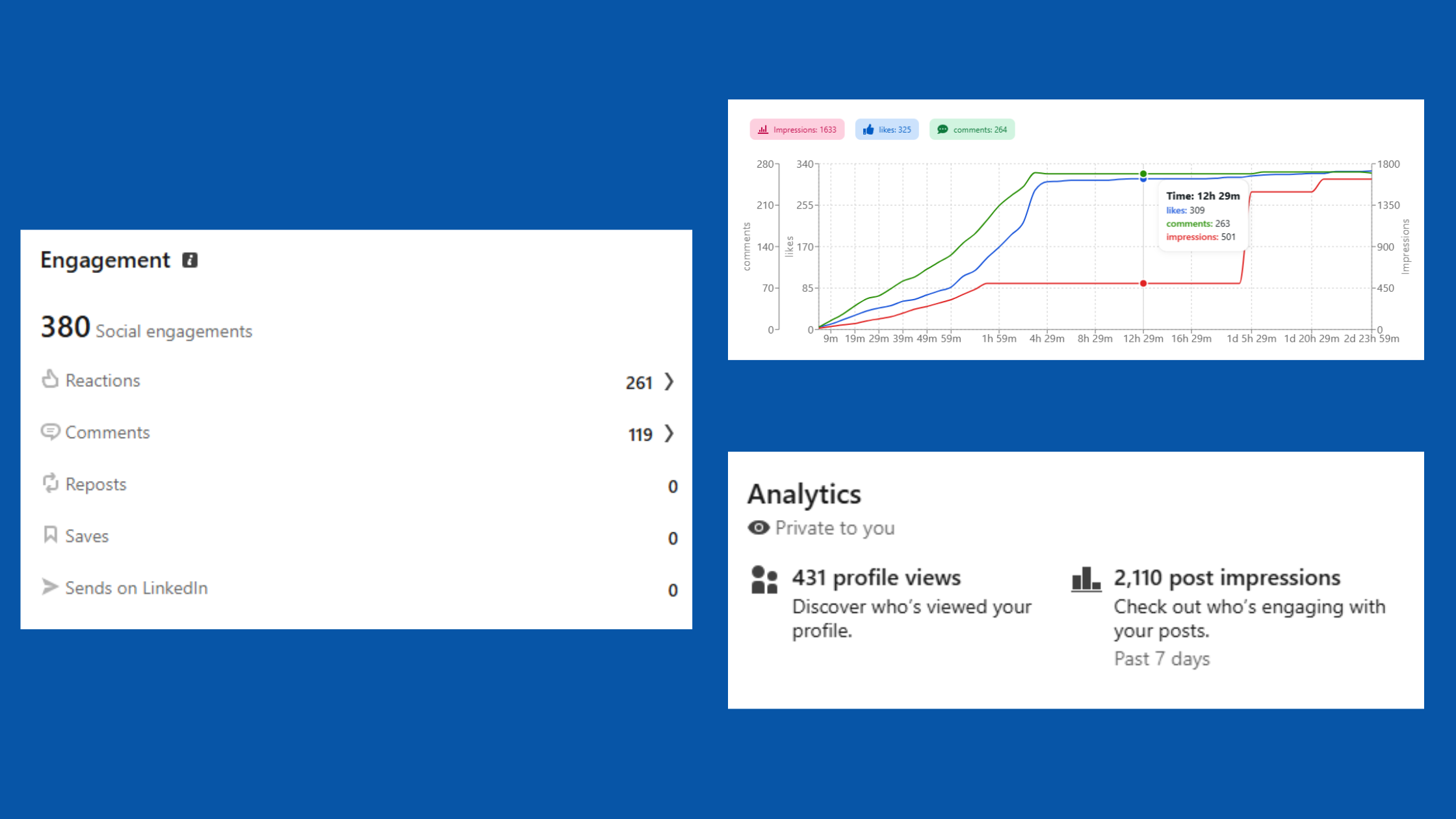
The biggest mistake in LinkedIn lead generation isn't using automation — it's using automation before the prospect has any reason to recognise your name.
This guide covers every stage. Now, the foundation that makes automation work at all.
Optimize Your Profile and Content Before You Automate Anything
No outreach automation tool rescues a weak profile. Creators who skip profile optimisation before running sequences typically see connection acceptance rates below 15% — compared to 35–45% for well-optimised profiles doing the exact same targeting. Four elements matter most:
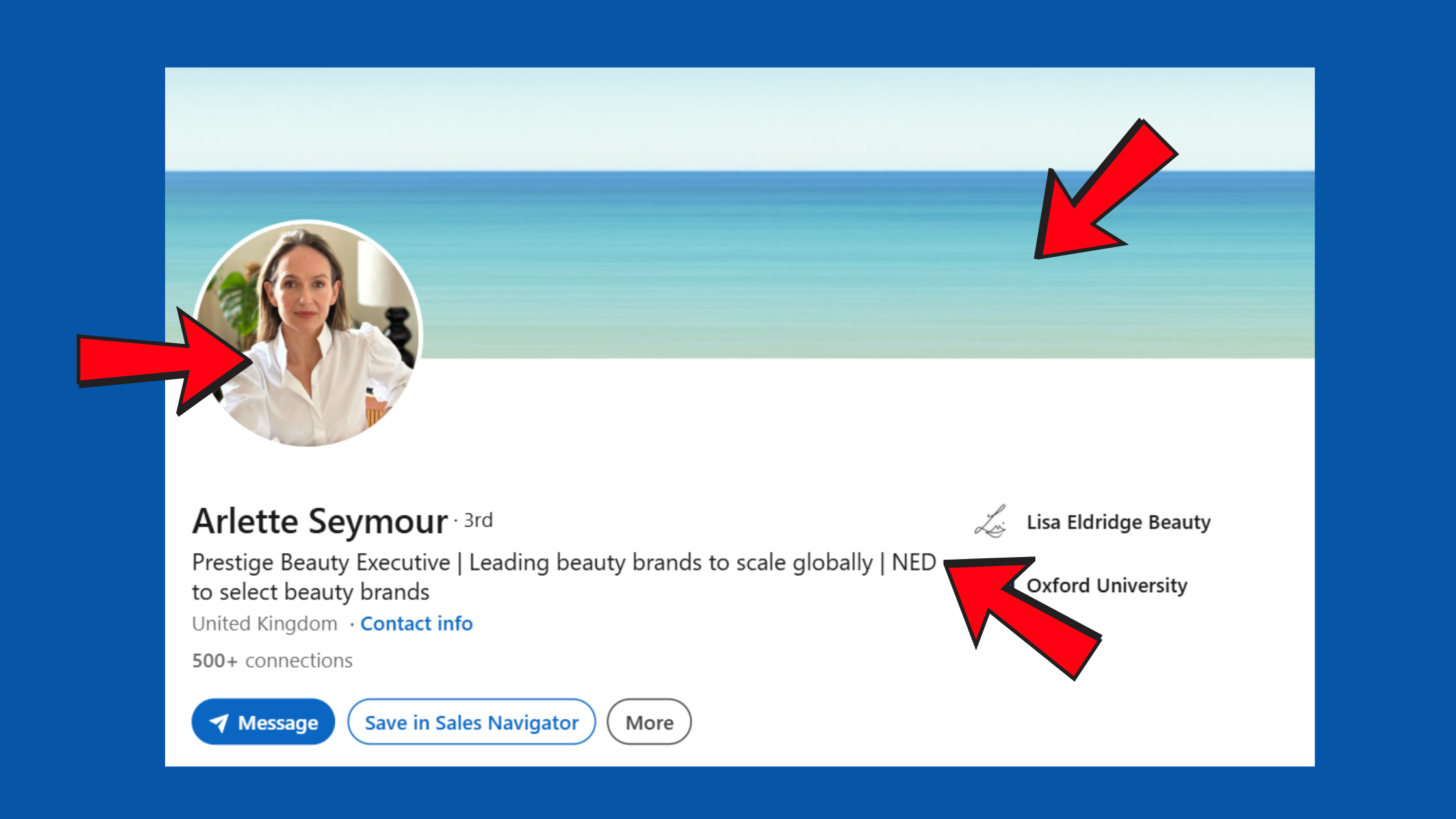
- Headline: Lead with who you help and the outcome you deliver — not your job title. "I help SaaS founders book 10+ qualified calls/month" outperforms "VP Sales at Acme Corp" every time.
- Banner: Use it as a silent billboard — your value proposition in one line, plus a CTA or social proof.
- About section: Written to the reader, not about you. Open with their problem. Close with a CTA.
- Featured section: Your highest-visibility real estate. Pin a lead magnet, case study, or landing page here — it's visible before anyone scrolls past the fold.
LinkedIn Lead Magnet Funnel vs. Appointment Setting Funnel
These are the two dominant approaches to lead generation from LinkedIn — and they serve different sales motions. The lead magnet funnel drives profile visitors to a free resource (checklist, template, mini-course) in exchange for contact details, then nurtures via email. The appointment setting funnel skips lead capture entirely and routes warm prospects directly to a calendar link. High-ticket services ($3k+/month) typically perform better with appointment setting. Products below $500 convert better through lead magnets that nurture over time.
Boosting Post Visibility to Feed the Top of the Funnel
The ideal content mix for lead generation with LinkedIn follows what consistently works across high-performing creator accounts: 50% insight/education, 30% story/social proof, 20% direct offer. Post 3–4 times per week — accounts that drop below this threshold see algorithmic reach decay within 10–14 days, requiring 3–4 weeks of consistent posting to recover distribution.
Tools like HyperClapper accelerate this by boosting post visibility through real community engagement — real likes and comments from relevant users inside the platform's channels — rather than fake bot activity. When a post gains early engagement velocity, LinkedIn's algorithm interprets it as high-quality content and distributes it further. More distribution means more profile views, and more profile views means more inbound lead signals from people who found you first.
With the profile and content foundation in place, the 15-minute workflow setup becomes straightforward.
How to Set Up a LinkedIn Lead Generation Workflow in 15 Minutes
The complete LinkedIn lead generation workflow setup runs in five steps — each takes 2–3 minutes once you know what you're doing:
- Define your ICP (Ideal Customer Profile): Job title, seniority, industry, company size, geography. Be specific — "B2B SaaS founders, 10–100 employees, UK" outperforms "startup founders." (2–3 min)
- Confirm profile is optimised: Headline, Featured section, and About section checked against the criteria above. Don't skip this. (2 min)
- Choose your automation tool: Cloud-based tools (Expandi, Dux-Soup, Phantombuster, or HyperClapper's engagement suite) — more on the comparison below. (2 min to set up account)
- Build your connection + message sequence: Connection request → 24-hour delay → value-add message 1 → 48-hour delay → soft CTA message 2. Keep message 1 genuinely useful — share a relevant insight, not a pitch. (5 min)
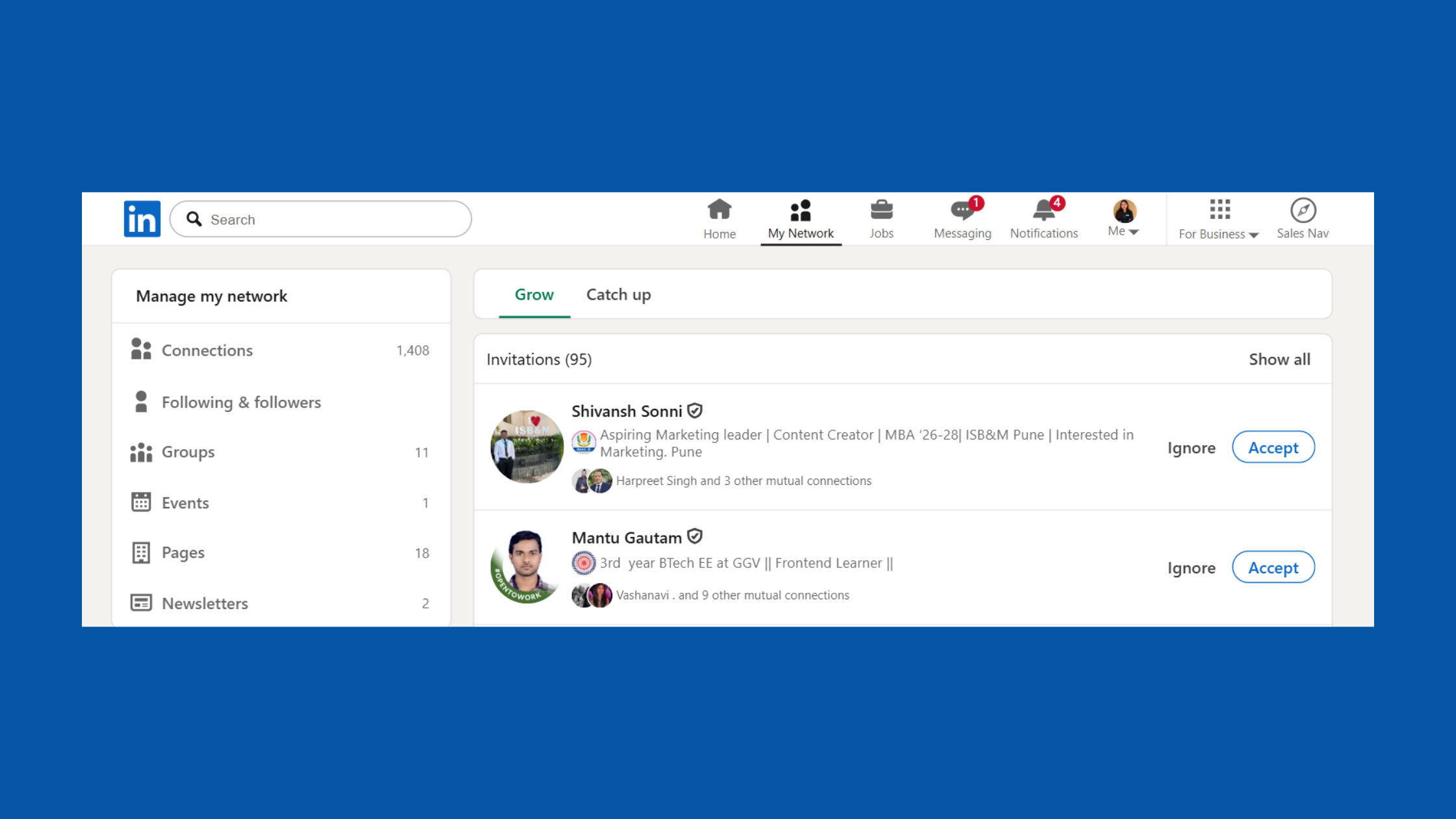
Build your connection + message sequence - Set up CRM tagging: Route replies into your CRM (HubSpot, Notion, Pipedrive) with a status tag so warm leads don't get lost. (2–3 min)
LinkedIn Automation for B2B Prospecting: Tools, Triggers, and Sequences
The fastest way to find leads on LinkedIn fast is to stack three sources: Boolean search in standard LinkedIn, Sales Navigator filters, and post-engagement lists. People who liked or commented on a competitor's post are already warm — they've signalled interest in the topic without you having to cold-qualify them. LinkedIn's advanced people search in 2026 gives you granular filters that make this targeting surprisingly fast.
LinkedIn Sales Navigator automation adds saved search alerts — when a new prospect matches your ICP filters, they're automatically added to your lead list. No manual scraping, no daily checking. For small sales teams, this is worth the $99/month alone. See our full breakdown of LinkedIn Sales Navigator for lead generation for filter strategies that cut list-building time by roughly 60%.
Setting Up Your LinkedIn Paid Ads Funnel
LinkedIn's paid ads funnel — using Lead Gen Forms attached to Sponsored Content — converts better than most platforms for B2B because the form auto-populates from the prospect's LinkedIn profile. The most effective setup: target by job title + seniority, offer a relevant lead magnet, and use a Matched Audiences retargeting layer to re-engage website visitors who didn't convert the first time. Cost per lead runs higher than Meta ($200–$300 CPL is common in competitive B2B niches), but lead quality benchmarks from Digital Applied (2026) show LinkedIn's leads close at a significantly higher rate — making total pipeline cost comparable or lower.
Get Real Engagement That Feeds Your Lead Funnel
HyperClapper boosts your LinkedIn posts with real community engagement — so more decision-makers see your content before your outreach sequence ever reaches them.
Start Boosting Posts FreeIs LinkedIn Automation Safe? Risks, Limits, and How to Stay Protected
LinkedIn's Terms of Service explicitly prohibit scraping and unauthorised automation — and the consequences go beyond a warning. Accounts that trigger LinkedIn's bot-detection typically face a graduated restriction: first a captcha prompt, then a temporary restriction on outreach, then a permanent account restriction for repeat violations. The risk is real, but it's manageable with the right approach.
How Many LinkedIn Connection Requests Per Day Is Safe?
The 2026 consensus among practitioners who've tested limits at scale: 20–30 connection requests per day for accounts under 6 months old or with SSI scores below 50. Accounts with high SSI scores (70+) and established activity patterns can safely send up to 50/day. Never exceed 100 in a single day under any circumstances — accounts that do typically face immediate restriction regardless of age or SSI.
Safer Engagement Alternatives: Community-Based Visibility vs. Cold Outreach Bots
The most common failure mode in LinkedIn automation is conflating two very different activities: outreach automation (sending messages and connection requests) and engagement automation (boosting post visibility through likes and comments). The former carries high account risk when done aggressively. The latter — when handled through real community engagement rather than bots — carries far lower risk and often produces better lead signals.
This is precisely the gap that platforms like HyperClapper's engagement approach are built to fill. Rather than automating cold outreach, HyperClapper connects your posts with real users in engagement channels — producing genuine likes and substantive comments that signal quality content to LinkedIn's algorithm. The result is wider organic reach, more inbound profile views, and warmer prospects entering your funnel before any outreach sequence touches them.
Understanding safety limits is only half the picture — the other half is knowing whether your efforts are actually producing pipeline.
Measuring LinkedIn Lead Generation ROI: KPIs, Scoring, and Analytics
Teams that measure LinkedIn lead generation with the right KPIs consistently outperform those tracking vanity metrics like impressions and follower growth. The five KPIs that actually map to revenue are:
- Connection acceptance rate: Benchmark 30–45% for well-targeted outreach. Below 20% signals a profile or targeting problem.
- Reply rate: 10–15% on message sequences is strong. Below 8% means the messaging needs reworking.
- Meeting booked rate: 3–5% of connections converting to a call is a healthy B2B benchmark.
- Profile-to-pipeline conversion rate: What percentage of profile visitors eventually enter your sales pipeline — trackable via UTM parameters on your Featured section links.
- Cost per lead: Total time/tool cost divided by qualified leads generated. For outbound LinkedIn, $30–$80 CPL is typical for well-run campaigns.
How to Qualify and Score LinkedIn Leads Before Moving Them to CRM
The smartest lead scoring approach uses LinkedIn engagement signals — not just demographic fit — as scoring triggers. A prospect who has:
- Commented on 2+ of your posts
- Viewed your profile within the last 7 days
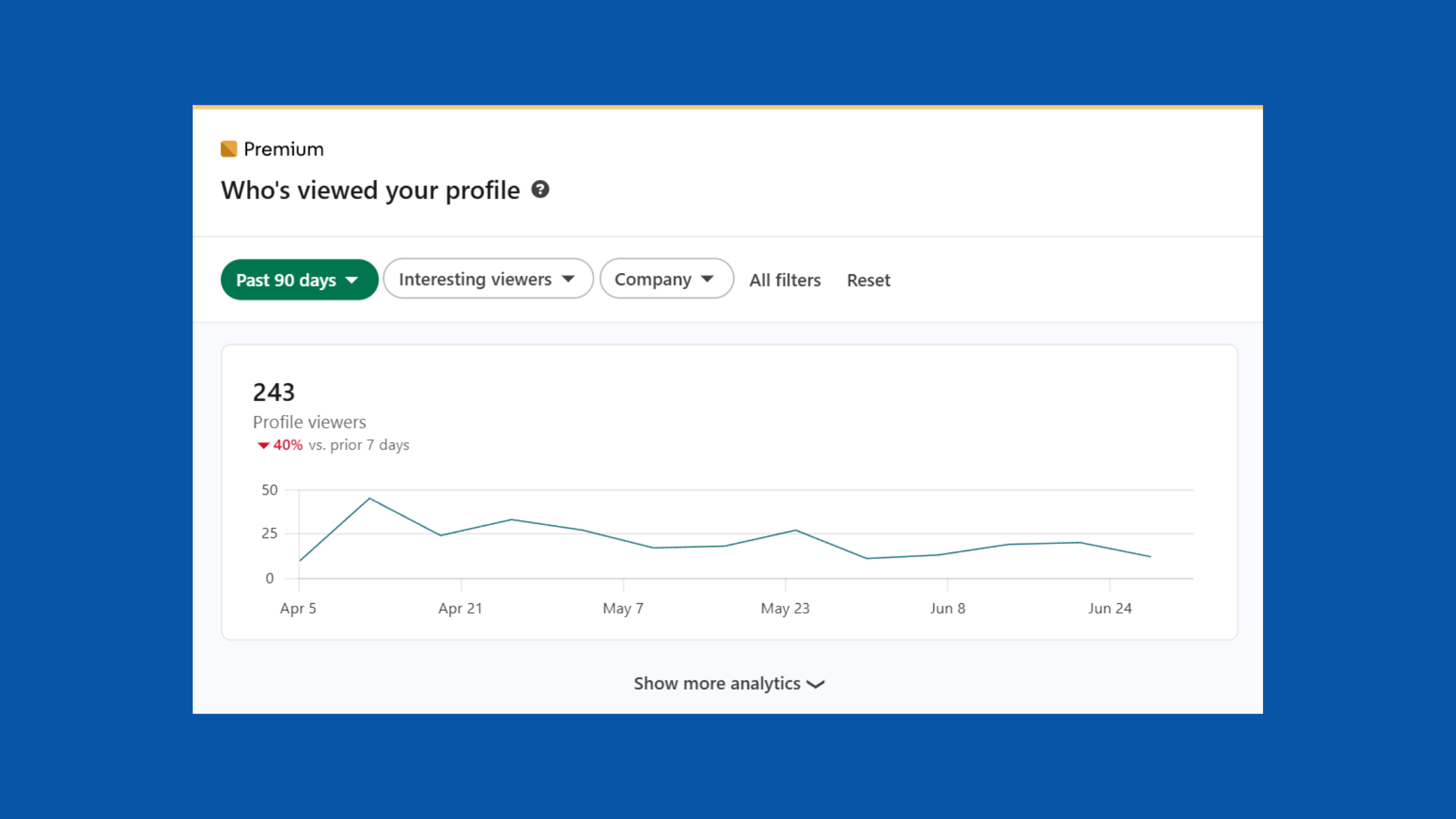
LinkedIn Viewed your profile - Opened your first message without replying
…is significantly warmer than a cold connection who matches your ICP on paper. Score these behaviours before routing to sales — it saves the team from pitching people who have never engaged with your brand at all. This is how you qualify and score LinkedIn leads before moving them into the sales pipeline: engagement intent first, demographics second.
Using HyperClapper Analytics to Identify High-Intent Leads
HyperClapper's analytics layer shows which posts are generating the most profile visits and engagement depth — letting you identify which content topics attract your highest-intent audience. After seeing this across multiple campaigns, the pattern is consistent: posts that generate comments from specific job titles tell you exactly who's paying attention. Those commenters become priority targets for outreach sequences, with dramatically higher acceptance and reply rates than cold-sourced lists. For a full walkthrough of building this loop, see the guide to turning cold prospects into paying clients with a LinkedIn funnel.
What consistently separates LinkedIn accounts with a real pipeline from those with impressive follower counts is not the volume of outreach — it's the precision of targeting combined with content that makes prospects feel known before they're ever contacted.
✓ The LinkedIn Lead Generation Launch Checklist
- ☐Headline rewritten to name who you help + the outcome you deliver
- ☐Featured section pinned with lead magnet or landing page link
- ☐ICP defined: job title, seniority, company size, location
- ☐Content calendar set: 3–4 posts/week with 50/30/20 content mix
- ☐Automation tool configured with 20–30 requests/day limit and randomised delays
- ☐Message sequence built: value-add message 1 → 48hr delay → soft CTA message 2
- ☐CRM tagging set up so warm replies are captured and routed automatically
- ☐UTM parameters added to all Featured section and CTA links
Turn LinkedIn Posts Into a Lead Generation Engine
HyperClapper's real community engagement and AI-powered replies help your content reach more decision-makers — without risking your account.
Try HyperClapper FreeFrequently Asked Questions About LinkedIn Lead Generation
Is LinkedIn good for lead generation?
Yes — LinkedIn is the strongest B2B lead generation platform available. According to Warmly (2026), 94% of B2B marketers use LinkedIn for lead generation, and it accounts for 80% of all B2B social media leads. Its visitor-to-lead conversion rate (2.74%) is nearly 4× higher than Facebook's. For B2B audiences, no other social platform comes close.
How to do lead generation in LinkedIn?
Start by optimising your profile (headline, Featured section, About), then build a content calendar posting 3–4 times/week. Use Boolean search or Sales Navigator to build a targeted ICP list, then run a cloud-based automation tool with a 2-step message sequence — value first, soft CTA second. Route replies to your CRM immediately. The full workflow takes under 15 minutes to configure.
How much does LinkedIn lead generation cost?
Organic outreach costs primarily your time plus a tool subscription ($30–$150/month for most automation tools). LinkedIn Sales Navigator adds $99/month. Paid LinkedIn ads run $200–$300 CPL in competitive B2B niches — but lead quality typically justifies the higher cost vs. Meta. Total monthly spend for a lean outbound setup: $130–$250 plus time.
What is the fastest way to automate LinkedIn lead generation without getting banned?
Use a cloud-based tool (not a browser extension), set daily limits to 20–30 connection requests, randomise send times, and personalise the first message line. Never send identical messages at scale. Maintaining an SSI score above 60 significantly lowers detection risk. Prioritise engagement automation (boosting posts) alongside outreach — warm leads convert faster and with less friction.
Walk me through setting up a LinkedIn automation workflow step by step
Five steps: (1) Define your ICP by title, seniority, industry, and company size. (2) Optimise your profile headline and Featured section. (3) Choose a cloud-based tool and connect your LinkedIn account. (4) Build a sequence: connection request → 24hr delay → value message → 48hr delay → CTA. (5) Tag replies in your CRM. Total setup time: 15 minutes.
Which LinkedIn automation tool works best for small sales teams?
For small sales teams (1–5 people), Expandi and Dux-Soup are the most widely used — both are cloud-based with solid sequence builders. HyperClapper is the strongest choice when post engagement and content visibility are priorities alongside outreach, as it combines real community engagement with analytics. Sales Navigator is worth adding once the team has a validated ICP and is booking meetings consistently.
Can I use AI to generate leads on LinkedIn automatically?
Yes. AI is now embedded in multiple parts of the lead generation stack: AI-written connection messages personalised by prospect's profile, AI-generated post content, and AI replies that keep conversations active. HyperClapper's AI reply feature automatically generates and posts substantive comments to keep posts visible and attract inbound engagement from relevant professionals — feeding the top of the funnel without manual effort.
What are some lead generation examples on LinkedIn that actually work?
Three high-performing lead generation examples: (1) A B2B consultant posts a case study, boosts it via HyperClapper channels, then DMs everyone who commented with a relevant follow-up resource. (2) A recruiter uses Sales Navigator saved searches to auto-populate a daily list of passive candidates and runs a 2-step outreach sequence. (3) A SaaS founder pins a free template in the Featured section — capturing 50+ email leads per month from organic profile traffic alone.
Is LinkedIn automation safe to use?
LinkedIn automation is lower-risk when done correctly — cloud-based tools with human-like delays, daily limits under 50 requests, and non-identical messages significantly reduce detection risk. The real danger is aggressive browser-extension bots, identical message blasts, and exceeding 100 requests/day. Engagement automation (boosting posts via real communities) carries far lower account risk than outreach automation.



