LinkedIn impressions are a fundamental metric that reflects how many times your content appears on users’ screens. They serve as a direct indicator of your content’s visibility and reach within the LinkedIn network. Understanding what are LinkedIn impression and why they matter is crucial for anyone looking to build a strong presence on the platform.
Impressions differ from other engagement metrics like clicks or comments because they measure exposure rather than interaction. This means even passive views contribute to your impression count, highlighting the potential audience size that encounters your posts or articles.
Knowing what is LinkedIn impression, or the impressions LinkedIn meaning, helps you evaluate how well your content strategy performs in terms of visibility. It answers questions like: Is 1000 impressions on LinkedIn good? and guides you toward setting realistic expectations based on your industry and audience size.
Key takeaway:
- LinkedIn impression count shows how often your content is displayed.
- Grasping what is impressions in LinkedIn enables smarter post optimization.
- Leveraging impression data allows you to maximize exposure and grow your network effectively.
This article breaks down the concept of impressions on LinkedIn, explains how they are counted, and offers actionable insights for boosting your content’s reach.
Understanding LinkedIn Impressions
When you ask, what are impressions on LinkedIn? or seek the impressions meaning on LinkedIn, it's important to grasp that an impression simply counts how many times your content is displayed on someone's screen. This metric focuses purely on visibility. It does not measure if the viewer clicked, liked, shared, or engaged with your post—it only tracks that your content appeared.
Impressions means exposure rather than interaction. For example:
- If your post shows up in a user's feed but they scroll past without clicking, that's still counted as one impression.
- If the same user sees that post multiple times in different sessions, each view counts as a separate impression.
This differs significantly from metrics like clicks or engagements:
- Clicks record when someone actively interacts by opening links or media.
- Engagements include likes, comments, shares—demonstrating active participation.
Understanding this distinction helps you interpret your performance data correctly. High impressions indicate broad reach but do not guarantee user interest or action.
Types of Content That Generate Impressions
LinkedIn registers impressions across various content forms:
- Posts: Short updates, images, videos, polls shared on your profile.
- Articles: Longer-form written content published using LinkedIn’s article publishing platform.
- Updates: Company page announcements and status updates.
Each content type contributes to your overall visibility in different ways. For instance:
- Posts tend to generate quick bursts of impressions due to their brief nature and frequent sharing.
- Articles usually accumulate impressions over time as they remain accessible longer and attract readers interested in detailed insights.
- Updates on company pages help maintain brand presence among followers and potential customers.
Knowing what are LinkedIn impressions for these different formats enables you to tailor your strategy. You might aim for more frequent posts to boost short-term visibility or invest in articles for sustained reach.
What Impression On LinkedIn Means For You
If you wonder what is a good number of impressions on LinkedIn, remember it varies widely by factors such as your industry, audience size, and network activity. Comparing raw impression counts without context can be misleading. Instead:
- Use impressions alongside engagement rates to assess whether your content resonates.
- Track trends over time to see if visibility improves with changes in posting frequency or style.
Recognizing impressions on LinkedIn means tracking reach sets the foundation for refining how you connect with your audience effectively.
How LinkedIn Counts Impressions
Understanding how impression count is calculated on LinkedIn is essential for grasping what impressions on LinkedIn mean in practical terms. An impression occurs each time your content appears on a user’s screen. This visibility can happen multiple times to the same user, meaning that if one person scrolls past your post twice or more, each appearance adds to the total impression count.
What Do Impressions Mean in LinkedIn Context?
Impressions on LinkedIn refer to the number of times your content is displayed to users. Here's what you need to know about impressions in this context:
- LinkedIn post impressions represent every instance your post loads on someone’s feed.
- Impressions do not require any interaction such as clicks, likes, or comments.
- The metric tracks exposure rather than engagement or interest directly.
Total Impressions vs Unique Impressions
When analyzing impression metrics, it's important to understand the difference between total impressions and unique impressions:
- Total Impressions: The cumulative number of times your content was displayed on screens. If one user sees your post five times, it counts as five impressions.
- Unique Impressions: The number of distinct users who saw your content, counting each user only once regardless of how many times they viewed it.
LinkedIn publicly shows total impressions but may provide unique impressions data through advanced analytics or third-party tools.
Virality and Impression Counts
High impression numbers can indicate virality impressions—content spreading widely beyond your immediate network. When a post reaches beyond your followers due to shares or LinkedIn’s algorithmic promotion, total impressions grow rapidly. This growth reflects increased visibility but does not guarantee engagement.
Clarifying What Are LinkedIn Impressions
LinkedIn impressions measure reach potential rather than active attention. A high impression count means more people had the opportunity to see your message, although it doesn't confirm they read or interacted with it.
Knowing what is LinkedIn impressions helps you focus on strategies that increase how often your content shows up in feeds, which is the first step toward boosting engagement and follower growth.
Members Reached vs Impressions: What’s the Difference?
Understanding the difference between members reached on LinkedIn and LinkedIn impressions is crucial for accurately measuring your content’s performance.
What Are Members Reached on LinkedIn?
Members reached refers to the number of unique LinkedIn users who have seen your content at least once. This metric counts distinct individuals, regardless of how many times they view the post. For example:
- If one user sees your post three times, it still counts as one member reached.
- If 100 different users see your post, your members reached count is 100.
This helps you understand the actual size of your audience.
How Members Reached Differs from Impressions in LinkedIn
On the other hand, impressions in LinkedIn measures every single time your content appears on a screen. This includes:
- Multiple views by the same user.
- Views in different locations such as feed, notifications, or group pages.
For instance:
- If one user sees your post five times, that counts as five impressions.
- If 100 users each see it twice, that results in 200 impressions.
This means LinkedIn impressions vs members reached differ mainly by counting total views versus unique viewers.
Why Both Metrics Matter
Both metrics provide valuable but distinct insights:
- Impressions give you a sense of how often your content is being displayed. High impressions might indicate strong visibility or repeated exposure, which can increase brand recall.
- Members reached shows how many individuals have been exposed to your content. It’s essential for evaluating reach and potential audience size.
Tracking both helps you balance quantity and quality of exposure. For example:
- A high impression count with low members reached may suggest repeat views by a smaller group.
- High members reached with moderate impressions can indicate broad but less frequent exposure.
Knowing what is member reached on LinkedIn and how it complements impressions in LinkedIn allows you to tailor strategies for better engagement and growth. You can focus on expanding reach or increasing frequency depending on campaign goals.
“What does members reached mean on LinkedIn?” It answers the question of unique audience breadth, while what are impressions LinkedIn measures overall content visibility volume.
These insights are critical when analyzing performance data from LinkedIn analytics dashboards or third-party tools to optimize your content strategy effectively.
The Role of Impressions in Your Content Strategy
Understanding why do LinkedIn impressions matter is key to crafting an effective content strategy. Impressions on LinkedIn represent the number of times your content appears on users’ screens, which directly correlates with how many people potentially see your message. This exposure plays a critical role in building brand awareness—the more impressions you accumulate, the higher the chances that your target audience recognizes and remembers your brand.
Why Impressions Are a Foundation for Awareness
Impressions are more than just numbers; they are opportunities to make an impact. Here’s why they are crucial for building brand awareness:
- Visibility drives recognition: Each impression contributes to making your brand familiar to viewers. Even if users don’t engage immediately, repeated exposure increases the likelihood they’ll recall your name or expertise later.
- Expanding reach beyond followers: Impressions often come from both your connections and others outside your immediate network. This helps you tap into new audiences and expand your influence organically.
- Impressions as social proof: High impression counts signal to others that your content is relevant or popular, attracting more views and potential connections.
Impact on Engagement Opportunities and Follower Growth
While impressions alone don’t guarantee interaction, they set the stage for engagement by putting your content in front of eyes that can like, comment, share, or follow you. Here’s how this relationship works:
- More impressions increase engagement chances: The larger the pool of viewers, the greater the potential for reactions.
- Engagement amplifies visibility: When users engage with a post, LinkedIn’s algorithm often boosts it further, generating even more impressions.
- Follower growth links to consistent visibility: Higher impression counts help attract new followers who discover you through their feed or shared interactions.
What Is Meant by Impression in This Context?
In the context of LinkedIn, impressions mean more than just numbers; they represent opportunities. Impressions indicate that your content has passed LinkedIn’s relevance filters and appeared in someone’s feed or search results. Your goal should be to maximize this metric without sacrificing content quality—more impressions with meaningful messaging create stronger brand connections.
How Many Impressions on LinkedIn Is Good?
There isn’t a one-size-fits-all answer because:
- Industry norms vary widely.
- Audience size and network engagement levels differ.
- Content type influences impression volume (e.g., posts vs articles).
However, tracking impression trends relative to your past performance helps identify what counts as successful growth for your specific niche.
Focusing on increasing what are impressions on LinkedIn means recognizing their fundamental role in growing awareness and opening doors for deeper engagement. Thoughtful strategies designed around boosting impressions can transform how your content performs within the platform’s ecosystem.
What’s a Good Number of Impressions on LinkedIn?
.jpeg)
Understanding how many impressions is good on LinkedIn depends on several important factors. The concept of what is a LinkedIn impression or what is an impression count on LinkedIn often confuses users who want to measure the true impact of their content. An impression in LinkedIn simply means your post appeared on someone’s screen, but the quality and relevance of those impressions vary widely.
Factors Influencing What Counts as a Good Impression Number
Here are some factors that influence what counts as a good impression number:
- Industry: Different industries have varying audience sizes and engagement levels. For example, tech and marketing sectors typically see higher impression counts due to larger, more active communities compared to niche B2B fields.
- Audience Size: The number of connections and followers you have directly affects your potential impression count. A user with 500 connections will naturally get fewer impressions than someone with 5,000 followers.
- Content Type: Posts, articles, and updates generate different types of impressions. Short posts might attract quick views but fewer long-lasting impressions than detailed articles.
- Engagement Level: Content that sparks comments and shares expands beyond your immediate network, increasing impression counts organically.
- Posting Frequency & Timing: Regular posting during peak LinkedIn activity hours can boost visibility and impressions.
Benchmarks for Average and Successful Post Impression Counts
Defining what is a post impression on LinkedIn helps set realistic goals:
- Average Impressions: Most LinkedIn posts by users with under 1,000 connections receive between 100 to 500 impressions per post. This range is typical for casual users or those still growing their networks.
- Above Average Performance: Posts that reach 1,000 to 3,000 impressions generally indicate content that resonates well with the audience or benefits from some engagement-driven amplification.
- High Impression Posts: Achieving over 5,000 impressions usually reflects strong content quality, relevant targeting, or viral engagement—common among influencers or active business pages.
Impression count LinkedIn varies greatly based on context; what qualifies as “good” for one user might be modest for another.
Additional Considerations About Impressions
Here are some additional things to consider about impressions:
- Impressions do not guarantee clicks or meaningful engagement but signal visibility.
- Tracking how your impression numbers change over time reveals trends in audience growth or content appeal.
- Comparing your impression count against industry peers offers insight into how well your content performs within your niche.
Knowing what are impressions on LinkedIn equips you to evaluate your reach realistically. Focus on steady growth in impressions alongside meaningful interactions to build influence effectively.
Post Impressions vs Article Impressions: Understanding the Difference
When exploring post impressions on LinkedIn, it’s important to distinguish between impressions generated by different types of content. LinkedIn tracks post impressions, article impressions, and update impressions separately because each content format behaves uniquely and engages audiences in distinct ways.
What Are Post Impressions on LinkedIn?
Post impressions refer specifically to the number of times your individual posts appear on users’ screens. These posts can be:
- Short text updates
- Image or video shares
- Polls or event announcements
Each time a post loads in a user’s feed, that counts as one impression—even if the same person sees it multiple times. This metric answers the question, what do impressions mean in the context of everyday LinkedIn activity. It shows raw visibility but does not indicate clicks, likes, or comments.
How Post Impressions Differ from Article Impressions
Articles on LinkedIn are longer-form pieces published through LinkedIn’s native publishing platform. Article impressions measure how often these full articles are displayed—not just in feeds but also when accessed directly via links or profiles.
Key differences include:
- Content Length & Depth: Articles provide more comprehensive information, which typically attracts fewer but more engaged viewers.
- Impression Context: Article impressions count views on both feed snippets and full article pages; post impressions mainly track feed appearances.
- User Intent: Readers encountering an article impression often intend to consume detailed content, while post impressions may result from casual scrolling.
Update Impressions: Another Layer
Updates are similar to posts but can include company page content or notifications about activities (like job changes). These also generate their own impression counts separate from personal posts or articles.
Why Understanding These Differences Matters
Knowing what is post impressions on LinkedIn versus article or update impressions lets you tailor your content strategy:
- Posts usually drive quick bursts of visibility and engagement.
- Articles build thought leadership and long-term audience trust.
- Updates keep your network informed about ongoing activities.
Interpreting what are LinkedIn post impressions correctly prevents misreading data. For example, a high number of post impressions means your short-format content is widely visible, but it doesn’t guarantee deep engagement like an article might achieve.
Understanding what’s impressions across formats helps you measure success accurately and decide where to focus effort for maximum impact on LinkedIn.
How to Increase Your Impressions on LinkedIn
Boosting your LinkedIn impressions means making your content more visible to a wider audience. Knowing how to get more impressions on LinkedIn starts with optimizing key elements of your posts. Here are some practical strategies to improve your reach:
1. Post Timing Matters
LinkedIn activity peaks during weekday business hours, especially mid-morning and early afternoon.
- Aim to publish posts between 8 AM and 2 PM on Tuesdays, Wednesdays, and Thursdays for the best organic visibility.
- Avoid weekends and late evenings when user engagement tends to drop.
2. Craft High-Quality, Valuable Content
Content that educates, inspires, or solves problems for your audience naturally attracts more views.
- Use clear, concise language tailored to your professional network.
- Incorporate relevant keywords that resonate with your industry.
- Add rich media like images, videos, or slide decks—visuals increase attention and impression counts.
- Tell stories or share personal insights to foster authentic connections.
3. Engage Early and Often
LinkedIn’s algorithm favors posts that receive likes, comments, and shares shortly after publishing.
- Respond promptly to comments on your posts to keep the conversation alive.
- Encourage meaningful interactions by asking questions or soliciting opinions.
- Consider using tools like Hyperclapper for AI-powered replies that maintain genuine engagement without consuming extra time.
4. Leverage Hashtags Strategically
Hashtags help categorize content and make it discoverable beyond your immediate network.
- Use 3 to 5 relevant hashtags per post.
- Combine broad industry tags (#Marketing) with niche-specific ones (#B2BLeadGen).
5. Keep Posts Concise but Impactful
Shorter posts often perform better as they are easier to consume quickly.
- Aim for around 150–300 words in updates.
- Break up text with bullet points or line breaks for readability.
6. Post Consistently
Regular posting builds momentum and signals active presence to LinkedIn’s algorithm.
- Commit to a posting schedule you can maintain—whether daily or several times a week.
- Use scheduling tools (like Hyperclapper’s post scheduler) to automate consistency without manual effort.
7. Tag Relevant People or Companies
Mentioning connections or organizations increases the chance they will engage and amplify your post.
- Only tag people genuinely related to the content to avoid appearing spammy.
8. Optimize Headlines for Articles and Updates
Strong headlines grab attention in crowded feeds.
- Use clear value propositions or intriguing questions.
- Avoid clickbait; deliver on headline promises within the content.
Applying these techniques forms the foundation of how to increase impressions on LinkedIn effectively. Each tactic contributes by improving both algorithmic favorability and genuine audience interest—key drivers of higher impression counts.
Using Tools Like HyperClapper to Boost Your Presence on LinkedIn
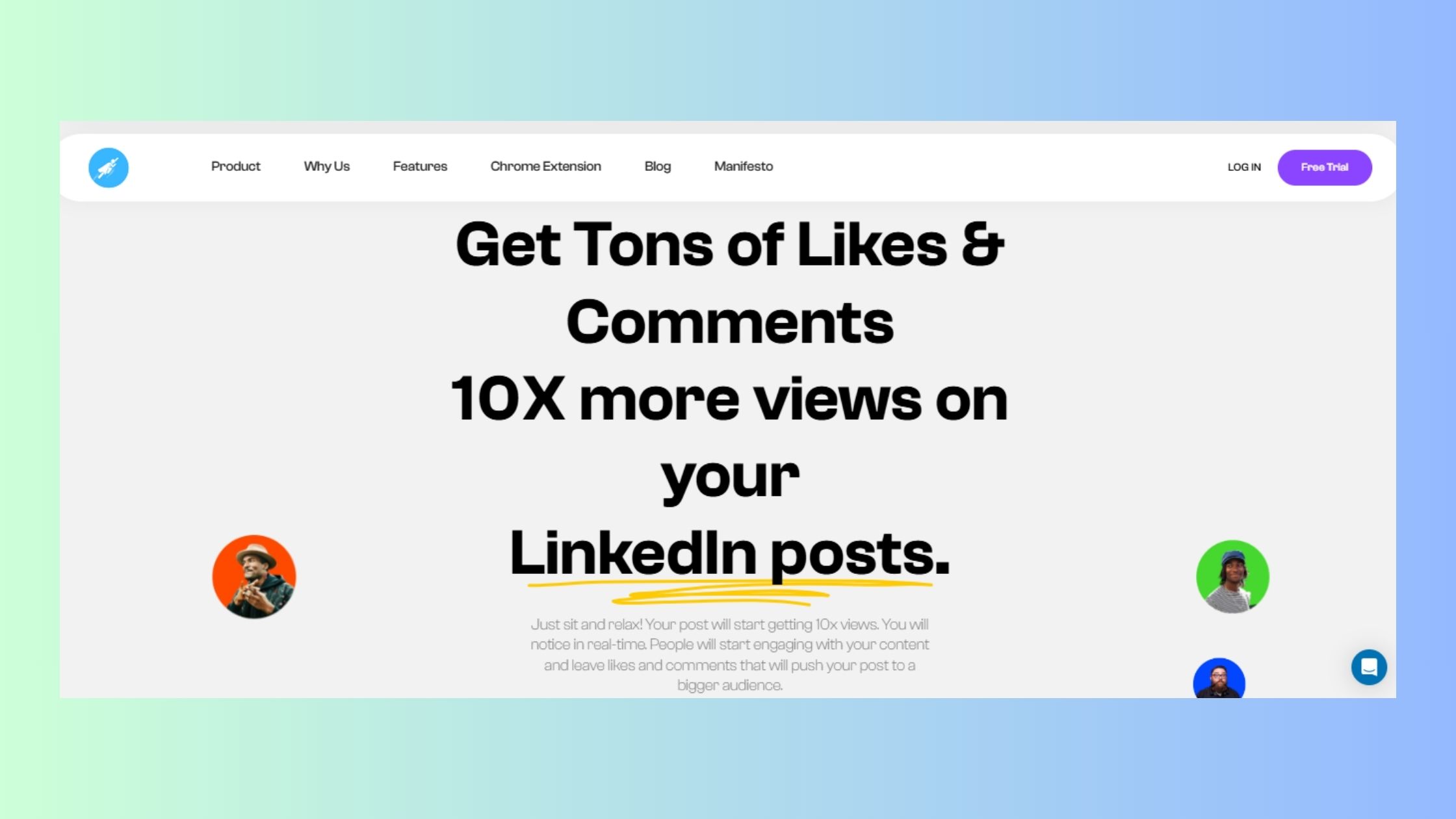
When you want to improve your post impressions on LinkedIn and amplify your content reach, leveraging a tool like Hyperclapper, a powerful LinkedIn automation tool, can make a significant difference. Its design focuses on maximizing visibility through intelligent automation while maintaining authenticity in interactions.
Key Features of HyperClapper Relevant to Impressions and Engagement
1. AI-generated comments and replies
Hyperclapper uses advanced AI to create human-like responses tailored to your post’s tone and audience. This means your content receives genuine-looking engagement, which can increase the number of impressions as LinkedIn’s algorithm favors posts with active discussions.
2. Scheduled posting capabilities
Consistency is crucial for growing your presence. Hyperclapper allows you to schedule 2–3 posts per day depending on your subscription plan. Regular posting keeps your profile active, leading to more frequent appearances in followers’ feeds and thus increasing post impressions.
3. Feed Mode for extended engagement
This feature automatically generates additional replies over time, keeping conversations alive and boosting continuous visibility.
4. Compliance and security
Unlike browser extension tools that risk LinkedIn bans, Hyperclapper runs on cloud servers without extensions. It logs users in and out securely using system sessions, ensuring safe and uninterrupted service.
How HyperClapper Helps Answer Common Questions About LinkedIn Impressions
What do post impressions mean on LinkedIn?
Post impressions indicate how many times your content appears on screens. By generating organic comments and replies via AI, Hyperclapper enhances the likelihood that LinkedIn will show your posts to more users, increasing these counts.
What are impressions on LinkedIn comments?
Comments themselves can attract views, contributing indirectly to overall post impressions by sparking further activity. Hyperclapper’s AI-powered comment generation ensures a steady flow of relevant interactions that keep your content dynamic.
What is a good number of impressions on LinkedIn post?
While this depends on industry and audience size, using tools like Hyperclapper to maintain regular engagement helps establish a consistent baseline. More impressions often translate into more opportunities for clicks, follows, and meaningful connections.
Advantages Over Other Engagement Tools
Hyperclapper’s cloud-based approach avoids resource consumption typical of browser extension tools. Its AI-powered capabilities go beyond simple likes or generic comments by crafting personalized responses that resonate with your audience. This level of authentic engagement contributes directly to higher impression metrics.
You gain:
- Enhanced visibility without risking account suspensions
- More posts per day at competitive pricing
- Customizable options for influencer communities with branded tools
Additionally, integrating tools like LinkedIn Sales Navigator into your strategy can further enhance lead generation efforts while aligning well with objectives around understanding what post impressions mean on LinkedIn: it’s not just about numbers but creating ongoing interactions that fuel sustained exposure.
Tracking Your Impression Data for Continuous Improvement
Tracking impression count in LinkedIn analytics is essential to understand how your content performs and identify opportunities for growth. Knowing what is impression count in LinkedIn helps you measure visibility and fine-tune your content strategy.
Where to Find Impression Data on LinkedIn
LinkedIn provides impression data primarily through its native analytics tools, accessible if you have a personal profile with creator mode enabled or a LinkedIn Page. Here’s where to look:
For Posts and Articles on Personal Profiles
Navigate to your LinkedIn homepage, then:
- Click on "Me" at the top right corner
- Select "Posts & Activity"
- Choose a specific post or article and click "View stats"
You’ll see the impression count along with other metrics like reactions, comments, shares, and engagement rate.
For Company Pages
Access your Page admin view:
- Go to your LinkedIn Page dashboard
- Select the “Analytics” tab
- Click “Updates” to find impressions for each post or update
This dashboard shows total impressions, clicks, interactions, and follower demographics. It helps you monitor which content gets the most eyes.
What Impression Metrics Tell You
Understanding what is an impression in LinkedIn goes beyond just counting views. The impression count reflects how many times your content was displayed on someone’s screen. This includes multiple views by the same user, giving insight into overall visibility rather than unique reach.
Knowing what’s an impression means you can distinguish it from clicks or engagement. For example:
- A high impression count with low engagement may signal that content grabs attention but doesn’t inspire action.
- A balanced ratio suggests content resonates well with viewers.
Third-Party Tools for Deeper Insights
Beyond LinkedIn’s built-in analytics, several third-party tools help track impression LinkedIn data more comprehensively:
- Hyperclapper Analytics: Offers detailed reports on post visibility coupled with AI-driven engagement metrics. Tracks best-performing posts and identifies top engagers.
- Shield Analytics: Popular among creators for tracking personal profile performance including impressions over time.
- Hootsuite/Buffer: Social media management platforms that consolidate LinkedIn metrics alongside other channels, providing multi-platform insights.
These tools can automate data collection and visualize trends helping you continuously optimize your strategy.
Why Consistent Tracking Matters
Regularly monitoring on LinkedIn what is an impression enables you to:
- Identify peak posting times linked to higher impressions
- Test different content formats (videos, articles, polls) and measure their reach
- Adjust messaging based on what generates more visibility
- Track growth of impressions as follower base expands
By focusing on impression data alongside engagement metrics, you maintain a clear view of your content’s true exposure and its potential impact within your network.
Common Misconceptions About Impressions on LinkedIn
Understanding what do impressions mean on LinkedIn is essential to accurately interpret your content’s performance. Many users confuse impressions with other engagement metrics, leading to unrealistic expectations or misjudged strategies.
Key misconceptions about LinkedIn impressions include:
- An impression equals user interaction:
- What does an impression mean on LinkedIn? Simply put, an impression is counted each time your content appears on a screen. It does not guarantee that the viewer clicked, liked, commented, or even paid attention beyond a quick glance.
- Multiple views by the same user don’t count multiple times:
- On LinkedIn, every single appearance of your content counts as one impression. If someone scrolls past your post multiple times throughout the day, each view adds to your total impressions. This explains why total impressions can be higher than the actual number of unique viewers.
- High impressions always lead to high engagement:
- What does LinkedIn impressions mean in terms of results? While more impressions increase potential reach, they don’t automatically translate into more clicks or meaningful interactions. Content quality and relevance still determine engagement rates.
- Impressions measure brand affinity or interest:
- Impressions only measure visibility. They don’t indicate how interested or loyal your audience is. A post could have thousands of impressions but little genuine interest from viewers.
- Impressions are the same across all types of content:
- What do LinkedIn impressions mean when comparing posts vs articles? Different formats may generate different impression patterns based on how LinkedIn distributes them and how users interact with each type.
Clarifying these points helps you set realistic goals and better analyze your LinkedIn data. Impressions provide valuable insights into content visibility but should be considered alongside other indicators like engagement rate, click-throughs, and follower growth for a complete understanding of your performance.
Turning LinkedIn Impressions Into Meaningful Visibility
Understanding what LinkedIn impressions are and why they matter is a crucial step toward building a strong, consistent presence on the platform. Knowing what an impression on LinkedIn truly represents helps you interpret your reach accurately and make smarter content decisions instead of relying on surface-level numbers.
Here’s what to remember:
- LinkedIn impressions indicate how often your content appears on users’ screens, but visibility alone doesn’t guarantee engagement.
- Evaluating impressions alongside metrics like members reached, clicks, reactions, and comments provides a more complete picture of performance.
- Strategic experimentation with content formats, posting times, and engagement patterns plays a key role in increasing impressions over time.
Ultimately, the real value isn’t just in asking what is a LinkedIn post impression, but in using that insight to create content that resonates, starts conversations, and builds credibility.
To accelerate this process, tools like HyperClapper help turn visibility into momentum. With AI-powered, human-like engagement, scheduled posting, smart comment generation, and a secure cloud-based setup that stays fully LinkedIn-compliant, HyperClapper supports consistent growth without manual effort. By pairing impression insights with the right automation, you can expand your reach, strengthen engagement, and ensure your content gets seen by the right audience—again and again.
Take control of your LinkedIn strategy today by tracking impressions, refining your approach, and leveraging smarter tools to turn reach into real impact.
FAQs (Frequently Asked Questions)
What are LinkedIn impressions and why do they matter?
LinkedIn impressions refer to the number of times your content appears on users' screens. They are significant because they measure content visibility and reach, helping you understand how many people have potentially seen your posts or articles.
How does LinkedIn count impressions?
LinkedIn counts an impression each time your content is displayed on a user's screen, including multiple views by the same user. This means total impressions can be higher than unique viewers, reflecting overall exposure rather than individual reach.
What is the difference between members reached and impressions on LinkedIn?
Members reached indicates the number of unique LinkedIn users who have seen your content, while impressions count every instance your content appears on screens, including multiple views by the same member. Both metrics are important for assessing content performance.
What is considered a good number of impressions on LinkedIn?
A good number of LinkedIn impressions depends on factors like your industry and audience size. Benchmarks vary, but consistently high impression counts generally indicate strong content visibility and can contribute to increased brand awareness and engagement opportunities.
How can I increase my LinkedIn impressions effectively?
To boost your LinkedIn impressions, optimize post timing, enhance content quality, engage with your audience regularly, and consider using tools like Hyperclapper that offer features such as AI-generated comments and scheduled posting to maximize visibility.
Where can I track my LinkedIn impression data for continuous improvement?
You can find impression data within LinkedIn's native analytics dashboard or use third-party tools designed for social media insights. Monitoring this data helps you understand what content performs best and refine your strategy to improve future post visibility.



